MEET CLARA - THE AI BEHIND SMARTER SOFTWARE CHOICES



This product profile is currently unclaimed.
The listing is published on SaaSworthy, but the official vendor does not yet manage it. Are you part of the Wrike team? Claim this profile to manage and update your product information.


93% SW Score The SW Score ranks the products within a particular category on a variety of parameters, to provide a definite ranking system. Read more
Featured
98% SW Score The SW Score ranks the products within a particular category on a variety of parameters, to provide a definite ranking system. Read more

88% SW Score The SW Score ranks the products within a particular category on a variety of parameters, to provide a definite ranking system. Read more

 Deep Dive with Clara AI
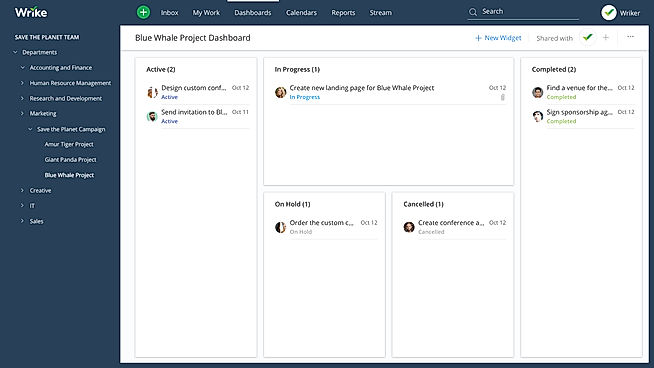
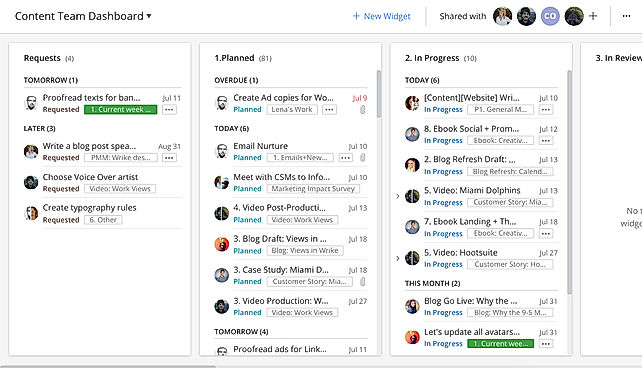
Wrike is a project management tool that helps teams of all shapes and sizes get on the same page and get work done. It's especially great for remote teams, mid-sized organizations, and large companies that need to simplify complex projects and keep clients in the loop. With Wrike, you can easily gather what you need for a project, assign tasks, and see your whole schedule at a glance with interactive Gantt charts. Everyone gets their own personal dashboard with real-time updates, so each team member knows exactly what their priorities are. This keeps everyone working together efficiently and focused on the same goals.
Read more




Pricing
SW Score Breakdown
Platforms Supported
Organization Types Supported
API Support
Modes of Support


Unique Features
Standard Features
AI Assistant
AI Assistant helps you provide information and perform specific tasks to significantly improve your success rate. It can perform one or many tasks like analyzing your deals, contacts, and emails, generating the perfect email, and more.Custom Workflows
Facility to create workflows with custom stages, process, and status.Compliance Management
Helps in making an assessment of risks, ensures policy comprehension and that policies/procedures are being followedWidgets
Displays often used functions and provides quick way for accessing filesPublic Dashboard
It allows sharing dashboards with multiple usersData Security
Ensures secure storage of data by encryptionData Integration
Helps in collecting and combining data from multiple data sources and offer them in a unified manner to the userOLAP
It provides online analytics from multiple data and provides an easy view to the user.Subtasks
Helps to create and manage subtasks that forms part of a larger piece of work to be doneDeadline Management
Allows to set, track, and manage deadlines for tasks, projects, or goals. It ensures that tasks are completed on time, promoting efficiency and productivity.Comments (Notes)
To encourage discussion, offer feedback, make a note, or clarify a point within a document or application.Dependency Management
Helps in identifying, documenting, and managing relationships between tasks, resources, and other projects to ensure a project's smooth progression and timely completion.Due Date Tracking
To manage and keep track of the delivery dateCustom Roles
Defines user roles and permissions to access the contentProof Comparison
Compare two different versions of content side by sideFree Trial
Available
No Credit Card Required, Get Started for Free
Free Free
For teams getting started
Intelligent task management
Features
Team $10.00 $10.00 per user / month
For growing teams
Effective team management
Features
Business $25.00 $25.00 per user / month
For all teams across an organization
Customizable platform for any use case
Features
Enterprise Custom
For large teams
Enterprise-grade security and scalability
Features
Pinnacle Custom
For teams with complex work needs
Advanced tools and analytics for complex work
Features
Screenshots of Vendor Pricing Page
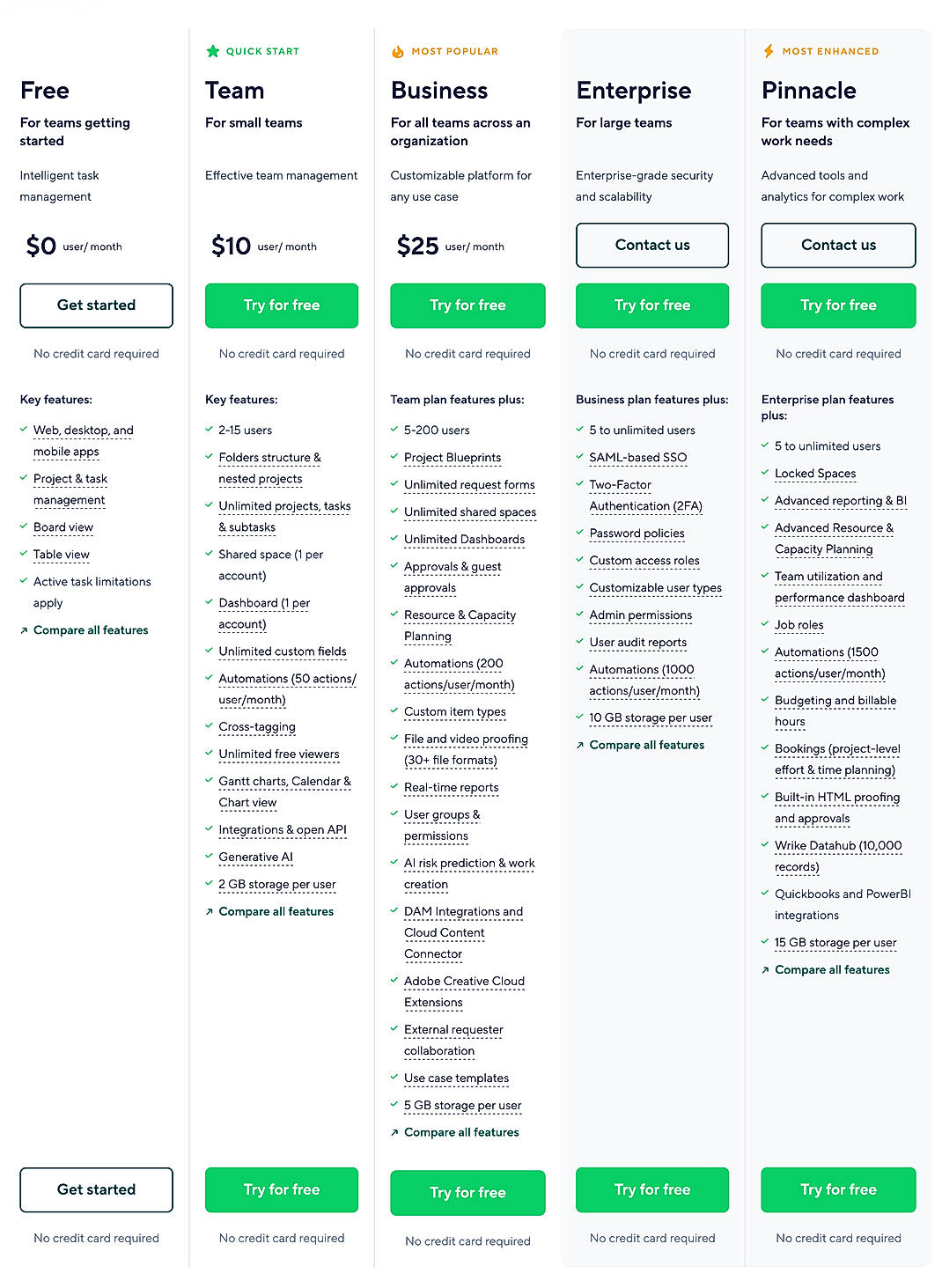
Learn more about Wrike Pricing
94% SW Score The SW Score ranks the products within a particular category on a variety of parameters, to provide a definite ranking system. Read more
Featured
93% SW Score The SW Score ranks the products within a particular category on a variety of parameters, to provide a definite ranking system. Read more
Featured
95% SW Score The SW Score ranks the products within a particular category on a variety of parameters, to provide a definite ranking system. Read more
98% SW Score The SW Score ranks the products within a particular category on a variety of parameters, to provide a definite ranking system. Read more

87% SW Score The SW Score ranks the products within a particular category on a variety of parameters, to provide a definite ranking system. Read more

96% SW Score The SW Score ranks the products within a particular category on a variety of parameters, to provide a definite ranking system. Read more
91% SW Score The SW Score ranks the products within a particular category on a variety of parameters, to provide a definite ranking system. Read more
98% SW Score The SW Score ranks the products within a particular category on a variety of parameters, to provide a definite ranking system. Read more

98% SW Score The SW Score ranks the products within a particular category on a variety of parameters, to provide a definite ranking system. Read more
87% SW Score The SW Score ranks the products within a particular category on a variety of parameters, to provide a definite ranking system. Read more
85% SW Score The SW Score ranks the products within a particular category on a variety of parameters, to provide a definite ranking system. Read more

What is Wrike | W...
Work As One with ...
Manage Work, Coll...

[Tutorial] Overvi...

API (Application ...

[Tutorial] Wrike ...

OKR Dashboard
GANTT Chart
Custom Status Wor...
Wrike demo
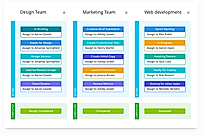
Workflows and sta...
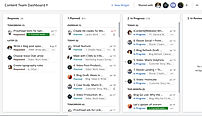
Drinking Our Own ...
How do the pricing plans of Wrike and Jira compare?
Wrike is generally more expensive but offers a broader project management feature set across departments.
Wrike Pricing (annual billing):
Free: Up to 5 users
Team: $9.80/user/month
Business: $24.80/user/month
Enterprise: Custom pricing
Jira is marginally cheaper, but focused specifically on software development and Agile teams.
Jira Pricing:
Free: Up to 10 users
Standard: $8.15/user/month
Premium: $16/user/month
Enterprise: Custom pricing
If you need a cross-functional project management tool, choose Wrike over JIRA.
How much is Wrike a month?
Is Wrike free or paid?
Wrike offers both free and paid plans.
Free Plan: Up to 5 users with basic task management, board view, and limited integrations
Paid Plans: Unlock advanced features like time tracking, Gantt charts, automation, custom fields, reports, and dashboards.
What are the different types of Wrike licenses?
Wrike offers several roles/licenses depending on need:
Regular Users: Full access based on plan tier
Collaborators: Free guest users with view/comment access only
External Users: View or limited-edit access for clients or partners
Admin Roles: Control over permissions, structure, and workspace setup
Is Asana better than Wrike?
Can I use Wrike for personal use?
What is Wrike used for?
Wrike is Project Management Software. Wrike offers the following functionalities:
Learn more about Wrike features.
What are the top alternatives for Wrike?
Here`s a list of the best alternatives for Wrike:
Does Wrike provide API?
Yes, Wrike provides API.
What are the best marketing project management software?
These are the best marketing project management software:
Vendor Details
San Jose, CA Founded : 2007Contact Details
+1 877 779 7453
https://www.wrike.com/project-management/
Social Media Handles
7 Best Project Management Software for Marketing Ag...

How to Manage Multiple Projects in 2026

Wrike Pricing Plans (2026): Is It Worth It for Your...

10 Best Construction Project Management Software &#...

Top 5 Online Project Management Software in 2025
10 Best Project Management Software for Small Teams...

Top 10 Project Management SaaS Tools for 2024
Top 10 Project Management Mobile Apps Users Love in...

Top Freemium Tools in Project Management

Top 5 Remote Work Software in 2023






































This research is curated from diverse authoritative sources; feel free to share your feedback at [email protected]

Looking for the right SaaS
We can help you choose the best SaaS for your specific requirements. Our in-house experts will assist you with their hand-picked recommendations.

Want more customers?
Our experts will research about your product and list it on SaaSworthy for FREE.