MEET CLARA - THE AI BEHIND SMARTER SOFTWARE CHOICES



This profile is currently managed by the official vendor through the SaaSworthy Vendor Portal. Product details, features, pricing, and media assets are maintained directly by the company.


92% SW Score The SW Score ranks the products within a particular category on a variety of parameters, to provide a definite ranking system. Read more
Featured
82% SW Score The SW Score ranks the products within a particular category on a variety of parameters, to provide a definite ranking system. Read more

96% SW Score The SW Score ranks the products within a particular category on a variety of parameters, to provide a definite ranking system. Read more

 Deep Dive with Clara AI
Quire is project management software for teams coordinating complex, multi-stage work across departments. Portfolio reporting puts project progress, upcoming deadlines, and member workload in one place, helping managers identify where attention is needed. Quire AI supports project summaries and batch task updates, reducing the effort required to review information and make routine changes. Quire's unlimited task nesting lets teams organize large initiatives into phases, tasks, and subtasks, keeping each step connected to the broader project plan. Different project views help teams prioritize work, adjust schedules, and track execution using the same task data. Project chat and documents support communication, while approvals keep sign-off decisions attached to relevant tasks. Quire supports focused project teams and larger organizations, including enterprises coordinating extensive project portfolios. Configurable roles and permissions, controlled access for external collaborators, SSO, and IP allowlists help organizations manage access across teams and projects. Quire is ISO/IEC 27001 certified for information security management.
Read more



Pricing
SW Score Breakdown
Platforms Supported
Organization Types Supported
API Support
Modes of Support


Unique Features
Standard Features
Custom Workflows
Facility to create workflows with custom stages, process, and status.AI Assistant
AI Assistant helps you provide information and perform specific tasks to significantly improve your success rate. It can perform one or many tasks like analyzing your deals, contacts, and emails, generating the perfect email, and more.Compliance Management
Helps in making an assessment of risks, ensures policy comprehension and that policies/procedures are being followedSubtasks
Helps to create and manage subtasks that forms part of a larger piece of work to be doneDeadline Management
Allows to set, track, and manage deadlines for tasks, projects, or goals. It ensures that tasks are completed on time, promoting efficiency and productivity.Comments (Notes)
To encourage discussion, offer feedback, make a note, or clarify a point within a document or application.Dependency Management
Helps in identifying, documenting, and managing relationships between tasks, resources, and other projects to ensure a project's smooth progression and timely completion.Reporting & Activity Tracking
Integration with Project Tools
Commenting & Feedback
File Sharing & Document Collaboration
Task & Project Coordination
Team Communication & Messaging
Notifications & Alerts
Real-time Collaboration
Helps more than one person to work on the same file simultaneouslyFree Trial
Available
No Credit Card Required, Get Started for Free
Free Free
For individuals or teams just getting started with Quire and need to keep track of their work.
Features
Professional $7.65 $10.95 per user / month
For small teams that need to visualize their work in one place.
Features
Premium $13.95 $18.95 per user / month
For growing teams or companies with cross-functional teams and more complex workflows.
Features
Enterprise $19.95 $24.95 per user / month
For enterprise-grade corporates that need ultimate management, security control and support.
Features
Screenshots of Vendor Pricing Page

Learn more about Quire Pricing
94% SW Score The SW Score ranks the products within a particular category on a variety of parameters, to provide a definite ranking system. Read more
Featured
92% SW Score The SW Score ranks the products within a particular category on a variety of parameters, to provide a definite ranking system. Read more
Featured
95% SW Score The SW Score ranks the products within a particular category on a variety of parameters, to provide a definite ranking system. Read more
91% SW Score The SW Score ranks the products within a particular category on a variety of parameters, to provide a definite ranking system. Read more
90% SW Score The SW Score ranks the products within a particular category on a variety of parameters, to provide a definite ranking system. Read more
96% SW Score The SW Score ranks the products within a particular category on a variety of parameters, to provide a definite ranking system. Read more

94% SW Score The SW Score ranks the products within a particular category on a variety of parameters, to provide a definite ranking system. Read more
87% SW Score The SW Score ranks the products within a particular category on a variety of parameters, to provide a definite ranking system. Read more

93% SW Score The SW Score ranks the products within a particular category on a variety of parameters, to provide a definite ranking system. Read more

85% SW Score The SW Score ranks the products within a particular category on a variety of parameters, to provide a definite ranking system. Read more

85% SW Score The SW Score ranks the products within a particular category on a variety of parameters, to provide a definite ranking system. Read more

98% SW Score The SW Score ranks the products within a particular category on a variety of parameters, to provide a definite ranking system. Read more

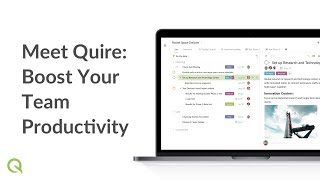
Meet Quire: Boost...
Quire Mobile Basi...

Tree View

Dashboard View

Timeline View

Calendar View

Insight View
What is Quire used for?
Quire is Project Management Software. Quire offers the following functionalities:
Learn more about Quire features.
How much does Quire cost?
The pricing for Quire starts at $7.65 per user per month. Quire has 4 different plans:
Learn more about Quire pricing.
Does Quire offer a free plan?
Yes, Quire offers a free plan.
Learn more about Quire pricing.
What are the top alternatives for Quire?
Here`s a list of the best alternatives for Quire:
Does Quire provide API?
Yes, Quire provides API.
What are the best marketing project management software?
These are the best marketing project management software:
Vendor Details
Taipei, Taiwan Founded : 2014Contact Details
Not available
https://quire.io/
Social Media Handles













SaaSworthy may receive compensation from some vendors featured on this page. This does not influence our editorial evaluation or ratings. [email protected]

Looking for the right SaaS
We can help you choose the best SaaS for your specific requirements. Our in-house experts will assist you with their hand-picked recommendations.

Want more customers?
Our experts will research about your product and list it on SaaSworthy for FREE.