MEET CLARA - THE AI BEHIND SMARTER SOFTWARE CHOICES



98% SW Score The SW Score ranks the products within a particular category on a variety of parameters, to provide a definite ranking system. Read more
Get better work done
This product profile is currently unclaimed.
The listing is published on SaaSworthy, but the official vendor does not yet manage it. Are you part of the Asana team? Claim this profile to manage and update your product information.


The Average Cost of a basic Project Management Software plan is $9 per month.
Asana pricing starts at $10.99/month, which is 22% higher than similar services.
58% of Project Management Software offer a Free Trial , while 45% offer a Freemium Model .
Asana’s pricing model, while competitive, often leaves new users confused, specifically those entering via the mobile app or website trial flow. The platform defaults to a 30-day free trial of premium features, which can create the impression that these tools are part of the free plan. In reality, the Free tier does still exist, supporting up to 10 users, but users frequently report difficulty locating it during onboarding. Additionally, the paid plans enforce a two-seat minimum, making Asana less ideal for solo users or freelancers. While the Starter and Advanced tiers unlock powerful features like timelines, portfolios, goals, and AI workflows, the lack of pricing clarity and inconsistent support experiences have drawn criticism from parts of the user community. Asana remains a solid, scalable choice for structured team collaboration but it’s not the most transparent or freelancer-friendly platform out there.
From a free tier for small teams to enterprise-grade solutions with advanced permissions, here’s a breakdown of each Asana plan—what it costs, who it’s for, and what you get at each level.
| Plan Name | Monthly Base | Per Employee | Best For | Key Features |
|---|---|---|---|---|
| Personal | $0 | $0 | Individuals & small teams (≤10 | List/board/calendar views, 100+ integrations, mobile apps |
| Starter | $13.49/user/month | $13.49/user/month | Small to mid-sized teams | Timeline, dashboards, custom fields, forms, 250 automations/mo, basic AI |
| Advanced | $30.49/user/month | $30.49/user/month | Cross-functional collaboration | Portfolios, goals, workload, approvals, branching forms, Salesforce & Tableau integrations, 25,000 automations/mo, advanced AI |
| Enterprise/Enterprise+ | Custom | Custom | Large organizations with security & compliance needs | Everything in Advanced + SSO, SCIM, HIPAA (Enterprise+), audit logs, unlimited automations, 24/7 support |
Personal Free
For individuals and small teams looking to manage their tasks.
Features
Starter $10.99 $13.49 per user / month
For growing teams that need to track their projects' progress and hit deadlines.
Features
Advanced $24.99 $30.49 per user / month
For companies that need to manage a portfolio of work and goals across departments.
Features
Enterprise Custom
For companies that need to coordinate and automate complex work across departments, without limits.
Features
Enterprise+ Custom
For companies that need to meet strict compliance requirements with flexible, precise controls.
Features
Asana is a great fit for structured teams looking for scalable project and work management without the steep learning curve of more complex tools. The Free plan supports up to 10 users and covers essential task views and collaboration, making it suitable for early-stage teams. Starter and Advanced plans are best for organizations that need automation, cross-functional visibility, and strategic planning. However, if you’re a freelancer or small team needing just one seat—or if you prefer pricing transparency—ClickUp, Paymo, or Notion may be better fits. Asana shines when used by product, marketing, and ops teams that value accountability and process consistency.
Asana connects with over 100 tools. This section outlines its top integrations across collaboration, storage, automation, CRM, and development to help you assess fit in your existing stack. Popular Integrations: - Communication: Slack, Microsoft Teams, Zoom - File Storage: Google Drive, Dropbox, OneDrive - CRM & Analytics: Salesforce, Tableau, Power BI - Automation: Zapier, Make (Integromat), webhooks - Development: GitHub, Jira, Bitbucket
85% SW Score The SW Score ranks the products within a particular category on a variety of parameters, to provide a definite ranking system. Read more

98% SW Score The SW Score ranks the products within a particular category on a variety of parameters, to provide a definite ranking system. Read more

88% SW Score The SW Score ranks the products within a particular category on a variety of parameters, to provide a definite ranking system. Read more

98% SW Score The SW Score ranks the products within a particular category on a variety of parameters, to provide a definite ranking system. Read more

86% SW Score The SW Score ranks the products within a particular category on a variety of parameters, to provide a definite ranking system. Read more

87% SW Score The SW Score ranks the products within a particular category on a variety of parameters, to provide a definite ranking system. Read more

90% SW Score The SW Score ranks the products within a particular category on a variety of parameters, to provide a definite ranking system. Read more

96% SW Score The SW Score ranks the products within a particular category on a variety of parameters, to provide a definite ranking system. Read more

92% SW Score The SW Score ranks the products within a particular category on a variety of parameters, to provide a definite ranking system. Read more

88% SW Score The SW Score ranks the products within a particular category on a variety of parameters, to provide a definite ranking system. Read more

92% SW Score The SW Score ranks the products within a particular category on a variety of parameters, to provide a definite ranking system. Read more

93% SW Score The SW Score ranks the products within a particular category on a variety of parameters, to provide a definite ranking system. Read more

87% SW Score The SW Score ranks the products within a particular category on a variety of parameters, to provide a definite ranking system. Read more

82% SW Score The SW Score ranks the products within a particular category on a variety of parameters, to provide a definite ranking system. Read more

84% SW Score The SW Score ranks the products within a particular category on a variety of parameters, to provide a definite ranking system. Read more

72% SW Score The SW Score ranks the products within a particular category on a variety of parameters, to provide a definite ranking system. Read more

88% SW Score The SW Score ranks the products within a particular category on a variety of parameters, to provide a definite ranking system. Read more

87% SW Score The SW Score ranks the products within a particular category on a variety of parameters, to provide a definite ranking system. Read more

85% SW Score The SW Score ranks the products within a particular category on a variety of parameters, to provide a definite ranking system. Read more

87% SW Score The SW Score ranks the products within a particular category on a variety of parameters, to provide a definite ranking system. Read more

83% SW Score The SW Score ranks the products within a particular category on a variety of parameters, to provide a definite ranking system. Read more

88% SW Score The SW Score ranks the products within a particular category on a variety of parameters, to provide a definite ranking system. Read more
92% SW Score The SW Score ranks the products within a particular category on a variety of parameters, to provide a definite ranking system. Read more

84% SW Score The SW Score ranks the products within a particular category on a variety of parameters, to provide a definite ranking system. Read more

88% SW Score The SW Score ranks the products within a particular category on a variety of parameters, to provide a definite ranking system. Read more

85% SW Score The SW Score ranks the products within a particular category on a variety of parameters, to provide a definite ranking system. Read more











93% SW Score The SW Score ranks the products within a particular category on a variety of parameters, to provide a definite ranking system. Read more

98% SW Score The SW Score ranks the products within a particular category on a variety of parameters, to provide a definite ranking system. Read more

80% SW Score The SW Score ranks the products within a particular category on a variety of parameters, to provide a definite ranking system. Read more

93% SW Score The SW Score ranks the products within a particular category on a variety of parameters, to provide a definite ranking system. Read more

93% SW Score The SW Score ranks the products within a particular category on a variety of parameters, to provide a definite ranking system. Read more

92% SW Score The SW Score ranks the products within a particular category on a variety of parameters, to provide a definite ranking system. Read more

87% SW Score The SW Score ranks the products within a particular category on a variety of parameters, to provide a definite ranking system. Read more

91% SW Score The SW Score ranks the products within a particular category on a variety of parameters, to provide a definite ranking system. Read more

87% SW Score The SW Score ranks the products within a particular category on a variety of parameters, to provide a definite ranking system. Read more

90% SW Score The SW Score ranks the products within a particular category on a variety of parameters, to provide a definite ranking system. Read more

81% SW Score The SW Score ranks the products within a particular category on a variety of parameters, to provide a definite ranking system. Read more

90% SW Score The SW Score ranks the products within a particular category on a variety of parameters, to provide a definite ranking system. Read more
88% SW Score The SW Score ranks the products within a particular category on a variety of parameters, to provide a definite ranking system. Read more

87% SW Score The SW Score ranks the products within a particular category on a variety of parameters, to provide a definite ranking system. Read more

86% SW Score The SW Score ranks the products within a particular category on a variety of parameters, to provide a definite ranking system. Read more

88% SW Score The SW Score ranks the products within a particular category on a variety of parameters, to provide a definite ranking system. Read more

98% SW Score The SW Score ranks the products within a particular category on a variety of parameters, to provide a definite ranking system. Read more

87% SW Score The SW Score ranks the products within a particular category on a variety of parameters, to provide a definite ranking system. Read more

79% SW Score The SW Score ranks the products within a particular category on a variety of parameters, to provide a definite ranking system. Read more

84% SW Score The SW Score ranks the products within a particular category on a variety of parameters, to provide a definite ranking system. Read more

96% SW Score The SW Score ranks the products within a particular category on a variety of parameters, to provide a definite ranking system. Read more

76% SW Score The SW Score ranks the products within a particular category on a variety of parameters, to provide a definite ranking system. Read more

86% SW Score The SW Score ranks the products within a particular category on a variety of parameters, to provide a definite ranking system. Read more

86% SW Score The SW Score ranks the products within a particular category on a variety of parameters, to provide a definite ranking system. Read more

77% SW Score The SW Score ranks the products within a particular category on a variety of parameters, to provide a definite ranking system. Read more
88% SW Score The SW Score ranks the products within a particular category on a variety of parameters, to provide a definite ranking system. Read more

89% SW Score The SW Score ranks the products within a particular category on a variety of parameters, to provide a definite ranking system. Read more

88% SW Score The SW Score ranks the products within a particular category on a variety of parameters, to provide a definite ranking system. Read more

98% SW Score The SW Score ranks the products within a particular category on a variety of parameters, to provide a definite ranking system. Read more

89% SW Score The SW Score ranks the products within a particular category on a variety of parameters, to provide a definite ranking system. Read more

96% SW Score The SW Score ranks the products within a particular category on a variety of parameters, to provide a definite ranking system. Read more

93% SW Score The SW Score ranks the products within a particular category on a variety of parameters, to provide a definite ranking system. Read more

97% SW Score The SW Score ranks the products within a particular category on a variety of parameters, to provide a definite ranking system. Read more

96% SW Score The SW Score ranks the products within a particular category on a variety of parameters, to provide a definite ranking system. Read more

89% SW Score The SW Score ranks the products within a particular category on a variety of parameters, to provide a definite ranking system. Read more

98% SW Score The SW Score ranks the products within a particular category on a variety of parameters, to provide a definite ranking system. Read more

82% SW Score The SW Score ranks the products within a particular category on a variety of parameters, to provide a definite ranking system. Read more

91% SW Score The SW Score ranks the products within a particular category on a variety of parameters, to provide a definite ranking system. Read more

98% SW Score The SW Score ranks the products within a particular category on a variety of parameters, to provide a definite ranking system. Read more

86% SW Score The SW Score ranks the products within a particular category on a variety of parameters, to provide a definite ranking system. Read more

98% SW Score The SW Score ranks the products within a particular category on a variety of parameters, to provide a definite ranking system. Read more

92% SW Score The SW Score ranks the products within a particular category on a variety of parameters, to provide a definite ranking system. Read more

98% SW Score The SW Score ranks the products within a particular category on a variety of parameters, to provide a definite ranking system. Read more
87% SW Score The SW Score ranks the products within a particular category on a variety of parameters, to provide a definite ranking system. Read more

93% SW Score The SW Score ranks the products within a particular category on a variety of parameters, to provide a definite ranking system. Read more

91% SW Score The SW Score ranks the products within a particular category on a variety of parameters, to provide a definite ranking system. Read more

95% SW Score The SW Score ranks the products within a particular category on a variety of parameters, to provide a definite ranking system. Read more

84% SW Score The SW Score ranks the products within a particular category on a variety of parameters, to provide a definite ranking system. Read more

77% SW Score The SW Score ranks the products within a particular category on a variety of parameters, to provide a definite ranking system. Read more

83% SW Score The SW Score ranks the products within a particular category on a variety of parameters, to provide a definite ranking system. Read more

74% SW Score The SW Score ranks the products within a particular category on a variety of parameters, to provide a definite ranking system. Read more

70% SW Score The SW Score ranks the products within a particular category on a variety of parameters, to provide a definite ranking system. Read more

90% SW Score The SW Score ranks the products within a particular category on a variety of parameters, to provide a definite ranking system. Read more

90% SW Score The SW Score ranks the products within a particular category on a variety of parameters, to provide a definite ranking system. Read more

98% SW Score The SW Score ranks the products within a particular category on a variety of parameters, to provide a definite ranking system. Read more

83% SW Score The SW Score ranks the products within a particular category on a variety of parameters, to provide a definite ranking system. Read more

83% SW Score The SW Score ranks the products within a particular category on a variety of parameters, to provide a definite ranking system. Read more

78% SW Score The SW Score ranks the products within a particular category on a variety of parameters, to provide a definite ranking system. Read more

84% SW Score The SW Score ranks the products within a particular category on a variety of parameters, to provide a definite ranking system. Read more

88% SW Score The SW Score ranks the products within a particular category on a variety of parameters, to provide a definite ranking system. Read more

86% SW Score The SW Score ranks the products within a particular category on a variety of parameters, to provide a definite ranking system. Read more

95% SW Score The SW Score ranks the products within a particular category on a variety of parameters, to provide a definite ranking system. Read more

97% SW Score The SW Score ranks the products within a particular category on a variety of parameters, to provide a definite ranking system. Read more

91% SW Score The SW Score ranks the products within a particular category on a variety of parameters, to provide a definite ranking system. Read more

88% SW Score The SW Score ranks the products within a particular category on a variety of parameters, to provide a definite ranking system. Read more

91% SW Score The SW Score ranks the products within a particular category on a variety of parameters, to provide a definite ranking system. Read more

86% SW Score The SW Score ranks the products within a particular category on a variety of parameters, to provide a definite ranking system. Read more




86% SW Score The SW Score ranks the products within a particular category on a variety of parameters, to provide a definite ranking system. Read more
98% SW Score The SW Score ranks the products within a particular category on a variety of parameters, to provide a definite ranking system. Read more

94% SW Score The SW Score ranks the products within a particular category on a variety of parameters, to provide a definite ranking system. Read more

88% SW Score The SW Score ranks the products within a particular category on a variety of parameters, to provide a definite ranking system. Read more

89% SW Score The SW Score ranks the products within a particular category on a variety of parameters, to provide a definite ranking system. Read more

89% SW Score The SW Score ranks the products within a particular category on a variety of parameters, to provide a definite ranking system. Read more

87% SW Score The SW Score ranks the products within a particular category on a variety of parameters, to provide a definite ranking system. Read more

76% SW Score The SW Score ranks the products within a particular category on a variety of parameters, to provide a definite ranking system. Read more

96% SW Score The SW Score ranks the products within a particular category on a variety of parameters, to provide a definite ranking system. Read more

98% SW Score The SW Score ranks the products within a particular category on a variety of parameters, to provide a definite ranking system. Read more

81% SW Score The SW Score ranks the products within a particular category on a variety of parameters, to provide a definite ranking system. Read more

90% SW Score The SW Score ranks the products within a particular category on a variety of parameters, to provide a definite ranking system. Read more

83% SW Score The SW Score ranks the products within a particular category on a variety of parameters, to provide a definite ranking system. Read more

73% SW Score The SW Score ranks the products within a particular category on a variety of parameters, to provide a definite ranking system. Read more

87% SW Score The SW Score ranks the products within a particular category on a variety of parameters, to provide a definite ranking system. Read more

98% SW Score The SW Score ranks the products within a particular category on a variety of parameters, to provide a definite ranking system. Read more

98% SW Score The SW Score ranks the products within a particular category on a variety of parameters, to provide a definite ranking system. Read more

97% SW Score The SW Score ranks the products within a particular category on a variety of parameters, to provide a definite ranking system. Read more

79% SW Score The SW Score ranks the products within a particular category on a variety of parameters, to provide a definite ranking system. Read more

70% SW Score The SW Score ranks the products within a particular category on a variety of parameters, to provide a definite ranking system. Read more

90% SW Score The SW Score ranks the products within a particular category on a variety of parameters, to provide a definite ranking system. Read more

98% SW Score The SW Score ranks the products within a particular category on a variety of parameters, to provide a definite ranking system. Read more

98% SW Score The SW Score ranks the products within a particular category on a variety of parameters, to provide a definite ranking system. Read more

82% SW Score The SW Score ranks the products within a particular category on a variety of parameters, to provide a definite ranking system. Read more

76% SW Score The SW Score ranks the products within a particular category on a variety of parameters, to provide a definite ranking system. Read more

91% SW Score The SW Score ranks the products within a particular category on a variety of parameters, to provide a definite ranking system. Read more

94% SW Score The SW Score ranks the products within a particular category on a variety of parameters, to provide a definite ranking system. Read more

98% SW Score The SW Score ranks the products within a particular category on a variety of parameters, to provide a definite ranking system. Read more

77% SW Score The SW Score ranks the products within a particular category on a variety of parameters, to provide a definite ranking system. Read more

96% SW Score The SW Score ranks the products within a particular category on a variety of parameters, to provide a definite ranking system. Read more

90% SW Score The SW Score ranks the products within a particular category on a variety of parameters, to provide a definite ranking system. Read more

87% SW Score The SW Score ranks the products within a particular category on a variety of parameters, to provide a definite ranking system. Read more

94% SW Score The SW Score ranks the products within a particular category on a variety of parameters, to provide a definite ranking system. Read more

97% SW Score The SW Score ranks the products within a particular category on a variety of parameters, to provide a definite ranking system. Read more

86% SW Score The SW Score ranks the products within a particular category on a variety of parameters, to provide a definite ranking system. Read more

89% SW Score The SW Score ranks the products within a particular category on a variety of parameters, to provide a definite ranking system. Read more

70% SW Score The SW Score ranks the products within a particular category on a variety of parameters, to provide a definite ranking system. Read more

98% SW Score The SW Score ranks the products within a particular category on a variety of parameters, to provide a definite ranking system. Read more

94% SW Score The SW Score ranks the products within a particular category on a variety of parameters, to provide a definite ranking system. Read more

85% SW Score The SW Score ranks the products within a particular category on a variety of parameters, to provide a definite ranking system. Read more

76% SW Score The SW Score ranks the products within a particular category on a variety of parameters, to provide a definite ranking system. Read more

91% SW Score The SW Score ranks the products within a particular category on a variety of parameters, to provide a definite ranking system. Read more


93% SW Score The SW Score ranks the products within a particular category on a variety of parameters, to provide a definite ranking system. Read more

89% SW Score The SW Score ranks the products within a particular category on a variety of parameters, to provide a definite ranking system. Read more

96% SW Score The SW Score ranks the products within a particular category on a variety of parameters, to provide a definite ranking system. Read more

92% SW Score The SW Score ranks the products within a particular category on a variety of parameters, to provide a definite ranking system. Read more

83% SW Score The SW Score ranks the products within a particular category on a variety of parameters, to provide a definite ranking system. Read more


82% SW Score The SW Score ranks the products within a particular category on a variety of parameters, to provide a definite ranking system. Read more

84% SW Score The SW Score ranks the products within a particular category on a variety of parameters, to provide a definite ranking system. Read more

88% SW Score The SW Score ranks the products within a particular category on a variety of parameters, to provide a definite ranking system. Read more

74% SW Score The SW Score ranks the products within a particular category on a variety of parameters, to provide a definite ranking system. Read more

92% SW Score The SW Score ranks the products within a particular category on a variety of parameters, to provide a definite ranking system. Read more


80% SW Score The SW Score ranks the products within a particular category on a variety of parameters, to provide a definite ranking system. Read more

98% SW Score The SW Score ranks the products within a particular category on a variety of parameters, to provide a definite ranking system. Read more

90% SW Score The SW Score ranks the products within a particular category on a variety of parameters, to provide a definite ranking system. Read more

98% SW Score The SW Score ranks the products within a particular category on a variety of parameters, to provide a definite ranking system. Read more

94% SW Score The SW Score ranks the products within a particular category on a variety of parameters, to provide a definite ranking system. Read more

93% SW Score The SW Score ranks the products within a particular category on a variety of parameters, to provide a definite ranking system. Read more

74% SW Score The SW Score ranks the products within a particular category on a variety of parameters, to provide a definite ranking system. Read more

75% SW Score The SW Score ranks the products within a particular category on a variety of parameters, to provide a definite ranking system. Read more

76% SW Score The SW Score ranks the products within a particular category on a variety of parameters, to provide a definite ranking system. Read more

82% SW Score The SW Score ranks the products within a particular category on a variety of parameters, to provide a definite ranking system. Read more

88% SW Score The SW Score ranks the products within a particular category on a variety of parameters, to provide a definite ranking system. Read more

79% SW Score The SW Score ranks the products within a particular category on a variety of parameters, to provide a definite ranking system. Read more


95% SW Score The SW Score ranks the products within a particular category on a variety of parameters, to provide a definite ranking system. Read more

90% SW Score The SW Score ranks the products within a particular category on a variety of parameters, to provide a definite ranking system. Read more
94% SW Score The SW Score ranks the products within a particular category on a variety of parameters, to provide a definite ranking system. Read more

94% SW Score The SW Score ranks the products within a particular category on a variety of parameters, to provide a definite ranking system. Read more

92% SW Score The SW Score ranks the products within a particular category on a variety of parameters, to provide a definite ranking system. Read more

83% SW Score The SW Score ranks the products within a particular category on a variety of parameters, to provide a definite ranking system. Read more

74% SW Score The SW Score ranks the products within a particular category on a variety of parameters, to provide a definite ranking system. Read more

98% SW Score The SW Score ranks the products within a particular category on a variety of parameters, to provide a definite ranking system. Read more

84% SW Score The SW Score ranks the products within a particular category on a variety of parameters, to provide a definite ranking system. Read more

81% SW Score The SW Score ranks the products within a particular category on a variety of parameters, to provide a definite ranking system. Read more

93% SW Score The SW Score ranks the products within a particular category on a variety of parameters, to provide a definite ranking system. Read more

91% SW Score The SW Score ranks the products within a particular category on a variety of parameters, to provide a definite ranking system. Read more

98% SW Score The SW Score ranks the products within a particular category on a variety of parameters, to provide a definite ranking system. Read more

79% SW Score The SW Score ranks the products within a particular category on a variety of parameters, to provide a definite ranking system. Read more

7 Best Project Management Software for Marketing Ag...
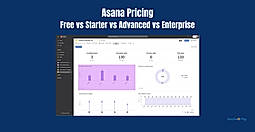
Asana Pricing: Free vs Starter vs Advanced vs Enter...

Asana Pricing Plans Explained (2026): Which Plan Is...

Top 10 Workflow Automation Software for Enterprises...

How to Manage Multiple Projects in 2026

10 Best Construction Project Management Software &#...

How to Create an Editorial Calendar in 2025

10 Best Project Management Software for Small Teams...

Top 10 Project Management SaaS Tools for 2024

7 Project Management SaaS Tools for Agile Teams: Ch...
See how Asana stacks up against popular project management tools like ClickUp, Trello, and Monday.com—not just on price, but also on AI features, integrations, and flexibility.
| Product Name | Pricing Insights | Free Trial | Standout Feature | Best for | Learn More |
|---|---|---|---|---|---|
| Asana pricing starts at $10.99/month, which is 22% higher than similar services. | Strategic planning with dependency management | Rule-based automation, custom fields, integrations | Asana Pricing | ||
| Trello pricing starts at $5/month, which is 44% lower than similar services. | Small teams or individuals needing intuitive task tracking | AI Inbox and Visual boards | Trello Pricing | ||
| Microsoft PPM pricing starts at $10/month, which is 60% lower than similar services. | Teams using Microsoft 365 needing portfolio visibility | Streamline workflows with dependencies, roadmaps | Microsoft PPM Pricing | ||
| Zoho Projects pricing starts at $4/month, which is 56% lower than similar services. | Structured task tracking for lean teams | SLA tracking, Gantt charts, webhook triggers | Zoho Projects Pricing | ||
| ClickUp pricing starts at $7/month, which is 22% lower than similar services. | Unified task orchestration for hybrid teams | Conditional logic, nested subtasks, API support | ClickUp Pricing | ||
| Starts at $9.0. Offers Free-forever and Custom plan. | SMB teams needing visual workflows | Real‑time dashboards for budget tracking | monday.com Pricing | ||
| Teamwork pricing starts at $9.99/month, which is 11% higher than similar services. | Service teams requiring task-billing workflows | Built-in timers, invoicing, client-level permissions | Teamwork Pricing | ||
| Jira pricing starts at $70.83/month, which is 208% higher than similar services. | Engineering teams executing agile task cycles | REST API, sprint planning, DevOps hooks | Jira Pricing | ||
| ProjectManager.com pricing starts at $13/month, which is 44% higher than similar services. | Managers looking for Agile, Gantt, and reporting in one tool | Real-time dashboards | ProjectManager.com Pricing | ||
| Microsoft Project pricing starts at $10/month, which is 11% higher than similar services. | Enterprises needing detailed scheduling and portfolio planning | Advanced Gantt charts and Power-BI Integration | Microsoft Project Pricing |
Considering other platforms? We’ve listed the most compared Asana alternatives and how they differ so you can confidently pick what fits your team best.



How to get Asana cheaper?
Use the Free plan: Asana's free tier supports up to 15 users with core project management tools.
Annual billing: Paying yearly saves ~20% compared to monthly billing.
Nonprofit discount: Eligible nonprofits can get up to 50% off via Asana for nonprofits.
Educational & startup offers: Asana occasionally offers credits or deals for startups and universities through partners.
Is Asana or Trello better?
Is Asana free or paid?
Asana offers both free and paid plans. Paid plans include advanced reporting, automation, timelines, and workload management.
Free plan: Up to 15 users with unlimited tasks, projects, and basic views (list, board, calendar).
Paid plans: Premium: $10.99/user/month (annual), Business: $24.99/user/month (annual)
Is Asana worth the price?
Yes, for teams that need structured, scalable project management.
Asana shines in cross-functional work, reporting, and collaboration.
The time saved on coordination and tracking often outweighs the cost, especially with the Business plan’s advanced features.
For solo users or simple task lists, the free plan is much more convenient.
How do the pricing models of Asana and Basecamp compare?
Asana and Basecamp take very different pricing approaches - Asana Pricing (Per User Model) and Basecamp Pricing (Flat Fee Model).
Asana charges per user per month, with pricing tiers based on features.
Basecamp offers flat pricing: one plan for unlimited users.
Asana is better for teams that want advanced features and flexible per-seat pricing.
How much does Asana cost?
The pricing for Asana starts at $10.99 per user per month. Asana has 2 different plans:
Asana offers a Free Plan with limited features. They also offer an Enterprise Plan for their product.
Learn more about Asana pricing.
Does Asana offer a free plan?
Yes, Asana offers a free plan.
Learn more about Asana pricing.
What are the best marketing project management software?
These are the best marketing project management software:
Asana strikes a balance between usability and scalability. It’s ideal for teams that need structured project workflows, custom fields, and powerful automation without complex onboarding. While the AI rollout and portfolio tracking are welcome additions, entry-level friction (like mandatory two-seat billing and trial confusion) can turn away freelancers or micro-teams. In the end, Asana is best for growing businesses that value accountability, visibility, and cross-team coordination. If clarity and simplicity matter more than structure and automation, lighter alternatives like Trello or Notion might be worth exploring.
1. What are the different pricing tiers for the Asana project management software?
2. What does the Basic plan include, and how much does it cost?
3. What additional features does the Premium plan offer, and what is the pricing?
4. What features come with the Business plan, and how much does it cost?
5. What is included in the Enterprise plan, and how can I get pricing information?
6. What are some advanced security features included in the Enterprise plan?
7. How many free guests are allowed in the Premium, Business, and Enterprise plans?
8. Is there a mobile app available for the Basic plan?
9. Can you explain the Workflow Builder and Rules in the Premium plan?
10. What advanced reporting capabilities are offered in Asana Business and Enterprise plans?
11. How do the pricing models of Asana and Basecamp compare?
Asana follows a per-user pricing model:
Basic: Free for up to 15 users
Premium: $10.99/user/month (billed annually)
Business: $24.99/user/month
Enterprise: Custom pricing
Basecamp uses a flat-rate pricing model:
Free: Basecamp Personal (limited features, for small teams)
Basecamp: $15/user/month (no annual discount)
Basecamp Pro Unlimited: $299/month flat for unlimited users and projects
This research is curated from diverse authoritative sources; feel free to share your feedback at [email protected]

Looking for the right SaaS
We can help you choose the best SaaS for your specific requirements. Our in-house experts will assist you with their hand-picked recommendations.

Want more customers?
Our experts will research about your product and list it on SaaSworthy for FREE.