MEET CLARA - THE AI BEHIND SMARTER SOFTWARE CHOICES



81% SW Score The SW Score ranks the products within a particular category on a variety of parameters, to provide a definite ranking system. Read more
Staff Scheduling Software for Smarter Teams and Faster Shift Management
This profile is currently managed by the official vendor through the SaaSworthy Vendor Portal. Product details, features, pricing, and media assets are maintained directly by the company.

 Deep Dive with Clara AI
Staff Scheduling is an all-in-one employee scheduling and workforce management platform that helps businesses create schedules faster, manage teams more efficiently, and reduce administrative work. Instead of relying on spreadsheets, paper schedules, phone calls, or group chats, businesses can manage everything from a single, easy-to-use platform. Designed for restaurants, retail stores, healthcare clinics, hospitality, warehouses, construction companies, cleaning services, and other shift-based businesses, Staff Scheduling makes workforce management simple for both managers and employees. Managers can create, edit, and publish employee schedules in minutes, assign shifts based on availability, manage departments and multiple locations, approve leave requests, monitor overtime, and keep everyone informed with real-time notifications. Employees can check schedules, update availability, request shift swaps, clock in and out, and receive instant schedule updates from anywhere using the web or mobile app. The built-in GPS time clock helps businesses record accurate attendance while reducing time theft and buddy punching. Powerful reports provide valuable insights into labor costs, attendance, overtime, late arrivals, missed shifts, and workforce performance, helping managers make smarter staffing decisions. Role-based permissions allow owners, administrators, managers, and employees to access only the information they need, while announcements and team communication features keep everyone connected without switching between multiple apps. Staff Scheduling is built with simplicity, speed, and reliability in mind. The clean interface makes it easy to onboard new employees and manage daily operations without complicated training. Whether you manage a small team or multiple business locations, the platform scales with your business and helps improve productivity while saving valuable time. Built for Canadian businesses and trusted by teams worldwide, Staff Scheduling
Read more
Pricing
SW Score Breakdown
Platforms Supported
Organization Types Supported
API Support
Modes of Support
Employee Timeclock
Seamlessly record time in/out of the shifts and export timesheets to payroll platform.Shift Swapping
Allow employees to exchange shifts with other qualified employees conveniently.Staff Notification
Alerts the employee via email, text, and push notifications upon any new events or changes.Workforce Forecasting
Automatically predict future workforce needs based on historical data and proactively plan for shortcomings. It illustrates the staffing plan for a specific time period to effectively address both understaffing and overstaffing concerns.Employee Portal
User panel for employees to view, manage their information and requestsReal-time Reporting
Allows users to check campaign real-time status as it happensDrag and drop Builder
Has a pick-and-drop visual interface for easier designingAutomated Scheduling
Helps to automate the scheduling processes to reduce paperwork, provide a comprehensive solution and ensure timely updatesReminders
Sends important reminders through email to attendeesMulti-branch / Location Management
Helps to oversee operations across multiple sites or geographical locations.Location-based Scheduling
Helps to assign shifts based on geographic location preferences or requirements.Employee Dashboard
Central interface for employees to view tasks, schedules, and performance metrics.Leave Management
Track and approve employee leave requests systematicallyShift Scheduling
Efficiently allocate and manage employee work shifts to optimize productivity and operational effectivenessProcess Automation
Reduce manual tasks through automated systems and workflowsStaff Notification
Alerts the employee via email, text, and push notifications upon any new events or changes.Workforce Forecasting
Automatically predict future workforce needs based on historical data and proactively plan for shortcomings. It illustrates the staffing plan for a specific time period to effectively address both understaffing and overstaffing concerns.Mobile App
Helps your team to stay top on the business everywhereFace Recognition
A biometric verification method that identifies or verifies a person by analysing their unique facial features.Performance Scorecards
Assists in systematically evaluating and displaying employee performance metricsInternational Usability
Enables adaptation and functioning across various countriesRegulations Enforcement
Allows to implement and monitor adherence to specific industry or legal standardsAI Powered Labor Optimization
Use artificial intelligence to predict and allocate staffing demands efficientlyGeofence
Offers location-based controls and security, crucial for mobile or field workforcesCompliance Management
Helps in making an assessment of risks, ensures policy comprehension and that policies/procedures are being followedBenchmarking
Setting up standards and targets for your team and team members, so that they are performing at their bestLeave Policy Management
To create legally binding leave policies to different teams/ group of employeesLeave Balance Tracker
Concurrently tracks and calculates leave eligibility and leave entitlement of an employee.HR Dashboard
Admin panel that displays employee leave requests, leave balance, holiday lists, scheduling and etcEmployee Portal
User panel for employees to view, manage their information and requestsLeave Approval Process
Configurable approval workflow for leave requestsEmployee Directory
Photocard with contact info, designation, experience, team, roles, responsibilities and etc.Employee Scheduling
Helps in creating, processing and automating the employee scheduleFMLA Tracking
Ensures the business mitigate compliance risks associated with (FMLA) The Family and Medical Leave ActADA Compliance
Ensures the business mitigate compliance risks associated with the Americans with Disabilities Act (ADA) StandardsAbsence Reporting
Employees can send leave requests and time off to managers, supervisors and team leads.Core HR Integration
Sync with Core-HR application to keep employee information up-to-date.Employee Offboarding
Helps to streamline the employee exit process by automating administrative tasks, managing documentation, and facilitating communication, all while protecting the company's brand and reputation.PEO Services
Professional Employer Organizations (PEOs) offer small and medium-sized businesses affordable HR services and benefits by serving as co-employers and managing compliance, eliminating the need for an in-house HR department.Training Management
Automates the documenting processes involved in training management and records the performance of employees during training sessionsCompensation Management
Manages employee compensation related data in an organized and automated manner360 Degree Feedback
Captures and centralizes a holistic feedback of the target audience that helps in making business decisions.Advanced User Management
Allows you to create your own roles and custom fit user permissions on a granular levelAI-Powered Candidate Matching
Leverage AI and machine learning to identify and recommend the best-fit candidates for your roles.Candidate Matching
Identifies candidates for open roles by matching their skills and experience to your requirements.Candidate Database (ATS)
Organizes and stores candidate profiles, resumes, and employment history efficiently.Job Requisition Management
Easily create and manage open job requisitions with a seamless approval process.Client Portal
Facility for clients to view and track progress through the portal and access selective projects, files, documents, information, and etc.Interview Scheduling
It helps schedule meetings and sends personalized messages in a few clicks.Resume Parsing
Automatically analyzes the job applicant's resume and store the data into a structured format.Job Boards
Creates a branded career page and posts the open positions for job seekersCompliance & Labor Rule Management
Shift Swapping & Requests
Availability & Leave Management
Time & Attendance Tracking
Staff Scheduling & Shift Management
Push Notifications & Alerts
Reporting & Analytics
Automated Scheduling
Helps to automate the scheduling processes to reduce paperwork, provide a comprehensive solution and ensure timely updatesFree Trial
Available
No Credit Card Required, Get Started for Free
Starter $20.00 $25.00 per month
What's included:
Growth $52.00 $60.00 per month
What's included:
98% SW Score The SW Score ranks the products within a particular category on a variety of parameters, to provide a definite ranking system. Read more
96% SW Score The SW Score ranks the products within a particular category on a variety of parameters, to provide a definite ranking system. Read more
93% SW Score The SW Score ranks the products within a particular category on a variety of parameters, to provide a definite ranking system. Read more

93% SW Score The SW Score ranks the products within a particular category on a variety of parameters, to provide a definite ranking system. Read more
92% SW Score The SW Score ranks the products within a particular category on a variety of parameters, to provide a definite ranking system. Read more
91% SW Score The SW Score ranks the products within a particular category on a variety of parameters, to provide a definite ranking system. Read more

91% SW Score The SW Score ranks the products within a particular category on a variety of parameters, to provide a definite ranking system. Read more

91% SW Score The SW Score ranks the products within a particular category on a variety of parameters, to provide a definite ranking system. Read more

89% SW Score The SW Score ranks the products within a particular category on a variety of parameters, to provide a definite ranking system. Read more
89% SW Score The SW Score ranks the products within a particular category on a variety of parameters, to provide a definite ranking system. Read more

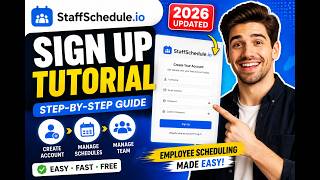
How to Create Sta...

Staff Scheduling ...
What is Staff Scheduling?
Staff Scheduling is an employee scheduling and workforce management platform that helps businesses create work schedules, manage employee availability, approve leave requests, track attendance, and improve team communication from one dashboard.
Who is Staff Scheduling designed for?
Staff Scheduling is ideal for restaurants, retail stores, healthcare clinics, hotels, warehouses, construction companies, cleaning services, and any business that manages employees working in shifts.
Can employees view their schedules on mobile?
Yes. Employees can access their schedules, receive real-time notifications, check upcoming shifts, request leave, and manage availability using the mobile app or web platform.
Does Staff Scheduling support shift swaps?
Does Staff Scheduling include time tracking?
Yes. The platform includes a built-in GPS-enabled time clock, attendance tracking, overtime monitoring, and detailed reports to help businesses manage payroll and workforce productivity.
Can I manage multiple business locations?
Is Staff Scheduling suitable for small businesses?
Does Staff Scheduling offer a free trial?
Yes. New users can start with a free trial to explore the platform's scheduling, time tracking, communication, and workforce management features before choosing a paid plan.
Why choose Staff Scheduling over spreadsheets?
What is Staff Scheduling used for?
Staff Scheduling is Employee Scheduling Software. Staff Scheduling offers the following functionalities:
Learn more about Staff Scheduling features.
What are the top alternatives for Staff Scheduling?
Here`s a list of the best alternatives for Staff Scheduling:
Does Staff Scheduling provide API?
No, Staff Scheduling does not provide API.
Vendor Details
Not available
Contact Details
Not available
https://getstaffscheduling.ca/
Social Media Handles

SaaSworthy may receive compensation from some vendors featured on this page. This does not influence our editorial evaluation or ratings. [email protected]

Looking for the right SaaS
We can help you choose the best SaaS for your specific requirements. Our in-house experts will assist you with their hand-picked recommendations.

Want more customers?
Our experts will research about your product and list it on SaaSworthy for FREE.