
 MEET CLARA - THE AI BEHIND SMARTER SOFTWARE CHOICES


Design steel structures in your browser with AI: 3D modeling, FEM analysis, code checks, drawings and IFC export
This profile is currently managed by the official vendor through the SaaSworthy Vendor Portal. Product details, features, pricing, and media assets are maintained directly by the company.

 Deep Dive with Clara AI
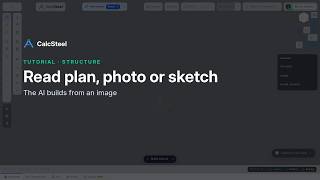
CalcSteel is a structural analysis and design app for steel structures that runs entirely in the web browser. There is nothing to install: open calcsteel.com, create an account and start modeling. Build the model yourself in the 3D editor, start from a ready-made template, or let the AI write the first draft. Describe the building in plain words, or send a photo, a hand sketch, a floor plan or a PDF, and the AI assistant places nodes, members and loads in the editor, where you review every step. The AI proposes; the calculation is always done by the finite element engine. The engine analyzes 3D frames and trusses under load combinations and checks each member against the design code you choose: 42 standards for hot-rolled steel, cold-formed steel, stainless steel and aluminum, including AISC 360, AISI S100 (LRFD and ASD), EN 1993, NBR 8800, AS 4100, CSA S16 and IS 800. Wind and seismic loads follow codes such as ASCE 7-22, EN 1991-1-4, EN 1998-1 and NBR 6123. Results appear as utilization colors on the 3D model, force diagrams and a detailed report. CalcSteel also includes connection detailing, column base plates with anchors checked by the engine, light steel framing (LSF) walls, and 59 manufacturer libraries with 10,718 profiles. Generate drawing sheets from A4 to A0 and export to PDF, DXF and IFC 2x3 for Revit, Tekla and ArchiCAD, plus a bill of materials in CSV. Interface in seven languages. Free plan with no expiry and no credit card; Starter and Pro add analyses, exports and AI quota, with a 7-day Pro trial.
Read more


Pricing
Platforms Supported
Organization Types Supported
API Support
Modes of Support
Documentation & Construction Drawings
Collaboration & Data Sharing
Quantity Takeoff & Cost Estimation
Structural Analysis & Simulation
3D Modeling & Visualization
Hydrology & Environmental Analysis
Infrastructure Design
Terrain & Topographic Modeling
2D Drafting & CAD Design
Building Information Modeling (BIM)
Drawing Generation
Automatically create 2D plans, sections, and schedules generated directly from the model.IFC Support
Facilitate seamless collaboration across diverse tools through IFC/standard format import/export capabilities.Clash Detection
Identify and resolve project conflicts in their initial stagesCommon Data Environment (CDE)
A centralized approach to design, construction, and operations, enabling seamless collaboration across the entire lifecycle.Multidiscipline Support
Manage architectural, structural, MEP, and construction workflows seamlessly within a unified model.3D Parametric Modeling
Smart, parameter-driven elements such as walls, doors, windows, and structural components.Visualization & Results Analysis
Finite Element Analysis (FEA)
Simulation & Engineering Analysis
High-Performance Computing (HPC)
Mesh Generation & Pre/Post Processing
Design Optimization & Parametric Studies
CAD Integration
Multi-Physics Simulation
Structural & Thermal Analysis
Computational Fluid Dynamics (CFD)
Free Trial
Available
No Credit Card Required, Get Started for Free
Free Free
No expiry and no credit card. Full 3D editor, 3 projects, 25 analyses (one time), 1 drawing sheet, PDF export and AI builder to try out.
Starter $22.00 $26.00 per month
Unlimited projects, 50 analyses per month, 2 drawing sheets per project, clean PDF export, DXF and IFC export, monthly AI quota. Annual billing: $22 per month ($264 per year).
Pro $52.00 $62.00 per month
Unlimited projects and drawing sheets, company logo on deliverables, priority support, larger AI quota and optional extra AI credits. Annual billing: $52 per month ($624 per year). 7-day Pro trial without credit card.
98% SW Score The SW Score ranks the products within a particular category on a variety of parameters, to provide a definite ranking system. Read more

78% SW Score The SW Score ranks the products within a particular category on a variety of parameters, to provide a definite ranking system. Read more
78% SW Score The SW Score ranks the products within a particular category on a variety of parameters, to provide a definite ranking system. Read more
77% SW Score The SW Score ranks the products within a particular category on a variety of parameters, to provide a definite ranking system. Read more

75% SW Score The SW Score ranks the products within a particular category on a variety of parameters, to provide a definite ranking system. Read more
75% SW Score The SW Score ranks the products within a particular category on a variety of parameters, to provide a definite ranking system. Read more

75% SW Score The SW Score ranks the products within a particular category on a variety of parameters, to provide a definite ranking system. Read more
74% SW Score The SW Score ranks the products within a particular category on a variety of parameters, to provide a definite ranking system. Read more

74% SW Score The SW Score ranks the products within a particular category on a variety of parameters, to provide a definite ranking system. Read more

74% SW Score The SW Score ranks the products within a particular category on a variety of parameters, to provide a definite ranking system. Read more

CalcSteel overview

Deformed shape af...

Member checks sho...

FEM analysis results

3D frame editor i...

Drawing sheet exp...
Do I need to install anything to use CalcSteel?
No. CalcSteel runs in the web browser on any operating system with a modern browser. Open calcsteel.com, create an account and start modeling.
Which design codes does CalcSteel support?
42 design standards for hot-rolled steel, cold-formed steel, stainless steel and aluminum, including AISC 360, AISI S100 (LRFD and ASD), EN 1993 with national annexes, NBR 8800, NBR 14762, AS 4100, CSA S16 and IS 800. Wind and seismic loads follow codes such as ASCE 7-22, EN 1991-1-4, EN 1998-1 and NBR 6123.
Does the AI do the structural calculation?
No. The AI drafts the model from a text description, photo, hand sketch, floor plan or PDF, and you review every step in the editor. The calculation is always done by the finite element engine, which checks each member against the design code you choose.
Which file formats can I export and import?
Export to IFC 2x3 (for Revit, Tekla and ArchiCAD), DXF R2010, PDF (report and drawing sheets) and a bill of materials in CSV. DXF and IFC files can be imported as a reference layer.
Is there a free plan or a trial?
Yes. The Free plan has no expiry and needs no credit card. A 7-day Pro trial is available without credit card, and paid plans have a 7-day money-back guarantee. You can cancel anytime.
Which languages does the interface support?
English, Portuguese (Brazil and Portugal), Spanish, French, Bengali and Arabic.
Which section libraries are included?
Standard AISC, EN, Brazilian and Indian section catalogs, plus 59 manufacturer libraries with 10,718 profiles.
What is CalcSteel used for?
CalcSteel is Civil Engineering Design Software. CalcSteel offers the following functionalities:
Learn more about CalcSteel features.
What are the top alternatives for CalcSteel?
Here`s a list of the best alternatives for CalcSteel:
Does CalcSteel provide API?
No, CalcSteel does not provide API.
Vendor Details
Not available
Contact Details
Not available
https://calcsteel.com
Social Media Handles
SaaSworthy may receive compensation from some vendors featured on this page. This does not influence our editorial evaluation or ratings. [email protected]

Looking for the right SaaS
We can help you choose the best SaaS for your specific requirements. Our in-house experts will assist you with their hand-picked recommendations.

Want more customers?
Our experts will research about your product and list it on SaaSworthy for FREE.


