MEET CLARA - THE AI BEHIND SMARTER SOFTWARE CHOICES



94% SW Score The SW Score ranks the products within a particular category on a variety of parameters, to provide a definite ranking system. Read more
AI-Powered Time Tracking, Smart Monitoring & Workforce Analytics Solution
This profile is currently managed by the official vendor through the SaaSworthy Vendor Portal. Product details, features, pricing, and media assets are maintained directly by the company.


 Deep Dive with Clara AI
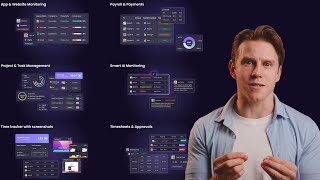
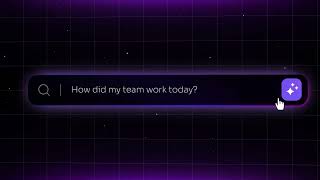
WebWork Time Tracker is an AI-powered time tracking, smart monitoring, and workforce analytics solution that helps teams track work, understand productivity, and manage their workforce from clock-in to payroll, fully automated. WebWork tracks working hours, monitors activity levels, and offers different screenshot modes adaptable to your team culture, all automatically, without interrupting the working process or affecting productivity. WebWork also helps you manage your staff's work and helps them perform their best through an online project and task management system. We offer automatically generated timesheets that you can review, validate, and approve effortlessly with WebWork's timesheet approval solution. A built-in AI assistant turns all this data into clear, actionable insights, alerting you to potential burnout, overload, or unusual activity before they become problems. And when it's time to pay your team, WebWork lets you automate the entire process, track hours, approve work, and send payments, all in one platform.
Read more



Pricing
SW Score Breakdown
Platforms Supported
Organization Types Supported
API Support
Modes of Support


Free Trial
Available
No Credit Card Required, Get Started for Free
PRO $3.99 $4.99 per user / month
Professional time tracking for growing teams and remote workers
Features
PLUS $6.39 $7.99 per user / month
Complete business management with payroll and advanced analytics
Features
Everything in Pro
PREMIUM $7.19 $8.99 per user / month
Enterprise-grade features with custom branding and compliance
Features
Custom Plan Custom
Let’s discuss custom pricing specific to your company’s needs.
Features
Screenshots of Vendor Pricing Page

Disclaimer: The pricing details were last updated on 27/02/2026 from the vendor website and may be different from actual. Please confirm with the vendor website before purchasing.
Learn more about WebWork Time Tracker Pricing
86% SW Score The SW Score ranks the products within a particular category on a variety of parameters, to provide a definite ranking system. Read more
Featured
81% SW Score The SW Score ranks the products within a particular category on a variety of parameters, to provide a definite ranking system. Read more

76% SW Score The SW Score ranks the products within a particular category on a variety of parameters, to provide a definite ranking system. Read more
70% SW Score The SW Score ranks the products within a particular category on a variety of parameters, to provide a definite ranking system. Read more
89% SW Score The SW Score ranks the products within a particular category on a variety of parameters, to provide a definite ranking system. Read more
85% SW Score The SW Score ranks the products within a particular category on a variety of parameters, to provide a definite ranking system. Read more

73% SW Score The SW Score ranks the products within a particular category on a variety of parameters, to provide a definite ranking system. Read more

88% SW Score The SW Score ranks the products within a particular category on a variety of parameters, to provide a definite ranking system. Read more
92% SW Score The SW Score ranks the products within a particular category on a variety of parameters, to provide a definite ranking system. Read more
81% SW Score The SW Score ranks the products within a particular category on a variety of parameters, to provide a definite ranking system. Read more
WebWork Time Trac...
WebWork Time Trac...
Meet the Future o...

Prevent Employee ...

Time Tracker with...

Smart AI Monitoring

Project and Task ...

WebWork AI

Field Service Tim...
What is WebWork Time Tracker used for?
WebWork Time Tracker is Time Tracking Software. WebWork Time Tracker offers the following functionalities:
Learn more about WebWork Time Tracker features.
How much does WebWork Time Tracker cost?
The pricing for WebWork Time Tracker starts at $3.99 per user per month. WebWork Time Tracker has 4 different plans:
Learn more about WebWork Time Tracker pricing.
Does WebWork Time Tracker offer a free plan?
Yes, WebWork Time Tracker offers a free plan.
Learn more about WebWork Time Tracker pricing.
What are the top alternatives for WebWork Time Tracker?
Here`s a list of the best alternatives for WebWork Time Tracker:
Does WebWork Time Tracker provide API?
Yes, WebWork Time Tracker provides API.
What is the best time tracking software?
When choosing the best time-tracking software, the top options combine ease of use, strong integrations, flexible reporting, and scalability across teams. Based on recent reviews, recommended tools include Harvest, Time Doctor
Vendor Details
San Francisco, California Founded : 2016Contact Details
Not available
https://www.webwork-tracker.com/
Social Media Handles









SaaSworthy may receive compensation from some vendors featured on this page. This does not influence our editorial evaluation or ratings. [email protected]

Looking for the right SaaS
We can help you choose the best SaaS for your specific requirements. Our in-house experts will assist you with their hand-picked recommendations.

Want more customers?
Our experts will research about your product and list it on SaaSworthy for FREE.