
 MEET CLARA - THE AI BEHIND SMARTER SOFTWARE CHOICES



This profile is currently managed by the official vendor through the SaaSworthy Vendor Portal. Product details, features, pricing, and media assets are maintained directly by the company.


91% SW Score The SW Score ranks the products within a particular category on a variety of parameters, to provide a definite ranking system. Read more
Featured
90% SW Score The SW Score ranks the products within a particular category on a variety of parameters, to provide a definite ranking system. Read more

93% SW Score The SW Score ranks the products within a particular category on a variety of parameters, to provide a definite ranking system. Read more

 Deep Dive with Clara AI
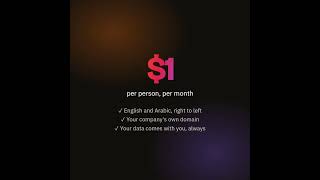
Meetowt puts a company's everyday tools in one place behind one sign-in, so a small or midsize business stops paying for and juggling separate apps. Every person gets email on the company's own domain, in the browser and in their phone's own mail app. Team chat has channels, topics, direct messages, voice notes and files, with a video call one tap away, and outside guests can join a meeting with a link. There is a shared calendar, tasks, documents and file storage. HR is built in: check-in and attendance (including fingerprint machines), time off, shifts, overtime, staff records, hiring and reviews, each approved by the right manager along the reporting line. An administrator can bring everybody's old mail across from Google Workspace or Microsoft 365 in one step. The app works in English and Arabic, right to left. Data is never scanned or sold, and a company can leave with everything at no charge. Meetowt costs $1 a person a month and is free until 25 November 2026.
Read more


Pricing
Platforms Supported
Organization Types Supported
API Support
Modes of Support
Proofing
Employee Portal
User panel for employees to view, manage their information and requestsLeave Approval Process
Configurable approval workflow for leave requestsEmployee Directory
Photocard with contact info, designation, experience, team, roles, responsibilities and etc.Leave Policy Management
To create legally binding leave policies to different teams/ group of employeesLeave Balance Tracker
Concurrently tracks and calculates leave eligibility and leave entitlement of an employee.HR Dashboard
Admin panel that displays employee leave requests, leave balance, holiday lists, scheduling and etcFMLA Tracking
Ensures the business mitigate compliance risks associated with (FMLA) The Family and Medical Leave ActADA Compliance
Ensures the business mitigate compliance risks associated with the Americans with Disabilities Act (ADA) StandardsAbsence Reporting
Employees can send leave requests and time off to managers, supervisors and team leads.Core HR Integration
Sync with Core-HR application to keep employee information up-to-date.Employee Scheduling
Helps in creating, processing and automating the employee scheduleBiometric / Device Integration
Employee Time Tracking
Payroll Integration
Leave & Absence Management
Reporting & Analytics
Shift Scheduling
Efficiently allocate and manage employee work shifts to optimize productivity and operational effectivenessPEO Services
Professional Employer Organizations (PEOs) offer small and medium-sized businesses affordable HR services and benefits by serving as co-employers and managing compliance, eliminating the need for an in-house HR department.Employee Offboarding
Helps to streamline the employee exit process by automating administrative tasks, managing documentation, and facilitating communication, all while protecting the company's brand and reputation.Training Management
Automates the documenting processes involved in training management and records the performance of employees during training sessionsCompensation Management
Manages employee compensation related data in an organized and automated manner360 Degree Feedback
Captures and centralizes a holistic feedback of the target audience that helps in making business decisions.Auto Framing
Dynamically switches to an optimized view to include all attendees in frameAutomated Transcripts
Automatically transcribes voice to text with near perfection in realtimeGuest users
Users are allowed to join a conference without requiring to sign-in or download the applicationNotification Blocker
Prevents to show default notifications from other apps during screen sharingParticipant Permissions
Facility to assign roles as moderators, presenters, or participants to each individual or a groupHand Raising
Facility to notify the host when the conference participant wants to speakMeeting Scheduler
Allows to schedule meetings intuitively and integrated into a calendar, email services, and other productivity appsAudio Conferencing
Allows users to communicate using audio channels entirelySwitch Presenter
Allows presenter to handover presenter access to another user in a meetingLive Preview
Presents a live preview of what viewers see in real-timeVirtual Whiteboard
Interactive whiteboard to teach, explain, sketch and for online presentationSession Recording
Enables one to record remote access, support sessions, and meetingsRemote Control
Allows a user to perform tasks on a remotely located computer with equal ease as is experienced while using one's own systemScreen Sharing
Enables remote participants to see your desktop that allows better collaborationPolls (Voting)
Helps to discover critical data by asking the participants questions concerning the webinarEmployee Portal
User panel for employees to view, manage their information and requestsEmployee Timeclock
Seamlessly record time in/out of the shifts and export timesheets to payroll platform.Shift Swapping
Allow employees to exchange shifts with other qualified employees conveniently.Staff Notification
Alerts the employee via email, text, and push notifications upon any new events or changes.Workforce Forecasting
Automatically predict future workforce needs based on historical data and proactively plan for shortcomings. It illustrates the staffing plan for a specific time period to effectively address both understaffing and overstaffing concerns.Real-time Reporting
Allows users to check campaign real-time status as it happensDrag and drop Builder
Has a pick-and-drop visual interface for easier designingAutomated Scheduling
Helps to automate the scheduling processes to reduce paperwork, provide a comprehensive solution and ensure timely updatesReminders
Sends important reminders through email to attendeesEmojis and Reactions
Built-in visual reactionsGroup Chat
Direct chat between more than two usersVideo Calling
Video calls to allow better discussion and exchange of ideasChannels and Spaces
Public or private spaces for team communicationMessage Search
Search past conversations using keywords.Presence Indicators
Online, offline, away, or busy—status options that keep you connected and in control.Direct Message
Private messaging directly between users.Discussion Threads
Helps in ensuring collaboration and exchange of views pertaining to a specific topic through comment postsMulti-language Support
Available in multiple languages to support global customersExternal User Access
Controlled access for people outside the workspace or organizationMessage Catch Up
Helps to view your latest unread messages across board instantly with easeAI Summary
AI-Powered Native SummarizationMessage Scheduling
Set future delivery times for messages@Mentions
Receive instant alerts for tagged mentions and direct messages.Security and Encryption
Protect your communications with powerful encryption, ensuring security both end-to-end and during transit.Message History and Archiving
Long-term retention of conversation data.Cross-Platform Access
Available on web, desktop, and mobile platforms.Screen Sharing
Enables remote participants to see your desktop that allows better collaborationCloud Storage
Provides an online storage space to store dataCustom Domain Support
Allow business email with branded domains.Spam and Malware Filtering
Protect against phishing, spam, and harmful files.Two-factor Authentication
Enhance admin login security with Two-Factor Authentication (2FA) using SMS codes, biometrics, or physical tokens to prevent unauthorized access.Cross Device Access
Access seamlessly across desktop, mobile, tablet, kiosks, and apps.Undo Send
Allows to recall or retrieve mistakenly sent emailsSSL TSL Certificate
Enable HTTPS and secure communicationEmail Automation
Automates the emailing process by sending out targeted messages to clients based on time and specific actions.Storage Management
Systematically stores and organizes all your documents that drastically reduce the risk of lost or misplaced filesPre-built Templates
Has inbuilt templates for landing pages so that designing from the scratch is not requiredLabeling
Supports adding labels to certain items for its quick and easy identificationFree Trial
Available
No Credit Card Required, Get Started for Free
Meetowt $10.20 $1.00 per user / month
Everything in one price: email on your own domain, team chat, video meetings, calendar, tasks, documents, 5 GB of files each, and HR (attendance, time off, shifts, overtime, staff records). $1 a person a month, or $10.20 a person for a year. Free while in early access, with no card needed. Optional add-ons: AI meeting notes and 25 GB more storage, $2 a person a month each.
98% SW Score The SW Score ranks the products within a particular category on a variety of parameters, to provide a definite ranking system. Read more
Featured
91% SW Score The SW Score ranks the products within a particular category on a variety of parameters, to provide a definite ranking system. Read more
Featured
96% SW Score The SW Score ranks the products within a particular category on a variety of parameters, to provide a definite ranking system. Read more
93% SW Score The SW Score ranks the products within a particular category on a variety of parameters, to provide a definite ranking system. Read more
92% SW Score The SW Score ranks the products within a particular category on a variety of parameters, to provide a definite ranking system. Read more
91% SW Score The SW Score ranks the products within a particular category on a variety of parameters, to provide a definite ranking system. Read more

91% SW Score The SW Score ranks the products within a particular category on a variety of parameters, to provide a definite ranking system. Read more

90% SW Score The SW Score ranks the products within a particular category on a variety of parameters, to provide a definite ranking system. Read more
92% SW Score The SW Score ranks the products within a particular category on a variety of parameters, to provide a definite ranking system. Read more

92% SW Score The SW Score ranks the products within a particular category on a variety of parameters, to provide a definite ranking system. Read more
90% SW Score The SW Score ranks the products within a particular category on a variety of parameters, to provide a definite ranking system. Read more

Meetowt in 30 sec...

Today: everything...

Email on your own...

Team chat with ch...

Time off, approve...

Tasks, goals and ...
Is there a charge on top of the per-person price?
What happens when the free period ends?
What is Meetowt used for?
Meetowt is Collaboration Software. Meetowt offers the following functionalities:
Learn more about Meetowt features.
What are the top alternatives for Meetowt?
Here`s a list of the best alternatives for Meetowt:
Does Meetowt provide API?
No, Meetowt does not provide API.
What is the best team collaboration software?
The best collaboration software delivers seamless messaging, file-sharing, task management, and integrations in one place to support modern, remote-ready teams.
Vendor Details
Not available
Contact Details
Not available
https://meetowt.com/from/saasworthy
Social Media Handles
SaaSworthy may receive compensation from some vendors featured on this page. This does not influence our editorial evaluation or ratings. [email protected]

Looking for the right SaaS
We can help you choose the best SaaS for your specific requirements. Our in-house experts will assist you with their hand-picked recommendations.

Want more customers?
Our experts will research about your product and list it on SaaSworthy for FREE.


