
 MEET CLARA - THE AI BEHIND SMARTER SOFTWARE CHOICES



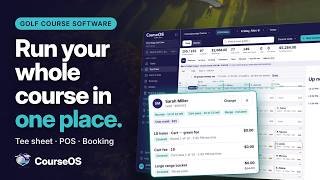
All-in-one golf course management software: tee sheet, online booking, POS, memberships and TeeLock no-show protection.
This profile is currently managed by the official vendor through the SaaSworthy Vendor Portal. Product details, features, pricing, and media assets are maintained directly by the company.


97% SW Score The SW Score ranks the products within a particular category on a variety of parameters, to provide a definite ranking system. Read more
Featured
90% SW Score The SW Score ranks the products within a particular category on a variety of parameters, to provide a definite ranking system. Read more
Featured
92% SW Score The SW Score ranks the products within a particular category on a variety of parameters, to provide a definite ranking system. Read more
Featured
 Deep Dive with Clara AI
CourseOS by Tee Tours is golf course management software built for public, semi-private, private, resort, municipal and simulator golf operations. It runs the live tee sheet, a branded online booking page, point of sale for the pro shop, turn stand and beverage cart, memberships with dues and payment plans, events and leagues with live leaderboards, email and text marketing, a course website builder, and reporting, all in one system that works in any browser, including on iPads. TeeLock, built into CourseOS, protects courses from no-shows: golfers with a history of missed rounds pay a deposit or in full when they book, while reliable golfers book with no extra steps. Smart Pricing adjusts rates by time, demand and weather within rules the course sets. Launching with CourseOS: Tee Tours ID gives golfers one sign-in for every CourseOS course, and the Tee Time Hub at teetours.com lets golfers book tee times at the course's own price and plan golf trips with friends. CourseOS charges a flat annual fee with no per-round fees, and card payments go straight to each course's own Stripe account. Every course starts with a live demo, then a free trial or getting started right away, with guided setup and member import included.
Read more


Pricing
Platforms Supported
Organization Types Supported
API Support
Modes of Support
Electronic Payments
Enables seamless electronic payment processing for your goods and services.Touch Screen (Billing)
Allows making bills by simply touching the desktop or mobile POS screenReturns Tracking
Helps to keep track of all the goods returned by customersRetail Management
Helps in automating, managing, monitoring and handling all the aspects of a retail businessPricing Management
Helps to provide better control over pricing and allows managing efficiently financial revenue & riskCustomer Account Profiles
Allows maintaining, editing and updating customer accounts to offer tailor-made customer-oriented shopping experienceBarcode Scanning
Helps in scanning the barcode in an automated and simple mannerSales Tracking
Helps to track sales systematicallyGift Card Management
Manages prepaid payment card processing that helps the cardholder purchase goods online or within a specific retail storeDiscount Management
Helps in enjoying better visibility so that suppliers avail discountsTips Management
Simplifies tip tracking and distribution, with features for tip pooling and sometimes seamless IRS reporting.Table Management
Allows effortless management of table layouts, seating arrangements, and reservations with real-time updates.Seperate Checks
Allows diners to split bills seamlessly, making individual payments simple and efficient.Online Ordering
Allows customers to conveniently place orders online directly from a branded website or app.Delivery Management
Streamline in-house deliveries with advanced tools for driver dispatch, route optimization, and real-time status tracking.Restaurant POS
Comes with useful and attractive restaurant management features and facilitates automating restaurant operationsOrdering Automation
Helps in automating the ordering system and supports online billingLayaway Management
Helps retailers offer their customers the option to buy products a little at a time or in increments.Commission Management
Helps in managing and tracking the commission amounts and simplify as such calculationsLoyalty Program
Assists in formulating effective strategies to encourage and convince customers to stay loyal to the brand/companyAttendee Management
Manages data related to attendees and track concerned data systematicallyGuest List Management
Assists managing, tracking and checking the event attendee listWeddings (Parties)
Regulates, manages and coordinates all aspects of a wedding or private parties.Travel Management
Records and manage useful data and regulates travel activities of the enterprise or an individualTrade Shows
Helps managing and handling trade show events and all aspects concerning itTicketing
Offers an online ticket selling platformSponsorship Management
Helps in monitoring and tackling the sponsorship activities for an eventSpace Setup (Room)
Helps in setting the layout and making arrangements using furniture and equipment as per specified instructionsRoom Block Management
Manages everything essential for reserving a group of hotel rooms for specified event attendees or guestsMeetings
Supports arranging meetings, recording vital details and manages every aspect of itLead Retrieval
Helps to measure sales leads generated at events or conferencesVendor Management
Helps to manage necessary data concerning vendors and allows easy accessConventions
Helps managing and adhering to protocols setup for eventsConferences (Seminars)
Suitable for event planners organizing formal eventsClient Management
Facilitates strong necessary data about clients/customers and allows access to it when requiredCatering Management
Helps with food and beverage planning, organizing and managementBadge Management
Facilitates assigning and managing badges to employees, students, visitors and guestsSocial Promotions
Publicize your website and brand over various social media platforms and increase your fan-baseSurveys
Optimize survey response rate with A/B testingMulti-Location Scheduling
Helps in managing schedules and confirm reservations/booking from multiple locationsResource Scheduling
Helps in setting strategies to allocate resources to projects or tasks to complete it correctly and also manage its start/end datesReservations
Helps in making as well as canceling reservations online and also assist in rescheduling them (if necessary)Payment Processing
Helps to manage automated transactions across various online channelsOnline Scheduling
Helps in automating and monitoring the scheduling tasks virtually automaticallyGroup Scheduling
Helps in scheduling group meetings with multiple numbers of attendeesMeeting Room Booking
Helps managing meeting room schedules and offers a simple interface to book the appropriate booking roomEmployee Scheduling
Helps in creating, processing and automating the employee scheduleClass Scheduling
Helps tutors or educational institutes at large to schedule academic and or vocational training classesAutomated Scheduling
Helps to automate the scheduling processes to reduce paperwork, provide a comprehensive solution and ensure timely updatesAppointment Scheduling
Helps in scheduling and managing all necessary appointmentsResource Scheduling
Helps in setting strategies to allocate resources to projects or tasks to complete it correctly and also manage its start/end datesESG Reporting
Track environmental performance indicatorsInteractive Floor Plans
Visual navigation of spaces with live asset/work order dataFacility Inspections
Conduct and record safety, compliance, and quality checksLayout and Space Management
Manage floor plans, occupancy, and space allocationPreventive Maintenance
Evaluates assets and ensures they are operating at peak performanceWork Order Management
Helps in managing and organizing work order in a paperless form to streamline workflowSLA Monitoring
Helps to tackle every critical aspect of service-level agreement (SLA) contract that in turn helps to monitor performanceVendor Management
Helps to manage necessary data concerning vendors and allows easy accessFree Trial
Available
No Credit Card Required, Get Started for Free
Foundation Custom
Everything a course needs to run day to day: live tee sheet and online booking page, full pro shop POS with inventory and gift cards, rainchecks, credit and house accounts, price sheets and rate rules, member management with a golfer self-service portal, staff permissions, email campaigns, booking text messages, TeeLock no-show protection, standard reporting, and card payments straight to the course's own Stripe account. Includes 50,000 emails and 2,000 texts a month.
Performance Custom
Simulator Custom
90% SW Score The SW Score ranks the products within a particular category on a variety of parameters, to provide a definite ranking system. Read more
Featured
97% SW Score The SW Score ranks the products within a particular category on a variety of parameters, to provide a definite ranking system. Read more
Featured
90% SW Score The SW Score ranks the products within a particular category on a variety of parameters, to provide a definite ranking system. Read more
Featured
92% SW Score The SW Score ranks the products within a particular category on a variety of parameters, to provide a definite ranking system. Read more
Featured
98% SW Score The SW Score ranks the products within a particular category on a variety of parameters, to provide a definite ranking system. Read more
Featured
98% SW Score The SW Score ranks the products within a particular category on a variety of parameters, to provide a definite ranking system. Read more

94% SW Score The SW Score ranks the products within a particular category on a variety of parameters, to provide a definite ranking system. Read more
94% SW Score The SW Score ranks the products within a particular category on a variety of parameters, to provide a definite ranking system. Read more
94% SW Score The SW Score ranks the products within a particular category on a variety of parameters, to provide a definite ranking system. Read more

93% SW Score The SW Score ranks the products within a particular category on a variety of parameters, to provide a definite ranking system. Read more

93% SW Score The SW Score ranks the products within a particular category on a variety of parameters, to provide a definite ranking system. Read more
92% SW Score The SW Score ranks the products within a particular category on a variety of parameters, to provide a definite ranking system. Read more

92% SW Score The SW Score ranks the products within a particular category on a variety of parameters, to provide a definite ranking system. Read more

92% SW Score The SW Score ranks the products within a particular category on a variety of parameters, to provide a definite ranking system. Read more

92% SW Score The SW Score ranks the products within a particular category on a variety of parameters, to provide a definite ranking system. Read more

CourseOS in 74 Se...

CourseOS Tee Sheet

CourseOS Online B...

CourseOS POS

CourseOS Members

CourseOS Events &...
What is CourseOS?
How much does CourseOS cost?
Is there a free trial?
How do card payments work?
What is TeeLock?
Does CourseOS work on an iPad?
Who owns our golfer data?
What is the Tee Time Hub?
What is CourseOS used for?
CourseOS is POS Software. CourseOS offers the following functionalities:
Learn more about CourseOS features.
What are the top alternatives for CourseOS?
Here`s a list of the best alternatives for CourseOS:
Does CourseOS provide API?
No, CourseOS does not provide API.
Vendor Details
Founded : 2026Contact Details
Not available
https://teetours.tech
Social Media Handles
Not available


SaaSworthy may receive compensation from some vendors featured on this page. This does not influence our editorial evaluation or ratings. [email protected]

Looking for the right SaaS
We can help you choose the best SaaS for your specific requirements. Our in-house experts will assist you with their hand-picked recommendations.

Want more customers?
Our experts will research about your product and list it on SaaSworthy for FREE.


