
 MEET CLARA - THE AI BEHIND SMARTER SOFTWARE CHOICES



Digital business cards for lead generation
This profile is currently managed by the official vendor through the SaaSworthy Vendor Portal. Product details, features, pricing, and media assets are maintained directly by the company.

92% SW Score The SW Score ranks the products within a particular category on a variety of parameters, to provide a definite ranking system. Read more
Featured
83% SW Score The SW Score ranks the products within a particular category on a variety of parameters, to provide a definite ranking system. Read more

81% SW Score The SW Score ranks the products within a particular category on a variety of parameters, to provide a definite ranking system. Read more

 Deep Dive with Clara AI
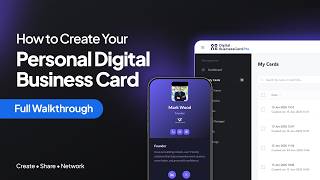
Digital Business Card PRO is for businesses that want their digital business card program connected to lead generation, sales workflows, branding, and centralized administration—not a collection of isolated contact profiles. Customer-facing teams can create branded digital business cards containing contact details, company information, booking links, social profiles, presentations, videos, documents, and other resources. Cards can be shared through QR codes, direct links, NFC, Apple and Google Wallet, and email signatures. The platform supports two-way contact exchange, allowing prospects to share their information back during meetings, conferences, trade shows, client visits, and networking interactions. Captured contacts can then be managed and routed directly to HubSpot or Salesforce through native integrations. Zapier, Make, and webhooks support additional automation and follow-up workflows. For company-wide deployment, businesses can centrally manage cards, workspaces, teams, profile fields, templates, brand kits, and access permissions. Cards can be created in bulk through Google Sheets or generated from existing Google Workspace and Microsoft Azure AD directory data. Digital Business Card PRO also includes engagement analytics, an AI business card scanner, SSO, MFA, role-based access, custom domains, and white labeling. The result is one platform connecting professional identity, in-person lead capture, CRM workflows, brand governance, and digital business card management.
Read more


Pricing
Platforms Supported
Organization Types Supported
API Support
Modes of Support
Multi-channel Capture (Web, Chat, Social)
Automation & Workflow Triggers
Integration with CRM & Marketing Tools
Lead Qualification & Scoring
Data Collection & Storage
Lead Capture Forms & Landing Pages
Real-Time Alerts & Notifications
Reporting & Analytics
Lead Source Tracking
Helps to track the marketing channel or source of every individual website visitor.Lead Segmentation
Leads are categorized by name, site behavior, campaign parameters, geo-location, etc.Lead Database
A database that includes the contact details for prospects and businessesLead Capture
Provides webhooks and integrations to capture lead informationReports
Comes with reporting capabilities and features custom pre-built reportsEmail Scrapper
Extracts email addresses from business websites, local directories, review sites, etc. and add them automatically to lead listScheduled Alerts
Notify you of tasks like follow-up activities and new leads that have entered the system.Visitor Insight
Insight into on-site visitor behavior to get a full understanding of what interests them.Technology Tracking
Identify new targets by finding accounts that use specific technologies.Sales Content Analytics
It provides real-time insights to measure the performance of sales content and optimize for higher sales conversion.Meeting Management
Helps to plan effective meetings and manage the components of the entire meeting processQuota Management
To assign, manage sales quotas, and track progress against quotas and optimize them on demand.Performance Management
Helps to train, motivate, build accountability to the workforce and measure their outcomes on a timely basisCompliance Management
Helps in making an assessment of risks, ensures policy comprehension and that policies/procedures are being followedTraining Management
Automates the documenting processes involved in training management and records the performance of employees during training sessionsFree Trial
Available
No Credit Card Required, Get Started for Free
Free Free
Free forever plan for individuals with one customizable digital business card, unlimited sharing and contact exchange, up to 10 leads per month, lead management, wallet support, NFC linking, email signature, virtual background, 30-day analytics, and 100 MB storage.
Individual $4.00 $5.00 per month
Built for professionals who need more than the Free plan, including higher limits and greater flexibility for networking, lead generation, analytics, branding, and professional use. The current first-party pricing guide explicitly lists the Individual plan at $4/month.
Teams $15.00 $20.00 per month
The Teams plan starts at $15/month; DigitalBusinessCard.Pro gives the example of a five-person team working out to $3 per person/month.
Key team-oriented capabilities include:
The platform also supports centralized templates, card-level access, teams, workspaces, and organizational analytics.
Enterprise $35.00 $50.00 per month
Enterprise starts at $35/month and is positioned for larger organizations requiring higher user and lead limits, directory integrations, stronger administrative controls, and scalable deployment.
Relevant enterprise capabilities include:
82% SW Score The SW Score ranks the products within a particular category on a variety of parameters, to provide a definite ranking system. Read more
Featured
92% SW Score The SW Score ranks the products within a particular category on a variety of parameters, to provide a definite ranking system. Read more
Featured
98% SW Score The SW Score ranks the products within a particular category on a variety of parameters, to provide a definite ranking system. Read more
96% SW Score The SW Score ranks the products within a particular category on a variety of parameters, to provide a definite ranking system. Read more
93% SW Score The SW Score ranks the products within a particular category on a variety of parameters, to provide a definite ranking system. Read more
87% SW Score The SW Score ranks the products within a particular category on a variety of parameters, to provide a definite ranking system. Read more
87% SW Score The SW Score ranks the products within a particular category on a variety of parameters, to provide a definite ranking system. Read more
85% SW Score The SW Score ranks the products within a particular category on a variety of parameters, to provide a definite ranking system. Read more
85% SW Score The SW Score ranks the products within a particular category on a variety of parameters, to provide a definite ranking system. Read more
84% SW Score The SW Score ranks the products within a particular category on a variety of parameters, to provide a definite ranking system. Read more
How to Create You...

Create Profession...

Customize Every P...

Capture and Manag...

Track Card Engage...

Connect Digital B...
Can Digital Business Card PRO capture leads directly from a business card?
Does Digital Business Card PRO integrate with HubSpot and Salesforce?
Can we manage digital business cards for multiple teams from one account?
What is the difference between a workspace and a team?
Can administrators control what cardholders are allowed to edit?
Can we enforce the same branding across hundreds of digital business cards?
Does Digital Business Card PRO support white labeling?
Can we use our own custom domain for digital business cards?
How can digital business cards be shared?
Do recipients need to install an app to view my card?
Can cards be added to Apple Wallet and Google Wallet?
Can we create thousands of digital business cards at once?
Can cards be created from Google Workspace or Microsoft Entra ID?
Can we create cards from a spreadsheet instead of a directory?
What analytics does Digital Business Card PRO provide?
Can sales managers compare performance across cards or teams?
Does Digital Business Card PRO include an AI business card scanner?
Is Digital Business Card PRO suitable for field sales and trade shows?
What security and access controls are available?
Is Digital Business Card PRO free or paid?
What is Digital Business Card PRO used for?
Digital Business Card PRO is Lead Capture Software. Digital Business Card PRO offers the following functionalities:
Learn more about Digital Business Card PRO features.
What are the top alternatives for Digital Business Card PRO?
Here`s a list of the best alternatives for Digital Business Card PRO:
Does Digital Business Card PRO provide API?
Yes, Digital Business Card PRO provides API.
Vendor Details
Founded : 2026Contact Details
Not available
https://www.digitalbusinesscard.pro/
Social Media Handles







This research is curated from diverse authoritative sources; feel free to share your feedback at [email protected]

Looking for the right SaaS
We can help you choose the best SaaS for your specific requirements. Our in-house experts will assist you with their hand-picked recommendations.

Want more customers?
Our experts will research about your product and list it on SaaSworthy for FREE.


