
 MEET CLARA - THE AI BEHIND SMARTER SOFTWARE CHOICES


82% SW Score The SW Score ranks the products within a particular category on a variety of parameters, to provide a definite ranking system. Read more
Affordable Online Payroll Software for Small Businesses & Accountants
This profile is currently managed by the official vendor through the SaaSworthy Vendor Portal. Product details, features, pricing, and media assets are maintained directly by the company.


93% SW Score The SW Score ranks the products within a particular category on a variety of parameters, to provide a definite ranking system. Read more
Featured
85% SW Score The SW Score ranks the products within a particular category on a variety of parameters, to provide a definite ranking system. Read more
Featured
89% SW Score The SW Score ranks the products within a particular category on a variety of parameters, to provide a definite ranking system. Read more
Featured
 Deep Dive with Clara AI
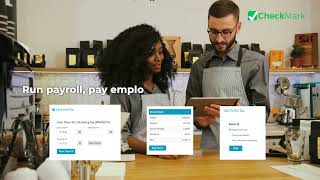
CheckMark Online Payroll is a cloud-based payroll management solution designed for small businesses, employers, accountants, and CPA firms. It simplifies payroll processing, employee payment management, and payroll tax reporting through an easy-to-use online platform. The software supports payroll calculations for salaried and hourly employees, multiple pay rates, overtime, earnings, deductions, benefits, garnishments, and retirement contributions. Businesses can manage recurring payroll runs, configure different pay schedules, maintain employee records, and generate detailed payroll reports. CheckMark Online Payroll helps streamline payroll tax compliance with federal payroll tax forms and year-end reporting, including Forms W-2, W-3, 940, 941, and 944. It also supports ACH direct deposit file generation for bank processing and employee check printing, giving businesses flexible options for paying their workforce. The Employee Self-Service (ESS) portal allows employees to access pay stubs, tax documents, leave balances, and other payroll-related information online, reducing routine administrative work for employers. CheckMark offers dedicated editions for different users. The Business Edition is suitable for companies managing their own employee payroll, while the Accountant Edition caters to CPAs, accounting firms, and payroll service providers managing payroll for multiple businesses. These options help users organize payroll operations according to their business requirements. With online access, payroll reporting capabilities, employee information management, and flexible subscription pricing, CheckMark Online Payroll is a practical choice for organizations seeking small business payroll software or accountant payroll software to simplify payroll administration and improve efficiency.
Read more


Pricing
SW Score Breakdown
Platforms Supported
Organization Types Supported
API Support
Modes of Support
Unique Features
401(k) Tracking
Helps to track and manage matters concerning 401(k) that is a retirement savings plan sponsored by an employer.Standard Features
Tax Filing
Allows the filing of payroll tax forms for federal, state, and local taxes.Wage Garnishment
Helps in deducting the amount from an employee's monetary compensation including salary as per a court order to pay off debtDeductions Management
Helps optimizing deductions workflow and assist in calculating various deductions or additions like ESI, PF, integrating leave, performanceCompensation Management
Manages employee compensation related data in an organized and automated mannerPEO Services
Professional Employer Organizations (PEOs) offer small and medium-sized businesses affordable HR services and benefits by serving as co-employers and managing compliance, eliminating the need for an in-house HR department.EOR Services
Facilitates the management of employment-related responsibilities, compliance, and HR functions associated with Employer of Record (EOR) servicesEmployee Offboarding
Helps to streamline the employee exit process by automating administrative tasks, managing documentation, and facilitating communication, all while protecting the company's brand and reputation.Compensation Management
Manages employee compensation related data in an organized and automated mannerPEO Services
Professional Employer Organizations (PEOs) offer small and medium-sized businesses affordable HR services and benefits by serving as co-employers and managing compliance, eliminating the need for an in-house HR department.Training Management
Automates the documenting processes involved in training management and records the performance of employees during training sessions360 Degree Feedback
Captures and centralizes a holistic feedback of the target audience that helps in making business decisions.
Free Trial
Available
No Credit Card Required, Get Started for Free
Business Edition $25.00 $25.00 per month
Designed for businesses managing payroll for a single company, the Business Edition offers unlimited payroll runs, automated payroll calculations, flexible pay schedules, employee management, direct deposit support, and payroll tax form preparation. It helps simplify payroll processing and employee payments through a convenient cloud-based platform.
Accountant Edition $22.50 $22.50 per month
The Accountant Edition is designed for CPAs, accountants, bookkeepers, payroll service providers, and businesses managing multiple companies. It includes all Business Edition features, along with centralized multi-company payroll management, an Employee Self-Service (ESS) portal for client employees, dedicated onboarding assistance, and priority US-based support. Its tiered discount program offers lifetime monthly savings of 10% to 30%, depending on the number of clients or companies managed: 10% for 2–20 clients, 15% for 21–50, 20% for 51–100, 25% for 101–250, and 30% for 251 or more.
85% SW Score The SW Score ranks the products within a particular category on a variety of parameters, to provide a definite ranking system. Read more
Featured
93% SW Score The SW Score ranks the products within a particular category on a variety of parameters, to provide a definite ranking system. Read more
Featured
85% SW Score The SW Score ranks the products within a particular category on a variety of parameters, to provide a definite ranking system. Read more
Featured
89% SW Score The SW Score ranks the products within a particular category on a variety of parameters, to provide a definite ranking system. Read more
Featured
98% SW Score The SW Score ranks the products within a particular category on a variety of parameters, to provide a definite ranking system. Read more
94% SW Score The SW Score ranks the products within a particular category on a variety of parameters, to provide a definite ranking system. Read more
93% SW Score The SW Score ranks the products within a particular category on a variety of parameters, to provide a definite ranking system. Read more
92% SW Score The SW Score ranks the products within a particular category on a variety of parameters, to provide a definite ranking system. Read more
91% SW Score The SW Score ranks the products within a particular category on a variety of parameters, to provide a definite ranking system. Read more

91% SW Score The SW Score ranks the products within a particular category on a variety of parameters, to provide a definite ranking system. Read more

91% SW Score The SW Score ranks the products within a particular category on a variety of parameters, to provide a definite ranking system. Read more

90% SW Score The SW Score ranks the products within a particular category on a variety of parameters, to provide a definite ranking system. Read more
89% SW Score The SW Score ranks the products within a particular category on a variety of parameters, to provide a definite ranking system. Read more

Intro Video

Dashboard and Pay...

Payroll Settings ...

Employee Informat...

Payroll Calculati...

W-2 and W-3 Tax F...
What is CheckMark Online Payroll used for?
What is the difference between Business Edition and Accountant Edition?
How much does CheckMark Online Payroll cost?
Does CheckMark Online Payroll support direct deposit and payroll tax forms?
Can employees access their payroll information online?
What is CheckMark Online Payroll used for?
CheckMark Online Payroll is Payroll Software. CheckMark Online Payroll offers the following functionalities:
Learn more about CheckMark Online Payroll features.
What are the top alternatives for CheckMark Online Payroll?
Does CheckMark Online Payroll provide API?
No, CheckMark Online Payroll does not provide API.
Which software is best for global payroll?
Global payroll has complexities like multi-jurisdictions, compliance, and local taxation. Some HR and Payroll platforms stand out in this area:
Do I need a Payroll Software?
Payroll software is essential when manual processes lead to errors, compliance becomes challenging, or your business requires scalability, integration, and enhanced security. While small teams with straightforward payroll needs might manage without it, increasing complexity quickly makes it a necessity.
Vendor Details
Founded : 2023Contact Details
Not available
https://www.checkmark.com/payroll-software/online
Social Media Handles

SaaSworthy may receive compensation from some vendors featured on this page. This does not influence our editorial evaluation or ratings. [email protected]

Looking for the right SaaS
We can help you choose the best SaaS for your specific requirements. Our in-house experts will assist you with their hand-picked recommendations.

Want more customers?
Our experts will research about your product and list it on SaaSworthy for FREE.


