MEET CLARA - THE AI BEHIND SMARTER SOFTWARE CHOICES



The simple ATS for in house hiring. AI ranks. You decide.
This profile is currently managed by the official vendor through the SaaSworthy Vendor Portal. Product details, features, pricing, and media assets are maintained directly by the company.

 Deep Dive with Clara AI
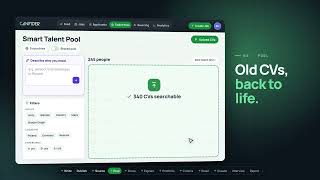
Canvider is an applicant tracking system built for in house hiring teams and software houses that don't have a big recruiting department. You post a job, collect applications, and keep one shared pipeline for the whole team. JobCraft drafts the job description. AI Score ranks each applicant against the role with a score band plus readable strengths and gaps. CriteriaMatch checks up to five must haves like language level or work permit. DecisionHelper compares finalists side by side. Bulk status updates and candidate emails run from the ATS. AI ranks. You decide. Canvider supports the shortlist and never makes the hire for you. Careers page options include a hosted page, a widget, and a WordPress plugin. Built with GDPR in mind. Pricing: Simple is free, Pro is €80/mo, Enterprise starts at €200/mo.
Read more


Pricing
Platforms Supported
Organization Types Supported
API Support
Modes of Support
Applicant Tracker
A dashboard to track the progress and hiring status of a candidateCalendar Sync
Automatically syncs the scheduled meetings to third-party cloud calendars.Job Boards
Creates a branded career page and posts the open positions for job seekersCandidate Database
A centralized repository to store and manage applicant resumesPredesigned Email Templates
Provides a library of templates to build an emailFeedback Collection
Helps in collecting feedback from users to assess the supportInterview Scorecard
Generates a review report by assessing the candidate performanceAuto Scheduling
Speeds up the scheduling process by verifying single/multi-part interviews, auto-assign available slots, and meeting room reservations.Resume Parsing
Automatically analyzes the job applicant's resume and store the data into a structured format.Custom Hiring Stages
Recruiters can design/create customized hiring workflows on demand.Candidate Sourcing
A one-click tool to discover relevant resumes from the candidate database, employee referrals, social channels, and job listing sitesPEO Services
Professional Employer Organizations (PEOs) offer small and medium-sized businesses affordable HR services and benefits by serving as co-employers and managing compliance, eliminating the need for an in-house HR department.Employee Offboarding
Helps to streamline the employee exit process by automating administrative tasks, managing documentation, and facilitating communication, all while protecting the company's brand and reputation.Training Management
Automates the documenting processes involved in training management and records the performance of employees during training sessionsCompensation Management
Manages employee compensation related data in an organized and automated manner360 Degree Feedback
Captures and centralizes a holistic feedback of the target audience that helps in making business decisions.Analytics & Hiring Insights
Resume Screening & Parsing
Reporting & Dashboards
Interview Scheduling
It helps schedule meetings and sends personalized messages in a few clicks.Candidate Communication Automation
Workflow & Recruitment Automation
Candidate Sourcing Automation
Integration with ATS/HR Systems
AI-Driven Screening
Leverage AI to recommend or rank candidates based on assessment resultsFeedback Collection
Helps in collecting feedback from users to assess the supportDEI Mitigation Tools
Ensure fair, inclusive (Diversity, Equity, and Inclusion) assessment and candidate treatmentCulture Fit Scoring
Assess alignment with company norms or readiness for roles and responsibilitiesPsychometric Assessment
Use scientifically backed tools for reliable measurement.Behavioural Assessment
Evaluate traits like work style, behavior, and emotional intelligence.Cognitive Assessment
Helps in the assessment of mental functions like thinking, memory, and languageSkill Assessment
Assess technical or domain-specific abilities using structured testsATS Integration
To add interviews to Applicant Tracking System and streamline your recruitment workflowOne-way Video Interview
Asynchronous video interview, where candidate records and submit video responses.Free Trial
Not available
No Credit Card Required, Get Started for Free
Simple Free
Free forever. Up to 2 listings per year, 1 user, full ATS, careers page, JobCraft, limited AI Score and Decision Helper.
Enterprise Custom
From €200 per month. Unlimited listings and users, 5x higher AI limits than Pro, Smart Talent Pool and Candidate Sourcing, dedicated 24/7 support.
Pro $93.00 $93.00 per month
€80 per month. Everything in Simple with higher limits, more listings and users, LinkedIn publishing and applicant import, calendar sync.
98% SW Score The SW Score ranks the products within a particular category on a variety of parameters, to provide a definite ranking system. Read more
98% SW Score The SW Score ranks the products within a particular category on a variety of parameters, to provide a definite ranking system. Read more

97% SW Score The SW Score ranks the products within a particular category on a variety of parameters, to provide a definite ranking system. Read more

97% SW Score The SW Score ranks the products within a particular category on a variety of parameters, to provide a definite ranking system. Read more
97% SW Score The SW Score ranks the products within a particular category on a variety of parameters, to provide a definite ranking system. Read more

96% SW Score The SW Score ranks the products within a particular category on a variety of parameters, to provide a definite ranking system. Read more
95% SW Score The SW Score ranks the products within a particular category on a variety of parameters, to provide a definite ranking system. Read more

95% SW Score The SW Score ranks the products within a particular category on a variety of parameters, to provide a definite ranking system. Read more
Canvider product ...

Explainable AI Score

Stop hiring in sp...

AI ranking: who t...

CriteriaMatch

DecisionHelper
Who uses Canvider?
What is Canvider used for?
Which platforms does Canvider support?
What integrations does Canvider offer?
Does Canvider support multiple users?
What support and training does Canvider provide?
Does Canvider have a free plan or trial?
How much does Canvider cost?
Does Canvider make hiring decisions with AI?
What is Canvider used for?
Canvider is Applicant Tracking System. Canvider offers the following functionalities:
Learn more about Canvider features.
What are the top alternatives for Canvider?
Here`s a list of the best alternatives for Canvider:
Does Canvider provide API?
No, Canvider does not provide API.
How to choose an Applicant Tracking System?
Choosing an ATS depends on usability, integrations, and scalability. It should be easy to adopt, work with job boards and HR tools, and offer strong resume parsing and task automation. Built-in analytics like time-to-hire and candidate pipeline health are key for decision-making. Consider pricing models to fit your budget and hiring needs. Some best options include Workable, Zoho Recruit, and more.
Vendor Details
Not available
Contact Details
Not available
https://canvider.com/
Social Media Handles
Not available


SaaSworthy may receive compensation from some vendors featured on this page. This does not influence our editorial evaluation or ratings. [email protected]

Looking for the right SaaS
We can help you choose the best SaaS for your specific requirements. Our in-house experts will assist you with their hand-picked recommendations.

Want more customers?
Our experts will research about your product and list it on SaaSworthy for FREE.