MEET CLARA - THE AI BEHIND SMARTER SOFTWARE CHOICES
|
98% SW Score The SW Score ranks the products within a particular category on a variety of parameters, to provide a definite ranking system. Read more 
View Details
|
91% SW Score The SW Score ranks the products within a particular category on a variety of parameters, to provide a definite ranking system. Read more 
View Details
|
90% SW Score The SW Score ranks the products within a particular category on a variety of parameters, to provide a definite ranking system. Read more 
View Details
|
90% SW Score The SW Score ranks the products within a particular category on a variety of parameters, to provide a definite ranking system. Read more 
View Details
|
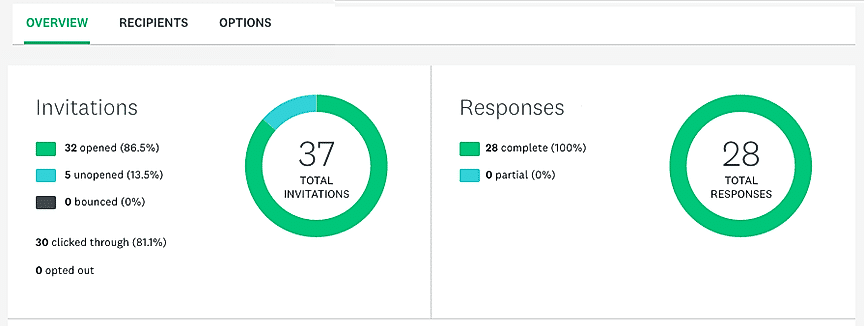
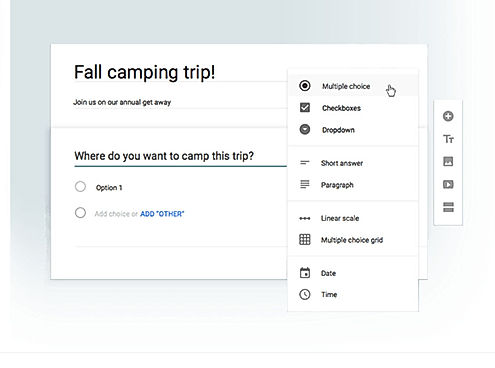
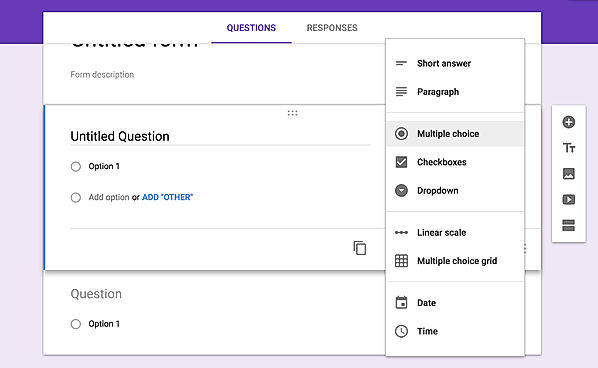
| Description | One of the world’s class-leading online survey platform that assists millions of individuals and business organizations in creating and analyzing survey reports to get meaningful insights. With the in-built intuitive tools, it enables to create tailored professional surveys quickly that helps you to make better decisions. SurveyMonkey further helps to build an expertly curated questionnaire and survey templates and lets you post them on various online and social media platforms for a deep-rooted survey. It is robust yet user-friendly, recommended for any industry related customer-feedback surveys, such as educational institutes, business organizations, market research etc. Read more | An open source tool, LimeSurvey is ideal for running online surveys of any nature, size, or complexity. Whether you are putting forth a simple questionnaire or creating a survey with advanced assessment capabilities, this transparently developed open source tool with an inbuilt template editor has you covered. Features like expression manager and advanced scripting abilities have been included to help you build surveys of a more complex nature. The possibilities of creating professional surveys using the LimeSurvey interface are endless. In the rare event that the feature you are looking for is missing, LimeSurvey also offers tailored solutions to cater to your specific needs. Read more | Google excels in the online form builder arena like any other field. Google Forms come as a part of the Google Drive Suite that features tools like Docs, Sheets, etc. There is a pretty good number of pre-installed themes to choose from to cater to all the segments, be it survey, registration, contact, etc. It has a straightforward building user interface and much easy to use. The users can include multiple question types, including short answers, multiple choices, dropdowns, checkboxes, etc. It even has a photo and video field. Each of the fields has a copy button, in case the users need to add a similar question to different forms. Responses can be received over the email or collected in Google Sheets. After the form has been made, the users can add collaborators by sharing and can even embed it in websites using the code. Hence, with ease of usage, it is definitely the easiest way to get going with the survey or registration. Read more | Collect the right feedback for the goals. Built-in AI and smart recommendations do the heavy lifting for user. Make forms an effortless experience for the admins and audiences. Get quick feedback with a poll or collect more detailed information with branching questions. Instantly visualize response data and advanced analysis. Ask your students to weigh in during class using Forms. Assess student progress with quizzes and easily export answers to Excel. Transform a quiz into an educational asset by adding videos to the questions. Read more |
| Pricing Options |
|
|
|
|
| SW Score & Breakdown |
98% SW Score The SW Score ranks the products within a particular category on a variety of parameters, to provide a definite ranking system. Read more
|
91% SW Score The SW Score ranks the products within a particular category on a variety of parameters, to provide a definite ranking system. Read more
|
90% SW Score The SW Score ranks the products within a particular category on a variety of parameters, to provide a definite ranking system. Read more
|
90% SW Score The SW Score ranks the products within a particular category on a variety of parameters, to provide a definite ranking system. Read more
|
| SaaSworthy Awards | # 1 Most Worthy # 2 Highly Rated | # 4 Fastest Growing # 10 Most Popular | # 7 Highly Rated # 19 Fastest Growing | # 19 Highly Rated |
| Organization Types Supported |
|
|
|
|
| Platforms Supported |
|
|
|
|
| Modes of Support |
|
|
|
|
| API Support |
|
|
|
|
| User Rating |
|
|
|
|
| Rating Distribution |
|
|
|
|
| User Sentiments |
Ease of Use, Intuitive Interface, Variety of Question Types, Comprehensive Data Analysis Tools Misleading Pricing Structure, Limited Free Features, Aggressive Auto-Renewal Policy, Poor Customer Service |
Not Available
|
Ease of Use, Free of Cost, Data Collection efficiency, Integration with Google Sheets Limited Design Customization, Lack of Advanced Features, Limited Offline Functionality, Limited Question Types |
Not Available
|
| Review Summary |
Overall, users praise SurveyMonkey's user-friendly interface, ease of use, and wide range of features and question types. It is particularly valued for its ability to create and distribute surveys quickly and easily, making it popular among individuals, small businesses, and large enterprises alike. The platform's reporting and analytics capabilities are also well-received, providing valuable insights into survey results. However, some users have reported occasional glitches and technical difficulties with the platform, as well as a lack of advanced features and customization options, which may limit its suitability for more complex survey needs. |
Not Available
|
Overall, Google Forms is a user-friendly and versatile form builder that allows users to easily create and customize forms for various purposes. It offers a wide range of features, including templates, drag-and-drop functionality, conditional logic, and collaboration tools. Users appreciate its ease of use, integration with other Google products, and the ability to share and collaborate on forms. However, some users have reported occasional issues with data loss, limited customization options, and the lack of advanced features found in more comprehensive form builder tools. |
Users consistently praise Microsoft Forms for its ease of use, particularly for creating surveys and collecting data. Its integration with other Microsoft products like Excel and Teams is also highly valued. While users appreciate the variety of templates and themes, they express concerns about limited customization options and the lack of advanced features compared to competitors. Some users wish for more robust conditional logic and a more visually appealing user interface. Overall, Microsoft Forms is seen as a solid choice for basic surveys and data collection, particularly for users already within the Microsoft ecosystem. |
| Read All User Reviews | Read All User Reviews | Read All User Reviews | Read All User Reviews |
AI-Generated from the text of User Reviews
| Pricing Options |
|
|
|
|
|
Pricing Plans
Monthly Plans
Annual Plans
|
Team Advantage (Business Plan) $25.00 $25.00 per user / month Team Premier (Business Plan) $75.00 $75.00 per user / month Enterprise (Business Plan) Custom Standard (Personal Plan) $99.00 $99.00 per month Advantage (Personal Plan) $32.00 $32.00 per month Premier (Personal Plan) $99.00 $99.00 per month Targeted Responses Others |
Free Free Basic $34.00 $34.00 per month Expert $29.00 $29.00 per month Enterprise $74.00 $74.00 per month Corporate Custom |
Google Forms Free |
Microsoft Forms Custom |
|
View Detailed Pricing
|
View Detailed Pricing
|
View Detailed Pricing
|
View Detailed Pricing
|
Get personalized recommendations from our experts on call
Trusted by more than 5 Million users across the globe.
Thank you for the enquiry. One of our software analysts will contact you soon.
| Screenshots |
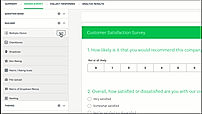
+ 4 More
|
Not Available |
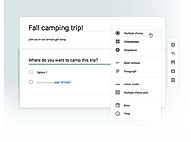
+ 3 More
|
Not Available |
| Videos |

+ 5 More
|

+ 1 More
|

+ 2 More
|
Not Available |
| Company Details | Located in: San Mateo, CA Founded in: 1999 | Located in: Hamburg, Germany Founded in: 2006 | Located in: United States | Located in: Redmond, Washington |
| Contact Details |
Not available |
+49 40 22660066 |
Not available |
Not available https://www.microsoft.com/en-us/microsoft-365/online-surveys-polls-quizzes |
| Social Media Handles |
|
|
Not available |
Not available |

Looking for the right SaaS
We can help you choose the best SaaS for your specific requirements. Our in-house experts will assist you with their hand-picked recommendations.

Want more customers?
Our experts will research about your product and list it on SaaSworthy for FREE.