MEET CLARA - THE AI BEHIND SMARTER SOFTWARE CHOICES
MEET CLARA - THE AI BEHIND SMARTER SOFTWARE CHOICES
MEET CLARA - THE AI BEHIND SMARTER SOFTWARE CHOICES
|
91% SW Score The SW Score ranks the products within a particular category on a variety of parameters, to provide a definite ranking system. Read more 
View Details
|
87% SW Score The SW Score ranks the products within a particular category on a variety of parameters, to provide a definite ranking system. Read more 
View Details
|
93% SW Score The SW Score ranks the products within a particular category on a variety of parameters, to provide a definite ranking system. Read more 
View Details
|
90% SW Score The SW Score ranks the products within a particular category on a variety of parameters, to provide a definite ranking system. Read more 
View Details
|
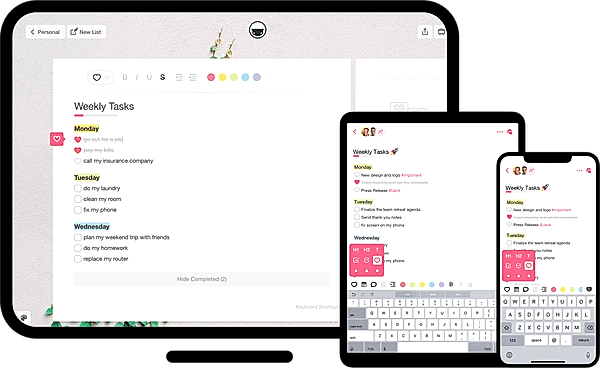
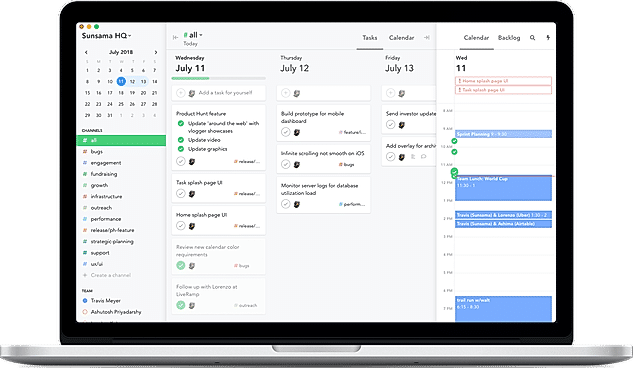
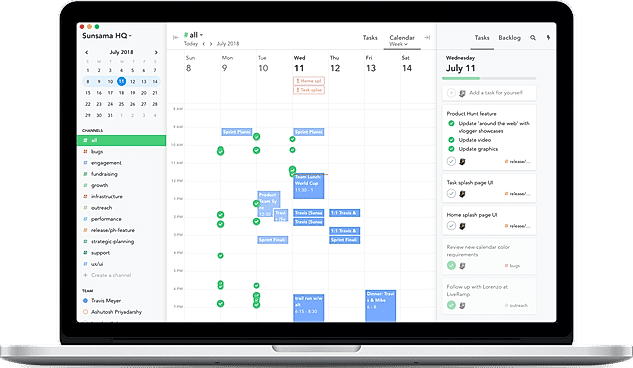
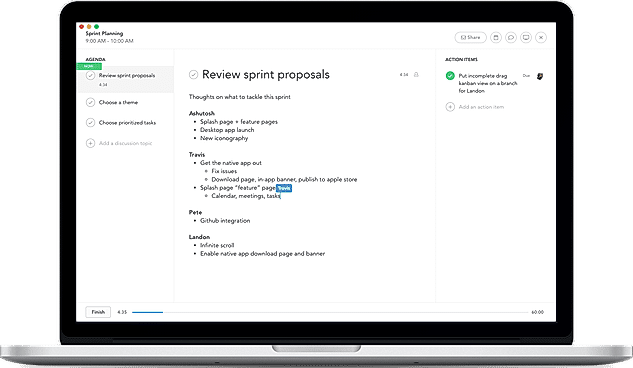
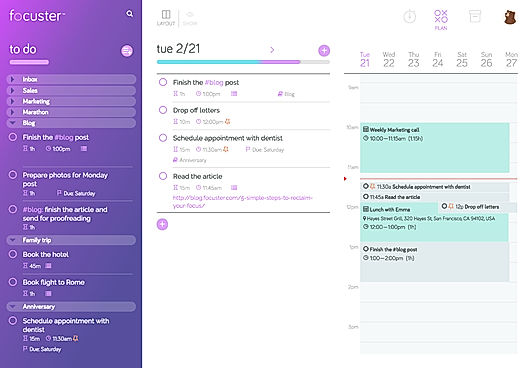
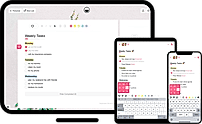
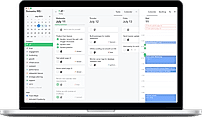
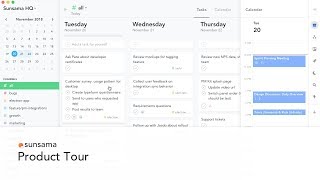
| Description | Taskade allows users to create tasks, manage notes, and collaborate via video calls in a single power-packed tool. The tool is available on all platforms, including mobile, web, and desktop. This includes Android, iOS, Chrome, Firefox, Mac, and Windows. All the user has to do is go to the app or website and start making lists at the click of a button. It lets users to neatly segregate the tasks into different lists such as the important (or priority) list, the Todo list, and even Notes. For users who want to get started right away, Taskade provides some handy templates based on the use cases or need of the hour. This includes the ability to plan the week ahead with the Weekly tasks lists. Users can even use a Bullet Journal to organize tasks or deploy a Brainstorming list that lets them funnel all great ideas into a simple list. Read more | Microsoft To Do is a popular tool that provides an easy-to-use platform for managing all to-do lists in a systematic and effective way. It’s available for free and syncs across Android, iPhone, Windows 10 including the web. The smart daily planner My Day comes with personalized suggestions to help users update their daily to-do list faster without wasting time. Users can manage their task list at any time and from anywhere to stay well-organized at all times. It allows users to share their to-do lists with friends, family, and colleagues to stay connected. The tool breaks tasks down into simple steps and users can add due dates, and set reminders for daily checklists to keep up-to-date with schedules or stay on track with assignments and projects. To Do is also integrated with Outlook Tasks, thus making it easier to manage everything in one place without any hassle. Read more | Sunsama is a daily planner for elite professionals. The tool enables users to organize everything they need to do today in a suitable, centralized place, including tasks, meetings, emails, etc. It allows them to prioritize their workday by day by setting reasonable goals for what they want to accomplish each day. Tasks that users are not able to do as planned will automatically be rolled over to tomorrow. Sunsama enables users to pull in tasks from external platforms like Trello, Gmail, Asana, and pick out which jobs they want to work on today from their existing tools. The tool syncs with Google Calendar, which helps users see what's on their schedule and plan accordingly. It enables users to keep a watch on what their teammates are working on each day. Users can assign calendar events and tasks into channels, pick a channel, and see the work done. Sunsama also lets users capture everyone's input and make the meeting transparent and collaborative by letting users open the meeting from their calendar and add their notes. Read more | Focuster is an appropriate focus management platform that helps users to manage their everyday tasks. The software automatically schedules the to-do list in the calendar, helping users maintain focus, prioritise tasks and achieve their daily goals. With its smart reminders, the solution keeps users focused throughout the day and constantly updates the calendar, enabling users to check on the critical event lying ahead of them. Focuster is designed to eliminate distracting states of mind, helping users prioritise what really matters. The software features an Activity Bar that allows users to see the entire day at a glance. It shows how many tasks have been completed, what tasks are there to be done and the time left to achieve them. It also makes users aware if they have overloaded their schedule. In such situations, Focuster prompts users to eliminate overwhelmingness so they could consistently hit their goals. Read more |
| Pricing Options |
|
|
|
|
| SW Score & Breakdown |
91% SW Score The SW Score ranks the products within a particular category on a variety of parameters, to provide a definite ranking system. Read more
|
87% SW Score The SW Score ranks the products within a particular category on a variety of parameters, to provide a definite ranking system. Read more
|
93% SW Score The SW Score ranks the products within a particular category on a variety of parameters, to provide a definite ranking system. Read more
|
90% SW Score The SW Score ranks the products within a particular category on a variety of parameters, to provide a definite ranking system. Read more
|
| SaaSworthy Awards | # 9 Fastest Growing # 10 Most Popular | # 2 Fastest Growing # 8 Most Popular | # 8 Fastest Growing # 14 Most Popular |
Not Available
|
| Total Features |
10 Features
|
9 Features
|
10 Features
|
10 Features
|
| Common Features for All |
Alerts
Collaboration Tools
Gantt Charts
Percent-Complete Tracking
Progress Tracking
Recurring Task Management
Reporting (Analytics)
Task Assigning
Task Scheduling
Task Tracking
Time Tracking
|
Alerts
Collaboration Tools
Gantt Charts
Percent-Complete Tracking
Progress Tracking
Recurring Task Management
Reporting (Analytics)
Task Assigning
Task Scheduling
Task Tracking
Time Tracking
|
Alerts
Collaboration Tools
Gantt Charts
Percent-Complete Tracking
Progress Tracking
Recurring Task Management
Reporting (Analytics)
Task Assigning
Task Scheduling
Task Tracking
Time Tracking
|
Alerts
Collaboration Tools
Gantt Charts
Percent-Complete Tracking
Progress Tracking
Recurring Task Management
Reporting (Analytics)
Task Assigning
Task Scheduling
Task Tracking
Time Tracking
|
| Organization Types Supported |
|
|
|
|
| Platforms Supported |
|
|
|
|
| Modes of Support |
|
|
|
|
| API Support |
|
|
|
|
| User Rating |
|
|
|
|
| Rating Distribution |
|
|
|
|
| User Sentiments |
User-Friendly Interface, Cross-Platform Functionality, Extensive Template Library, Seamless Team Collaboration Limited Third-Party Integrations, Occasional Software Glitches, Insufficient AI Credits, Limited Customization Options |
Not Available
|
Not Available
|
Not Available
|
| Review Summary |
Users praise Taskade for its user-friendly interface, ease of use, and collaborative features. They appreciate the ability to create and share tasks, notes, and projects with team members in real-time. The platform's intuitive design and seamless integration with other tools enhance productivity and streamline workflows. However, some users have expressed concerns about occasional glitches and the need for more customization options. Overall, Taskade is highly regarded for its simplicity, collaboration capabilities, and positive impact on team productivity. |
Microsoft To Do is a popular task management app praised for its user-friendly interface, seamless integration with other Microsoft products like Outlook and Planner, and cross-platform availability. Users appreciate its simplicity, reminder features, and ability to organize tasks effectively. However, some users find the app to be lacking in advanced features like customization options and automation, and there have been occasional complaints about synchronization issues. Overall, Microsoft To Do is a solid choice for individuals and teams seeking a straightforward solution for managing daily tasks and deadlines. |
Not Available
|
Not Available
|
| Read All User Reviews | Read All User Reviews | Read All User Reviews | Read All User Reviews |
AI-Generated from the text of User Reviews
| Pricing Options |
|
|
|
|
|
Pricing Plans
Monthly Plans
Annual Plans
|
Free Free Taskade Pro $10.00 $20.00 per month Taskade for Teams $50.00 $100.00 per month Enterprise Custom |
Microsoft To-Do Free |
Sunsama $16.00 $20.00 per month |
Basic $7.99 $9.99 per month Pro $14.99 $19.99 per month |
|
View Detailed Pricing
|
View Detailed Pricing
|
View Detailed Pricing
|
View Detailed Pricing
|
Get personalized recommendations from our experts on call
Trusted by more than 5 Million users across the globe.
Thank you for the enquiry. One of our software analysts will contact you soon.
| Screenshots |
|
Not Available |
+ 2 More
|
|
| Videos |
+ 2 More
|

+ 3 More
|
+ 1 More
|
|
| Company Details | Located in: New York, NY Founded in: 2017 | Located in: Redmond, Washington | Located in: San Francisco, CA | Located in: Santa Cruz, CA |
| Contact Details |
+1 415-888-9177 |
Not available |
Not available |
Not available |
| Social Media Handles |
|
|
|
|

Looking for the right SaaS
We can help you choose the best SaaS for your specific requirements. Our in-house experts will assist you with their hand-picked recommendations.

Want more customers?
Our experts will research about your product and list it on SaaSworthy for FREE.