MEET CLARA - THE AI BEHIND SMARTER SOFTWARE CHOICES
|
98% SW Score The SW Score ranks the products within a particular category on a variety of parameters, to provide a definite ranking system. Read more 
View Details
|
98% SW Score The SW Score ranks the products within a particular category on a variety of parameters, to provide a definite ranking system. Read more 
View Details
|
Featured
96% SW Score The SW Score ranks the products within a particular category on a variety of parameters, to provide a definite ranking system. Read more 
Google Workspace |
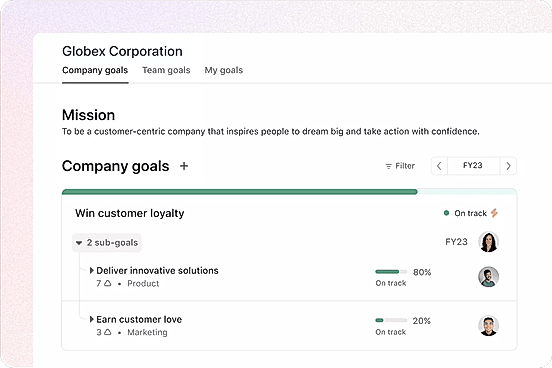
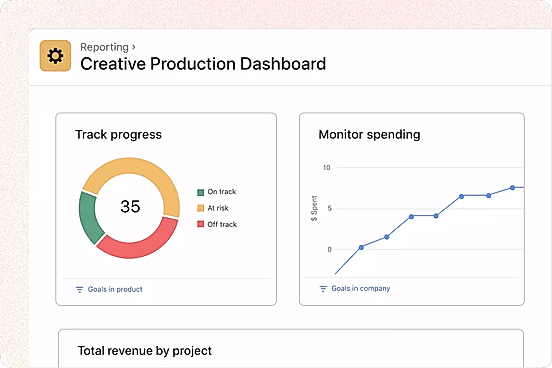
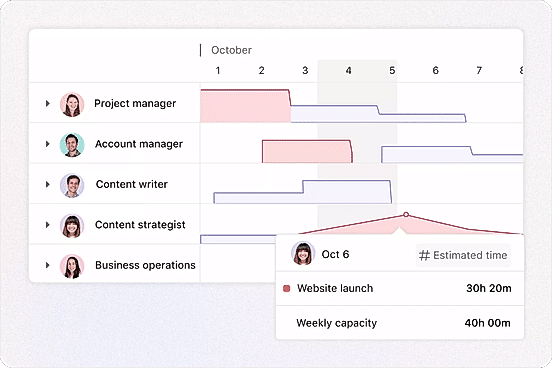
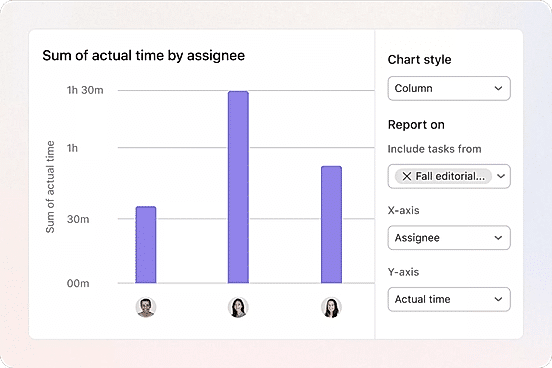
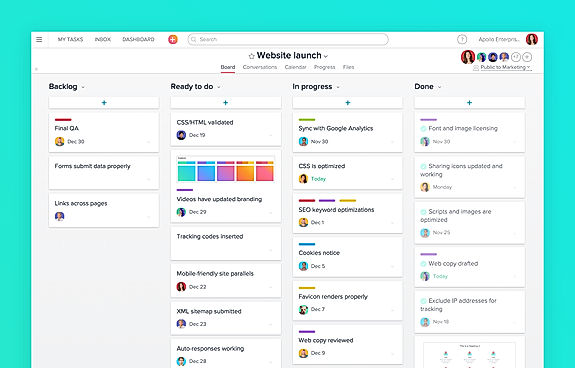
| Description | Asana is an online team collaboration and workflow management tool. Organize your work in the best way possible to follow tasks through and be able to avoid obstacles to meet deadlines. Asana’s boards let you visualize your work, and arrange all your relevant emails and files into one place. Use Asana’s portfolios to monitor the status of all your projects and keep your strategic initiatives on track and easily report on progress. Its custom fields allow you to keep track of info important to the team and share the information with the right people. Commonly used projects can be turned into templates to ensure your team workflow moves more smoothly and faster. Asana’s web interface is efficient and responsive and it can be integrated to other collaboration tools like Slack. Asana is SOC 2 Type 1 certified and offers secure connections to its site using the TLS 1.1 protocol. It also hosts its data in various SSAE audited data centers via Amazon. Read more | Monday Hero is a developer tool used to create mobile code in a fast way. The software allows its users to transform layers into reusable components like TableViews, CollectionViews, and buttons. It automatically understands layers such as labels, views or images and organizes the code as per the requirements of its users. Users can layout rules, views, and styles all in one place. At the same time, users can export their designs either as Storyboard scenes or as fully coded graphics. Monday Hero enables its users to organize the UI code easily by changing the variable names as per their coding preferences. The software automatically selects proper variable names by looking at design content as default. Users can create beautiful UI with the software, no matter if it is for banking, messaging traveling or for social media apps. Monday Hero provides users with UIKit layout rules as the default, and one can change the constraint blocks into SnapKit rules simply by selecting it from the Code Preferences option. Read more | Introducing Teamhood, the dynamic and versatile visual project management tool designed specifically for high-performing teams. With a perfect blend of traditional and Agile project management features, this innovative tool empowers users to work in the way that suits them best. At the heart of Teamhood is its seamless integration of various task management methods. Whether they prefer the organized structure of Lists, the comprehensive planning power of Gantt charts, or the highly versatile functionality of advanced Kanban boards, Teamhood has got they covered. No matter their team's preferred approach, this tool ensures that each member can work in a way that brings out their best. One of the key advantages of Teamhood is its live reporting and customizable dashboards. Say goodbye to confusion and hello to clarity as they stay on top of every aspect of their project. With real-time updates and detailed insights at their fingertips, they can effortlessly monitor progress, identify potential roadblocks, and make informed decisions to keep their team on track. Efficiency is the name of the game, and Teamhood delivers on that promise. By allowing they to draw task dependencies and plan their team's workload, this tool ensures that everyone is focused, productive, and working towards a shared goal. No more wasted time or missed deadlines Teamhood ensures optimal resource allocation and minimizes bottlenecks, enabling their team to operate at peak performance. Collaboration has never been easier with Teamhood's centralized workspace. From seamless communication to document sharing, this tool creates a unified environment where every team member can contribute, brainstorm, and collaborate seamlessly. No more back-and-forth emails or lost messages everything they need is right at their fingertips. With Teamhood, convenience and speed are at the forefront. This user-friendly platform provides a smooth and intuitive experience, making it easy for professionals of all levels to dive right in and start reaping the benefits. Say goodbye to complicated tools and hello to efficiency and productivity with Teamhood. In conclusion, Teamhood is the ultimate visual project management tool for high-performing teams. Its powerful combination of traditional and Agile features, coupled with live reports and customizable dashboards, ensures that they have complete control and visibility over their projects. With its ability to draw task dependencies, plan team workloads, and foster seamless collaboration, Teamhood empowers their team to work smarter and achieve remarkable results. Experience the power of Teamhood and unlock new levels of productivity today. Read more | Google Workspace is an intuitive platform that helps teams of all sizes to connect and collaborate with each other and improve their efficiency levels in real-time. It provides an innovative and flexible solution that helps businesses to achieve more. With the help of shared calendars, users can see who is available and when so they can fix meetings without clashing anybody’s timings. It also allows them to start video conferencing with just a single click through their laptop, tab or mobile. With Google Workspace, team members can collaborate with each other and share documents, slides and spreadsheets with or without the internet. They can work in a single document, see edits, communicate through in-built chat and tag each other in comments and ask questions. Google Workspace also allows users to upload their data on the cloud to keep it safe and easily available to team members through a shared link. To assure comprehensive security the software offers advanced privacy algorithms like single-sign-on and 2-step verification. Read more |
| Pricing Options |
|
|
|
|
| SW Score & Breakdown |
98% SW Score The SW Score ranks the products within a particular category on a variety of parameters, to provide a definite ranking system. Read more
|
|
98% SW Score The SW Score ranks the products within a particular category on a variety of parameters, to provide a definite ranking system. Read more
|
96% SW Score The SW Score ranks the products within a particular category on a variety of parameters, to provide a definite ranking system. Read more
|
| SaaSworthy Awards | # 3 Most Popular # 1 Most Worthy |
Not Available
|
Not Available
|
# 3 Fastest Growing # 4 Most Popular |
| Organization Types Supported |
|
|
|
|
| Platforms Supported |
|
|
|
|
| Modes of Support |
|
|
|
|
| API Support |
|
|
|
|
| User Rating |
|
Not Available
|
Not Available
|
|
| Rating Distribution |
|
Not Available
|
Not Available
|
|
| User Sentiments |
Ease of Use, Task Management, Team Collaboration, Extensive Integrations Mobile App Functionality, Limited Customization, Customer Support Response Time, Confusing Interface |
Not Available
|
Not Available
|
Not Available
|
| Review Summary |
Users generally agree that Asana is user-friendly, offers powerful features, and excels in project management and task collaboration. Many reviewers find the interface intuitive and easy to navigate, praising its clean and organized design. Asana's customization options and integrations with other tools are also frequently mentioned as strengths. However, some users have expressed concerns about occasional bugs and glitches, as well as the potential for a steep learning curve for more complex features. Overall, reviewers find Asana to be a reliable and effective tool for project management and collaboration. |
Not Available
|
Not Available
|
Not Available
|
| Read All User Reviews | Read All User Reviews |
AI-Generated from the text of User Reviews
| Pricing Options |
|
|
|
|
|
Pricing Plans
Monthly Plans
Annual Plans
|
Personal Free Starter $10.99 $13.49 per user / month Advanced $24.99 $30.49 per user / month Enterprise Custom Enterprise+ Custom |
Free Free Freelancer $19.00 $22.00 per month Growing Business $89.00 $99.00 per month Organization $169.00 $189.00 per month |
Free Free Professional $9.50 $15.00 per user / month Premium $15.00 $19.00 per user / month Ultimate $19.00 $24.00 per user / month Enterprise Custom |
Starter $7.00 $8.40 per user / month Standard $14.00 $16.80 per user / month Plus $22.00 $26.40 per user / month Enterprise Plus Custom |
|
View Detailed Pricing
|
View Detailed Pricing
|
View Detailed Pricing
|
View Detailed Pricing
|
Get personalized recommendations from our experts on call
Trusted by more than 5 Million users across the globe.
Thank you for the enquiry. One of our software analysts will contact you soon.
| Screenshots |
+ 4 More
|

+ 1 More
|

+ 9 More
|
Not Available |
| Videos |
+ 4 More
|
Not Available |

+ 3 More
|

+ 2 More
|
| Company Details | Located in: San Francisco, California Founded in: 2008 | Located in: San Francisco, CA Founded in: 2018 | Located in: Vilnius, Lithuania Founded in: 2019 | Located in: Mountain View, California |
| Contact Details |
Not available |
Not available |
Not available |
Not available |
| Social Media Handles |
|
|
|
|

Looking for the right SaaS
We can help you choose the best SaaS for your specific requirements. Our in-house experts will assist you with their hand-picked recommendations.

Want more customers?
Our experts will research about your product and list it on SaaSworthy for FREE.