MEET CLARA - THE AI BEHIND SMARTER SOFTWARE CHOICES


|
88% SW Score The SW Score ranks the products within a particular category on a variety of parameters, to provide a definite ranking system. Read more 
View Details
|
93% SW Score The SW Score ranks the products within a particular category on a variety of parameters, to provide a definite ranking system. Read more 
View Details
|
Featured
98% SW Score The SW Score ranks the products within a particular category on a variety of parameters, to provide a definite ranking system. Read more 
Google Workspace |
Featured
98% SW Score The SW Score ranks the products within a particular category on a variety of parameters, to provide a definite ranking system. Read more 
signNow |
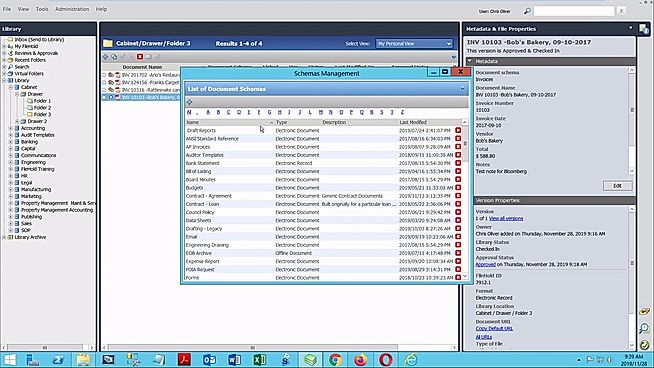
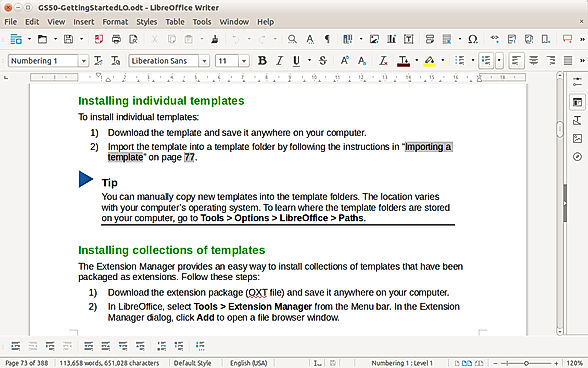
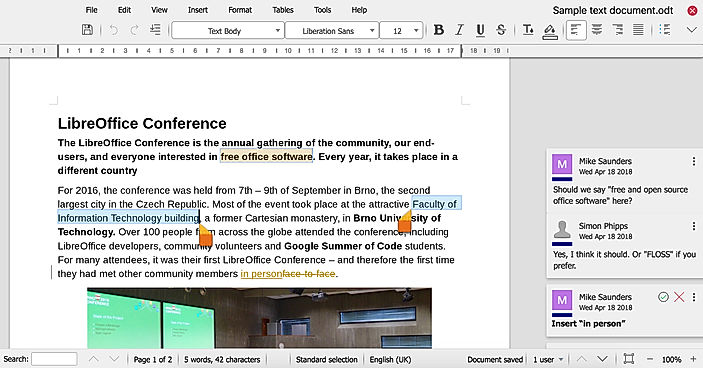
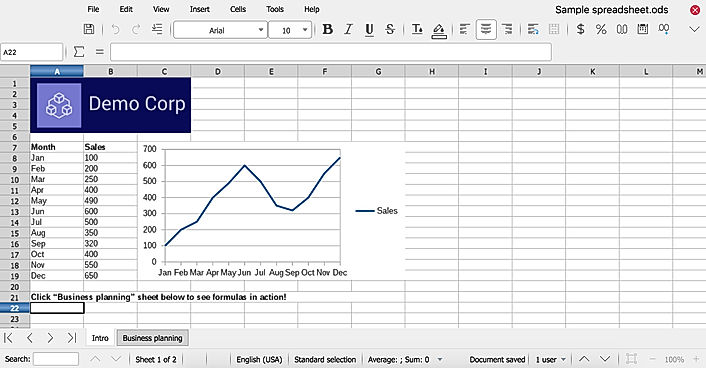
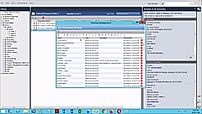
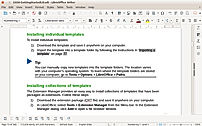
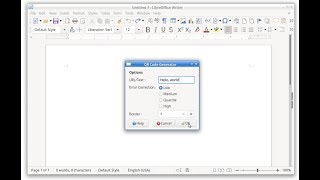
| Description | FileHold is a smart doc management software solution that can handle tens of thousands or millions of documents with ease. FileHold's smart scanning system can convert boxes and cabinets of paper into electronic data that can be searched in seconds. Document storage, scanning, search, capture, versioning, indexing and document workflow approval and review are all included in its feature set. FileHold can be deployed on your server or in the cloud for maximum protection. Organizations can use FileHold document management software to raise compliance, enhance security, minimize paper use, and simplify processes while saving time and money. With FileHold document management software, you can transform paper and electronic data into a version-controlled, safe, searchable, and well-organized electronic library. By enabling employees to collaborate and approve papers electronically, FileHold improves process efficiency. The visual design tool in FileHold Process software allows users to construct pre-defined workflow templates that include approval tasks and document review. Additionally, the platform can store almost any sort of content and integrates well with the Microsoft SharePoint and Microsoft Office suite products. Read more | LibreOffice is a cloud-based document management platform that lets users create, edit, and save XLS spreadsheets, Word documents, and PowerPoint presentations. It enables users to access programmes through a web browser without installing them locally and is created for businesses of all sizes. The online LibreOffice tool aids in the creation and editing of files in any format. Businesses may manage files and folders by bookmarking them and organising them by size, type, name, and when they were last edited. Additionally, LibreOffice helps with management tasks including creating files and folders, renaming them, extracting data, uploading it, copying it, transferring it, editing it, searching it, and more. It allows you to examine stored image previews and shows information about the file, like its size, name, location, and date. OpenOffice.org, sometimes known as OpenOffice, was replaced by LibreOffice, which itself was based on StarOffice. The software has been under development for many years and millions of people have used it in various forms. With updates every six months and hundreds of contributors, LibreOffice has surpassed OpenOffice.org as the codebase's most active continuation in the modern era. Additionally, LibreOffice gives authority back to content creators by utilising libraries from the Document Liberation Project. Read more | Google Workspace is an intuitive platform that helps teams of all sizes to connect and collaborate with each other and improve their efficiency levels in real-time. It provides an innovative and flexible solution that helps businesses to achieve more. With the help of shared calendars, users can see who is available and when so they can fix meetings without clashing anybody’s timings. It also allows them to start video conferencing with just a single click through their laptop, tab or mobile. With Google Workspace, team members can collaborate with each other and share documents, slides and spreadsheets with or without the internet. They can work in a single document, see edits, communicate through in-built chat and tag each other in comments and ask questions. Google Workspace also allows users to upload their data on the cloud to keep it safe and easily available to team members through a shared link. To assure comprehensive security the software offers advanced privacy algorithms like single-sign-on and 2-step verification. Read more | airslate signNow is an innovative electronic signature software that facilitates the easy signing of digital documents along with their editing, storing, and sharing. It assists the users in adding online e-signatures to their documents and helps them in building online fillable templates. With signNow, users just have to upload their documents online and add the person from whom they want the e-signatures and the desired place of sign and hit send, and voila, the work is done. It ensures complete security and safety while sharing and receiving the documents. The software does not require registration of the receiver and users can add multiple signers while mailing out the document. Users can also set reminders and track their progress all while getting bank-level security with signNow. It is a very easy-to-use, fully-featured, and cost-effective solution that can integrate with many other platforms like Google Apps for Work, Salesforce, Office 365, and SharePoint. It provides flexibility to the users that can be used to leverage the power and usability of signNow. Users get a free trial, a freemium version, 24/7 live assistance, and a variety of premium plans to choose from with this software. Read more |
| Pricing Options |
|
|
|
|
| SW Score & Breakdown |
88% SW Score The SW Score ranks the products within a particular category on a variety of parameters, to provide a definite ranking system. Read more
|
93% SW Score The SW Score ranks the products within a particular category on a variety of parameters, to provide a definite ranking system. Read more
|
98% SW Score The SW Score ranks the products within a particular category on a variety of parameters, to provide a definite ranking system. Read more
|
98% SW Score The SW Score ranks the products within a particular category on a variety of parameters, to provide a definite ranking system. Read more
|
| SaaSworthy Awards | # 3 Most Worthy # 7 Fastest Growing |
Not Available
|
# 3 Fastest Growing # 4 Most Popular | # 2 Most Worthy # 1 Highly Rated |
| Organization Types Supported |
|
|
|
|
| Platforms Supported |
|
|
|
|
| Modes of Support |
|
|
|
|
| API Support |
|
|
|
|
| User Rating |
|
|
|
|
| Rating Distribution |
|
|
|
|
| User Sentiments |
Not Available
|
Cross-Platform Compatibility, Open Source, Free, Feature Rich Compatibility Issues with Microsoft Office Files, Outdated User Interface, Limited Online Collaboration Features, Lack of Advanced Features Compared to Microsoft Office |
Not Available
|
Ease of Use, Affordable Pricing, Mobile Functionality, Extensive Integrations Document Editing Limitations, Occasional Technical Issues, Confusing Mobile App Experience, Inconsistent Email Notifications |
| Review Summary |
Not Available
|
LibreOffice receives widespread praise for its comprehensive suite of productivity tools, user-friendly interface, compatibility with various file formats, and availability across multiple platforms. Users appreciate its intuitive design, extensive features, and seamless integration with other programs. The platform is lauded for its cost-effectiveness, making it an excellent choice for individuals and businesses seeking an affordable alternative to pricier software. However, some users have reported occasional bugs and glitches, highlighting the need for ongoing improvements in stability and performance. |
Not Available
|
Users generally agree that the software is easy to use and offers a variety of features that make the e-signing process efficient and convenient. Users also appreciate the document tracking and analytics features, which provide valuable insights into document status and performance. However, some users have reported issues with customer support, such as slow response times and a lack of helpfulness. Additionally, some users have expressed concerns about the pricing structure, which they feel is somewhat expensive compared to other similar software. |
| Read All User Reviews | Read All User Reviews | Read All User Reviews | Read All User Reviews |
AI-Generated from the text of User Reviews
| Pricing Options |
|
|
|
|
|
Pricing Plans
Monthly Plans
Annual Plans
|
FileHold Express Custom FileHold Enterprise Custom |
LibreOffice Free |
Starter $7.00 $8.40 per user / month Standard $14.00 $16.80 per user / month Plus $22.00 $26.40 per user / month Enterprise Plus Custom |
Business $8.00 $20.00 per user / month Business Premium $15.00 $30.00 per user / month Enterprise $30.00 $50.00 per user / month airSlate Business Cloud $50.00 $50.00 per user / month |
|
View Detailed Pricing
|
View Detailed Pricing
|
View Detailed Pricing
|
View Detailed Pricing
|
Get personalized recommendations from our experts on call
Trusted by more than 5 Million users across the globe.
Thank you for the enquiry. One of our software analysts will contact you soon.
| Screenshots |
|
+ 2 More
|
Not Available |

+ 5 More
|
| Videos |

+ 3 More
|
+ 2 More
|

+ 2 More
|
+ 1 More
|
| Company Details | Located in: British Columbia, Canada Founded in: 2005 | Located in: Berlin, Germany | Located in: Mountain View, California | Located in: Brookline, Massachusetts Founded in: 2011 |
| Contact Details |
+1 877-833-1202 https://www.filehold.com/ |
Not available https://www.libreoffice.org/ |
Not available https://workspace.google.com/ |
+1 800-831-2050 https://www.signnow.com/ |
| Social Media Handles |
|
|
|
|

Looking for the right SaaS
We can help you choose the best SaaS for your specific requirements. Our in-house experts will assist you with their hand-picked recommendations.

Want more customers?
Our experts will research about your product and list it on SaaSworthy for FREE.