MEET CLARA - THE AI BEHIND SMARTER SOFTWARE CHOICES
MEET CLARA - THE AI BEHIND SMARTER SOFTWARE CHOICES
MEET CLARA - THE AI BEHIND SMARTER SOFTWARE CHOICES
|
97% SW Score The SW Score ranks the products within a particular category on a variety of parameters, to provide a definite ranking system. Read more 
Free Forever ➔
|
92% SW Score The SW Score ranks the products within a particular category on a variety of parameters, to provide a definite ranking system. Read more 
|
98% SW Score The SW Score ranks the products within a particular category on a variety of parameters, to provide a definite ranking system. Read more 
Visit Website
|
80% SW Score The SW Score ranks the products within a particular category on a variety of parameters, to provide a definite ranking system. Read more 
Visit Website
|
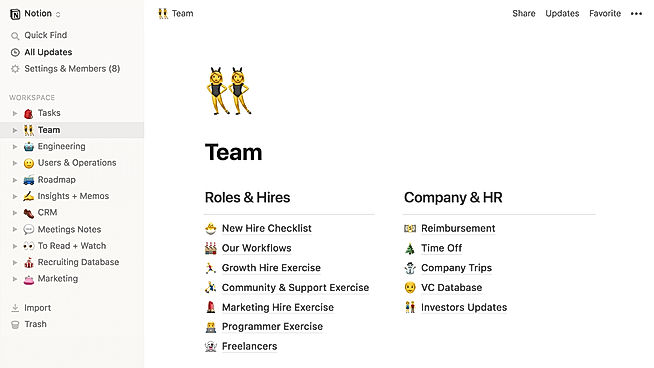
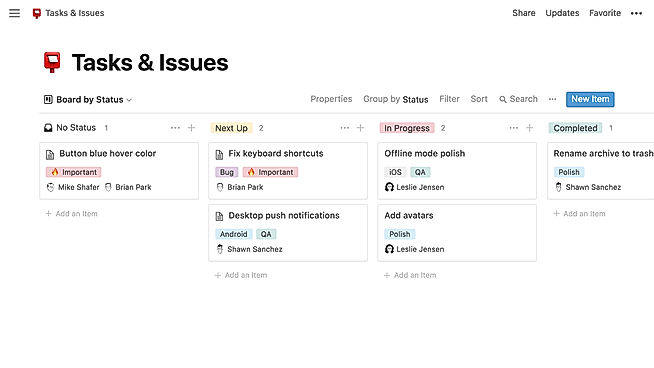
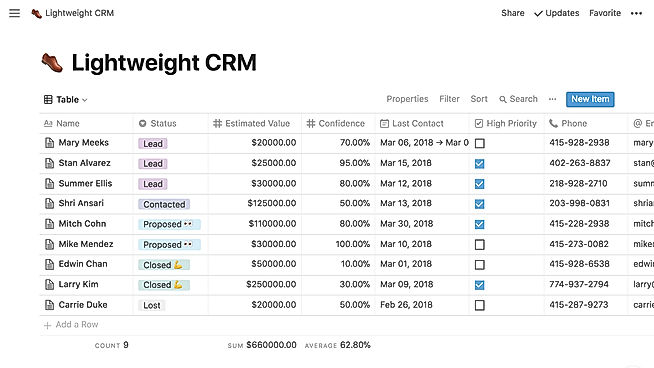
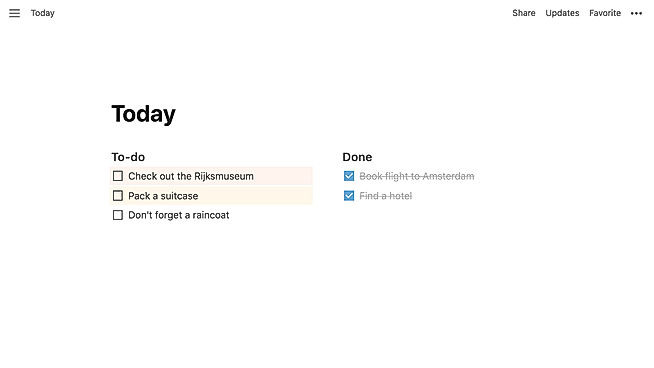
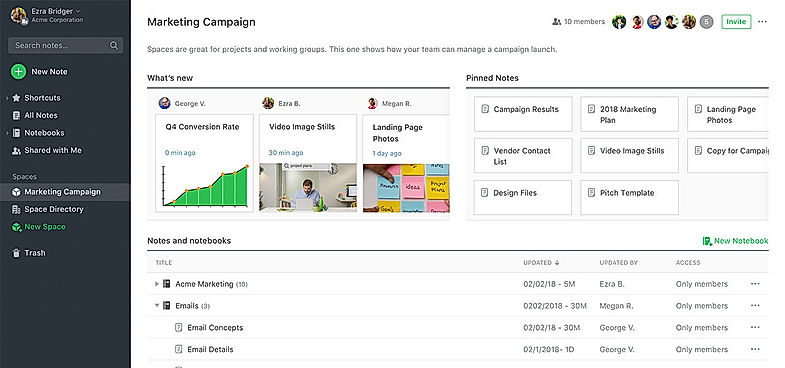
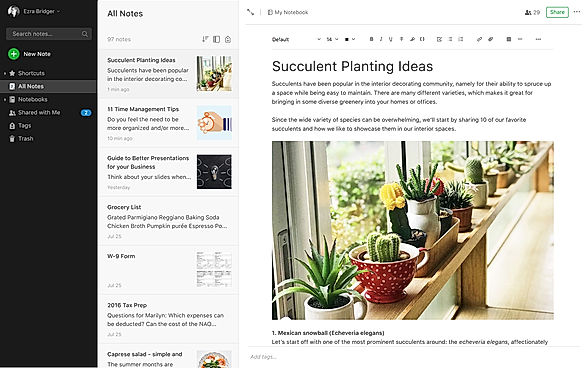
| Description | ClickUp is a simple, cloud-based collaboration and project management tool created for all user types. With ClickUp, you have all the features needed to help simplify and streamline your processes including sales, marketing, design and development. ClickUp features an agile board view that allows you to monitor every task on your team in one board and assign tasks to various members of the team. Tasks progress can be viewed in form of percentage and can be marked either “resolved” or “in progress” or users can alternatively customize their task progress statuses. A Gantt chart lets you view your tasks in timeline by list or person and automatically add updates in real time. ClickUp organizes task management in a hierarchal manner and allows you to sort tasks according to their priority. This property allows for improved productivity and lets you to structure your projects by assigning tasks to groups and arranging those groups under different categories. The software can be seamlessly integrated to Slack and similar apps through Zapier. The machine learning capability of the software assists project managers give realistic timeframes for completion of projects and lets teams accomplish their tasks before the deadline. Read more | Notion is a comprehensive management tool that lets users write, plan, collaborate, and organize. It aims to eliminate the need for several tools by bringing multiple functionalities in one software. It offers features for notes and documents with lists made of checkable elements that also get struck out once checked. Notion even offers functionality to create and maintain a neat and categorized knowledge base for the team. Users can manage their tasks & projects using Kanban layout boards, a calendar, and list views. Tasks and issues can be created and maintained and their related info can be tracked. Statuses can be changed and team collaboration is possible. The tool also has the functionality to manage spreadsheets and databases. Users can also access several keyboard shortcuts using slash (/) commands. The UI is drag-and-drop friendly. Notion also embeds several other apps including Google Sheets, Docs, Drive, Maps, Figma, Invision, Framer, Twitter, and more. Read more | Evernote is a popular app that empowers users to be organized at all times by capturing and prioritizing ideas, projects, and to-do lists. The core idea of the tool is to help the users focus on what matters most. It enables them to manage their personal life as well as big projects that require ceaseless collaboration. Team members can seamlessly capture their ideas in the form of notes, voice, and pictures and share them with their teammates. In this way, they never lose track of any upcoming deadlines or tasks. This makes the tool act as a central node for all notes, ideas, lists, and reminders. Users can also keep track of projects from multiple devices, even when they are offline. Hence, they can manage projects, deadlines, clients, and meetings in the most productive manner. Any user can simply sign up, choose a relevant plan, and start adding personalized content. This can be done by typing notes, adding attachments, clipping web pages, or record memos. Read more | Obsidian is a robust knowledge base that runs on top of a local folder containing plain text Markdown files. Making and following relationships is simple in Obsidian. You can take care of your notes like a gardener, and then sit back and wonder at your own knowledge graph at the end of the day. Obsidian provides a graph perspective of your knowledge at a look. With choices like grouping, filtering, and displaying, you may explore, observe, and stay motivated while doing so. Local graphs show you the relationships in your immediate vicinity. Backlinks can help you connect your ideas. You may see all the backlinks for the active note using the Backlinks plugin. Backlinks might help you locate notes that are related to the one you're composing. Outgoing linkages can also be used to diverge your thoughts. The Outgoing Links plugin provides a quick overview of the current note's ties, as well as potential future links. Furthermore, before deploying to the live site, you can preview the real firing of tags and triggers. Someone can access and/or change your notes if you share them with them. Read more |
| Pricing Options |
|
|
|
|
| SW Score & Breakdown |
97% SW Score The SW Score ranks the products within a particular category on a variety of parameters, to provide a definite ranking system. Read more
|
92% SW Score The SW Score ranks the products within a particular category on a variety of parameters, to provide a definite ranking system. Read more
|
98% SW Score The SW Score ranks the products within a particular category on a variety of parameters, to provide a definite ranking system. Read more
|
80% SW Score The SW Score ranks the products within a particular category on a variety of parameters, to provide a definite ranking system. Read more
|
| SaaSworthy Awards | # 1 Most Worthy # 7 Highly Rated |
Not Available
|
# 1 Most Worthy # 1 Most Popular |
Not Available
|
| Organization Types Supported |
|
|
|
|
| Platforms Supported |
|
|
|
|
| Modes of Support |
|
|
|
|
| API Support |
|
|
|
|
| User Rating |
|
|
|
Not Available
|
| Rating Distribution |
|
|
|
Not Available
|
| User Sentiments |
Customizable Workspaces, Extensive Integrations, User Friendly Interface, Comprehensive Task Management Mobile App Performance, Slow Loading Times, Steep Learning Curve, Limited Free Plan Functionality |
Customizable Workspace, Versatile Features, AI Writing Assistant, Extensive Integrations Steep Learning Curve, Slow Loading Times, Limited Offline Functionality, Mobile App Experience |
Effortless Note Syncing, Cross-Platform Compatibility, Powerful Search Functionality, Extensive Integrations Limited Functionality in Free Version, Slow Performance, Frequent Software Updates, Lack of Customer Support |
Not Available
|
| Review Summary |
Users appreciate ClickUp's user-friendly interface, customization options, and comprehensive features, making it suitable for teams of various sizes and industries. It excels in project management, task tracking, and collaboration. However, some users have experienced occasional technical glitches and limitations in reporting and integrations. Additionally, the pricing structure can be complex for some users. Overall, ClickUp is a popular choice for project management, offering a range of features and customization options, but users should be aware of potential technical issues and pricing complexities. |
Users praise Notion's versatility and customizability, highlighting its ability to serve as a comprehensive workspace for note-taking, project management, and collaboration. Commendations are also given for its user-friendly interface, clean design, and seamless integration with various third-party applications. However, some reviewers express concerns about the occasional occurrence of technical glitches, a learning curve for new users, and limitations in offline accessibility. Overall, Notion is generally well-received for its flexibility, ease of use, and integration capabilities, but it could benefit from improved stability and offline functionality. |
Evernote users find the application easy to use and helpful in organizing notes, tasks, and projects. Reviewers appreciate the cross-platform availability, making it accessible from various devices. The ability to collaborate and share notes with others is also a popular feature. However, concerns have been raised about the occasional syncing issues, limited offline access, and reports of data loss. Additionally, some users have expressed dissatisfaction with the pricing structure and the lack of a free tier. |
Not Available
|
| Read All User Reviews | Read All User Reviews | Read All User Reviews |
AI-Generated from the text of User Reviews
| Pricing Options |
|
|
|
|
|
Pricing Plans
Monthly Plans
Annual Plans
|
Free Free Unlimited $7.00 $10.00 per user / month Business $12.00 $19.00 per user / month Enterprise Custom |
Free Free Plus $10.00 $12.00 per user / month Business $20.00 $24.00 per user / month Enterprise Custom |
Free Free Personal $7.50 $9.99 per month Professional $10.42 $12.49 per month |
Personal Free Sync $4.00 $5.00 per user / month Publish $8.00 $10.00 per user / month Catalyst $25.00 $25.00 One-time fee Commercial $50.00 $50.00 per user / year |
|
View Detailed Pricing
|
View Detailed Pricing
|
View Detailed Pricing
|
View Detailed Pricing
|
Get personalized recommendations from our experts on call
Trusted by more than 5 Million users across the globe.
Thank you for the enquiry. One of our software analysts will contact you soon.
| Screenshots |

+ 4 More
|
+ 3 More
|
+ 1 More
|

|
| Videos |
+ 4 More
|
+ 3 More
|

+ 1 More
|
Not Available |
| Company Details | Located in: San Diego, CA Founded in: 2016 | Located in: San Francisco, CA Founded in: 2013 | Located in: Redwood City, California Founded in: 2008 |
Not available |
| Contact Details |
Not available |
Not available |
Not available |
Not available |
| Social Media Handles |
|
|
|
|

Looking for the right SaaS
We can help you choose the best SaaS for your specific requirements. Our in-house experts will assist you with their hand-picked recommendations.

Want more customers?
Our experts will research about your product and list it on SaaSworthy for FREE.