MEET CLARA - THE AI BEHIND SMARTER SOFTWARE CHOICES
MEET CLARA - THE AI BEHIND SMARTER SOFTWARE CHOICES
MEET CLARA - THE AI BEHIND SMARTER SOFTWARE CHOICES
|
88% SW Score The SW Score ranks the products within a particular category on a variety of parameters, to provide a definite ranking system. Read more 
View Details
|
96% SW Score The SW Score ranks the products within a particular category on a variety of parameters, to provide a definite ranking system. Read more 
View Details
|
88% SW Score The SW Score ranks the products within a particular category on a variety of parameters, to provide a definite ranking system. Read more 
View Details
|
89% SW Score The SW Score ranks the products within a particular category on a variety of parameters, to provide a definite ranking system. Read more 
View Details
|
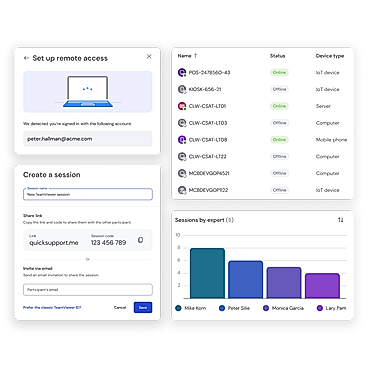
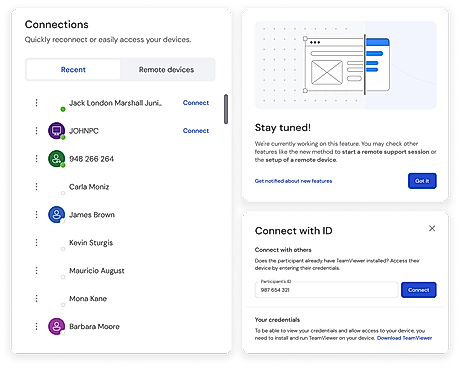
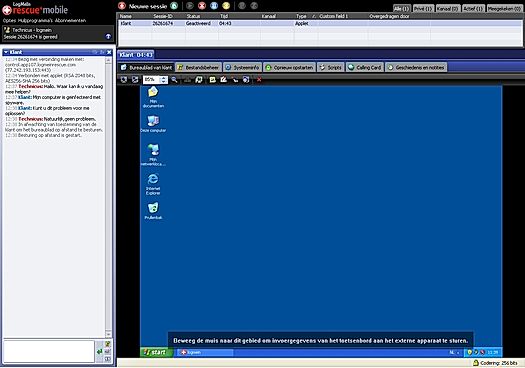
| Description | BeyondTrust Remote Support cloud-hosted remote access software offers a reliable and secure connection to any remotely located devices or systems. Deployment options are Web, Mac, Windows, Android & iOS. It supports multi-channel communication, real-time chat, and screen sharing. Your credentials and endpoints will stay protected against cyber threats while you access remote systems/devices carefree. This software includes smart features like consolidated access pathways that aim at simplifying the unattended system and endpoints access remotely. BeyondTrust Remote Support supports hassle-free file transfer to remote devices. Remote control feature allows monitoring a remotely located computer system & access stored data. Read more | TeamViewer solutions are now smarter with AI, offering fast and reliable support to track issues, identify trends, and resolve problems before they impact users. With AI-powered features, users can proactively address issues, ensuring seamless IT support on a secure-by-design platform. Troubleshoot customer machinery remotely in seconds using Smart Service, or rely on TeamViewer’s secure remote connectivity to solve problems quickly and efficiently. As the world’s largest and fastest remote connection network, TeamViewer provides everything required to manage computers, servers, and devices from anywhere. It’s the ultimate enterprise remote support tool, offering industrial-grade remote control, desktop sharing, online meetings, network monitoring, malware protection, and secure file transfers. Whether for IT professionals or businesses, TeamViewer ensures unmatched reliability and security in remote support, making it the only tool to stay connected and in control. Read more | LogMeIn Pro is a comprehensive and secure remote access tool that helps businesses streamline remote work, learning and customer engagement rates in real-time. The tool simplifies the overall monitoring process by allowing files to be stored, shared and quickly accessed across all devices. It can also keep track of the most used applications, websites and clouds. Moreover, the remote control feature present within the same, enables admins to obtain access to multiple desktop computers quickly and lets them view, access and work on the particulars at the same time. It supports unlimited user access, giving ample scope for instant collaboration and teamwork. LogMeIn Pro grants complimentary access to LastPass, providing a secure password vault for its users. With a vast 1TB file storage, it can store bulky files while making them easily shareable. Also, users can print documents from a remote device with the remote printing feature. Finally, to protect devices from cyber threats, viruses and sophisticated online malware, LogMeIn antivirus powered by Bitdefender, takes care of the overall network security. Read more | Rescue Enterprise Remote Support software is designed to tackle any challenge. Start a remote support session instantly on any device—mobile, tablet, or computer—with Rescue. Access system information, control devices, push configurations, and integrate with apps, whether in or outside the network. Built-in features like permission-based security, PIN validation, IP restrictions, data residency, SSO, AD Sync, and 256-bit AES encryption ensure top-notch protection. Rescue empowers help desk technicians to resolve issues quickly, even on inactive devices, minimizing interruptions. Its customizable interface allows enterprises to personalize every element of customer support, from branding and chat tools to the SDK and over 10 connection methods. Manage everything in a centralized command center, enabling custom security settings, session recording, real-time performance monitoring, and building unlimited user groups. Seamlessly integrate Rescue into the processes to deliver efficient, secure, and uninterrupted remote desktop support for the customers and employees.. Read more |
| Pricing Options |
|
|
|
|
| SW Score & Breakdown |
88% SW Score The SW Score ranks the products within a particular category on a variety of parameters, to provide a definite ranking system. Read more
|
96% SW Score The SW Score ranks the products within a particular category on a variety of parameters, to provide a definite ranking system. Read more
|
88% SW Score The SW Score ranks the products within a particular category on a variety of parameters, to provide a definite ranking system. Read more
|
89% SW Score The SW Score ranks the products within a particular category on a variety of parameters, to provide a definite ranking system. Read more
|
| SaaSworthy Awards | # 5 Fastest Growing # 4 Most Popular | # 2 Most Worthy # 1 Fastest Growing |
Not Available
|
Not Available
|
| Total Features |
7 Features
|
9 Features
|
9 Features
|
9 Features
|
| Common Features for All |
Access Control
Feedback Collection
File Transfer
Live Chat
Remote Control
Screen Sharing
Session Recording
|
Access Control
Feedback Collection
File Transfer
Live Chat
Remote Control
Screen Sharing
Session Recording
|
Access Control
Feedback Collection
File Transfer
Live Chat
Remote Control
Screen Sharing
Session Recording
|
Access Control
Feedback Collection
File Transfer
Live Chat
Remote Control
Screen Sharing
Session Recording
|
| Unique Features |
Diagnostic Tools
Session Transfer
|
Diagnostic Tools
Session Transfer
|
Diagnostic Tools
Session Transfer
|
Diagnostic Tools
Session Transfer
|
| Organization Types Supported |
|
|
|
|
| Platforms Supported |
|
|
|
|
| Modes of Support |
|
|
|
|
| API Support |
|
|
|
|
| User Rating |
|
|
|
|
| Rating Distribution |
|
|
|
|
| User Sentiments |
Ease of Use, Extensive Integrations, Strong Security, Cross-Platform Compatibility Occasional Connection Drops, Slow Performance with Large Deployments, Limited iOS Device Control, Complex Configuration Options |
Ease of Use, Fast and Reliable Connection, Excellent Customer Service, Free for Personal Use Complex New User Interface, Falsely Flagged as Commercial Use, Occasional Connection Issues, Slow File Transfer Speeds |
Remote Access Functionality, Ease of Use, Reliable Connection, Multi-Device Compatibility High Pricing, Occasional Connection Issues, Mobile App Limitations, Lack of Granular Monitor Control |
Remote Access, Ease of Use, Unattended Access, Robust Features Connectivity Issues, Pricing, Mobile Support, Clunky UI |
| Review Summary |
Users praise Bomgar's user-friendly interface, ease of setup, and comprehensive remote support capabilities. Its remote control and screen sharing features are highly regarded, enabling efficient troubleshooting and assistance. Users appreciate the ability to transfer files securely, access remote computers unattended, and resolve issues promptly. Additionally, the mobile app is lauded for its convenience and functionality. However, some users have reported occasional connectivity issues and challenges with specific operating systems or software configurations. Overall, Bomgar is well-received for its robust features, user-centric design, and effective remote support solutions. |
TeamViewer is generally well-received by users for its remote access and support capabilities, receiving positive feedback for its ease of use, cross-platform compatibility, and reliable performance. The software is lauded for its user-friendly interface, making it accessible to users of varying technical expertise. Additionally, users appreciate the range of features offered, including screen sharing, file transfer, and remote control, which enhance collaboration and troubleshooting processes. However, some users have reported occasional connectivity issues and concerns regarding the cost of certain features. Overall, TeamViewer is considered a dependable and effective solution for remote access and support, with a user-friendly interface and a comprehensive set of features. |
LogMeIn Central Pro, a remote desktop software, receives positive feedback for its user-friendly interface, ease of setup, and reliable performance. Users appreciate its ability to access and control computers remotely, with features like screen sharing, file transfer, and remote printing. The software is considered a valuable tool for IT professionals, small businesses, and remote workers. However, some users have reported occasional connectivity issues or minor glitches, suggesting room for improvement in stability and troubleshooting support. |
Overall, users appreciate LogMeIn Rescue for its remote access capabilities, ease of use, and quick setup. The software's ability to resolve issues promptly, its compatibility with various devices, and the option for unattended access are also praised. However, some users have faced occasional connection issues, limitations in file transfer functionality, and concerns about the pricing structure. Additionally, there have been reports of rare instances of slow response times or lags during remote sessions. |
| Read All User Reviews | Read All User Reviews | Read All User Reviews | Read All User Reviews |
AI-Generated from the text of User Reviews
| Pricing Options |
|
|
|
|
|
Pricing Plans
Monthly Plans
Annual Plans
|
BeyondTrust Remote Support Custom |
TeamViewer Remote Access $24.90 $24.90 per month TeamViewer Business (For Single Users) $50.90 $50.90 per month TeamViewer Premium $112.90 $112.90 per month TeamViewer Corporate $229.90 $229.90 per month TeamViewer Tensor Custom |
Individuals $29.17 $29.17 per month Power Users $70.00 $70.00 per month Small Businesses $128.34 $128.34 per month |
Remote Device Support $108.25 $108.25 per month Live Lens Custom |
|
View Detailed Pricing
|
View Detailed Pricing
|
View Detailed Pricing
|
View Detailed Pricing
|
Get personalized recommendations from our experts on call
Trusted by more than 5 Million users across the globe.
Thank you for the enquiry. One of our software analysts will contact you soon.
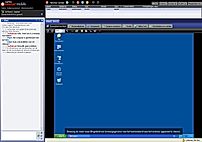
| Screenshots | Not Available |
+ 1 More
|

|
|
| Videos |
+ 1 More
|
+ 2 More
|
+ 2 More
|

|
| Company Details | Located in: Georgia, United States | Located in: Göppingen, Germany Founded in: 2005 | Located in: Boston, Massachusetts | Located in: Boston, Massachusetts |
| Contact Details |
+1 770-407-1800 |
+49 7161 305898581 |
Not available |
Not available |
| Social Media Handles |
|
|
|
|

Looking for the right SaaS
We can help you choose the best SaaS for your specific requirements. Our in-house experts will assist you with their hand-picked recommendations.

Want more customers?
Our experts will research about your product and list it on SaaSworthy for FREE.