MEET CLARA - THE AI BEHIND SMARTER SOFTWARE CHOICES
MEET CLARA - THE AI BEHIND SMARTER SOFTWARE CHOICES
MEET CLARA - THE AI BEHIND SMARTER SOFTWARE CHOICES
|
92% SW Score The SW Score ranks the products within a particular category on a variety of parameters, to provide a definite ranking system. Read more 
View Details
|
95% SW Score The SW Score ranks the products within a particular category on a variety of parameters, to provide a definite ranking system. Read more 
View Details
|
89% SW Score The SW Score ranks the products within a particular category on a variety of parameters, to provide a definite ranking system. Read more 
View Details
|
Featured
98% SW Score The SW Score ranks the products within a particular category on a variety of parameters, to provide a definite ranking system. Read more 
Zoho Assist |
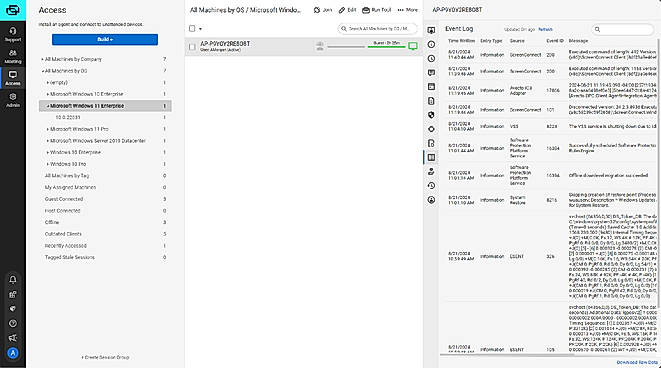
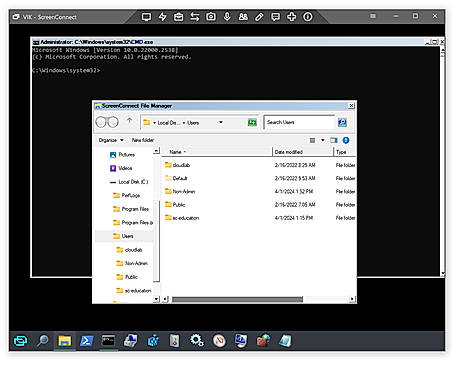
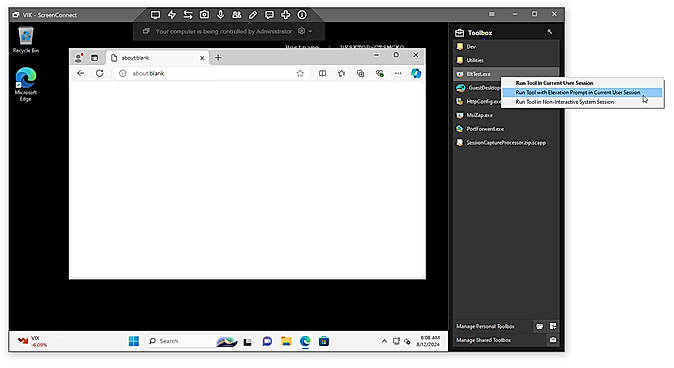
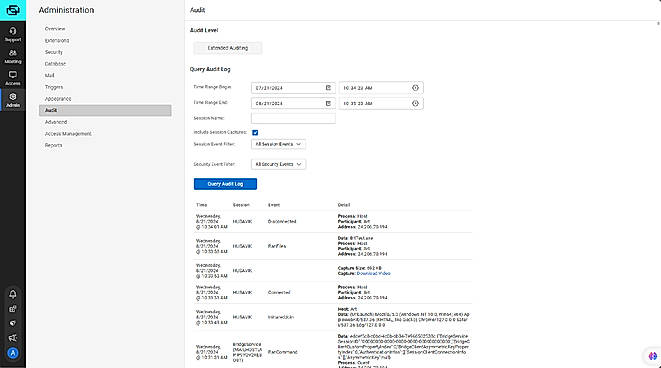
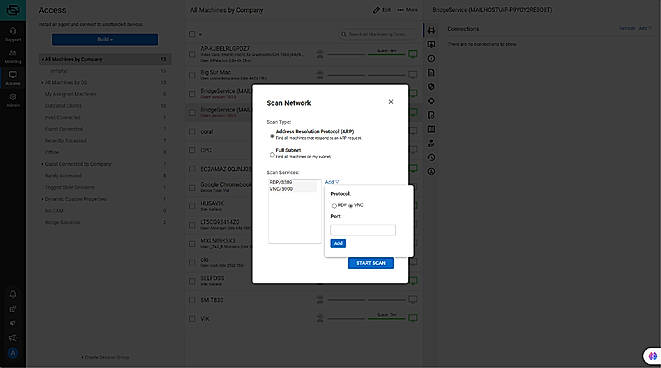
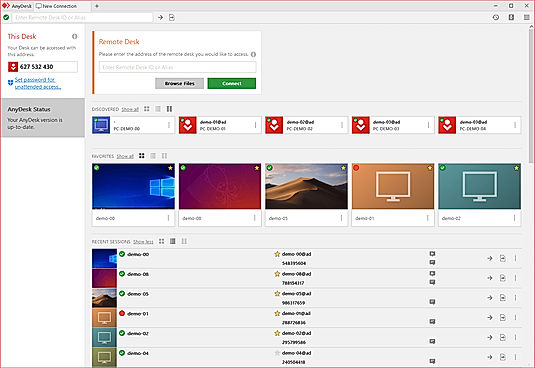
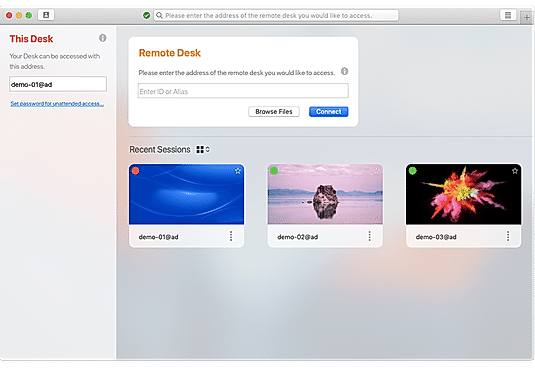
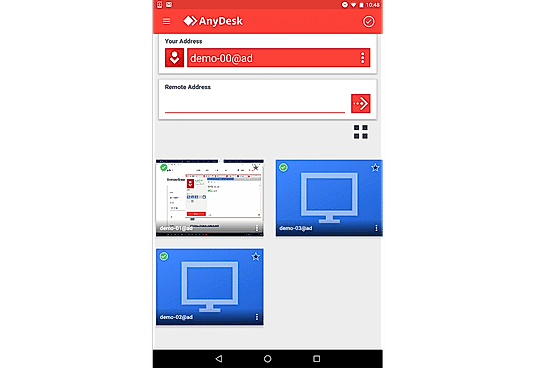
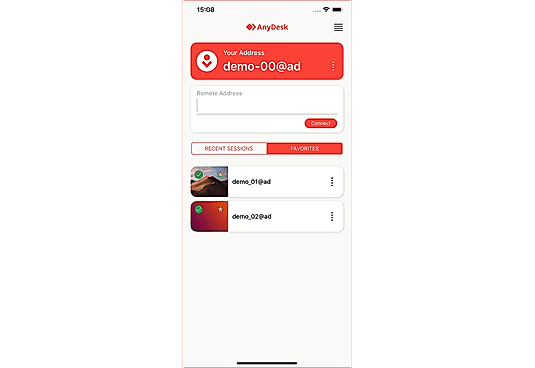
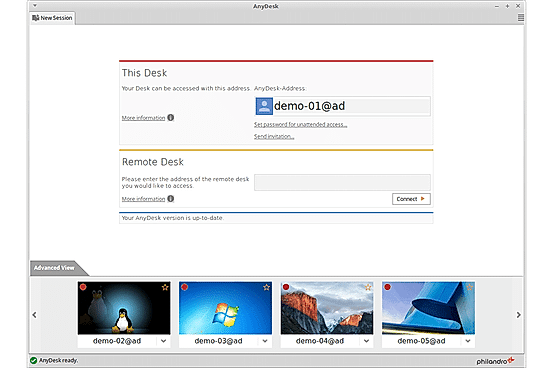
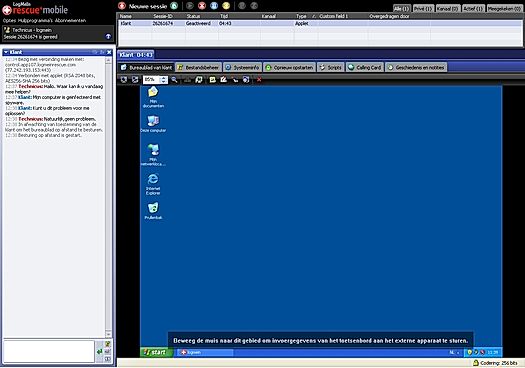
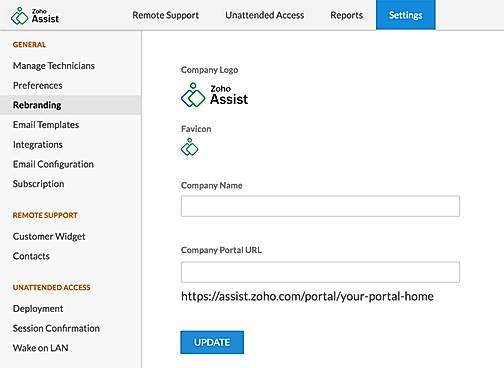
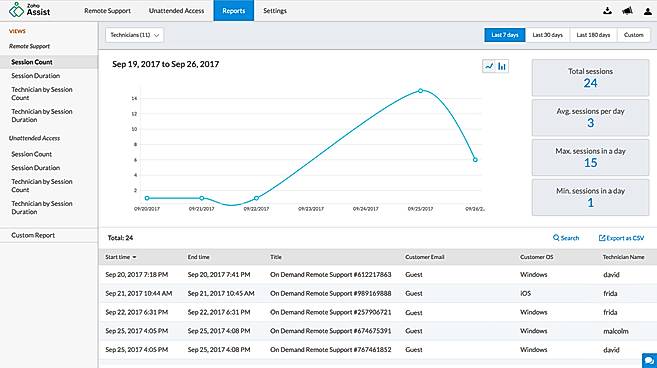
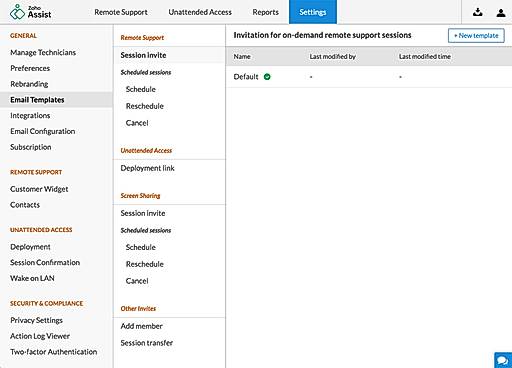
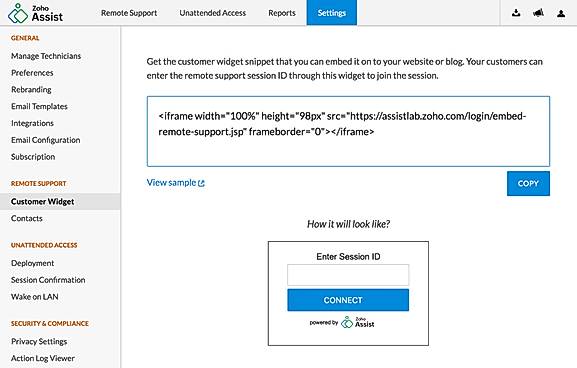
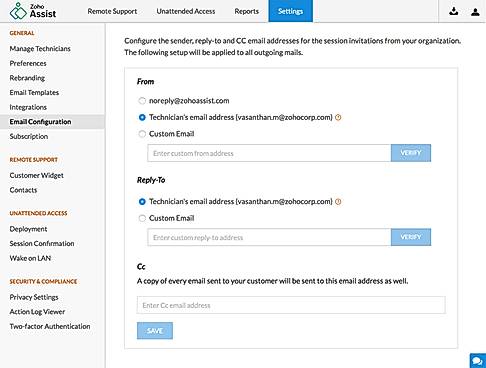
| Description | ScreenConnect (formerly ConnectWise Control) is the ultimate remote support and access solution for IT teams, enabling fast, secure, and stress-free problem-solving. With instant access to any device, technicians can troubleshoot issues remotely, eliminating the need for on-site installation and saving time while boosting productivity. The shared toolbox streamlines teamwork by letting users upload and run tools as administrators during sessions, enhancing efficiency and collaboration. Advanced features like privileged access management (PAM) ensure data stays secure, granting admin access without sharing sensitive passwords. Detailed access logs provide peace of mind, keeping businesses compliant with regulatory standards and cyber insurance requirements. Customizable extensions simplify workflows, reduce costs, and even allow businesses to share innovations on the ConnectWise Marketplace. Whether it’s resolving IT issues, transferring files securely, or managing systems behind the scenes, ScreenConnect turns complex tasks into seamless solutions. It’s a reliable partner for IT professionals, empowering them to focus on what matters, keeping users and systems running smoothly. Read more | Anydesk is a secure and intuitive software that helps connect a computer from anywhere and anytime. It ensures reliable remote desktop connections so that users can work seamlessly without wasting any time. It allows users to provide amazing customer service and fast solutions from any location. AnyDesk can be run on platforms like Windows, MacOs, Linux, FreeBSD, iOS or Android with no extra charges. Users can enjoy the best experience with 60 fps on local networks and most internet connections. It’s the perfect app for software vendors or app developers who can offer remote support and monitoring to solve customer issues from a central office. Users can easily connect from everywhere on any device using unattended access. About performance, DeskRT is a smart codec that forms the very foundation of the software. It compresses and transfers image data between computers smoothly. The Banking standard TLS 1.2 technology protects the computer from any unauthorized access. Read more | Rescue Enterprise Remote Support software is designed to tackle any challenge. Start a remote support session instantly on any device—mobile, tablet, or computer—with Rescue. Access system information, control devices, push configurations, and integrate with apps, whether in or outside the network. Built-in features like permission-based security, PIN validation, IP restrictions, data residency, SSO, AD Sync, and 256-bit AES encryption ensure top-notch protection. Rescue empowers help desk technicians to resolve issues quickly, even on inactive devices, minimizing interruptions. Its customizable interface allows enterprises to personalize every element of customer support, from branding and chat tools to the SDK and over 10 connection methods. Manage everything in a centralized command center, enabling custom security settings, session recording, real-time performance monitoring, and building unlimited user groups. Seamlessly integrate Rescue into the processes to deliver efficient, secure, and uninterrupted remote desktop support for the customers and employees.. Read more | Zoho Assist is a web-based remote access software designed to provide seamless remote support and facilitate screen sharing. Compatible with both Android and iOS, it simplifies the management of unmanaged systems. Users can transfer files of up to 100GB between computers and devices across various networks. Real-time collaboration is made effortless, enabling virtual meetings and training sessions with ease. Zoho Assist also features remote rebooting and reconnecting capabilities, allowing users to enjoy unattended remote access with just a click. Additionally, it offers the ability to remotely control power options such as restart, shutdown, log off, and hibernate. Plus, its firewall-friendly design ensures smooth operation. Read more |
| Pricing Options |
|
|
|
|
| SW Score & Breakdown |
92% SW Score The SW Score ranks the products within a particular category on a variety of parameters, to provide a definite ranking system. Read more
|
95% SW Score The SW Score ranks the products within a particular category on a variety of parameters, to provide a definite ranking system. Read more
|
89% SW Score The SW Score ranks the products within a particular category on a variety of parameters, to provide a definite ranking system. Read more
|
98% SW Score The SW Score ranks the products within a particular category on a variety of parameters, to provide a definite ranking system. Read more
|
| SaaSworthy Awards | # 2 Fastest Growing # 2 Most Popular |
Not Available
|
Not Available
|
# 4 Fastest Growing # 3 Most Searched |
| Total Features |
9 Features
|
9 Features
|
9 Features
|
9 Features
|
| Common Features for All |
Access Control
Feedback Collection
File Transfer
Live Chat
Remote Control
Screen Sharing
Session Recording
|
Access Control
Feedback Collection
File Transfer
Live Chat
Remote Control
Screen Sharing
Session Recording
|
Access Control
Feedback Collection
File Transfer
Live Chat
Remote Control
Screen Sharing
Session Recording
|
Access Control
Feedback Collection
File Transfer
Live Chat
Remote Control
Screen Sharing
Session Recording
|
| Unique Features |
Diagnostic Tools
Session Transfer
|
Diagnostic Tools
Session Transfer
|
Diagnostic Tools
Session Transfer
|
Diagnostic Tools
Session Transfer
|
| Organization Types Supported |
|
|
|
|
| Platforms Supported |
|
|
|
|
| Modes of Support |
|
|
|
|
| API Support |
|
|
|
|
| User Rating |
|
|
|
|
| Rating Distribution |
|
|
|
|
| User Sentiments |
Fast and Reliable Connections, Ease of Use, Affordable Pricing, Cross-Platform Compatibility Technical Support Issues, Inconsistent Mobile Experience, Limited Linux Support, Frequent Software Updates |
Ease of Use, Fast and Reliable Connections, Cross-Platform Compatibility, Unattended Access Security Concerns, Mobile App Functionality, Customer Support Responsiveness, Occasional Connectivity Issues |
Remote Access, Ease of Use, Unattended Access, Robust Features Connectivity Issues, Pricing, Mobile Support, Clunky UI |
Affordable Pricing, Ease of Use, Cross-Platform Compatibility, Extensive Integrations Occasional Performance Issues, Unreliable Wake-on-LAN Functionality, Limited Mobile Device Support, Confusing Multi-Monitor Navigation |
| Review Summary |
Overall, users praise ConnectWise Control's remote access capabilities, ease of use, and reliable performance. However, some users have expressed concerns about occasional connection issues, limited customization options, and the pricing structure. Despite these drawbacks, ConnectWise Control is generally well-received for its ability to facilitate seamless remote desktop control, file transfer, and screen sharing, making it a solid choice for businesses seeking a remote access solution. |
Users widely praise AnyDesk for its exceptional remote desktop capabilities, highlighting its seamless performance, minimal latency, and user-friendly interface. They appreciate its cross-platform compatibility, allowing effortless connections between various devices. The software's security features, such as end-to-end encryption and two-factor authentication, instill confidence in users. Additionally, AnyDesk's customer support receives positive feedback for its responsiveness and helpfulness. However, some users mention occasional connection issues and suggest improvements in mobile app functionality. Overall, AnyDesk is highly regarded for its reliable remote access solutions, earning it a strong reputation among users. |
Overall, users appreciate LogMeIn Rescue for its remote access capabilities, ease of use, and quick setup. The software's ability to resolve issues promptly, its compatibility with various devices, and the option for unattended access are also praised. However, some users have faced occasional connection issues, limitations in file transfer functionality, and concerns about the pricing structure. Additionally, there have been reports of rare instances of slow response times or lags during remote sessions. |
Reviewers applaud Zoho Assist's user-friendly interface, describing it as intuitive and easy to navigate. They find its remote control features impressive, enabling seamless access and control of customer devices. Additionally, Zoho Assist's ability to transfer files and share screens earns praise for enhancing collaboration. While some users appreciate its affordable pricing, others suggest improvements in documentation and customer support. Overall, Zoho Assist is recognized for its user-friendly interface, efficient remote control, and budget-friendly plans, making it a strong option for remote assistance needs. |
| Read All User Reviews | Read All User Reviews | Read All User Reviews | Read All User Reviews |
AI-Generated from the text of User Reviews
| Pricing Options |
|
|
|
|
|
Pricing Plans
Monthly Plans
Annual Plans
|
ScreenConnect Remote Access $33.00 $41.00 per month One $30.00 $30.00 per month Standard $45.00 $59.00 per month Premium $55.00 $69.00 per month |
Free Free Solo $22.90 $22.90 per month Standard $35.90 $35.90 per month Advanced $79.90 $79.90 per month Ultimate Custom |
Remote Device Support $108.25 $108.25 per month Live Lens Custom |
Free Free Standard (Remote Support) $10.00 $12.00 per user / month Professional (Remote Support) $15.00 $18.00 per user / month Enterprise (Remote Support) $24.00 $28.00 per user / month Standard (Unattended Access) $10.00 $12.00 per user / month Professional (Unattended Access) $15.00 $18.00 per user / month |
|
View Detailed Pricing
|
View Detailed Pricing
|
View Detailed Pricing
|
View Detailed Pricing
|
Get personalized recommendations from our experts on call
Trusted by more than 5 Million users across the globe.
Thank you for the enquiry. One of our software analysts will contact you soon.
| Screenshots |
+ 4 More
|
+ 4 More
|
|

+ 11 More
|
| Videos |
+ 2 More
|
+ 2 More
|

|
+ 1 More
|
| Company Details | Located in: Tampa, Florida | Located in: Stuttgart, Germany Founded in: 2014 | Located in: Boston, Massachusetts | Located in: Pleasanton, CA Founded in: 1996 |
| Contact Details |
+1 800-671-6898 |
+49 711 184270 00 |
Not available |
+1 (888) 900-9646 |
| Social Media Handles |
|
|
|
|

Looking for the right SaaS
We can help you choose the best SaaS for your specific requirements. Our in-house experts will assist you with their hand-picked recommendations.

Want more customers?
Our experts will research about your product and list it on SaaSworthy for FREE.