
 MEET CLARA - THE AI BEHIND SMARTER SOFTWARE CHOICES



72% SW Score The SW Score ranks the products within a particular category on a variety of parameters, to provide a definite ranking system. Read more
QuickBooks Salesforce Integration & Business Sync Automation Solution
This profile is currently managed by the official vendor through the SaaSworthy Vendor Portal. Product details, features, pricing, and media assets are maintained directly by the company.

 Deep Dive with Clara AI
QB Sync Made Easy is a powerful quickbooks online integration platform built to automate data synchronization between business-critical applications. The solution enables organizations to eliminate repetitive data entry, maintain consistency across systems, and improve operational efficiency through intelligent automation. Designed for businesses seeking a dependable quickbooks salesforce integration, the platform supports the synchronization of customers, invoices, products, payments, and other essential records. Advanced automation capabilities help ensure that information remains accurate and up to date across connected environments. With flexible configuration options, support for custom workflows, and enterprise-grade reliability, QB Sync Made Easy stands out among leading salesforce integration tools. The platform also enables efficient QuickBooks Salesforce sync processes while supporting a wide range of integration requirements, making it an ideal solution for organizations looking to scale their operations with confidence.
Read more


Pricing
SW Score Breakdown
Platforms Supported
Organization Types Supported
API Support
Modes of Support
Offline Payments
Helps to record cash and credit payments on retail operationsTax Calculator
Automatically calculates the detailed tax amount at the latest tax slab rateDunning Management
Helps to manage complications of credit card payment decline and inform the customer of failed charges.Payment Reminders
Helps to chase payments as they come due with automated payment remindersPayment Processing
Helps to manage automated transactions across various online channelsRecurring (Subscription Billing)
Billing consumers on a time determined basis for products or services receivedContingency Billing
Handling of bills related to contingenciesBudget Forecasting
Helps to create budgets using past performance and future projections. Forecasting uses data, trends, and analytics to predict revenue, expenses, and cash flow.Free Trial
Available
No Credit Card Required, Get Started for Free
Free NA
Free
98% SW Score The SW Score ranks the products within a particular category on a variety of parameters, to provide a definite ranking system. Read more
96% SW Score The SW Score ranks the products within a particular category on a variety of parameters, to provide a definite ranking system. Read more

96% SW Score The SW Score ranks the products within a particular category on a variety of parameters, to provide a definite ranking system. Read more

96% SW Score The SW Score ranks the products within a particular category on a variety of parameters, to provide a definite ranking system. Read more

96% SW Score The SW Score ranks the products within a particular category on a variety of parameters, to provide a definite ranking system. Read more
95% SW Score The SW Score ranks the products within a particular category on a variety of parameters, to provide a definite ranking system. Read more

95% SW Score The SW Score ranks the products within a particular category on a variety of parameters, to provide a definite ranking system. Read more

95% SW Score The SW Score ranks the products within a particular category on a variety of parameters, to provide a definite ranking system. Read more

Introducing QB Sy...
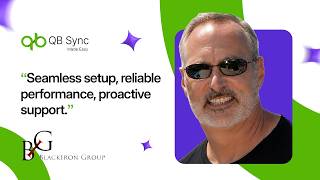
Client Testimonia...

Real-Time Salesfo...

Powering Business...

One Platform. One...
What are the core technical features of QB Sync Made Easy?
The platform includes Salesforce QuickBooks Data Sync, Bidirectional Sync, AI-Powered Matching, Flow Feature automation, Multi-Org Custom Sync, Dynamic Mapping, Custom Object support, real-time synchronization, and advanced field-level configuration.
How does QuickBooks Salesforce Sync handle data consistency?
The synchronization engine validates records, applies mapping rules, and processes updates according to predefined logic to ensure consistent data across both Salesforce and QuickBooks environments.
Does the platform support QuickBooks Online Integration?
Yes. The platform supports QuickBooks Online Integration, enabling businesses to connect QuickBooks Online with Salesforce and automate data synchronization processes.
What is the Flow Feature and how is it used?
The Flow Feature allows businesses to automate workflows, trigger sync actions, and streamline processes based on predefined business rules.
How do Salesforce Integration Tools improve enterprise data architecture?
Salesforce Integration Tools centralize data movement, automate cross-platform communication, reduce synchronization latency, eliminate manual data entry, and improve overall system interoperability.
Vendor Details
Founded : 2024Contact Details
Not available
https://qbsyncmadeasy.com/
Social Media Handles
SaaSworthy may receive compensation from some vendors featured on this page. This does not influence our editorial evaluation or ratings. [email protected]

Looking for the right SaaS
We can help you choose the best SaaS for your specific requirements. Our in-house experts will assist you with their hand-picked recommendations.

Want more customers?
Our experts will research about your product and list it on SaaSworthy for FREE.


