MEET CLARA - THE AI BEHIND SMARTER SOFTWARE CHOICES
MEET CLARA - THE AI BEHIND SMARTER SOFTWARE CHOICES
MEET CLARA - THE AI BEHIND SMARTER SOFTWARE CHOICES

Nextcloud |
98% SW Score The SW Score ranks the products within a particular category on a variety of parameters, to provide a definite ranking system. Read more 
View Details
|
93% SW Score The SW Score ranks the products within a particular category on a variety of parameters, to provide a definite ranking system. Read more 
View Details
|
86% SW Score The SW Score ranks the products within a particular category on a variety of parameters, to provide a definite ranking system. Read more 
View Details
|
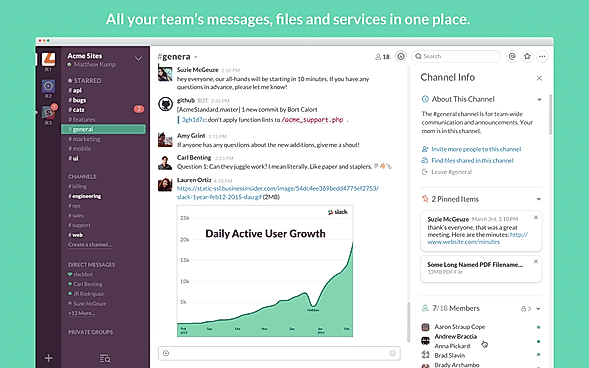
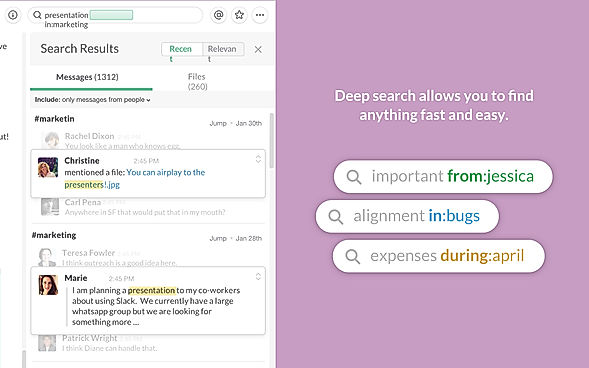
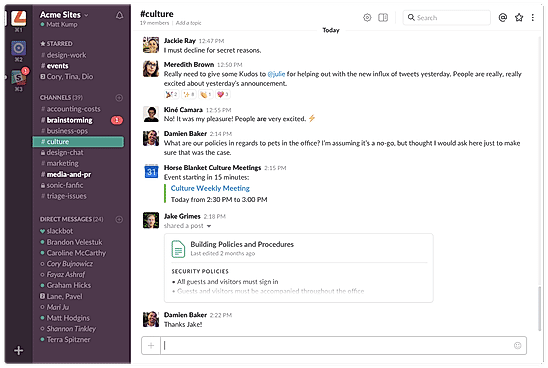
| Description | Slack is a communications and workflow solution designed for teams. Using Slack, you can set up channels, which can be around any theme, project, client or department. You can invite people to join these channels, or make them private, and people can leave whenever they want. With Slack’s search functionality, you can quickly skip to past communications. You can also star conversations to add them to your favorites, and allow you to quickly access them again in the future. Slack threads allow people to carry on the conversation in a separate place, rather than cluttering up the channel with their responses. With Slack, you can share PDFs, images, videos, and gifs, and you can mention one individual or multiple people within channels to get their attention. You can also direct message people when you want to have 1-2-1 conversations, and quickly add more people to that conversation if you need more opinions. Read more | Microsoft Teams is an intuitive group chat software, offering organised collaboration facilities. A team comprising 2 to 10,000 members can meet, share their thoughts, discuss ideas and get to know each other. Members can share their emotions in the form of emojis, stickers, gifs or one to one personal messages. Teams working on large projects can share relevant documents besides editing related files, they can complete the editing task on Powerpoint, Word or Excel as per their convenience. Screen sharing facility within Microsoft Teams, enables greater collaboration levels, as managers get to channelize their thought processes in an efficient manner. Members can enable the together mode to feel like they are under one roof, as the particular solution generates a shared background for all. Members can co author multiple files, owner of an individual file can enable role based security access and share with others. Microsoft Teams is compatible with top graded security regulations, ensuring total protection. Read more | Mattermost provides secure, open-source collaboration software that enhances both safety and productivity for organizations. Users maintain full ownership and control over their intellectual property and customer data, all protected behind their own firewall or VPN. This powerful defense prevents security breaches, vendor lock-in, and expensive technical debt. Teams will experience flexible, focused, and resilient collaboration, staying connected precisely when it counts. This self-hosted, AI-powered collaborative platform is perfect for defense, intelligence, security, and critical infrastructure enterprises. Minimize disruptions with secure messaging, file sharing, and customizable notifications across all devices, streamlining both real-time and asynchronous work. Boost efficiency by automating workflows, reducing manual efforts, and ensuring consistent execution. Seamlessly integrate with Mattermost channels to automate actions and keep team members instantly updated. Facilitate real-time, remote sharing of sensitive information with fully sovereign audio calls and screensharing, integrated directly into mission environments. Securely transcribe and summarize call recordings using both first-party and third-party AI. Enhance workflow continuity with issue tracking and Kanban-style task management, all integrated with channel and messaging workflows for superior planning and management. Connect Mattermost to sovereign LLMs, custom instructions, and open APIs for customizable, AI-driven automation and assistance within collaboration workflows, all while maintaining full data control in on-premises and sovereign cloud deployments. Read more |
| Pricing Options |
|
|
|
| SW Score & Breakdown |
98% SW Score The SW Score ranks the products within a particular category on a variety of parameters, to provide a definite ranking system. Read more
|
93% SW Score The SW Score ranks the products within a particular category on a variety of parameters, to provide a definite ranking system. Read more
|
86% SW Score The SW Score ranks the products within a particular category on a variety of parameters, to provide a definite ranking system. Read more
|
| SaaSworthy Awards |
Not Available
|
# 3 Fastest Growing # 8 Most Popular |
Not Available
|
| Organization Types Supported |
|
|
|
| Platforms Supported |
|
|
|
| Modes of Support |
|
|
|
| API Support |
|
|
|
| User Rating |
|
Not Available
|
|
| Rating Distribution |
|
Not Available
|
|
| User Sentiments |
Real-time Messaging, Extensive Integrations, User Friendly Interface, Organized Channels Storage Limitations, Notification Overload, Search Functionality Limitations, Occasional Performance Issues |
Ease of Use, Seamless Video Conferencing, Extensive Integrations, Reliable Chat Functionality Occasional Performance Issues, Complex User Interface, Inconsistent Mobile Experience, Limited File Storage |
Not Available
|
| Review Summary |
Slack is a popular business communication and collaboration tool praised by users for its user-friendly interface, robust feature set, and seamless integrations with other tools. Reviewers appreciate its ability to streamline communication, improve team collaboration, and enhance productivity. The platform's search functionality, file sharing capabilities, and real-time messaging features receive particular acclaim. Additionally, Slack's mobile app is lauded for its convenience and ease of use. However, some reviewers express concerns regarding its pricing and occasional technical glitches. Overall, Slack is a highly regarded tool that effectively facilitates team communication and collaboration. |
Microsoft Teams, a popular collaboration tool, receives mixed reviews from users. Many praise its ease of use, integration with other Microsoft products, and extensive features for communication and collaboration. However, some users express concerns about its complexity, occasional technical issues, and the need for better mobile app optimization. Additionally, some reviewers mention that the platform can be overwhelming for those not familiar with Microsoft's ecosystem. |
User reviews of Mattermost highlight its strengths as a self-hosted, open-source Slack alternative, particularly for teams that prioritize data security and control. Users praise its ease of use, robust file-sharing features, and integration with tools like GitLab and Jira. However, some users express concerns about the mobile app's stability, limited search functionality, and the absence of built-in video conferencing. While Mattermost offers a powerful platform for internal communication, addressing these limitations would further enhance its user experience. |
| Read All User Reviews | Read All User Reviews |
AI-Generated from the text of User Reviews
| Pricing Options |
|
|
|
|
Pricing Plans
Monthly Plans
Annual Plans
|
Free Free Pro $4.38 $4.38 per user / month Business+ $9.00 $9.00 per user / month Enterprise+ Custom |
Microsoft Teams Free Microsoft 365 Personal $6.99 $6.99 per month Microsoft 365 Family $9.99 $9.99 per month Microsoft Teams Essentials $4.00 $4.00 per user / month Microsoft 365 Business Basic $6.00 $6.00 per user / month Microsoft 365 Business Standard $12.50 $12.50 per user / month |
Professional $10.00 $10.00 per user / month Enterprise Custom Enterprise Advanced Custom |
|
View Detailed Pricing
|
View Detailed Pricing
|
View Detailed Pricing
|
Get personalized recommendations from our experts on call
Trusted by more than 5 Million users across the globe.
Thank you for the enquiry. One of our software analysts will contact you soon.
| Screenshots |
+ 6 More
|
Not Available |
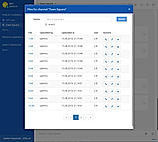
+ 3 More
|
| Videos |

|

+ 4 More
|
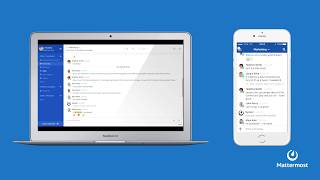
+ 3 More
|
| Company Details | Located in: San Francisco, California | Located in: Redmond, Washington | Located in: Palo Alto, California - 94303 Founded in: 2011 |
| Contact Details |
Not available |
Not available https://products.office.com/en-us/microsoft-teams/group-chat-software |
Not available |
| Social Media Handles |
|
|
|

Looking for the right SaaS
We can help you choose the best SaaS for your specific requirements. Our in-house experts will assist you with their hand-picked recommendations.

Want more customers?
Our experts will research about your product and list it on SaaSworthy for FREE.