MEET CLARA - THE AI BEHIND SMARTER SOFTWARE CHOICES


|
82% SW Score The SW Score ranks the products within a particular category on a variety of parameters, to provide a definite ranking system. Read more 
View Details
|
89% SW Score The SW Score ranks the products within a particular category on a variety of parameters, to provide a definite ranking system. Read more 
View Details
|
Featured
97% SW Score The SW Score ranks the products within a particular category on a variety of parameters, to provide a definite ranking system. Read more 
Typeform |
Featured
95% SW Score The SW Score ranks the products within a particular category on a variety of parameters, to provide a definite ranking system. Read more 
Cognito Forms |
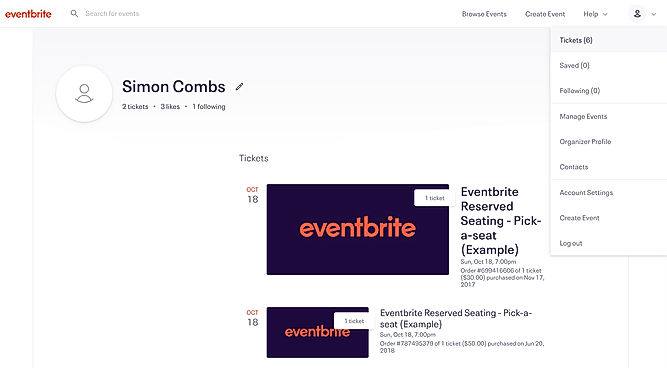
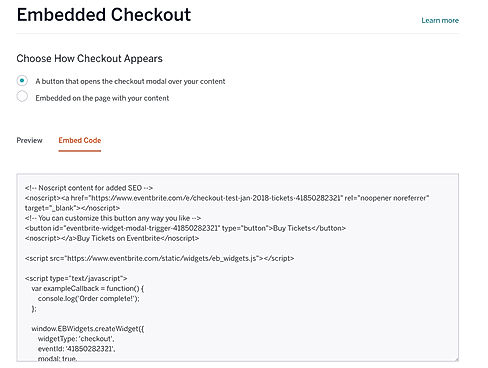
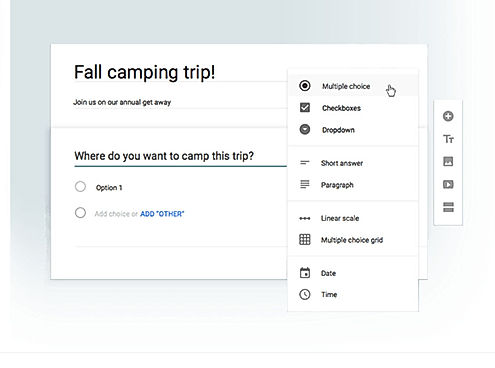
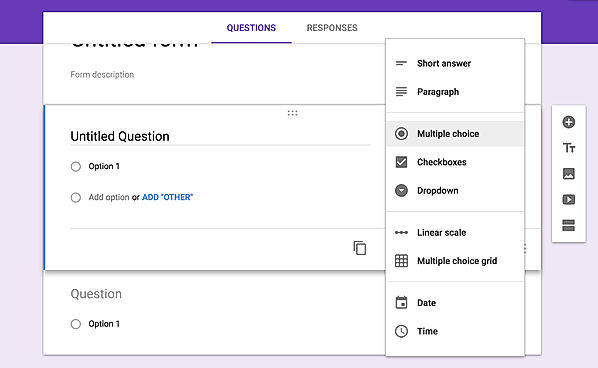
| Description | Eventbrite enables you to organize, promote, run, and track events from both a desktop computer, and a mobile device through its app designed for event organizers. With Eventbrite, you can create a listing page for any event you organize, which includes built-in payment process, as well as analytics and customer support capabilities. Eventbrite ensures that these listings pages can be easily discovered, and they can be built out-of-the-box and designed by Eventbrite. This listing page can also be customized according to your brand’s identity. With the payment processing functionality, you can embed a checkout on your listing page so attendees don’t have to leave the site to purchase a ticket. You can also use Eventbrite to host and run free events, as the app doesn’t charge fees on free tickets. Eventbrite has an industry-leading search ranking on search engines, which enables people to find your events easier. Read more | Google excels in the online form builder arena like any other field. Google Forms come as a part of the Google Drive Suite that features tools like Docs, Sheets, etc. There is a pretty good number of pre-installed themes to choose from to cater to all the segments, be it survey, registration, contact, etc. It has a straightforward building user interface and much easy to use. The users can include multiple question types, including short answers, multiple choices, dropdowns, checkboxes, etc. It even has a photo and video field. Each of the fields has a copy button, in case the users need to add a similar question to different forms. Responses can be received over the email or collected in Google Sheets. After the form has been made, the users can add collaborators by sharing and can even embed it in websites using the code. Hence, with ease of usage, it is definitely the easiest way to get going with the survey or registration. Read more | TypeForm makes it very easy for any online business to collect data by offering its responsive and intuitive forms on every device, be it desktop, tablet or smartphones. It allows creating questionnaires for surveys like never before as it predicts the questions as the user types. It can accommodate unlimited questions for its paid version, though the number is limited to 10 per form for the basic free version. It enables collection of payments via gateways to make things more convenient for the users, and of course, with the calculation feature as well. It has email alerts for every filled up form, but besides this, it can even be integrated with MailChimp. Apart from this, it offers integration with other tools like HubSpot, Zapier etc. Hence, with its unlimited responses and advanced builder, it turns out to be an amazing option. Read more | Cognito Forms ranks among the best online form builder tools that offer amazing security and integrations. To start of which, there is a high level of encryption that keeps all the entry data safe. It comes with HIPAA compliance for unlimited forms, which adds an extra layer of security over sensitive data collection with SSL security, data encryption and auto system log off. And since long forms and surveys put off most of the visitors, Cognito Forms offer page breaks for complex questionnaires along with the progress bar to keep them interested. Users can even integrate payment gateways along with the forms to accept payments via credit cards, Square and PayPal. Cognito Forms offers email notifications too so that the users get notified for every filled up form. So, if you want an online form builder with immense security, Cognito Forms seems to be the right one for you. Read more |
| Pricing Options |
|
|
|
|
| SW Score & Breakdown |
82% SW Score The SW Score ranks the products within a particular category on a variety of parameters, to provide a definite ranking system. Read more
|
89% SW Score The SW Score ranks the products within a particular category on a variety of parameters, to provide a definite ranking system. Read more
|
97% SW Score The SW Score ranks the products within a particular category on a variety of parameters, to provide a definite ranking system. Read more
|
95% SW Score The SW Score ranks the products within a particular category on a variety of parameters, to provide a definite ranking system. Read more
|
| SaaSworthy Awards | # 1 Most Worthy # 1 Fastest Growing | # 7 Highly Rated # 19 Fastest Growing | # 2 Most Worthy # 4 Highly Rated | # 11 Highly Rated # 3 Fastest Growing |
| Organization Types Supported |
|
|
|
|
| Platforms Supported |
|
|
|
|
| Modes of Support |
|
|
|
|
| API Support |
|
|
|
|
| User Rating |
|
Not Available
|
|
|
| Rating Distribution |
|
Not Available
|
|
|
| User Sentiments |
User-Friendly Interface, Ease of Event Promotion, Extensive Integrations, Mobile Functionality High Fees, Limited Customization, Occasional Technical Issues, Lack of Advanced Features |
Ease of Use, Free of Cost, Data Collection efficiency, Integration with Google Sheets Limited Design Customization, Lack of Advanced Features, Limited Offline Functionality, Limited Question Types |
Ease of Use, Visually Appealing Design, Extensive Integrations, Mobile Friendly Forms Limited Features in Free Plan, Lack of Advanced Customization, Inconsistent Technical Support, Occasional Technical Issues |
Ease of Use, Powerful Conditional Logic, Excellent Customer Support, Extensive Customization Options Limited Design Flexibility, Occasional Performance Issues, Confusing Workflow Functionality, Limited Free Plan Features |
| Review Summary |
Eventbrite users generally appreciate its user-friendly interface, wide range of features, and strong customer support. They praise its ease of use, comprehensive event management tools, customizable templates, ticketing and registration options, and data analytics capabilities. Some users find it particularly useful for managing large-scale events. However, a few reviewers have mentioned occasional technical glitches and limited customization options for certain features. Overall, Eventbrite is well-received for its user-friendly design, feature-rich platform, and responsive support, making it a popular choice for event organizers. |
Overall, Google Forms is a user-friendly and versatile form builder that allows users to easily create and customize forms for various purposes. It offers a wide range of features, including templates, drag-and-drop functionality, conditional logic, and collaboration tools. Users appreciate its ease of use, integration with other Google products, and the ability to share and collaborate on forms. However, some users have reported occasional issues with data loss, limited customization options, and the lack of advanced features found in more comprehensive form builder tools. |
Typeform users praise its user-friendly interface, ease of use, and wide range of features. Many reviewers highlight its intuitive drag-and-drop builder, which allows users to create visually appealing forms without coding knowledge. Additionally, the platform's customization options, integrations with various tools, and mobile responsiveness are commonly mentioned as strengths. However, some users express concerns about the pricing structure, occasional technical glitches, and limited reporting capabilities. Overall, Typeform is well-received for its user-centric design, ease of use, and feature-rich platform, making it a popular choice for businesses seeking user-friendly form-building solutions. |
Cognito Forms receives favorable feedback for its user-friendliness, customization options, and seamless integration with other applications. Users appreciate the drag-and-drop form builder, which simplifies the process of creating visually appealing forms. The ability to customize forms with conditional logic, calculations, and custom branding is also well-received. Additionally, Cognito Forms integrates seamlessly with popular platforms like Salesforce, HubSpot, and Zapier, allowing for efficient data management and automation of workflows. However, some users have reported occasional technical glitches and limited reporting capabilities. |
| Pros & Cons |
|
|
Not Available
|
Not Available
|
| Read All User Reviews | Read All User Reviews | Read All User Reviews |
AI-Generated from the text of User Reviews
| Pricing Options |
|
|
|
|
|
Pricing Plans
Monthly Plans
Annual Plans
|
Eventbrite Others |
Google Forms Free |
Basic $17.00 $24.00 per month Plus $35.00 $48.00 per month Business $58.00 $80.00 per month Enterprise Custom |
Individual Free Pro $15.00 $15.00 per month Team $35.00 $35.00 per month Enterprise $99.00 $99.00 per month |
|
View Detailed Pricing
|
View Detailed Pricing
|
View Detailed Pricing
|
View Detailed Pricing
|
Get personalized recommendations from our experts on call
Trusted by more than 5 Million users across the globe.
Thank you for the enquiry. One of our software analysts will contact you soon.

Cvent
Eventbrite Vs Cvent

EventBookings
Eventbrite Vs EventBookings

Eventify
Eventbrite Vs Eventify

Event Always
Eventbrite Vs Event Always
|

Zoho Forms
Google Forms Vs Zoho Forms

Formsite
Google Forms Vs Formsite
Typeform
Google Forms Vs Typeform

Forms.io by 500apps
Google Forms Vs Forms.io by 500apps
|
|||
| Screenshots |
+ 2 More
|
+ 3 More
|
Not Available | Not Available |
| Videos |

+ 1 More
|

+ 1 More
|

+ 1 More
|
+ 2 More
|
| Company Details | Located in: San Francisco, California Founded in: 2006 | Located in: United States | Located in: Barcelona, Spain Founded in: 2012 | Located in: Columbia, South Carolina Founded in: 2013 |
| Contact Details |
Not available https://www.eventbrite.com/l/event-management-software/ |
Not available https://www.google.com/forms/about/ |
Not available https://www.typeform.com/ |
Not available https://www.cognitoforms.com |
| Social Media Handles |
|
Not available |
|
|
What are the key differences between Eventbrite and Google Forms?
What are the alternatives to Eventbrite?
Which SaaS products can Eventbrite integrate with?
Which product is better for large-scale event management?
How do the branding and customization features of these products differ?
SaaSworthy may receive compensation from some vendors featured on this page. This does not influence our editorial evaluation or ratings. [email protected]

Looking for the right SaaS
We can help you choose the best SaaS for your specific requirements. Our in-house experts will assist you with their hand-picked recommendations.

Want more customers?
Our experts will research about your product and list it on SaaSworthy for FREE.