MEET CLARA - THE AI BEHIND SMARTER SOFTWARE CHOICES



Google Workspace |
84% SW Score The SW Score ranks the products within a particular category on a variety of parameters, to provide a definite ranking system. Read more 
|
83% SW Score The SW Score ranks the products within a particular category on a variety of parameters, to provide a definite ranking system. Read more 
View Details
|
Featured
91% SW Score The SW Score ranks the products within a particular category on a variety of parameters, to provide a definite ranking system. Read more 
Zoho Workplace |
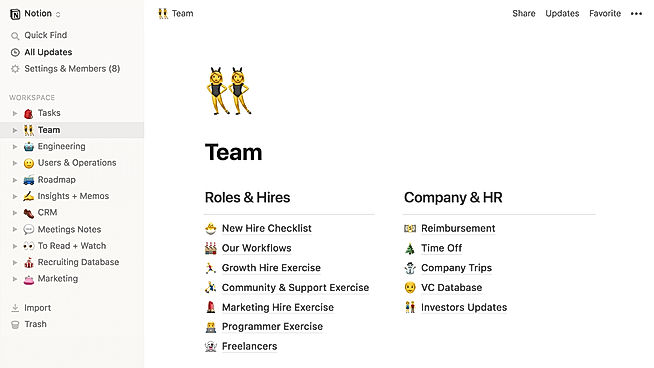
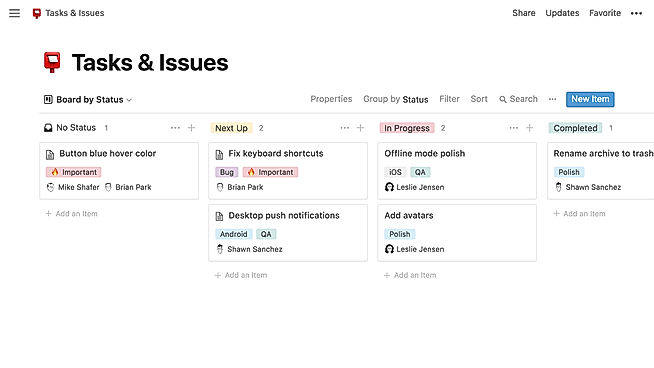
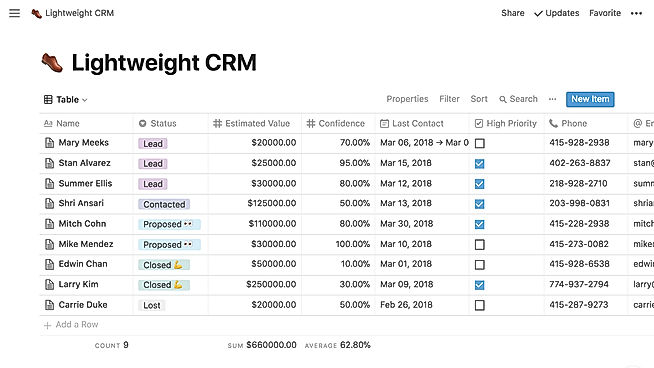
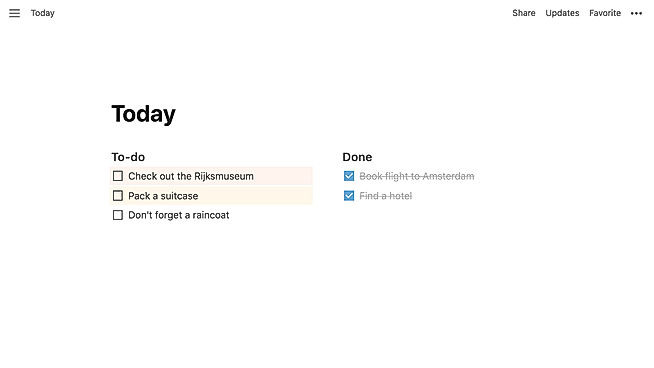
| Description | Notion is a comprehensive management tool that lets users write, plan, collaborate, and organize. It aims to eliminate the need for several tools by bringing multiple functionalities in one software. It offers features for notes and documents with lists made of checkable elements that also get struck out once checked. Notion even offers functionality to create and maintain a neat and categorized knowledge base for the team. Users can manage their tasks & projects using Kanban layout boards, a calendar, and list views. Tasks and issues can be created and maintained and their related info can be tracked. Statuses can be changed and team collaboration is possible. The tool also has the functionality to manage spreadsheets and databases. Users can also access several keyboard shortcuts using slash (/) commands. The UI is drag-and-drop friendly. Notion also embeds several other apps including Google Sheets, Docs, Drive, Maps, Figma, Invision, Framer, Twitter, and more. Read more | HackMD is a collaborative markdown platform that operates in real time across several platforms to enable you to collaborate on project documentation with markdown. It allows you to collaborate on notes with others on your cell phone, tablet, or PC. With HackMD, you can organize tribal knowledge and capture transitory thoughts. You can use the team workstation for a bird's-eye assessment of all crew documents and everyone is kept up to date with the latest changes with the change notification system. With HackMD’s granular note authorization settings, you get complete control over how and with whom you share your notes. You can manage documentation using the Git process, which allows you to decentralize editing and storage while keeping the final papers centralized. You can access your notes and export them with a single click using a browser plugin that is activated by a hotkey. You can write scientific formulas in plain text and create UML diagrams in SVG in one tool. Additionally, you can create a group of similar papers, divide them into chapters, and distribute them all at once. Read more | Zoho Workplace is an integrated ecosystem of productivity applications meticulously designed to empower businesses by enhancing employee productivity and fostering effective teamwork. It offers a comprehensive suite that includes a range of tools such as email, calendar, contacts, tasks, notes, chat, and an online office suite, all seamlessly interconnected to provide a unified experience. This powerful collaboration software also features a robust file storage platform that simplifies sharing and managing documents, ensuring that teams can work together efficiently without hitches. In addition to these core applications, Zoho Workplace offers advanced security features to protect sensitive information and maintain data integrity, which is crucial for businesses of all sizes. The platform's customization options allow organizations to tailor the interface and functionality to meet specific needs, ensuring that it aligns perfectly with company workflows and operational goals. By streamlining communication and workflow processes, Zoho Workplace enables professionals to stay organized and focused on their core tasks, reducing time spent on administrative duties. Read more |
| Pricing Options |
|
|
|
| SW Score & Breakdown |
84% SW Score The SW Score ranks the products within a particular category on a variety of parameters, to provide a definite ranking system. Read more
|
83% SW Score The SW Score ranks the products within a particular category on a variety of parameters, to provide a definite ranking system. Read more
|
91% SW Score The SW Score ranks the products within a particular category on a variety of parameters, to provide a definite ranking system. Read more
|
| SaaSworthy Awards |
Not Available
|
# 4 Fastest Growing |
Not Available
|
| Organization Types Supported |
|
|
|
| Platforms Supported |
|
|
|
| Modes of Support |
|
|
|
| API Support |
|
|
|
| User Rating |
Not Available
|
Not Available
|
|
| Rating Distribution |
Not Available
|
Not Available
|
|
| User Sentiments |
Customizable Workspace, Versatile Features, AI Writing Assistant, Extensive Integrations Steep Learning Curve, Slow Loading Times, Limited Offline Functionality, Mobile App Experience |
Not Available
|
Not Available
|
| Review Summary |
Users praise Notion's versatility and customizability, highlighting its ability to serve as a comprehensive workspace for note-taking, project management, and collaboration. Commendations are also given for its user-friendly interface, clean design, and seamless integration with various third-party applications. However, some reviewers express concerns about the occasional occurrence of technical glitches, a learning curve for new users, and limitations in offline accessibility. Overall, Notion is generally well-received for its flexibility, ease of use, and integration capabilities, but it could benefit from improved stability and offline functionality. |
Not Available
|
Not Available
|
| Pros & Cons |
|
Not Available
|
Not Available
|
| Read All User Reviews |
AI-Generated from the text of User Reviews
| Pricing Options |
|
|
|
|
Pricing Plans
Monthly Plans
Annual Plans
|
Free Free Plus $10.00 $12.00 per user / month Business $20.00 $24.00 per user / month Enterprise Custom |
Free Free Prime $5.00 $8.00 per user / month Enterprise Custom |
Standard $3.00 $4.00 per user / month Professional $6.00 $7.00 per user / month Mail Only Plan $1.00 $1.00 per user / month |
|
View Detailed Pricing
|
View Detailed Pricing
|
View Detailed Pricing
|
Get personalized recommendations from our experts on call
Trusted by more than 5 Million users across the globe.
Thank you for the enquiry. One of our software analysts will contact you soon.

Confluence
Notion Vs Confluence

Trello
Notion Vs Trello

ClickUp
Notion Vs ClickUp
|

GitBook
HackMD Vs GitBook

nodebook
HackMD Vs nodebook
|
||
| Screenshots |
+ 3 More
|

+ 1 More
|

+ 6 More
|
| Videos |
+ 3 More
|
Not Available |

+ 2 More
|
| Company Details | Located in: San Francisco, CA Founded in: 2013 | Located in: Japan Founded in: 2017 | Located in: Pleasanton, California - 94588 |
| Contact Details |
Not available https://www.notion.so/ |
Not available https://hackmd.io/ |
+1 877-834-4428 https://www.zoho.com/workplace/ |
| Social Media Handles |
|
|
|
What are the key features of Notion?
How does Notion compare to Confluence?
What are the alternatives to Notion?
Can Notion be integrated with other tools?
What are the advantages of using Notion?
SaaSworthy may receive compensation from some vendors featured on this page. This does not influence our editorial evaluation or ratings. [email protected]

Looking for the right SaaS
We can help you choose the best SaaS for your specific requirements. Our in-house experts will assist you with their hand-picked recommendations.

Want more customers?
Our experts will research about your product and list it on SaaSworthy for FREE.