MEET CLARA - THE AI BEHIND SMARTER SOFTWARE CHOICES


|
84% SW Score The SW Score ranks the products within a particular category on a variety of parameters, to provide a definite ranking system. Read more 
|
76% SW Score The SW Score ranks the products within a particular category on a variety of parameters, to provide a definite ranking system. Read more 
View Details
|
Featured
96% SW Score The SW Score ranks the products within a particular category on a variety of parameters, to provide a definite ranking system. Read more 
signNow |
Featured
98% SW Score The SW Score ranks the products within a particular category on a variety of parameters, to provide a definite ranking system. Read more 
Google Workspace |
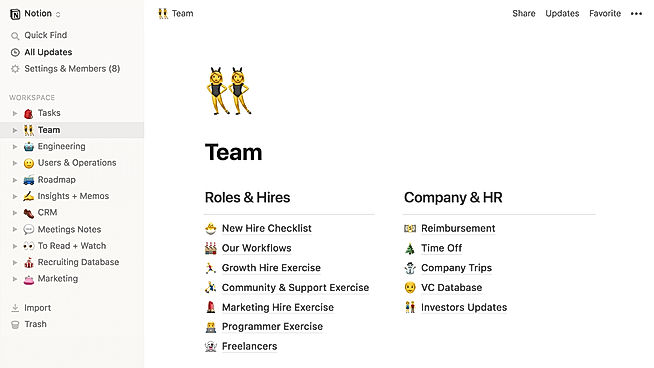
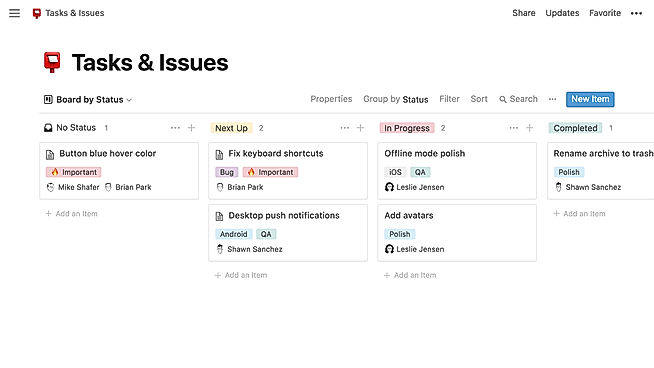
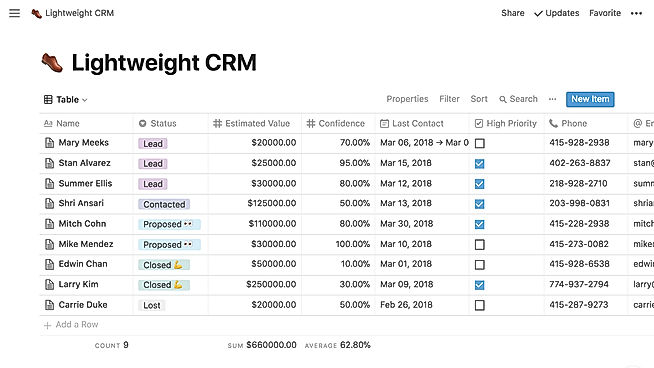
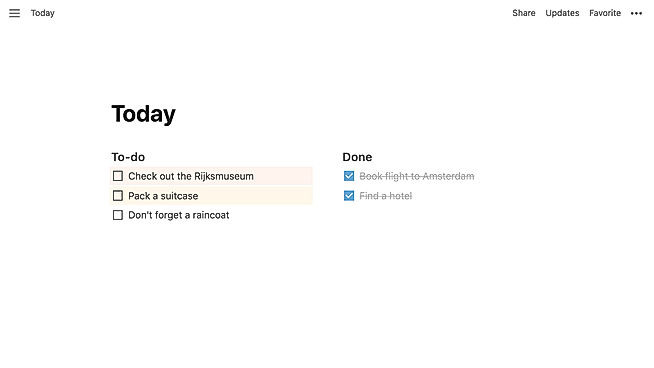
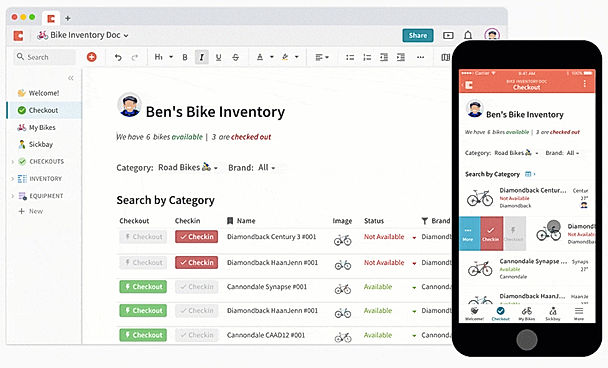
| Description | Notion is a comprehensive management tool that lets users write, plan, collaborate, and organize. It aims to eliminate the need for several tools by bringing multiple functionalities in one software. It offers features for notes and documents with lists made of checkable elements that also get struck out once checked. Notion even offers functionality to create and maintain a neat and categorized knowledge base for the team. Users can manage their tasks & projects using Kanban layout boards, a calendar, and list views. Tasks and issues can be created and maintained and their related info can be tracked. Statuses can be changed and team collaboration is possible. The tool also has the functionality to manage spreadsheets and databases. Users can also access several keyboard shortcuts using slash (/) commands. The UI is drag-and-drop friendly. Notion also embeds several other apps including Google Sheets, Docs, Drive, Maps, Figma, Invision, Framer, Twitter, and more. Read more | Coda comes with building blocks that users can combine to build docs with the functionality of apps. Users start their blank document like any other document and begin by typing. Tables can be added to the documents that act like databases. Values in the tables can be selected using the drop-down menus. Documents can also have different views for team members. These views include charts, calendars, and cards. Coda includes formulas that work like the ones in spreadsheets and have a scope of the whole document. Users can use the app to send information to and communicate with other users and schedule events. The tool offers intuitive drag-and-drop functionality and users can add buttons to make their doc look and function like an app. There are several templates available to customize coda to a specific use case. The areas for which templates are present include meetings, business and product management, inventory management, reminders, time tracking, and expenses. Read more | airslate signNow is an innovative electronic signature software that facilitates the easy signing of digital documents along with their editing, storing, and sharing. It assists the users in adding online e-signatures to their documents and helps them in building online fillable templates. With signNow, users just have to upload their documents online and add the person from whom they want the e-signatures and the desired place of sign and hit send, and voila, the work is done. It ensures complete security and safety while sharing and receiving the documents. The software does not require registration of the receiver and users can add multiple signers while mailing out the document. Users can also set reminders and track their progress all while getting bank-level security with signNow. It is a very easy-to-use, fully-featured, and cost-effective solution that can integrate with many other platforms like Google Apps for Work, Salesforce, Office 365, and SharePoint. It provides flexibility to the users that can be used to leverage the power and usability of signNow. Users get a free trial, a freemium version, 24/7 live assistance, and a variety of premium plans to choose from with this software. Read more | Google Workspace is an intuitive platform that helps teams of all sizes to connect and collaborate with each other and improve their efficiency levels in real-time. It provides an innovative and flexible solution that helps businesses to achieve more. With the help of shared calendars, users can see who is available and when so they can fix meetings without clashing anybody’s timings. It also allows them to start video conferencing with just a single click through their laptop, tab or mobile. With Google Workspace, team members can collaborate with each other and share documents, slides and spreadsheets with or without the internet. They can work in a single document, see edits, communicate through in-built chat and tag each other in comments and ask questions. Google Workspace also allows users to upload their data on the cloud to keep it safe and easily available to team members through a shared link. To assure comprehensive security the software offers advanced privacy algorithms like single-sign-on and 2-step verification. Read more |
| Pricing Options |
|
|
|
|
| SW Score & Breakdown |
84% SW Score The SW Score ranks the products within a particular category on a variety of parameters, to provide a definite ranking system. Read more
|
76% SW Score The SW Score ranks the products within a particular category on a variety of parameters, to provide a definite ranking system. Read more
|
96% SW Score The SW Score ranks the products within a particular category on a variety of parameters, to provide a definite ranking system. Read more
|
98% SW Score The SW Score ranks the products within a particular category on a variety of parameters, to provide a definite ranking system. Read more
|
| SaaSworthy Awards |
Not Available
|
Not Available
|
# 2 Most Worthy # 1 Highly Rated | # 3 Fastest Growing # 4 Most Popular |
| Organization Types Supported |
|
|
|
|
| Platforms Supported |
|
|
|
|
| Modes of Support |
|
|
|
|
| API Support |
|
|
|
|
| User Rating |
Not Available
|
Not Available
|
|
|
| Rating Distribution |
Not Available
|
Not Available
|
|
|
| User Sentiments |
Customizable Workspace, Versatile Features, AI Writing Assistant, Extensive Integrations Steep Learning Curve, Slow Loading Times, Limited Offline Functionality, Mobile App Experience |
Not Available
|
Ease of Use, Affordable Pricing, Mobile Functionality, Extensive Integrations Document Editing Limitations, Occasional Technical Issues, Confusing Mobile App Experience, Inconsistent Email Notifications |
Not Available
|
| Review Summary |
Users praise Notion's versatility and customizability, highlighting its ability to serve as a comprehensive workspace for note-taking, project management, and collaboration. Commendations are also given for its user-friendly interface, clean design, and seamless integration with various third-party applications. However, some reviewers express concerns about the occasional occurrence of technical glitches, a learning curve for new users, and limitations in offline accessibility. Overall, Notion is generally well-received for its flexibility, ease of use, and integration capabilities, but it could benefit from improved stability and offline functionality. |
Not Available
|
Users generally agree that the software is easy to use and offers a variety of features that make the e-signing process efficient and convenient. Users also appreciate the document tracking and analytics features, which provide valuable insights into document status and performance. However, some users have reported issues with customer support, such as slow response times and a lack of helpfulness. Additionally, some users have expressed concerns about the pricing structure, which they feel is somewhat expensive compared to other similar software. |
Not Available
|
| Read All User Reviews | Read All User Reviews |
AI-Generated from the text of User Reviews
| Pricing Options |
|
|
|
|
|
Pricing Plans
Monthly Plans
Annual Plans
|
Free Free Plus $10.00 $12.00 per user / month Business $20.00 $24.00 per user / month Enterprise Custom |
Free Free Pro $10.00 $12.00 per month Team $30.00 $36.00 per month Enterprise Custom |
Business $8.00 $20.00 per user / month Business Premium $15.00 $30.00 per user / month Enterprise $30.00 $50.00 per user / month airSlate Business Cloud $50.00 $50.00 per user / month |
Starter $7.00 $8.40 per user / month Standard $14.00 $16.80 per user / month Plus $22.00 $26.40 per user / month Enterprise Plus Custom |
|
View Detailed Pricing
|
View Detailed Pricing
|
View Detailed Pricing
|
View Detailed Pricing
|
Get personalized recommendations from our experts on call
Trusted by more than 5 Million users across the globe.
Thank you for the enquiry. One of our software analysts will contact you soon.
| Screenshots |
+ 3 More
|
|

+ 5 More
|
Not Available |
| Videos |
+ 3 More
|
+ 1 More
|
+ 1 More
|

+ 2 More
|
| Company Details | Located in: San Francisco, CA Founded in: 2013 | Located in: San Francisco, CA - 95834 | Located in: Brookline, Massachusetts Founded in: 2011 | Located in: Mountain View, California |
| Contact Details |
Not available https://www.notion.so/ |
(800) 952-5210 https://coda.io/welcome |
+1 800-831-2050 https://www.signnow.com/ |
Not available https://workspace.google.com/ |
| Social Media Handles |
|
|
|
|

Looking for the right SaaS
We can help you choose the best SaaS for your specific requirements. Our in-house experts will assist you with their hand-picked recommendations.

Want more customers?
Our experts will research about your product and list it on SaaSworthy for FREE.