MEET CLARA - THE AI BEHIND SMARTER SOFTWARE CHOICES
|
98% SW Score The SW Score ranks the products within a particular category on a variety of parameters, to provide a definite ranking system. Read more 
Visit Website
|
87% SW Score The SW Score ranks the products within a particular category on a variety of parameters, to provide a definite ranking system. Read more 
Visit Website
|
86% SW Score The SW Score ranks the products within a particular category on a variety of parameters, to provide a definite ranking system. Read more 
Visit Website
|
82% SW Score The SW Score ranks the products within a particular category on a variety of parameters, to provide a definite ranking system. Read more 
Visit Website
|
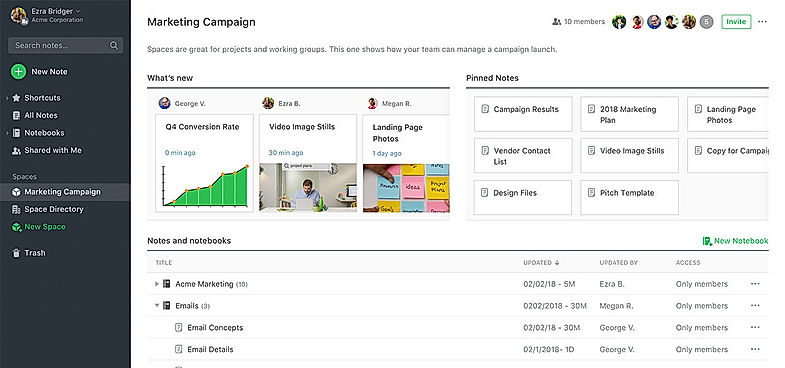
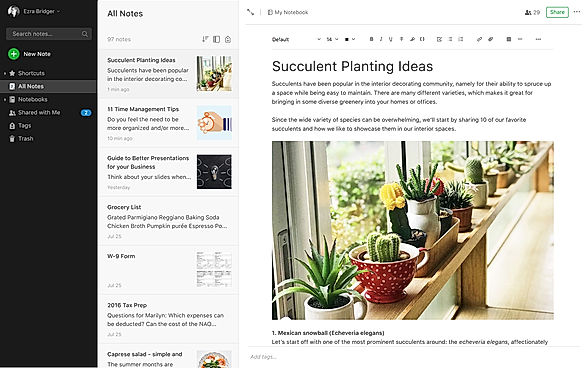
| Description | Evernote is a popular app that empowers users to be organized at all times by capturing and prioritizing ideas, projects, and to-do lists. The core idea of the tool is to help the users focus on what matters most. It enables them to manage their personal life as well as big projects that require ceaseless collaboration. Team members can seamlessly capture their ideas in the form of notes, voice, and pictures and share them with their teammates. In this way, they never lose track of any upcoming deadlines or tasks. This makes the tool act as a central node for all notes, ideas, lists, and reminders. Users can also keep track of projects from multiple devices, even when they are offline. Hence, they can manage projects, deadlines, clients, and meetings in the most productive manner. Any user can simply sign up, choose a relevant plan, and start adding personalized content. This can be done by typing notes, adding attachments, clipping web pages, or record memos. Read more | Google Keep is a cloud-based note-taking application explicitly built to assist professionals and individuals in capturing ideas with their voice notes, adding images to notes, checking tasks of to-do lists, and much more. This application makes it easy for the users to set a location-based reminder to pull up their grocery list and set up a timely reminder to ensure they never miss out on anything. Google Keep comprises multiple key features, including handwriting recognition, note management, collaboration tools, meeting notes, task tagging, reminders, and annotations. It allows users to categorize or highlight the notes and list them with colors, and they can also pin the important notes. Moreover, the search box in Google Keep enables professionals to find notes and lists by using multiple filters such as label colors types and more. Google Keep allows organization teams to share notes with collaborators by adding their email Id or names. Overall, it allows users to create, collaborate, and share all the lists and notes with their team members faster. Google Keep application follows the freemium strategy. Read more | Microsoft OneNote is a digital notebook that facilitates easy and efficient note making using smart and powerful tools powered by Microsoft. It enables the user to create, manage, revise, edit, and organize content across pages, sections, and notebooks. It acts as a sole multi-functional notebook for all of your notetaking requirements. The software offers smart tools that enable the user to easily navigate and search their desired notes from the collection. It allows you to organize your digital notes into notebooks that can be divided into pages and sections and you can revise them with highlights, ink notations and types whenever and wherever you want. You can create and share ideas with your friends, family, and team members because OneNote facilitates easy sharing across several devices. Users can draw out their ideas and annotate their notes with a stylus or a finger, record audio notes, add files, and insert online videos in OneNote. OneNote can be used by teachers for organizing lesson plans or for creating a sharable content library. They offer various plans for their premium version to fit every requirement. Read more | Joplin is a free, open-source note-taking and to-do application, which can handle a large number of notes organized into notebooks. The notes are searchable, can be copied, tagged, and modified either from the applications directly or from your own text editor. The notes are in Markdown format. Notes exported from Evernote via .enex files can be imported into Joplin, including the formatted content (which is converted to Markdown), resources (images, attachments, etc.), and complete metadata (geolocation, updated time, created time, etc.). Plain Markdown files can also be imported. Read more |
| Pricing Options |
|
|
|
|
| SW Score & Breakdown |
98% SW Score The SW Score ranks the products within a particular category on a variety of parameters, to provide a definite ranking system. Read more
|
87% SW Score The SW Score ranks the products within a particular category on a variety of parameters, to provide a definite ranking system. Read more
|
86% SW Score The SW Score ranks the products within a particular category on a variety of parameters, to provide a definite ranking system. Read more
|
82% SW Score The SW Score ranks the products within a particular category on a variety of parameters, to provide a definite ranking system. Read more
|
| SaaSworthy Awards | # 1 Most Worthy # 1 Most Popular | # 3 Most Worthy # 4 Fastest Growing | # 2 Fastest Growing # 2 Most Popular |
Not Available
|
| Total Features |
9 Features
|
7 Features
|
5 Features
|
5 Features
|
| Common Features for All |
Calendar Notification
File Sharing
Meetings
Real-time Collaboration
Recurring Tasks
Share Link
Task Tracking
Templates
To-do List
Version Control
|
Calendar Notification
File Sharing
Meetings
Real-time Collaboration
Recurring Tasks
Share Link
Task Tracking
Templates
To-do List
Version Control
|
Calendar Notification
File Sharing
Meetings
Real-time Collaboration
Recurring Tasks
Share Link
Task Tracking
Templates
To-do List
Version Control
|
Calendar Notification
File Sharing
Meetings
Real-time Collaboration
Recurring Tasks
Share Link
Task Tracking
Templates
To-do List
Version Control
|
| Organization Types Supported |
|
|
|
|
| Platforms Supported |
|
|
|
|
| Modes of Support |
|
|
|
|
| API Support |
|
|
|
|
| User Rating |
|
|
|
Not Available
|
| Rating Distribution |
|
|
|
Not Available
|
| User Sentiments |
Effortless Note Syncing, Cross-Platform Compatibility, Powerful Search Functionality, Extensive Integrations Limited Functionality in Free Version, Slow Performance, Frequent Software Updates, Lack of Customer Support |
Not Available
|
Not Available
|
Not Available
|
| Review Summary |
Evernote users find the application easy to use and helpful in organizing notes, tasks, and projects. Reviewers appreciate the cross-platform availability, making it accessible from various devices. The ability to collaborate and share notes with others is also a popular feature. However, concerns have been raised about the occasional syncing issues, limited offline access, and reports of data loss. Additionally, some users have expressed dissatisfaction with the pricing structure and the lack of a free tier. |
Not Available
|
User reviews highlight Microsoft OneNote as a valuable tool for note-taking, organization, and collaboration. Its ease of use, cross-platform compatibility, and integration with other Microsoft Office apps receive praise. Users appreciate its ability to organize notes into notebooks, sections, and pages, allowing for efficient information retrieval. However, some users report occasional syncing issues, limited formatting options, and a steep learning curve for new users. Notably, concerns about data security and limited mobile app functionality are also raised. |
Not Available
|
| Read All User Reviews | Read All User Reviews | Read All User Reviews |
AI-Generated from the text of User Reviews
| Pricing Options |
|
|
|
|
|
Pricing Plans
Monthly Plans
Annual Plans
|
Free Free Personal $7.50 $9.99 per month Professional $10.42 $12.49 per month |
Google Keep Free |
Microsoft 365 Personal Others Microsoft 365 Family Others Office Home & Student 2019 Others |
Joplin Free |
|
View Detailed Pricing
|
View Detailed Pricing
|
View Detailed Pricing
|
View Detailed Pricing
|
Get personalized recommendations from our experts on call
Trusted by more than 5 Million users across the globe.
Thank you for the enquiry. One of our software analysts will contact you soon.
| Screenshots |
+ 1 More
|
Not Available | Not Available | Not Available |
| Videos |

+ 1 More
|

|

|
Not Available |
| Company Details | Located in: Redwood City, California Founded in: 2008 |
Not available |
Located in: Redmond, Washington |
Not available |
| Contact Details |
Not available |
Not available |
Not available https://www.microsoft.com/en-in/microsoft-365/onenote/digital-note-taking-app |
Not available |
| Social Media Handles |
|
|
|
|

Looking for the right SaaS
We can help you choose the best SaaS for your specific requirements. Our in-house experts will assist you with their hand-picked recommendations.

Want more customers?
Our experts will research about your product and list it on SaaSworthy for FREE.