MEET CLARA - THE AI BEHIND SMARTER SOFTWARE CHOICES
MEET CLARA - THE AI BEHIND SMARTER SOFTWARE CHOICES
MEET CLARA - THE AI BEHIND SMARTER SOFTWARE CHOICES
|
97% SW Score The SW Score ranks the products within a particular category on a variety of parameters, to provide a definite ranking system. Read more 
View Details
|
95% SW Score The SW Score ranks the products within a particular category on a variety of parameters, to provide a definite ranking system. Read more 
View Details
|
93% SW Score The SW Score ranks the products within a particular category on a variety of parameters, to provide a definite ranking system. Read more 
View Details
|
92% SW Score The SW Score ranks the products within a particular category on a variety of parameters, to provide a definite ranking system. Read more 
View Details
|
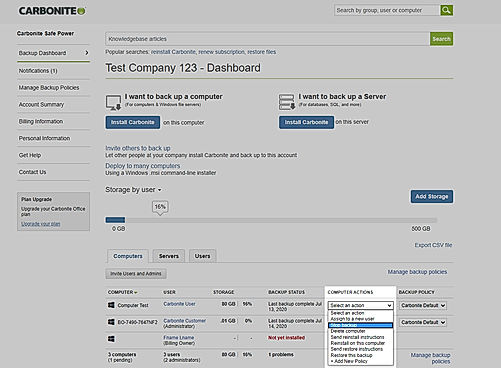
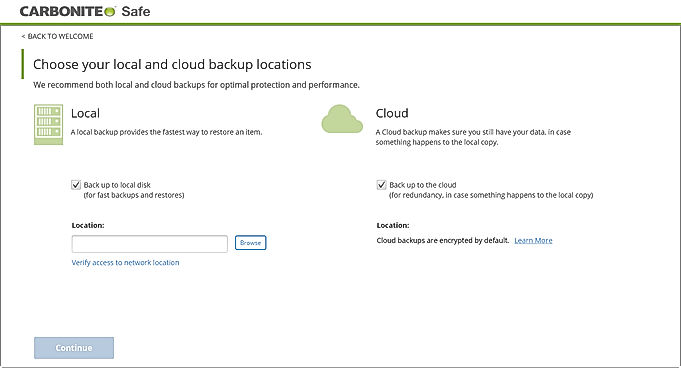
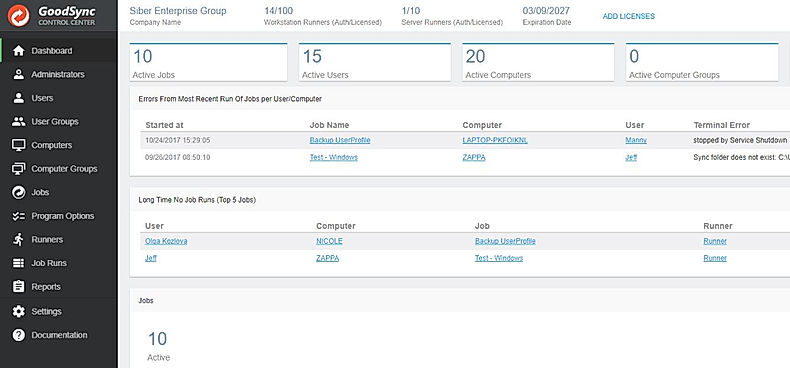
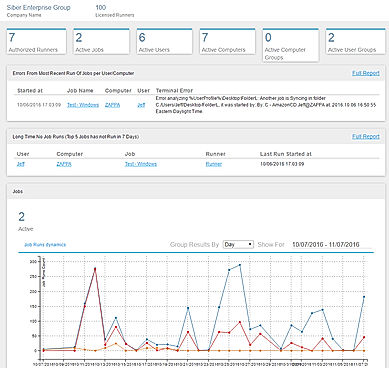
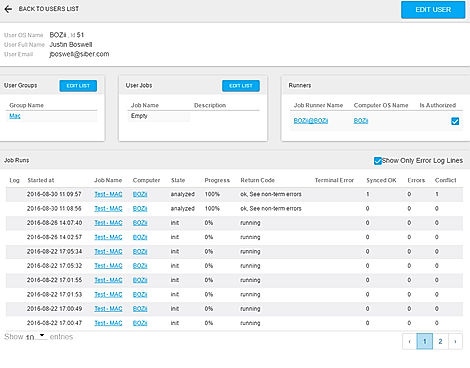
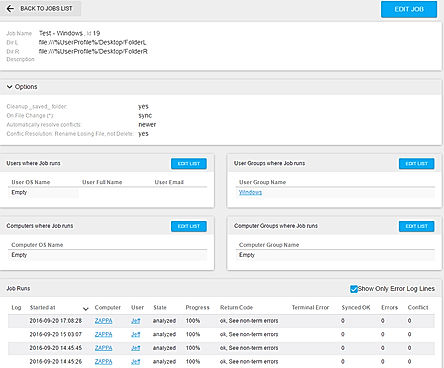
| Description | Backblaze is an online backup application that provides low-cost backup services. This software has an auto backup feature which maintains backup automatically in its cloud storage at regular intervals. It is compatible with Windows and Mac and data transfer between these two operating systems is also possible. The software uses AES military-grade encryption for the security of data. Data encrypted by AES are then stored using secured SSL connection in the cloud servers. Backblaze provides unlimited data storage space and allows the user to encrypt data using their own private key. It is a web-based application compatible with all OS platforms and provides secured backup services. Read more | Carbonite is a backup application software that provides flexible data protection. It creates backups without affecting the performance of the system. This software gives a feature of unlimited cloud storage along with remote sharing facility that gives access to files from anywhere. Moreover, this software delivers unlimited protection and has a user-friendly interface that allows easy installation. This software has easy recovery options, using which lost data can be restored in minimum time. The free version of this software is available that allows the user to test services before finalizing the purchase. Read more | GoodSync is an efficient file backup and synchronization software ensuring enhanced access and restoration facility. It reduces the backup time, storage usage and network consumption levels by propagating the changes within data blocks. The software runs in the background performing tasks like scheduled, automated and real-time backups. All the versions of an individual data file gets saved within the software’s database, ensuring maximum protection and control to its users. GoodSync uses AES-256 bit encryption offering enhanced data security. It is capable of detecting, renamed files or folders and can execute them as move commands in an automated manner. Bandwidth Throttling feature within GoodSync, monitors the maximum allowed bandwidth speed eliminating unwanted disruptions. An automated conflict resolution module within the platform, gets issues related to data versions resolved in real-time. The software gets connections with remote folders re-established in an automated manner, incase of potential disruptions during data sync or analysis. Read more | MSP360 Backup is a comprehensive online backup solution for small businesses that help Managed Service Providers (MSPs) and IT departments with an easy-to-manage cloud backup service. The solution comes loaded with a centralised management portal that can be used by companies to monitor and manage multiple back-ups, besides restoring users, endpoints, jobs and storage. With MSP360 Backup, users can proceed with both local and cloud-based storage services, such as AWS, Backblaze B2, Wasabi, Google Cloud Storage and Microsoft Azure. Moreover, the software also promises to deliver GDPR compliant data backup services for individual users in an efficient manner. Its integrated master password framework helps admins safeguard backup files from unauthorised access. Also, integrated timestamps help users keep track of modified files. MSP360 Backup utilises Shadow Copy Technology by Microsoft Volume to backup opened files. A 24/7/365 technical support offered by the same helps users with fast and relevant responses concerning technical issues. Read more |
| Pricing Options |
|
|
|
|
| SW Score & Breakdown |
97% SW Score The SW Score ranks the products within a particular category on a variety of parameters, to provide a definite ranking system. Read more
|
95% SW Score The SW Score ranks the products within a particular category on a variety of parameters, to provide a definite ranking system. Read more
|
93% SW Score The SW Score ranks the products within a particular category on a variety of parameters, to provide a definite ranking system. Read more
|
92% SW Score The SW Score ranks the products within a particular category on a variety of parameters, to provide a definite ranking system. Read more
|
| Total Features |
10 Features
|
10 Features
|
10 Features
|
8 Features
|
| Common Features for All |
Automated Storage
Backup Scheduling
Cloud Storage
Compression Tools
Encryption
Incremental Backup
Mobile Compatibility
Remote Access
Secure Data Storage
Web Access
|
Automated Storage
Backup Scheduling
Cloud Storage
Compression Tools
Encryption
Incremental Backup
Mobile Compatibility
Remote Access
Secure Data Storage
Web Access
|
Automated Storage
Backup Scheduling
Cloud Storage
Compression Tools
Encryption
Incremental Backup
Mobile Compatibility
Remote Access
Secure Data Storage
Web Access
|
Automated Storage
Backup Scheduling
Cloud Storage
Compression Tools
Encryption
Incremental Backup
Mobile Compatibility
Remote Access
Secure Data Storage
Web Access
|
| Organization Types Supported |
|
|
|
|
| Platforms Supported |
|
|
|
|
| Modes of Support |
|
|
|
|
| API Support |
|
|
|
|
| User Rating |
|
|
|
Not Available
|
| Rating Distribution |
|
|
|
Not Available
|
| User Sentiments |
Unlimited Storage, Affordable Pricing, Ease of Use, Reliable Backup Slow Download Speeds, Poor Customer Support, Tedious Restore Process, Software Issues |
Automatic Backup Functionality, Ease of Use, Secure Data Storage, Affordable Pricing Slow Backup Speeds, Limited Control over Backups, Occasional Downtimes, Slow File Restorations |
Reliable Backup Functionality, Efficient File Synchronization, Extensive Integrations, User-Friendly Interface Technical Support Issues, Occasional Software Glitches, Confusing Folder Synchronization, Complex Configuration |
Ease of Use, Extensive Integrations, Reliable Backups, Comprehensive Backup Options Occasional Backup Issues, Confusing User Interface, Limited Linux Support, Inconsistent Support Experience |
| Review Summary |
Backblaze user reviews are generally positive, praising its ease of use, affordability, and reliability. Many users appreciate the straightforward interface, highlighting its user-friendly design and intuitive navigation. They also commend the competitive pricing plans, deeming them reasonable and cost-effective. Additionally, reviewers frequently mention Backblaze's dependable backup performance, with users expressing satisfaction with the speed and consistency of their backups. However, some reviewers have encountered challenges with customer support, reporting occasional difficulties in reaching support representatives or experiencing delays in resolving issues. |
Carbonite users appreciate its user-friendly interface, ease of setup, and reliable backup capabilities. The customer support is generally praised for their responsiveness and helpfulness. However, some users have reported occasional issues with data restoration and slow backup speeds. Additionally, concerns have been raised about the lack of advanced features like file versioning and granular restore options. Overall, Carbonite seems to be a solid choice for those seeking a simple and reliable backup solution, although users looking for more sophisticated features may need to consider alternatives. |
GoodSync receives mixed feedback from users. While some praise its ease of use, reliability, and robust features, others express concerns about its occasional syncing issues, lack of customer support responsiveness, and absence of certain advanced features. Many users appreciate the product's intuitive interface and user-friendly setup process, but some encounter challenges during syncing or troubleshooting. Additionally, some reviewers mention that customer support can be slow or unresponsive, and certain features, such as mobile syncing, could be improved. |
Overall, users praise the product's reliability, ease of use, and comprehensive features. They appreciate its ability to protect data across multiple platforms and its user-friendly interface. Additionally, the product's customer support is frequently lauded for its responsiveness and helpfulness. However, some users mention occasional technical difficulties and a few express concerns about the pricing. Overall, the product receives positive feedback from users, highlighting its strengths in data protection and user satisfaction. |
| Read All User Reviews | Read All User Reviews | Read All User Reviews |
AI-Generated from the text of User Reviews
| Pricing Options |
|
|
|
|
|
Pricing Plans
Monthly Plans
Annual Plans
|
Backblaze $7.00 $7.00 per month |
Basic $4.91 $4.99 per month Plus $6.99 $6.99 per month Prime $8.74 $8.99 per month |
Workstation $39.95 $39.95 per year Server $499.95 $499.95 per year Backup Control Center Others |
MSP360 Free Backup Free MSP360 Standalone Backup Custom MSP360 Managed Backup Custom |
|
View Detailed Pricing
|
View Detailed Pricing
|
View Detailed Pricing
|
View Detailed Pricing
|
Get personalized recommendations from our experts on call
Trusted by more than 5 Million users across the globe.
Thank you for the enquiry. One of our software analysts will contact you soon.
| Screenshots | Not Available |
+ 1 More
|
+ 3 More
|
Not Available |
| Videos |
|

+ 1 More
|

|
+ 1 More
|
| Company Details | Located in: San Mateo, California Founded in: 2007 | Located in: Boston, Massachusetts Founded in: 2005 | Located in: Fairfax, Virginia | Located in: Pittsburgh, Pennsylvania Founded in: 2011 |
| Contact Details |
Not available |
Not available |
+1 703-890‑0676 |
+1 415-301-7773 |
| Social Media Handles |
|
|
|
|

Looking for the right SaaS
We can help you choose the best SaaS for your specific requirements. Our in-house experts will assist you with their hand-picked recommendations.

Want more customers?
Our experts will research about your product and list it on SaaSworthy for FREE.