MEET CLARA - THE AI BEHIND SMARTER SOFTWARE CHOICES



E-signature software with unlimited documents and every feature on one per-seat plan
This profile is currently managed by the official vendor through the SaaSworthy Vendor Portal. Product details, features, pricing, and media assets are maintained directly by the company.

 Deep Dive with Clara AI
Signatura is an e-signature platform for sending, signing, and sealing documents online, with AI-assisted field placement, multi-signer workflows, and a SHA-256-sealed audit trail on every completed document. One plan includes everything, priced per seat, with unlimited documents and no per-envelope fees. The per-seat rate drops as your team grows. Every new account starts with a 14-day free trial with full access, no credit card required. Upload PDF, DOCX, PNG, or JPG files up to 25 MB, or import from Google Drive, Dropbox, or Microsoft OneDrive. Place fields yourself, or let Auto-Sign detect where signature, date, and text fields belong (25 runs per seat each month, pooled across a team). Nine field types: Signature, Initials, Date Signed, Text Input, Checkbox, Dropdown, Attachment, Image, and Auto-Number. Send to unlimited signers in sequential or parallel order, with CC recipients, automatic reminders, and signing windows that close themselves. After sending you can void, edit and re-send, or fix a wrong email. Signers never need an account and are never charged: they sign from an emailed link in any browser, and can draw, type in 17 signature fonts, upload an image, or snap a photo. Every plan includes custom branding (logo, brand colors, company name), custom email templates, reusable templates with folders and Quick Send, attachments and photo pages, and team workspaces with per-document visibility, member permissions, and one-step offboarding. The whole product is available in English, Spanish, Russian, Latvian, German, Portuguese, and French. Documents are encrypted in transit (TLS 1.3) and at rest (AES-256). Every completed document comes with a certificate of completion and a SHA-256 integrity record you can re-verify at any time. Signatura signatures are intended to be legally binding under the ESIGN Act and UETA (US) and qualify as Simple Electronic Signatures under eIDAS (EU).
Read more


Pricing
Platforms Supported
Organization Types Supported
API Support
Modes of Support
Regulatory Compliance
Ensures the document signing is compliant with globally recognized eIDAS and ESign ActTimestamp
Helps in encoding the time, location, date and etc, to identify an event.Document Expiry
Facility to set an expiry date to digital/electronic documentsMulti-user Signing
Sends a document for multiple users to collect signaturesSequential Signing
Ensures the document recipients sign in a specified orderDocument Audit Trail
Tracks the document signature history and timestamp for legal attestationBank Level Security
Documents are protected with the relevant state of the art security levels like AES, SSL, SSAE, ISO and etc.Reminders
Sends important reminders through email to attendeesDocument Analytics
Helps to know the complete insights of a document like who, when and how it is used.Multi-factor Authentication (MFA)
Uses more than one method to verify a user's identity for a loginFree Trial
Available
No Credit Card Required, Get Started for Free
One Plan (Individual or Team) $24.00 $32.00 per user / month
Every feature on every seat. Unlimited documents and signers, no per-envelope fees.
98% SW Score The SW Score ranks the products within a particular category on a variety of parameters, to provide a definite ranking system. Read more
96% SW Score The SW Score ranks the products within a particular category on a variety of parameters, to provide a definite ranking system. Read more
96% SW Score The SW Score ranks the products within a particular category on a variety of parameters, to provide a definite ranking system. Read more
94% SW Score The SW Score ranks the products within a particular category on a variety of parameters, to provide a definite ranking system. Read more
93% SW Score The SW Score ranks the products within a particular category on a variety of parameters, to provide a definite ranking system. Read more
92% SW Score The SW Score ranks the products within a particular category on a variety of parameters, to provide a definite ranking system. Read more

91% SW Score The SW Score ranks the products within a particular category on a variety of parameters, to provide a definite ranking system. Read more
91% SW Score The SW Score ranks the products within a particular category on a variety of parameters, to provide a definite ranking system. Read more

91% SW Score The SW Score ranks the products within a particular category on a variety of parameters, to provide a definite ranking system. Read more
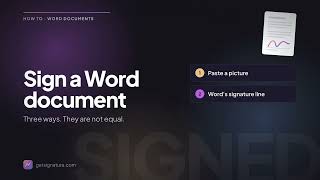
How to Sign a Wor...
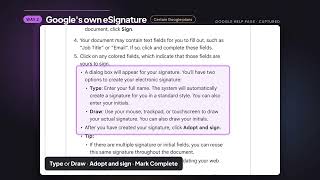
How to Sign a Goo...

Track every signe...

Place signature, ...

Signing order, CC...

Upload a Word doc...

Signers sign from...
Is Signatura legally binding?
Yes. Signatura electronic signatures are intended to be legally binding under the ESIGN Act and UETA (US), and qualify as Simple Electronic Signatures (SES) admissible under eIDAS Art. 25(1) (EU) and the UK retained eIDAS Regulation. High-value document types that local law reserves for Advanced or Qualified Electronic Signatures (e.g. wills, certain real-estate, formal corporate filings) are out of scope. Every signed document includes a full audit trail with timestamps, IP addresses, and a SHA-256 integrity record.
How much does Signatura cost?
One plan with every feature, priced per seat, with no per-document or per-envelope fees. In US dollars, one seat costs $32 per month billed monthly, or $24 per month billed annually. The per-seat rate falls as your team grows and holds flat from 50 seats, at $14 (monthly) or $10.50 (annual) per seat. Every new account starts with a 14-day free trial, no credit card required.
How does the free trial work?
Every new account starts with a 14-day free trial with full access to every feature. No credit card required to start. You can cancel anytime before the trial ends.
Do signers need an account or have to pay?
Signers never need an account and are never charged — they sign from an emailed link in the browser. While signing, a signer can choose to save their signature for next time; it is a separate, explicit consent, and the saved signature can be reused on future Signatura documents.
How secure are my documents?
All documents are encrypted in transit (TLS 1.3) and at rest (AES-256). We maintain a full audit trail, and every completed document is recorded with a SHA-256 hash so you can re-verify its integrity against our records at any time.
What is Auto-Sign?
Auto-Sign uses AI to analyze your document and automatically detect where signature, date, and text fields should be placed. You review the placements, confirm, and send — saving significant preparation time. It is included on every plan: 25 Auto-Sign runs per seat each month, with no per-document charge. On a team, those runs pool across everyone (a team of 4 gets 100 shared runs a month).
What field types are available?
Signatura supports 9 field types: Signature, Initials, Date Signed, Text Input, Checkbox, Dropdown, Attachment, Image, and Auto-Number. Attachment fields ask a signer to upload files (PDFs or photos, up to 25 MB each) that are merged into the completed PDF as labeled pages. You can set fields as required or optional and assign them to specific signers.
What file formats are supported?
You can upload PDF, DOCX, PNG, and JPG/JPEG files up to 25 MB. Documents are converted to a signing-ready format automatically. Completed documents are delivered as sealed PDFs.
Can I import from cloud storage?
Every plan includes one-click imports from Google Drive, Dropbox, and Microsoft OneDrive. You can also upload directly from your phone's camera or Files app (including iCloud Drive), and export completed documents back to Google Drive or Dropbox.
How does Signatura work for teams?
Every document has a visibility setting: private, shared with specific people, or open to the whole team (the owner and admins can always see team documents). When you share with the whole team, you choose whether teammates can edit it or only view it — templates work the same way. Team owners manage each member's permissions individually and can offboard someone in one step: their documents, templates, and contacts are reassigned, and their history stays attributed.
Which languages does Signatura support?
Seven: English, Spanish, Russian, Latvian, German, Portuguese, and French — across the whole product: dashboard, editor, signing pages, emails, and notifications. Your language is auto-detected, and you pick each recipient's language individually, so one agreement can go out to signers in different languages. Translations other than English are machine-generated from English, and the product labels them as such.
Do electronically signed documents need to be notarized?
Usually not. Notarization requirements come from the law governing a specific document type — deeds, certain sworn statements, some powers of attorney — not from e-signature law, so signing electronically neither adds nor removes the need for a notary. Most everyday business documents need none. Where a law does require notarization, the US ESIGN Act (15 U.S.C. § 7001(g)) allows it to be performed electronically, but it still takes a commissioned notary acting under their state's rules — Signatura is an e-signature service, not a notarization service.
What is Signatura used for?
Signatura is Electronic Signature Software. Signatura offers the following functionalities:
Learn more about Signatura features.
What are the top alternatives for Signatura?
Does Signatura provide API?
No, Signatura does not provide API.
Vendor Details
Not available
Contact Details
Not available
https://getsignatura.com
Social Media Handles


SaaSworthy may receive compensation from some vendors featured on this page. This does not influence our editorial evaluation or ratings. [email protected]

Looking for the right SaaS
We can help you choose the best SaaS for your specific requirements. Our in-house experts will assist you with their hand-picked recommendations.

Want more customers?
Our experts will research about your product and list it on SaaSworthy for FREE.