



This profile is currently managed by the official vendor through the SaaSworthy Vendor Portal. Product details, features, pricing, and media assets are maintained directly by the company.

 Deep Dive with Clara AI
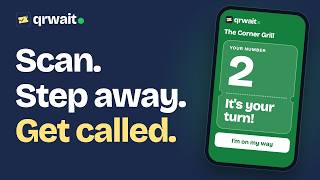
QR Wait is a virtual queue that runs on a QR code. Customers scan it, join the line in their phone's browser with no app or account, and wait wherever they like. They see their place and estimated wait live and get a notification when their turn is coming up and when they are called. It is built for places where people wait in line: restaurants, clinics, service desks, municipal offices, beach clubs, pools and events. For staff, the queue runs in a browser panel on any phone or tablet. One tap calls the next customer. People without a phone can be added by hand or take a printed number at a kiosk tablet. A TV display shows the called numbers and reads them aloud. A rotating QR code and an optional location check stop people from joining from home. QR Wait also includes appointments next to walk-ins, several counters and services, team roles, analytics with CSV export, a REST API and webhooks, a custom domain and 23 languages. Any phone, tablet or TV with a browser works, so there is no hardware to buy. Pricing is per queue entry instead of a monthly fee: prepaid ticket packs that never expire, so a seasonal business doesn't pay for its quiet months. The first 250 tickets are free, with no credit card.
Read more


Pricing
SW Score Breakdown
Platforms Supported
Organization Types Supported
API Support
Modes of Support
Cross Device Access
Access seamlessly across desktop, mobile, tablet, kiosks, and apps.Visitor Check-In
Digital registration and tracking of visitors via kiosk, tablet, or receptionCustom Branding
Allows creating a unique identity for a business, product, or service. It includes designing elements like logos, colors, fonts, and messaging that reflect the brand's personality and values.Multi-site Management
Provides an option to electronically manage multiple stores, sites, and/or locations using just a single platformVisitor Reporting
Visitor frequency, busiest times, compliance auditsWorkforce Management
Provides robust data on your full-time, part-time, and contingent workforceGuest Wi-Fi
Automated guest network accessID Verification
Scan government-issued IDs or capture photos for security purposes.Pre-registration
Allow to register in advanceVisitor Log
Maintain a searchable digital record of all visitorsHost Notification
Automatic email/SMS when a guest arrivesFacial Recognition
Helps to find faces with similar facial features from a large collection of an image databaseCalendar Sync
Automatically syncs the scheduled meetings to third-party cloud calendars.Badge Management
Facilitates assigning and managing badges to employees, students, visitors and guestsAutomated Confirmations & Reminders
Waitlist Management
Reporting & Analytics
Table Management
Allows effortless management of table layouts, seating arrangements, and reservations with real-time updates.Guest Management
Reservation Management
Real-Time Availability
Online Reservations
Customer Database
Helps with a collection of data assembled from each customer.Online Scheduling
Helps in automating and monitoring the scheduling tasks virtually automaticallyAppointment Scheduling
Helps in scheduling and managing all necessary appointmentsMulti-Location Scheduling
Helps in managing schedules and confirm reservations/booking from multiple locationsResource Scheduling
Helps in setting strategies to allocate resources to projects or tasks to complete it correctly and also manage its start/end datesReservations
Helps in making as well as canceling reservations online and also assist in rescheduling them (if necessary)Payment Processing
Helps to manage automated transactions across various online channelsMeeting Room Booking
Helps managing meeting room schedules and offers a simple interface to book the appropriate booking roomGroup Scheduling
Helps in scheduling group meetings with multiple numbers of attendeesEmployee Scheduling
Helps in creating, processing and automating the employee scheduleClass Scheduling
Helps tutors or educational institutes at large to schedule academic and or vocational training classesAutomated Scheduling
Helps to automate the scheduling processes to reduce paperwork, provide a comprehensive solution and ensure timely updatesFree Trial
Available
No Credit Card Required, Get Started for Free
Free Free
First 250 queue entries (tickets) free, once, when the account is created. No credit card. All features included.
Starter $19.00 $19.00 One-time pack
1,000 queue entries (tickets), one-time payment. Tickets never expire, no subscription. All features included.
Business $49.00 $49.00 One-time pack
3,000 queue entries (tickets), one-time payment. Tickets never expire, no subscription. All features included.
Season $199.00 $199.00 One-time pack
20,000 queue entries (tickets), one-time payment. Tickets never expire, no subscription. All features included.
Enterprise $399.00 $399.00 One-time pack, from
From 50,000 queue entries (tickets), or more at the same rate. One-time payment, pay what you want above the minimum. Tickets never expire.
98% SW Score The SW Score ranks the products within a particular category on a variety of parameters, to provide a definite ranking system. Read more

96% SW Score The SW Score ranks the products within a particular category on a variety of parameters, to provide a definite ranking system. Read more
89% SW Score The SW Score ranks the products within a particular category on a variety of parameters, to provide a definite ranking system. Read more
89% SW Score The SW Score ranks the products within a particular category on a variety of parameters, to provide a definite ranking system. Read more
86% SW Score The SW Score ranks the products within a particular category on a variety of parameters, to provide a definite ranking system. Read more
85% SW Score The SW Score ranks the products within a particular category on a variety of parameters, to provide a definite ranking system. Read more

83% SW Score The SW Score ranks the products within a particular category on a variety of parameters, to provide a definite ranking system. Read more
83% SW Score The SW Score ranks the products within a particular category on a variety of parameters, to provide a definite ranking system. Read more
82% SW Score The SW Score ranks the products within a particular category on a variety of parameters, to provide a definite ranking system. Read more
81% SW Score The SW Score ranks the products within a particular category on a variety of parameters, to provide a definite ranking system. Read more

How QR Wait works

Staff panel

Customer ticket

TV display
Do customers need to install an app?
No. Customers scan the QR code and join in their phone's browser, with no app or account. Optional iPhone and Android apps exist for visitors who want notifications without keeping a page open.
What counts as a ticket?
One ticket is one new entry in a queue: a QR scan, a kiosk number or a group an attendant adds, however many people are in the group. The same phone opening the page again uses no ticket, and an appointment cancelled before its time gives its ticket back.
Do tickets expire?
No. Ticket packs are one-time payments, not a subscription. Tickets never expire while the account is open, packs stack, and one balance serves all of an account's queues and locations.
What hardware do I need?
None to buy. Any phone, tablet or TV with a browser runs the staff panel, the kiosk and the TV display. A receipt printer can be connected to the kiosk tablet if you want printed numbers.
How do you stop people joining from home?
The QR code on the staff screen changes every 15 to 75 seconds and each code is valid for 1 to 5 minutes, so a shared photo stops working. A queue can also require the phone to be nearby; only the distance is kept, never the location.
What happens to customer data?
Statistics are counts only. Every queue entry is deleted 24 hours after joining at the latest, and every appointment 24 hours after its time. The app works in 23 languages and follows the phone's language.
What is QR Wait used for?
QR Wait is Visitor Management Software. QR Wait offers the following functionalities:
Learn more about QR Wait features.
What are the top alternatives for QR Wait?
Does QR Wait provide API?
Yes, QR Wait provides API.
Vendor Details
Founded : 2026Contact Details
Not available
https://qrwait.app
Social Media Handles
SaaSworthy may receive compensation from some vendors featured on this page. This does not influence our editorial evaluation or ratings. [email protected]

Looking for the right SaaS
We can help you choose the best SaaS for your specific requirements. Our in-house experts will assist you with their hand-picked recommendations.

Want more customers?
Our experts will research about your product and list it on SaaSworthy for FREE.






