MEET CLARA - THE AI BEHIND SMARTER SOFTWARE CHOICES


This profile is currently managed by the official vendor through the SaaSworthy Vendor Portal. Product details, features, pricing, and media assets are maintained directly by the company.
 Deep Dive with Clara AI
Lingo is the easiest way to organize, share, and show off your brand. Whether you're managing digital assets, publishing brand guidelines, or building a visual product hub, Lingo helps your team stay on the same page without the overhead of a bloated DAM. Designers and marketers use Lingo to pull everything into one beautiful place. Drop in logos, colors, and fonts, but also technical specs, batch data, and product descriptions. By anchoring your product data directly to your imagery, Lingo ensures that your team, and your retailers, always have the correct info and the latest assets. No more digging through folders or chasing down spreadsheets. Create Kits to tell your brand story or organize a product collection. Spin up Portals to share assets with wholesale partners or to the world. Keep things fresh with automatic file conversions and visual search. Hook it up to Figma, Shopify, Google Drive, or Dropbox to stay in sync. Lingo is perfect for teams that want something smarter than cloud storage but simpler than a heavy enterprise system. It’s quick to set up, easy to customize, and built to handle the entire lifecycle of your brand and its products.
Read more


Pricing
SW Score Breakdown
Platforms Supported
Organization Types Supported
API Support
Modes of Support
Digital Asset Management
Helps in the management of all digital content (files, images) and the online account itselfERP Integration
Seamlessly integrates with leading systems such as SAP, Oracle, and NetSuite.Centralized Storage
Stores all data at one place to facilitate easy access without any need of switching between clouds.Localization
Allows users to experience the pop up's in their native languagesData Import-Export
Helps in importing and exporting dataData Quality Control
Helps in monitoring the quality of data input and processedFree Trial
Available
No Credit Card Required, Get Started for Free
Starter $960.00 $80.00 per month
The basic needs for your team. The Starter plan can be done monthly or annually and starts at $80/month. This will include 50 consumers/month and 100 GB included in the rate.
Business $1,920.00 $160.00 per month
Enterprise Custom
Try for Free Free
Screenshots of Vendor Pricing Page

Learn more about Lingo Pricing
98% SW Score The SW Score ranks the products within a particular category on a variety of parameters, to provide a definite ranking system. Read more
98% SW Score The SW Score ranks the products within a particular category on a variety of parameters, to provide a definite ranking system. Read more

97% SW Score The SW Score ranks the products within a particular category on a variety of parameters, to provide a definite ranking system. Read more

96% SW Score The SW Score ranks the products within a particular category on a variety of parameters, to provide a definite ranking system. Read more
96% SW Score The SW Score ranks the products within a particular category on a variety of parameters, to provide a definite ranking system. Read more
96% SW Score The SW Score ranks the products within a particular category on a variety of parameters, to provide a definite ranking system. Read more

96% SW Score The SW Score ranks the products within a particular category on a variety of parameters, to provide a definite ranking system. Read more
95% SW Score The SW Score ranks the products within a particular category on a variety of parameters, to provide a definite ranking system. Read more
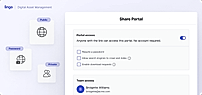
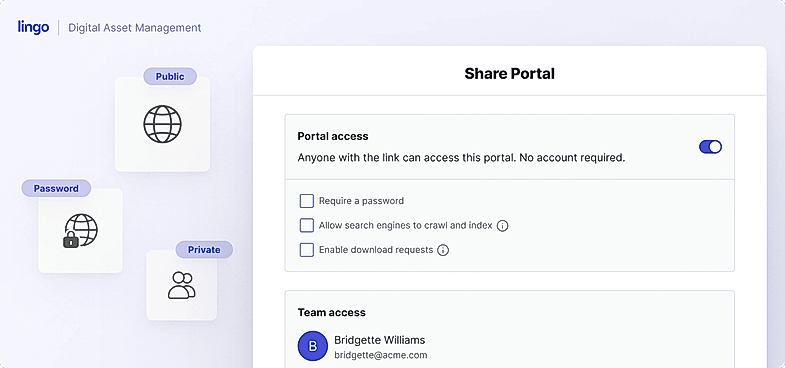
Share Portal
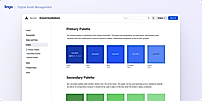
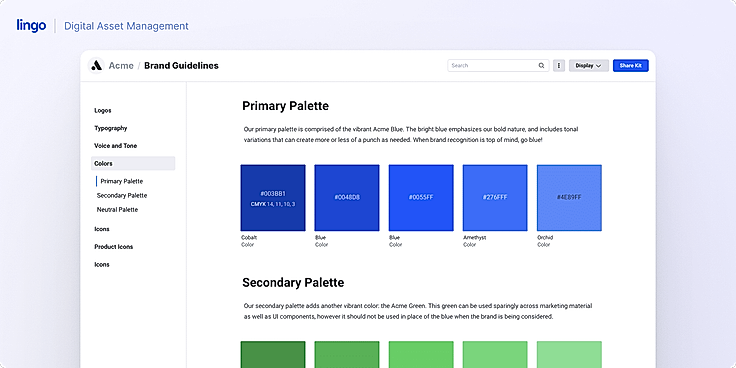
Brand Guidelines
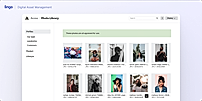
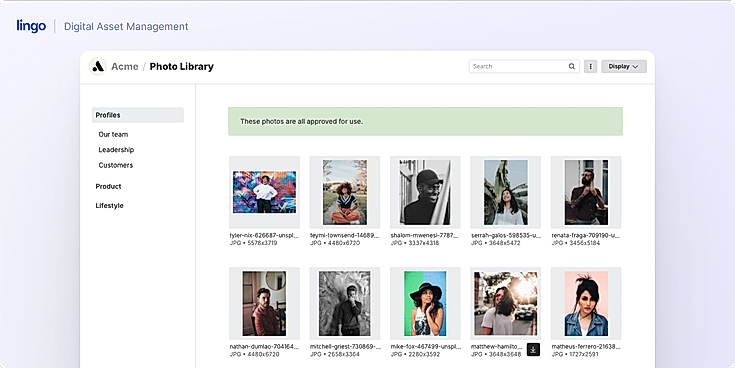
Photo Library
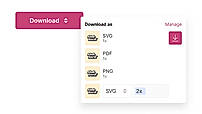
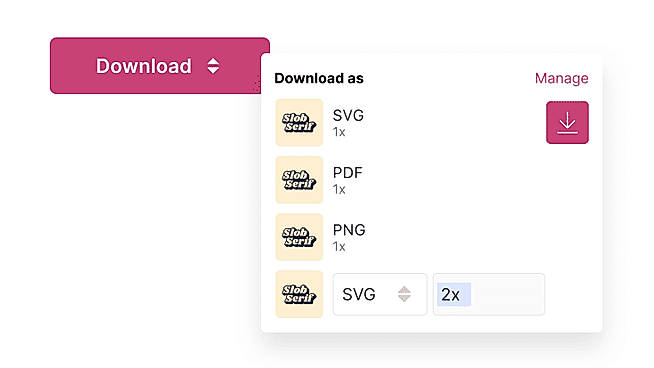
Download

Compliance-First PIM
How is Lingo different from storing brand guidelines in a PDF or Google Drive?
How does Lingo make it easier for teams to find the right assets?
Can I control who has access to specific assets?
How is Lingo's Digital Brand Hub different from cloud storage like Google Drive or Dropbox?
What is Digital Asset Management?
Digital Asset Management (DAM) is the process of storing, organizing, and distributing digital content from a centralized system. A DAM platform acts as a single source of truth for all types of digital assets, such as images, videos, logos, documents, design files, and marketing materials.
Instead of scattered folders or emails, DAM software provides structured storage with metadata and tags, making files easy to search and retrieve. It also includes version control, permissions, and workflows so that teams can collaborate securely, reuse approved assets, and maintain brand consistency. In short, DAM ensures that the right people can find, use, and share the right content at the right time.
What is the best digital asset management software?
If you want one strong pick, Bynder often ranks at the top in user reviews and vendor comparisons. It combines usability, integration capabilities, and powerful asset control. Other excellent options depend on your needs, like scale, integrations, media types, and user base.
Vendor Details
Los Angeles, CA Founded : 2016Contact Details
Not available
https://www.lingoapp.com/
Social Media Handles



This research is curated from diverse authoritative sources; feel free to share your feedback at [email protected]

Looking for the right SaaS
We can help you choose the best SaaS for your specific requirements. Our in-house experts will assist you with their hand-picked recommendations.

Want more customers?
Our experts will research about your product and list it on SaaSworthy for FREE.