MEET CLARA - THE AI BEHIND SMARTER SOFTWARE CHOICES


84% SW Score The SW Score ranks the products within a particular category on a variety of parameters, to provide a definite ranking system. Read more

83% SW Score The SW Score ranks the products within a particular category on a variety of parameters, to provide a definite ranking system. Read more

What is Scenery and how does it work?
Introducing Scenery, the ultimate video editing workspace for professionals. Scenery is the perfect tool for managing, editing, and reviewing assets in one comprehensive platform. With intuitive workflows, this AI-assisted software makes it easy to stay on top of projects without any manual effort. In Scenery, users can organize and edit video footage in a seamless and intuitive manner. The platform features advanced AI capabilities that enable it to automatically identify and classify assets. This means can easily find and access the content need quickly, without having to manually go through each asset. Scenery also allows to collaborate with team members and clients in real-time, giving everyone an overview of each project. This means can take advantage of features like automatic commenting, allowing to communicate with team quickly and efficiently. In short, Scenery is the ideal choice for professionals who need a collaborative video editing workspace for asset management, editing, and review. With its AI-assisted workflows, intuitive organization system, and advanced capabilities, Scenery is the perfect tool to make the editing process efficient and seamless. Get ready to unlock the full potential of video editing with Scenery today!
Read moreSW Score Breakdown
Scenery Pricing
95% SW Score The SW Score ranks the products within a particular category on a variety of parameters, to provide a definite ranking system. Read more
What is WeVideo and how does it work?
WeVideo helps to create stunningly gorgeous professional-grade videos and offers impressive video editing solution. This video editing software comes with screencasting capabilities. It is mobile-friendly and can be run on Android native & iOS native. WeVideo allows you to upload an image/logo of your company or of anything you like, and overlay such graphics onto the video player for spreading brand awareness. Social sharing feature helps in sharing the videos on social media channels for helping the users enjoy better prominence, through wider coverage. WeVideo comes with other important video editing features, like speed adjustment, text overlay, video capture, audio tools etc.
Read moreSW Score Breakdown
97% SW Score The SW Score ranks the products within a particular category on a variety of parameters, to provide a definite ranking system. Read more
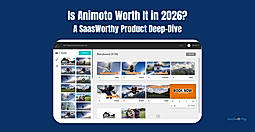
What is Animoto and how does it work?
Animoto is a video maker with a do-it-yourself architecture that can create attractive videos within minutes. The drag and drop UI eliminates all prerequisites of video editing experience. This helps marketers to boost their sales, drive more traffic to their websites, engage with their audiences better, and boost their lead capturing efforts. Creators can add photos and video clips and choose a storyboard template to get started quickly. They can also adjust every element of the videos such as colours, fonts, music, and more. This enables them to personalize the content according to their brand. The drag and drop interface puts photos and videos into pure-built templates. The templates provided are versatile and offer high flexibility to brands in terms of the possible edits. Animoto has even partnered with Getty Images to give users access to over a million stock photos and videos.
Read moreSW Score Breakdown
92% SW Score The SW Score ranks the products within a particular category on a variety of parameters, to provide a definite ranking system. Read more
What is EchoWave and how does it work?
Creating engaging videos online has never been easier with EchoWave.io. This platform allows user to share audio or video files on Facebook, Instagram, and Youtube by converting sound files to video, without downloading and installing any software. With EchoWave, user can repurpose audio to captivate listeners and increase podcast's reach by sharing videos on social media with waveforms. It's just one click away. With EchoWave, user can easily add audio waves and subtitles to videos to make them more attractive to viewers. Maximize social reach and drive engagement with EchoWave and its easy to use features.
Read moreSW Score Breakdown
90% SW Score The SW Score ranks the products within a particular category on a variety of parameters, to provide a definite ranking system. Read more
What is VidOps and how does it work?
VidOps software is a platform used to design videos. Engage your audiences with visual content to optimize creative production.Deliver inclusive projects in minutes. Content Creators, Freelancers, Small, Medium and Large companies make use of the software.
SW Score Breakdown
VidOps Pricing
96% SW Score The SW Score ranks the products within a particular category on a variety of parameters, to provide a definite ranking system. Read more
What is ClipChamp and how does it work?
ClipChamp video editing software helps in designing your own slideshows. Users can upload not just videos, but also photos and music. Users can get access to a host of credible video editing features that can help to produce professional-grade stunning video content. Trim & cut options help to crop off the unnecessary video parts. Split & combine feature helps splitting longer videos into smaller parts, delete the unnecessary ones and then combine the important ones to give the final shape to the video. Adding still photos & audio tracks and adjusting the audio level are very much possible with the help of ClipChamp video editing software. ClipChamp features filter options too.
Read moreSW Score Breakdown
86% SW Score The SW Score ranks the products within a particular category on a variety of parameters, to provide a definite ranking system. Read more

What is Clipify and how does it work?
Clipify is a beginner-friendly video editing software that enables users to create professional-looking videos with transitions, effects, music, text animations, and automatic editing tools. Designed for content creators, marketers, educators, and casual users, it offers an intuitive drag-and-drop interface, AI-powered enhancements, and ready-made templates for fast and creative video production.
Read moreSW Score Breakdown
84% SW Score The SW Score ranks the products within a particular category on a variety of parameters, to provide a definite ranking system. Read more

What is Reevio and how does it work?
Reevio is an incredibly easy to use online video makers for creating logos, marketing, social videos & more in minutes. Become a video powerhouse instantly with these beautifully designed templates. Choose the scenes and combine as many clips as the user want.
SW Score Breakdown
Reevio Pricing
85% SW Score The SW Score ranks the products within a particular category on a variety of parameters, to provide a definite ranking system. Read more

What is Videodeck and how does it work?
Videodeck is an on-demand video production platform that helps individuals turn their written content into videos. The platform features a team of experts who can generate the script based on an article or use one that has been created by individuals. With Videodeck, people can choose a spokesperson, set the tone of voice as well as add branded props. The system basically has control over everything. Furthermore, Videodeck commits to record, edit and ship videos in under two weeks. Inbuilt visual tools help businesses get greater views. The platform also helps in conversions. From adding a video to a landing page, Videodeck can increase conversion by 80%. For social videos, this platform helps users generate 1200% more shares than text. It further allows people to see more video content from brands through identity. Viewers get to retain 95% of a message when they watch it. Videodeck also enables pretension and SEO.
Read moreSW Score Breakdown
Videodeck Pricing
91% SW Score The SW Score ranks the products within a particular category on a variety of parameters, to provide a definite ranking system. Read more
What is Renderforest and how does it work?
Renderforest is an online video production platform and is a free cloud-based presentation software.It is useful for both business as well as personal use.The software comes backed by round the clock live customer support.It is loaded with suitable video editing and video management features. Despite not having any technical skill, you can at ease produce animations, professional intros, music visualizations and slideshows with the help of Renderforest. Create 3D online video for a stunning corporate presentation and also you can benefit from the templates explainer animations or whiteboard videos.Producing promo videos is fun with this software. It has several presentation features.
Read moreSW Score Breakdown
94% SW Score The SW Score ranks the products within a particular category on a variety of parameters, to provide a definite ranking system. Read more
What is Biteable and how does it work?
Biteable helps users create videos in no time, which can be used for multiple purposes like marketing, social media, explainer videos, etc. Users can access over 800,000 real-life stock footage clips and eye-catching video animations. It provides users with an option to create videos from a vast collection of templates. It also allows users to upload their photos and clips, and then add effects and animation to create stunning videos. Business users can create unique logos to give a professional touch to their business. Users can download the videos anywhere that are created quickly and share them wherever their relevant target audience is. Users can access several tools on this platform like video trimmer to chop off the footage, video cropper to create right shape videos for Facebook and Instagram. Biteable lets users remove audio from video and replace it with music. They can choose the music from the royalty-free Biteable library or upload their own. It also allows them to add text to video, merge videos, resize, and even convert images to video.
Read moreSW Score Breakdown
89% SW Score The SW Score ranks the products within a particular category on a variety of parameters, to provide a definite ranking system. Read more
What is ReachOut.AI and how does it work?
Reachout.ai empowers entrepreuners and sales teams to generate 75-100+ sales conversations PER DAY and grow their revenue faster without ads or overhead costs by leveraging the power of personal video and artificial intelligence. Reachout.ai is the fastest way to create and send personalized talking-head videos to customers at scale, automatically
Read moreSW Score Breakdown
ReachOut.AI Pricing
81% SW Score The SW Score ranks the products within a particular category on a variety of parameters, to provide a definite ranking system. Read more
What is Blurbiz and how does it work?
Blurbiz enables the creation of engaging videos and is used by the likes of BuzzFeed, UNILAD, and Viral Thread for social media. Blurbiz uses a simple drag and drop tool for ease of creating videos. The user-friendly interface also makes it convenient to upload elements, PNG, stickers and more on your videos. You also have the choice whether to create a video in square, vertical or landscape formats to correspond with the most suitable pattern for different social media channels such as Facebook, Instagram or Twitter. Blurbiz also allows you to tell stories through videos by supporting text overlay as well as GIFs and images. Blurbiz can also be used to stand-out videos for your Instagram stories, create watermarked videos using your brand logo or text, create slideshows using videos, images or a mix of both, convert a string of images or GIFs into videos, and trim or edit videos. All in all, a one-stop solution for creating impactful, eye-catching, engaging videos for your social media audience.
Read moreSW Score Breakdown
Blurbiz Pricing
81% SW Score The SW Score ranks the products within a particular category on a variety of parameters, to provide a definite ranking system. Read more
What is Gifing and how does it work?
Gifing is a marketing software based on vertical stock GIFs as well as videos. There are many categories to choose GIFs from depending upon the type of business of the user. One can choose GIFs from different categories such as fitness, sports, relationship, beauty, food and drinks, celebration, travel, money, wellness, animal, nature, etc. There are 3 types of stuff available in the software and they are videos, clips and reverse. Users can choose a story or square as shapes and a relevant gender to filter the contents as per the needs. There are a number of GIFs in each category to choose from. Latest productions like yoga, wellness, morning habits, karaoke time, etc have been added. So, one can choose from them as well to come up with stunning designs. These stock GIFs and videos enable users to boost their marketing strategies and reach out to the maximum number of people among the target audience.
Read moreSW Score Breakdown
Gifing Pricing
91% SW Score The SW Score ranks the products within a particular category on a variety of parameters, to provide a definite ranking system. Read more
What is Echo360 and how does it work?
Echo360 is a smart video platform for education. Designed by professionals, it provides students with personalised video-based learning. All is made possible by combining video management with lecture capture and active learning to offer an engaging educational experience. Trusted by over 100 institutions, Echo360 comes out as the future of video capture. With the Universal Capture facility, this platform provides an intuitive and simple interface for all video recordings and streaming needs. Echo360 is also smart enough to detect and correct problems in real-time, preventing lost recordings. By using its Classroom mode, recordings can be fully scheduled as per need. Also, with Echo360’s Universal Capture facility, students can monitor any classroom PC remotely even from a mobile device. Made for instructors, this platform features a personal library that allows users to edit, tag or share any content accordingly. Furthermore, Echo360’s browser-based editor makes it easy to edit videos from anywhere, with no complicated tools required. Other services offered by this platform includes brand customisation, LMS integration, video learning & engagement along analytics.
Read moreSW Score Breakdown
84% SW Score The SW Score ranks the products within a particular category on a variety of parameters, to provide a definite ranking system. Read more

What is HiHaHo and how does it work?
HiHaHo is a video editing software helpd to Upload own video or simply use a video from Youtube, Vimeo or any other available video platform. Add questions, chapters, buttons, links, or any other feature that our video builder offers. Share it the way you like it: using a generic or personalized URL, an embed code, or share it via SCORM or xAPI. Watch on any device.
Read moreSW Score Breakdown
HiHaHo Pricing
83% SW Score The SW Score ranks the products within a particular category on a variety of parameters, to provide a definite ranking system. Read more
What is INITIATE.AI and how does it work?
INITIATE.AI is a web platform that automatically repurposes written content into visual media. These machine learning algorithms will take all of the heavy labor out of generating videos, infographics, and ebooks.
SW Score Breakdown
INITIATE.AI Pricing
82% SW Score The SW Score ranks the products within a particular category on a variety of parameters, to provide a definite ranking system. Read more

What is VOPED and how does it work?
VOPED's turnkey hosted video websites to this embedded video platform and Smart TV and mobile apps. Deliver the best quality video content to any screen, anywhere with VOPED's industry-leading video technology and applications. VOPED's easy-to-use online video management tools allow the user to manage the video content, users, create pricing plans, and ad campaigns.
Read moreSW Score Breakdown
VOPED Pricing
83% SW Score The SW Score ranks the products within a particular category on a variety of parameters, to provide a definite ranking system. Read more
What is Milk Video and how does it work?
Milk Video is an advanced video editing web application that converts webinar recordings into visually appealing video highlights. It offers you the quickest way to edit any existing video recordings or video footage that has a lot of talking or presentations. With Milk Video, you can create shareable highlights in only a few minutes. You can create branded graphics that can be reused with your own colors and fonts. You can send out preview links, get comments, and then start your next film using one of the hundreds of free, professionally created templates available. You can align the whole content distribution process with the feedback gathered and iterative development and empower anybody to create video while maintaining brand control. You can clip, caption, and share prepared video highlights at any size. You can create landing pages using clips quickly and at scale for your sales and outreach teams. You can make a link out of your clips and send it to your team. You can also track view counts and combine analytics with Milk Video solutions.
Read moreSW Score Breakdown
87% SW Score The SW Score ranks the products within a particular category on a variety of parameters, to provide a definite ranking system. Read more
What is Piktostory and how does it work?
Piktostory is a robust software for video editing. It allows video editors and content creators to edit their videos by transcripting the audio. They can automatically generate subtitles and share videos with captions. Through its cam and screen recording features, they can quickly capture their video, screen or both screen and video. The feature of cropping the video to the desired aspect ratio is also there so that videos can be shared on YouTube, Facebook, LinkedIn and other platforms easily. Piktostory allows content creators and video editors to cut videos into short clips, highlight key parts, remove unwanted parts, upload intros and outros and add images and titles. The software helps users to repurpose a single video into a number of content pieces to increase the areas of their usage. Piktostory offers a great way to create videos with unique and recognisable styles. Users can even create personalised videos by adding their logo, editing the background with brand colours and more.
Read moreSW Score Breakdown
Piktostory Pricing
SaaSworthy may receive compensation from some vendors featured on this page. This does not influence our editorial evaluation or ratings. [email protected]

Looking for the right SaaS
We can help you choose the best SaaS for your specific requirements. Our in-house experts will assist you with their hand-picked recommendations.

Want more customers?
Our experts will research about your product and list it on SaaSworthy for FREE.