MEET CLARA - THE AI BEHIND SMARTER SOFTWARE CHOICES
MEET CLARA - THE AI BEHIND SMARTER SOFTWARE CHOICES
MEET CLARA - THE AI BEHIND SMARTER SOFTWARE CHOICES
|
98% SW Score The SW Score ranks the products within a particular category on a variety of parameters, to provide a definite ranking system. Read more 
View Details
|
92% SW Score The SW Score ranks the products within a particular category on a variety of parameters, to provide a definite ranking system. Read more 
View Details
|
93% SW Score The SW Score ranks the products within a particular category on a variety of parameters, to provide a definite ranking system. Read more 
View Details
|
85% SW Score The SW Score ranks the products within a particular category on a variety of parameters, to provide a definite ranking system. Read more 
View Details
|
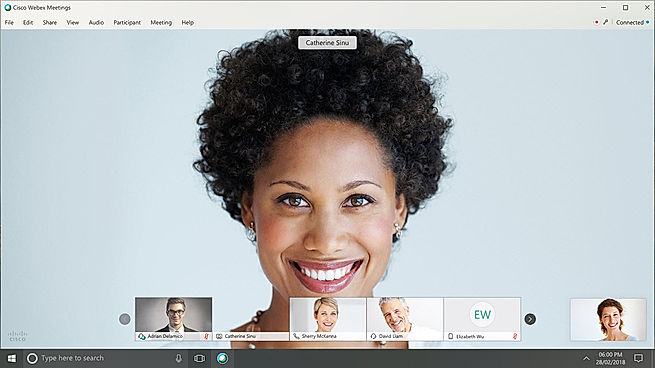
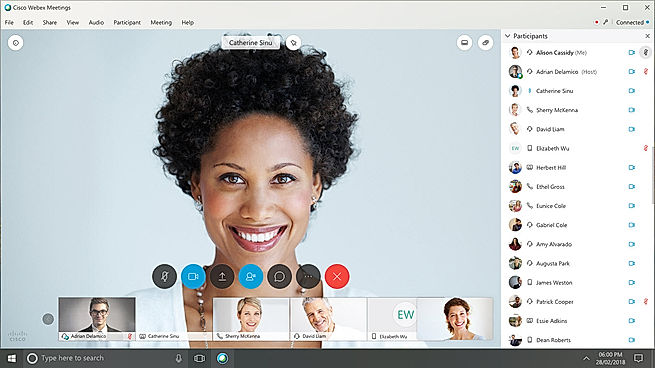
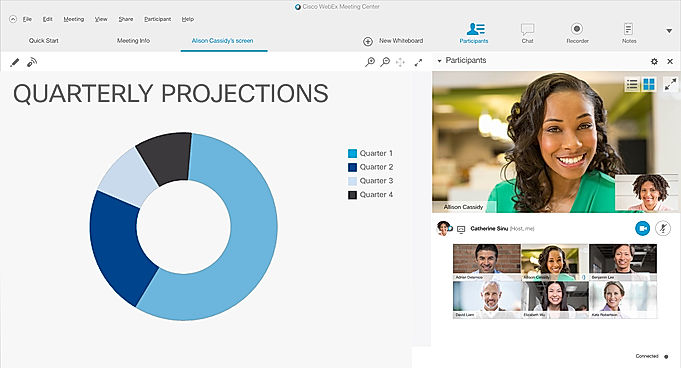
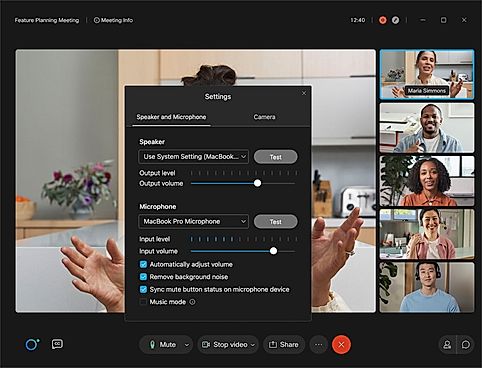
| Description | Zoom comes with a range of cloud video conferencing capabilities, including HD voice and video functionality, dual streams for dual screens, the ability to join as a view-only attendee, as well as by Zoom Rooms and telephone dial-in. It also has accessibility features, which allow employees who have disabilities to schedule, attend, and participate in Zoom meetings and webinars. The group collaboration features allow for simultaneous screen sharing, group messaging, whiteboarding, annotation and co-annotation, iOS mirroring on iPhone or iPad, and the ability to share documents, photos, and videos. Zoom includes unlimited VOIP with toll free options in more than 60 countries available. You can also integrate any third-party teleconferencing service. Zoom lets you create a personal meeting ID and URL name to share with participants when you schedule your meetings. The security features enable you to give role-based control and include SSL encryption plus HTTPS access. Read more | Cisco Webex Meetings is an online meeting and conferencing software. It provides a seamless and simple video conferencing experience to the user. The software allows users to host and join in any conference just by clicking on the link provided to them. The most promising feature of the software is that the users are provided with all the details of the other person when they are meeting for the first time. Users can share the meeting screen, with their other team members so that everyone can get detailed information at the same time. Users can preschedule meetings and even join meetings which are already going on. They can even choose and customise the view mode of the meeting with the multiple layout options provided by the software. It can host up to 100,00 people within a single meeting. With the Cisco Webex Meetings software users can even host webinars with HD video quality for 3000 audiences at a time. Further, the software allows users to host lead or on-demand training with the software. It has a helpful customer care support team. Read more | Microsoft Teams is an intuitive group chat software, offering organised collaboration facilities. A team comprising 2 to 10,000 members can meet, share their thoughts, discuss ideas and get to know each other. Members can share their emotions in the form of emojis, stickers, gifs or one to one personal messages. Teams working on large projects can share relevant documents besides editing related files, they can complete the editing task on Powerpoint, Word or Excel as per their convenience. Screen sharing facility within Microsoft Teams, enables greater collaboration levels, as managers get to channelize their thought processes in an efficient manner. Members can enable the together mode to feel like they are under one roof, as the particular solution generates a shared background for all. Members can co author multiple files, owner of an individual file can enable role based security access and share with others. Microsoft Teams is compatible with top graded security regulations, ensuring total protection. Read more | Jitsi Meet is a modern online-based open-source video conferencing software. It has wide support for HD video and audio with unlimited free meeting access for over 100 participants per session. It has a vast list of features such as – Sending data and conversation messages to all participants in a video session with ease (group as well as private chat). Desktop sharing with controller abilities to select specific applications or windows to be displayed. You can even share your mobile screen directly. Over 500 participants can join the same meeting. Participants get access to monitor connectivity quality and adjust video bandwidth. Mobile SDKs for iOS and Android phones and tablets, as well as web, Mac, and Windows iFrame integrationOne of its most beneficial features is its integration with calendars using which you can sync your smart calendars with Jitsi Meet and view all your meetings in advance. By adding Jitsi Meet to your calendar you can start meeting with one click. Interactive tools such as raising your hand using which participants can quietly indicate that they want to say anything without disturbing the current speaker. Read more |
| Pricing Options |
|
|
|
|
| SW Score & Breakdown |
98% SW Score The SW Score ranks the products within a particular category on a variety of parameters, to provide a definite ranking system. Read more
|
92% SW Score The SW Score ranks the products within a particular category on a variety of parameters, to provide a definite ranking system. Read more
|
93% SW Score The SW Score ranks the products within a particular category on a variety of parameters, to provide a definite ranking system. Read more
|
85% SW Score The SW Score ranks the products within a particular category on a variety of parameters, to provide a definite ranking system. Read more
|
| SaaSworthy Awards | # 1 Most Worthy # 1 Most Popular | # 2 Most Worthy # 7 Most Popular | # 3 Fastest Growing # 8 Most Popular |
Not Available
|
| Organization Types Supported |
|
|
|
|
| Platforms Supported |
|
|
|
|
| Modes of Support |
|
|
|
|
| API Support |
|
|
|
|
| User Rating |
|
|
Not Available
|
|
| Rating Distribution |
|
|
Not Available
|
|
| User Sentiments |
Ease of Use, Breakout Rooms, Video Quality, Connectivity Customer Support, Audio Issues, Random Glitches, Security Concerns |
Ease of Use, High Quality Audio and Video, Screen Sharing Functionality, Extensive Integrations Occasional Audio Issues, Mobile App Performance Issues, High Bandwidth Consumption, Complicated Meeting Scheduling |
Ease of Use, Seamless Video Conferencing, Extensive Integrations, Reliable Chat Functionality Occasional Performance Issues, Complex User Interface, Inconsistent Mobile Experience, Limited File Storage |
Not Available
|
| Review Summary |
Zoom is a popular video conferencing platform trusted by businesses and individuals globally. Users appreciate its ease of use, reliability, and high-quality video and audio. It offers a wide range of features, including screen sharing, breakout rooms, and virtual backgrounds, making it suitable for various communication needs. However, some users have concerns about its potential security vulnerabilities and the occasional technical issues. Overall, Zoom is a dependable video conferencing solution that facilitates effective communication and collaboration among remote teams and individuals. |
Cisco Webex Meetings, a renowned video conferencing software, garners mostly positive feedback from users. Reviewers commend the platform's user-friendly interface, reliable audio and video quality, and wide range of collaboration features. Its integration with other applications, including Microsoft Teams and Google Meet, is also highly valued. Some users express concerns about occasional technical glitches and limitations in the free version. Overall, Cisco Webex Meetings is praised for its ease of use, collaboration capabilities, and dependable performance, making it a preferred choice for businesses seeking a seamless and efficient video conferencing solution. |
Microsoft Teams, a popular collaboration tool, receives mixed reviews from users. Many praise its ease of use, integration with other Microsoft products, and extensive features for communication and collaboration. However, some users express concerns about its complexity, occasional technical issues, and the need for better mobile app optimization. Additionally, some reviewers mention that the platform can be overwhelming for those not familiar with Microsoft's ecosystem. |
Jitsi Meet is praised for its ease of use, free access, and strong security features. Users appreciate its quick setup, clear video and audio quality, and the ability to host large meetings. However, some reviewers note limited advanced features compared to competitors like Zoom or Google Meet, as well as occasional stability and bandwidth issues. Despite these minor drawbacks, Jitsi is deemed a valuable alternative for teams seeking a secure, free, and user-friendly video conferencing solution. |
| Read All User Reviews | Read All User Reviews | Read All User Reviews |
AI-Generated from the text of User Reviews
| Pricing Options |
|
|
|
|
|
Pricing Plans
Monthly Plans
Annual Plans
|
Workplace Basic Free Workplace Pro $13.33 $16.99 per user / month Workplace Business $18.33 $21.99 per user / month Workplace Enterprise Custom |
Free Free Meet Plan $12.00 $14.50 per user / month Enterprise Custom |
Microsoft Teams Free Microsoft 365 Personal $6.99 $6.99 per month Microsoft 365 Family $9.99 $9.99 per month Microsoft Teams Essentials $4.00 $4.00 per user / month Microsoft 365 Business Basic $6.00 $6.00 per user / month Microsoft 365 Business Standard $12.50 $12.50 per user / month |
Jitsi Free |
|
View Detailed Pricing
|
View Detailed Pricing
|
View Detailed Pricing
|
View Detailed Pricing
|
Get personalized recommendations from our experts on call
Trusted by more than 5 Million users across the globe.
Thank you for the enquiry. One of our software analysts will contact you soon.
| Screenshots | Not Available |

+ 4 More
|
Not Available | Not Available |
| Videos |

+ 5 More
|

+ 3 More
|

+ 4 More
|

+ 1 More
|
| Company Details | Located in: San Jose, California Founded in: 2011 | Located in: San Jose, California | Located in: Redmond, Washington |
Not available |
| Contact Details |
+1 888-799-9666 |
+1-888-469-3239 |
Not available https://products.office.com/en-us/microsoft-teams/group-chat-software |
Not available |
| Social Media Handles |
|
|
|
|

Looking for the right SaaS
We can help you choose the best SaaS for your specific requirements. Our in-house experts will assist you with their hand-picked recommendations.

Want more customers?
Our experts will research about your product and list it on SaaSworthy for FREE.