MEET CLARA - THE AI BEHIND SMARTER SOFTWARE CHOICES



Confluence |
74% SW Score The SW Score ranks the products within a particular category on a variety of parameters, to provide a definite ranking system. Read more 
View Details
|
83% SW Score The SW Score ranks the products within a particular category on a variety of parameters, to provide a definite ranking system. Read more 
|
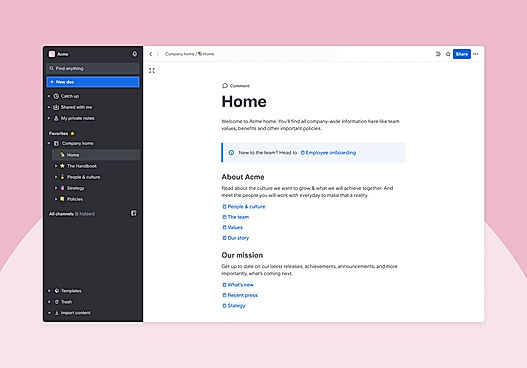
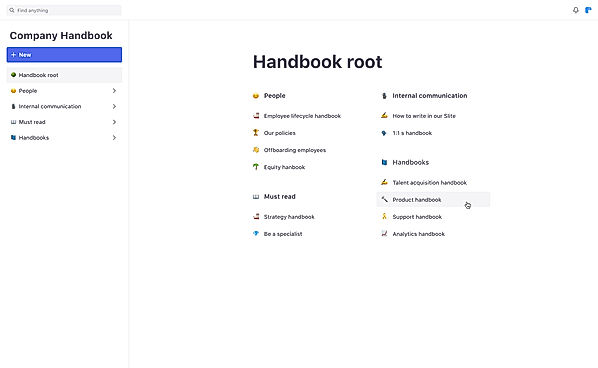
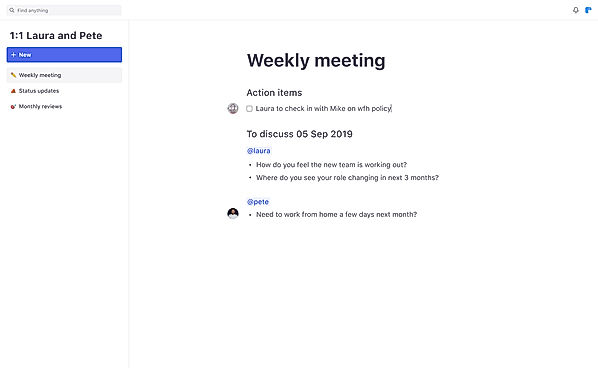
| Description | Tettra is a knowledge management software developed specifically for businesses dealing with the process of content creation and management. Tettra helps to build an internal knowledge base of institutions to answer repetitive questions from teams. It organizes scattered information and makes it available in a single data hub. It delivers an existing or a new answer when questions are asked in slack. Tettra sends notifications when pages are updated, or a new page is created to acquaint other team members. This site is featured so that it can route specific questions to the right expert who can provide the best answer to them. Related subject matter experts of Tettra regularly check the essential pages to keep those updated and accurate. An authorized person from the institution can also notify the site developer about the updates required. Users can create a knowledge base with simple editors provided by Tettra. Additionally, Tettra does not claim credit card details for signing in. Tettra helps to reduce the time for internal information searching up to 35%. Tettra can be customized according to the type of customers and allows users to obtain maximum benefit. Read more | Slite is a collaborative tool for companies to bring their complete team on the same page while working on projects. It helps team members to share ideas with each other with the help of a collaborative editor. The editor has been designed in a way that helps users to focus more on their writing, taking away the hassle of handling text formatting. At the same time, users can add extra bits of information to their text such as checkboxes, note links, images, attachments, embeds, tables and more. Users can structure the information that has been presented by team members. And through the highlight section, they can discover the most prominent information and track all the latest activities. A powerful search algorithm then makes it easy for every team member to find specific information in every note. Read more |
| Pricing Options |
|
|
| SW Score & Breakdown |
74% SW Score The SW Score ranks the products within a particular category on a variety of parameters, to provide a definite ranking system. Read more
|
83% SW Score The SW Score ranks the products within a particular category on a variety of parameters, to provide a definite ranking system. Read more
|
| Total Features |
0 Features
|
5 Features
|
| Common Features for All |
Built-in Templates
Collaboration Tools
Knowledge Database
Rich Text Editor
Version Control
|
Built-in Templates
Collaboration Tools
Knowledge Database
Rich Text Editor
Version Control
|
| Organization Types Supported |
|
|
| Platforms Supported |
|
|
| Modes of Support |
|
|
| API Support |
|
|
| User Sentiments |
Ease of Use, Extensive Integrations, Effective Knowledge Organization, Comprehensive Search Functionality Limited Formatting Options, Lack of Collaborative Features, Occasional Bugs, Limited Customization |
Ease of Use, Intuitive Interface, Excellent Collaboration Features, Effective Organization and Search Limited Formatting Options, Occasional Bugs and Glitches, Mobile App Issues, Limited Offline Access |
| Review Summary |
Overall, Tettara receives positive reviews from users, with an average rating of 4.5 out of 5. Reviewers commend its ease of use, powerful features, and comprehensive reporting capabilities. Tettara is particularly praised for its intuitive interface, which simplifies complex data analysis and reporting tasks. Additionally, users appreciate the platform's ability to integrate with various data sources and its flexibility in accommodating diverse reporting needs. |
Users appreciate Slite's intuitive interface, ease of use, and collaborative features. They find it particularly helpful for teams working on documentation, knowledge sharing, and project management. Reviewers highlight its clean and distraction-free design, which promotes focus and productivity. Additionally, Slite's integration with other tools and its mobile app are noted as valuable features. While some users mention occasional glitches and a limited range of templates, the overall sentiment towards Slite is positive, with many users recommending it for teams seeking an efficient and user-friendly collaboration platform. |
AI-Generated from the text of User Reviews
| Pricing Options |
|
|
|
Pricing Plans
Monthly Plans
Annual Plans
|
Starting Free Scaling $8.33 $10.00 per user / month Enterprise $16.66 $20.00 per user / month |
Standard $8.00 $10.00 per user / month Premium $12.50 $15.00 per user / month Enterprise Custom |
|
View Detailed Pricing
|
View Detailed Pricing
|
Get personalized recommendations from our experts on call
Trusted by more than 5 Million users across the globe.
Thank you for the enquiry. One of our software analysts will contact you soon.
| Screenshots |

+ 5 More
|

+ 6 More
|
| Videos |

+ 1 More
|
+ 2 More
|
| Company Details | Located in: Somerville, Massachusetts | Located in: San Francisco, California Founded in: 2016 |
| Contact Details |
Not available |
Not available |
| Social Media Handles |
|
|

Looking for the right SaaS
We can help you choose the best SaaS for your specific requirements. Our in-house experts will assist you with their hand-picked recommendations.

Want more customers?
Our experts will research about your product and list it on SaaSworthy for FREE.