MEET CLARA - THE AI BEHIND SMARTER SOFTWARE CHOICES


|
92% SW Score The SW Score ranks the products within a particular category on a variety of parameters, to provide a definite ranking system. Read more 
View Details
|
84% SW Score The SW Score ranks the products within a particular category on a variety of parameters, to provide a definite ranking system. Read more 
|
Featured
92% SW Score The SW Score ranks the products within a particular category on a variety of parameters, to provide a definite ranking system. Read more 
Zoho Workplace |
Featured
98% SW Score The SW Score ranks the products within a particular category on a variety of parameters, to provide a definite ranking system. Read more 
Google Workspace |
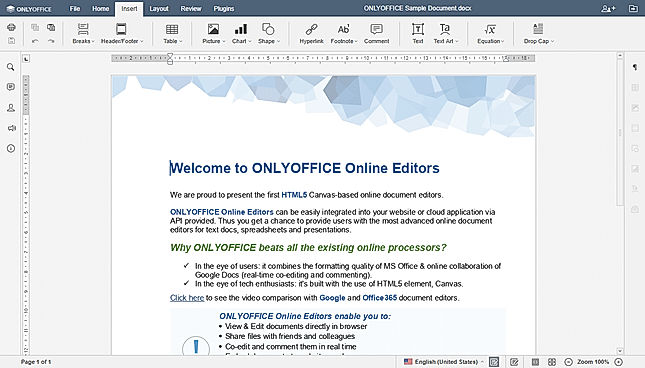
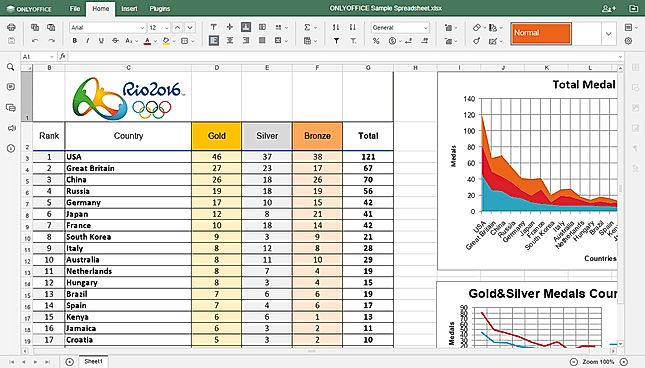
| Description | OnlyOffice is a game changer solution for document management that is ideal for all types of enterprises, ranging from small to medium to large. OnlyOffice provides an entire productivity suite with document management, emailing, CRM integration, calendar management, and corporate networks. OnlyOffice aims at eliminating the need to switch back and forth multiple times between multiple applications to undertake various tasks. With OnlyOffice, users get a complete productivity platform to run and manage their complete business, including management of documents, sharing files among groups, sending mails, and talks. It is a viable substitute to big cloud corporations like Microsoft and Google. Developed by Ascensio System SIA, it is a free software office suite. It offers smart features like file management, online document editors, corporate communication, platform for document, emailing, and project management tools. OnlyOffice assists the users in project management, CRM, document management, calendar, emailing, and corporate networking. The best thing about OnlyOffice is you can freely use it as an Open Source software, both on intranet based servers and on the internet. And whenever any user faces any difficulties in using OnlyOffice installation or while using, 24*7 support is available. Read more | WPS Office productivity applications for the consumer and enterprise markets. WPS Office, a leading company in the desktop and mobile office solutions market, with more than one billion users worldwide, provides a highly compatible Microsoft Office® alternative, productive, accessible and transparent. You can directly adjust the effect of wordarts on the preview page as professional graphics software does. Everything is for you to compile and create a better document. Read more | Zoho Workplace is an integrated ecosystem of productivity applications meticulously designed to empower businesses by enhancing employee productivity and fostering effective teamwork. It offers a comprehensive suite that includes a range of tools such as email, calendar, contacts, tasks, notes, chat, and an online office suite, all seamlessly interconnected to provide a unified experience. This powerful collaboration software also features a robust file storage platform that simplifies sharing and managing documents, ensuring that teams can work together efficiently without hitches. In addition to these core applications, Zoho Workplace offers advanced security features to protect sensitive information and maintain data integrity, which is crucial for businesses of all sizes. The platform's customization options allow organizations to tailor the interface and functionality to meet specific needs, ensuring that it aligns perfectly with company workflows and operational goals. By streamlining communication and workflow processes, Zoho Workplace enables professionals to stay organized and focused on their core tasks, reducing time spent on administrative duties. Read more | Google Workspace is an intuitive platform that helps teams of all sizes to connect and collaborate with each other and improve their efficiency levels in real-time. It provides an innovative and flexible solution that helps businesses to achieve more. With the help of shared calendars, users can see who is available and when so they can fix meetings without clashing anybody’s timings. It also allows them to start video conferencing with just a single click through their laptop, tab or mobile. With Google Workspace, team members can collaborate with each other and share documents, slides and spreadsheets with or without the internet. They can work in a single document, see edits, communicate through in-built chat and tag each other in comments and ask questions. Google Workspace also allows users to upload their data on the cloud to keep it safe and easily available to team members through a shared link. To assure comprehensive security the software offers advanced privacy algorithms like single-sign-on and 2-step verification. Read more |
| Pricing Options |
|
|
|
|
| SW Score & Breakdown |
92% SW Score The SW Score ranks the products within a particular category on a variety of parameters, to provide a definite ranking system. Read more
|
84% SW Score The SW Score ranks the products within a particular category on a variety of parameters, to provide a definite ranking system. Read more
|
92% SW Score The SW Score ranks the products within a particular category on a variety of parameters, to provide a definite ranking system. Read more
|
98% SW Score The SW Score ranks the products within a particular category on a variety of parameters, to provide a definite ranking system. Read more
|
| SaaSworthy Awards |
Not Available
|
Not Available
|
Not Available
|
# 3 Fastest Growing # 4 Most Popular |
| Organization Types Supported |
|
|
|
|
| Platforms Supported |
|
|
|
|
| Modes of Support |
|
|
|
|
| API Support |
|
|
|
|
| User Rating |
|
|
|
|
| Rating Distribution |
|
|
|
|
| User Sentiments |
User-friendly Interface, Collaboration Features, Wide File Format Support, Cross-Platform Compatibility Limited Mobile Functionality, Occasional Performance Issues, Lack of Advanced Features, Document Conversion Inaccuracies |
Not Available
|
Not Available
|
Not Available
|
| Review Summary |
OnlyOffice is a popular online office suite praised for its user-friendly interface, compatibility with MS Office formats, and collaborative editing features. Users appreciate its ability to create and edit documents, spreadsheets, and presentations across various platforms, including web browsers, desktop applications, and mobile devices. While some users find its functionality limited compared to other office suites, particularly in advanced spreadsheet features, OnlyOffice is a solid alternative for teams seeking cost-effective and accessible collaboration tools. |
User reviews of WPS Office are mixed, highlighting its strengths as a free, multi-functional office suite compatible with multiple operating systems and file formats. Users praise its ease of use, especially for basic document creation, editing, and PDF handling. However, several users report significant concerns regarding customer support responsiveness, with complaints of long wait times for replies and unresolved issues. The free version also draws criticism for frequent ads and limited features, prompting many users to recommend purchasing the premium version. Overall, WPS Office presents a compelling alternative to Microsoft Office for budget-conscious users, but its effectiveness is contingent on a user's tolerance for ads and the company's ability to address customer support issues. |
Not Available
|
Not Available
|
| Pros & Cons |
Not Available
|
Not Available
|
Not Available
|
Not Available
|
| Read All User Reviews | Read All User Reviews | Read All User Reviews | Read All User Reviews |
AI-Generated from the text of User Reviews
| Pricing Options |
|
|
|
|
|
Pricing Plans
Monthly Plans
Annual Plans
|
Start (Enterprise Edition) $1,200.00 $1,200.00 per One Server Standard (Enterprise Edition) $2,400.00 $2,400.00 per One Server Standard Plus (Enterprise Edition) $4,800.00 $4,800.00 Per One Server Single Server (Integration Edition) $1,100.00 $1,100.00 per One Server Home Server (Integration Edition) $99.00 $99.00 one-time payment Cluster (Integration Edition) Custom Development Server (Developer Edition) $1,500.00 $1,500.00 per One Server Single Server (Developer Edition) $6,000.00 $6,000.00 per One Server Cluster (Developer Edition) Custom Cloud Service $75.00 $75.00 per month |
WPS Standard Free WPS Pro $2.99 $2.99 per month WPS Pro + WPS AI $10.83 $21.99 per month WPS AI $9.99 $19.99 per month WPS Pro for Teams $2.49 $3.99 per user / month |
Standard $3.00 $4.00 per user / month Professional $6.00 $7.00 per user / month Mail Only Plan $1.00 $1.00 per user / month |
Starter $7.00 $8.40 per user / month Standard $14.00 $16.80 per user / month Plus $22.00 $26.40 per user / month Enterprise Plus Custom |
|
View Detailed Pricing
|
View Detailed Pricing
|
View Detailed Pricing
|
View Detailed Pricing
|
Get personalized recommendations from our experts on call
Trusted by more than 5 Million users across the globe.
Thank you for the enquiry. One of our software analysts will contact you soon.
| Screenshots |
+ 4 More
|

+ 1 More
|

+ 6 More
|
Not Available |
| Videos |

+ 2 More
|

+ 2 More
|

+ 2 More
|

+ 2 More
|
| Company Details | Located in: Dallas, Texas | Located in: Singapore | Located in: Pleasanton, California - 94588 | Located in: Mountain View, California |
| Contact Details |
+1 972-301-8440 https://www.onlyoffice.com/ |
Not available https://www.wps.com/ |
+1 877-834-4428 https://www.zoho.com/workplace/ |
Not available https://workspace.google.com/ |
| Social Media Handles |
|
|
|
|
What are the key differences between OnlyOffice and WPS Office?
What are the alternatives to OnlyOffice?
Which SaaS products can OnlyOffice integrate with?
What are the key features of WPS Office?
What are the advantages of using OnlyOffice?

Looking for the right SaaS
We can help you choose the best SaaS for your specific requirements. Our in-house experts will assist you with their hand-picked recommendations.

Want more customers?
Our experts will research about your product and list it on SaaSworthy for FREE.