MEET CLARA - THE AI BEHIND SMARTER SOFTWARE CHOICES
|
93% SW Score The SW Score ranks the products within a particular category on a variety of parameters, to provide a definite ranking system. Read more 
View Details
|
90% SW Score The SW Score ranks the products within a particular category on a variety of parameters, to provide a definite ranking system. Read more 
View Details
|
98% SW Score The SW Score ranks the products within a particular category on a variety of parameters, to provide a definite ranking system. Read more 
View Details
|
92% SW Score The SW Score ranks the products within a particular category on a variety of parameters, to provide a definite ranking system. Read more 
View Details
|
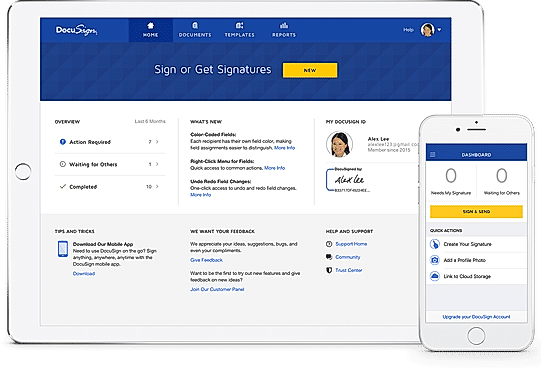
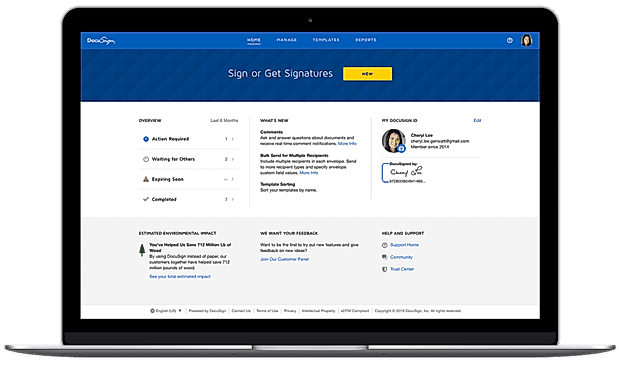
| Description | eversign is a revolutionary application that is designed to change the very prosaic way of verifying and attesting any and all legally binding documents by introducing digital signatures across platforms. With this software, one can securely approve, sign and deliver all the necessary documents online. This application lets businesses go truly paperless by taking care of sensitive data like business contracts and agreements on the cloud, by introducing the most secured and well-monitored e-signature platform, ever created. The flexibility of this platform makes sure that both big and small businesses are compatible with it from the very core of their operations. eversign is not only helping the businesses but it is also helping the earth in its conquest to reduce carbon footprints, by syncing the documents of several businesses which are under the same enterprise, eversign is playing a key role in decluttering the global conglomerates and saving a lot of precious trees in the process as well. Read more | Adobe Sign is a platform that enables its users to sign and track documents electronically to help the business of the user to grow. The software makes it easier to prepare and send documents for signature as e-signing is more accessible and convenient for users, their customers, and teammates. It enables the user to speed up the process by allowing people to fill and e-sign documents right on the website of the user. Users can transform their existing Microsoft Word or PDF documents and files into web forms, which accumulate trusted and legal e-signatures from anyone, anywhere. Adobe Sign makes it easier for users to collect payments from customers as they fill and sign form through the built-in integration with PayPal. The software allows the users to send one document to several people using the mega sign tool provided by the software. Each of the recipients will get their own version to sign, and the user can track their progress and set reminders accordingly. Read more | DocuSign enables its users to sign and manage documents and agreements electronically. The software handles the most demanding customer requirements by delivering an experience simple enough for people to adopt. It enables users to always track and monitor the status of the agreement in the signing process while also setting automatic reminders and receiving notifications at every step. Users can collect the details they need by adding standard fields to their agreement like a signature or date, or they can also create and save custom fields. DocuSign enables its users to save time by standardizing their processes while storing their frequently used agreements, together with recipient routing, custom fields, and other settings. The software allows its users to integrate and connect eSignature with the systems and tools already used by them. DocuSign meets some of the most strict EU, US, and global security standards, and uses the most robust data encryption technologies available. Read more | Foxit Esign is an innovative virtual platform for collecting and documenting signatures. Gathering signatures through Foxit eSign is as convenient as using the platform for authorising documents. This is done with intuitive document-based templates, bulk options and white labels, HIPAA and SOC2 compliant protocols along with developer-friendly API integration facilities. The platform is available in over 60 different countries and can be used with a variation of 12 different languages. Foxit eSign’s effective electronic signatures allow clients to close deals with hundred per cent security and convenience. This cuts down on unnecessary chaos and expenses that would have otherwise been incurred with paper documents, bulk mailing, faxing, scanning or installing other pieces of software. Further, the user interface of this platform is specially designed with simple features and options for non-developers to find themselves comfortable with significant operational tasks. Read more |
| Pricing Options |
|
|
|
|
| SW Score & Breakdown |
93% SW Score The SW Score ranks the products within a particular category on a variety of parameters, to provide a definite ranking system. Read more
|
90% SW Score The SW Score ranks the products within a particular category on a variety of parameters, to provide a definite ranking system. Read more
|
98% SW Score The SW Score ranks the products within a particular category on a variety of parameters, to provide a definite ranking system. Read more
|
92% SW Score The SW Score ranks the products within a particular category on a variety of parameters, to provide a definite ranking system. Read more
|
| SaaSworthy Awards | # 6 Highly Rated # 10 Fastest Growing | # 8 Highly Rated | # 1 Most Worthy # 3 Highly Rated | # 5 Highly Rated # 7 Fastest Growing |
| Total Features |
13 Features
|
13 Features
|
13 Features
|
13 Features
|
| Common Features for All |
Access Control
Bank Level Security
Customizable Branding
Document Analytics
Document Audit Trail
Document Expiry
Multi-factor Authentication (MFA)
Multi-user Signing
Progress Tracking
Regulatory Compliance
Reminders
Sequential Signing
Timestamp
|
Access Control
Bank Level Security
Customizable Branding
Document Analytics
Document Audit Trail
Document Expiry
Multi-factor Authentication (MFA)
Multi-user Signing
Progress Tracking
Regulatory Compliance
Reminders
Sequential Signing
Timestamp
|
Access Control
Bank Level Security
Customizable Branding
Document Analytics
Document Audit Trail
Document Expiry
Multi-factor Authentication (MFA)
Multi-user Signing
Progress Tracking
Regulatory Compliance
Reminders
Sequential Signing
Timestamp
|
Access Control
Bank Level Security
Customizable Branding
Document Analytics
Document Audit Trail
Document Expiry
Multi-factor Authentication (MFA)
Multi-user Signing
Progress Tracking
Regulatory Compliance
Reminders
Sequential Signing
Timestamp
|
| Organization Types Supported |
|
|
|
|
| Platforms Supported |
|
|
|
|
| Modes of Support |
|
|
|
|
| API Support |
|
|
|
|
| User Rating |
|
|
|
|
| Rating Distribution |
|
|
|
|
| User Sentiments |
Ease of Use, Fast Document Signing, Intuitive Interface, Template Functionality Lack of Mobile App, Limited Free Plan Features, Document Formatting Issues, Non-Intuitive Features for First Time Users |
Ease of use, Electronic signature capabilities, Seamless integration with other Adobe products, Fast document turnaround Mobile app functionality, Login issues, Document management limitations, Lack of Onedrive Integration |
Ease of Use, Convenience, Speed, Extensive Integrations Confusing Interface, Unreliable Customer Support, Inconsistent Mobile Functionality, Unexpected Price Increases |
Ease of Use, Affordable Pricing, Excellent Customer Support, Secure and Legally Binding Occasional Slow Loading Times, Limited Template Editing, Lack of Mobile Application, Occasional Issues with Email Notifications |
| Review Summary |
Overall, Eversign receives positive feedback from users. Reviewers appreciate its intuitive interface, user-friendly design, and ease of use. They also commend its robust features, including electronic signatures, document tracking, and collaboration tools. However, some users express concerns about occasional technical glitches and limited customization options. Additionally, there are a few complaints about customer support responsiveness and the pricing structure. Nevertheless, many users find Eversign to be a reliable and efficient tool for electronic signatures and document management. |
Users appreciate Adobe Sign's user-friendly interface, smooth document preparation and sending process, secure electronic signatures, and seamless integration with other Adobe products. The mobile app is also praised for its convenience. However, some users have reported occasional glitches and technical issues, and a few have expressed concerns about pricing. Overall, Adobe Sign is a reliable and efficient e-signature solution that simplifies the signing process and enhances productivity. |
Overall, DocuSign is highly praised for its user-friendly interface and ease of use, enabling seamless electronic signature processes. Customers appreciate its secure and legally binding agreements, as well as its integration capabilities with various platforms and applications. The ability to track document status and receive real-time notifications is also seen as advantageous. However, some users have expressed concerns regarding occasional technical glitches, limited customization options, and the pricing structure, suggesting room for improvement in these areas. |
Overall, eSign Genie is a user-friendly and reliable electronic signature solution that simplifies the process of signing and sending documents for businesses of all sizes. It is praised for its intuitive interface, extensive features, and excellent customer support. Users appreciate the ease of use, the range of integrations, and the ability to track document progress. While some users have reported occasional technical glitches and limitations in customization, the majority of reviewers find eSign Genie to be a valuable tool for managing electronic signatures and streamlining workflows. |
| Read All User Reviews | Read All User Reviews | Read All User Reviews | Read All User Reviews |
AI-Generated from the text of User Reviews
| Pricing Options |
|
|
|
|
|
Pricing Plans
Monthly Plans
Annual Plans
|
Free Free Basic $7.99 $9.99 per month Professional $31.99 $39.99 per month Professional plus $63.99 $79.99 per month Enterprise Custom |
Acrobat PDF Pack with e-sign (Single User) Others Acrobat Pro DC with e-sign (Single User) Others Sign Small Business (1+ user) Others Sign Business & Enterprise (1+ user) Custom |
Personal (eSignature) $10.00 $15.00 per month Standard (eSignature) $25.00 $45.00 per user / month Business Pro (eSignature) $40.00 $65.00 per user / month Enhanced plans (eSignature) Custom |
Professional $8.00 $10.00 per user / month Business Premium $25.00 $35.00 per user / month Enterprise Custom |
|
View Detailed Pricing
|
View Detailed Pricing
|
View Detailed Pricing
|
View Detailed Pricing
|
Get personalized recommendations from our experts on call
Trusted by more than 5 Million users across the globe.
Thank you for the enquiry. One of our software analysts will contact you soon.
| Screenshots |

+ 3 More
|
Not Available |
+ 3 More
|

+ 4 More
|
| Videos | Not Available |

+ 2 More
|

+ 3 More
|
+ 1 More
|
| Company Details | Located in: Wien, Austria Founded in: 2015 | Located in: San Jose, CA | Located in: San Francisco, CA Founded in: 2003 | Located in: Cupertino, California Founded in: 2014 |
| Contact Details |
Not available |
855-959-0100 |
1-877-720-2040 |
+1 866-293-2157 |
| Social Media Handles |
|
|
|
|

Looking for the right SaaS
We can help you choose the best SaaS for your specific requirements. Our in-house experts will assist you with their hand-picked recommendations.

Want more customers?
Our experts will research about your product and list it on SaaSworthy for FREE.