
 MEET CLARA - THE AI BEHIND SMARTER SOFTWARE CHOICES



This profile is currently managed by the official vendor through the SaaSworthy Vendor Portal. Product details, features, pricing, and media assets are maintained directly by the company.

 Deep Dive with Clara AI
Krock.io is a video review and creative project management platform for video production companies, agencies, and in-house creative teams. It brings the team and clients together in one workspace at every stage of production, from storyboard to final approval. Upload videos, images, and documents, then collect time-coded comments and draw annotations directly on the content. Every version keeps its feedback history. Build custom pipelines, assign people to tasks, set deadlines, and track progress on visual boards. Store project assets and control what team members and clients can see. - Leave time-coded comments and annotations on videos and images - Share any media with your team and unlimited reviewers - Build custom pipelines and track tasks on visual boards - Create storyboards with AI and turn them into animatics - Connect with Premiere Pro, Final Cut Pro, and DaVinci Resolve
Read more


Pricing
SW Score Breakdown
Platforms Supported
Organization Types Supported
API Support
Modes of Support
Proof Comparison
Compare two different versions of content side by sideDue Date Tracking
To manage and keep track of the delivery dateCustom Roles
Defines user roles and permissions to access the contentProofing
Large file Support
Easily upload and share large media files with easeIndexing and Search
Enhances query performance by efficiently indexing nodes and relationships.Cross-Platform Access
Available on web, desktop, and mobile platforms.Real-time Collaboration
Helps more than one person to work on the same file simultaneouslyOffline Editing
Helps to make changes and to edit the presentation content or data in an offline modeFree Trial
Available
No Credit Card Required, Get Started for Free
Pro $110.00 $10.00 per user / month
Pro is for video production teams, agencies, and in-house creative teams running regular review cycles with clients. $10 per user per month, minimum 2 users. Pay only for team seats: reviewers are unlimited. Includes unlimited projects and workspaces, 2 TB of storage with add-ons available (1 TB for $10/month), 4K playback, and custom branding. Annual billing gets one month free.
Enterprise $400.00 $400.00 per month
Screenshots of Vendor Pricing Page

Disclaimer: The pricing details were last updated on 18/06/2021 from the vendor website and may be different from actual. Please confirm with the vendor website before purchasing.
Learn more about KROCK.IO Pricing
82% SW Score The SW Score ranks the products within a particular category on a variety of parameters, to provide a definite ranking system. Read more
80% SW Score The SW Score ranks the products within a particular category on a variety of parameters, to provide a definite ranking system. Read more

76% SW Score The SW Score ranks the products within a particular category on a variety of parameters, to provide a definite ranking system. Read more

91% SW Score The SW Score ranks the products within a particular category on a variety of parameters, to provide a definite ranking system. Read more

91% SW Score The SW Score ranks the products within a particular category on a variety of parameters, to provide a definite ranking system. Read more
85% SW Score The SW Score ranks the products within a particular category on a variety of parameters, to provide a definite ranking system. Read more

91% SW Score The SW Score ranks the products within a particular category on a variety of parameters, to provide a definite ranking system. Read more

91% SW Score The SW Score ranks the products within a particular category on a variety of parameters, to provide a definite ranking system. Read more

75% SW Score The SW Score ranks the products within a particular category on a variety of parameters, to provide a definite ranking system. Read more

92% SW Score The SW Score ranks the products within a particular category on a variety of parameters, to provide a definite ranking system. Read more

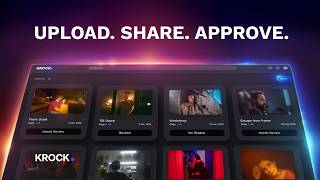
Upload. Share. Ap...

Audio and Video a...

Project view

Project list view

Video comments

Project Stage
What is KROCK.IO used for?
Krock.io is used for video review, content approval, and creative project management. Video production companies, agencies, eLearning companies, and marketing teams use Krock.io to share videos, images, and PDFs with clients, collect time-coded comments and on-screen annotations, manage versions, plan projects with pipelines and Gantt charts, and create storyboards and animatics — all in one workspace.
How much does KROCK.IO cost?
Krock.io has three plans. The Free plan costs $0 for 1 user. The Pro plan costs $10 per user per month with a minimum of 2 users and includes 2 TB of storage, unlimited projects, 4K playback, and custom branding. The Enterprise plan starts at $400 per month with 100 users included. Annual billing gives one month free.
Does KROCK.IO offer a free plan?
Yes, Krock.io offers a free plan. The Krock.io Free plan includes 1 user, unlimited reviewers, 1 workspace, 2 projects, 2 GB of storage, 50 AI tokens, media review, and the storyboard tool. It is a good way for freelancers and small teams to try video review and storyboarding before upgrading to Pro.
What are the top alternatives for KROCK.IO?
Popular alternatives to Krock.io include Frame.io, Filestage, Ziflow, Wipster, and StudioBinder. Krock.io differs by combining video review and creative project management in one platform: time-coded feedback, versioning, pipelines, Gantt charts, and AI storyboards, with unlimited reviewers on every plan and plugins for Premiere Pro, After Effects, Final Cut Pro, and DaVinci Resolve Studio.
Does KROCK.IO provide API?
Krock.io provides webhooks that send real-time notifications to other applications when important events happen in your projects. Krock.io also integrates with Slack, Google Drive, Zoom, Google Meet, Jitsi, and Apple, Google, and Outlook calendars, plus plugins for Adobe Premiere Pro, After Effects, Final Cut Pro, and DaVinci Resolve Studio. Contact the Krock.io team for custom integration needs.
Is Krock.io a good alternative to Frame.io?
Who is Krock.io best for?
Can clients review videos in Krock.io without paying for a seat?
How does video review work in Krock.io?
Does Krock.io integrate with Premiere Pro, Final Cut Pro, and DaVinci Resolve?
Is my content used to train AI models in Krock.io?
Is Krock.io secure?
Can Krock.io be used for eLearning video production?
Does Krock.io have project management features?
What file types can I review in Krock.io?
Can Krock.io be used for marketing and social media video approvals?
Does Krock.io integrate with Slack and calendars?
How is Krock.io different from generic project management tools like Asana or Trello?
Does Krock.io support 4K video playback?
Does Krock.io support watermarks and white labeling?
Vendor Details
Tallinn, Estonia Founded : 2020Contact Details
+14089155470
https://krock.io/
Social Media Handles


SaaSworthy may receive compensation from some vendors featured on this page. This does not influence our editorial evaluation or ratings. [email protected]

Looking for the right SaaS
We can help you choose the best SaaS for your specific requirements. Our in-house experts will assist you with their hand-picked recommendations.

Want more customers?
Our experts will research about your product and list it on SaaSworthy for FREE.


