
 MEET CLARA - THE AI BEHIND SMARTER SOFTWARE CHOICES


78% SW Score The SW Score ranks the products within a particular category on a variety of parameters, to provide a definite ranking system. Read more
All-in-one PostgreSQL IDE with AI
This profile is currently managed by the official vendor through the SaaSworthy Vendor Portal. Product details, features, pricing, and media assets are maintained directly by the company.

 Deep Dive with Clara AI
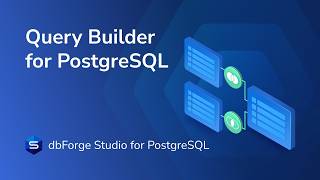
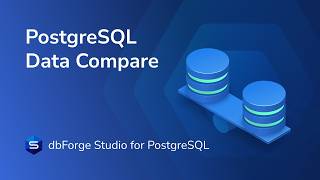
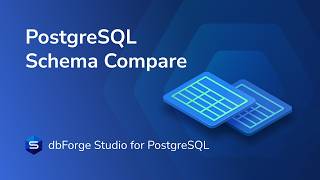
dbForge Studio for PostgreSQL is a GUI tool for PostgreSQL database development, design, and management. The IDE helps you write, debug, and run queries, design database objects visually, and work with data in a convenient, user-friendly interface. With the integrated dbForge AI Assistant, you can generate, fix, and optimize SQL queries, choose an AI model, attach files, and set your own instructions. Context-aware code completion, Parameter Info, Quick Info, and code refactoring help you write code faster and with fewer errors. Query Builder lets you design queries of any complexity on visual diagrams without writing code. In visual object editors, you can create and manage databases, schemas, tables, functions, procedures, and event triggers, and Table Editor shows a SQL preview of every change. The Debugger takes you through stored functions and procedures step by step to find and fix errors faster. Database Explorer lets you navigate the object tree to find any PostgreSQL object, retrieve its data, or view its properties. In Data Editor, you can edit table data and adjust the grid, including column width and paginal or auto-search mode. Data export and import move data in 10+ popular formats with advanced options and reusable templates. Query Profiler helps you find the slowest queries, analyze them, and compare results before and after optimization. Data Compare and Schema Compare let you compare and synchronize PostgreSQL data and schemas and sync tables between PostgreSQL and Amazon Redshift. Data Generator creates large volumes of realistic test data with a real-time preview, and the visual Pivot Table Designer with advanced filtering and charts helps you group, summarize, and analyze data.
Read more


Pricing
SW Score Breakdown
Platforms Supported
Organization Types Supported
API Support
Modes of Support
Relational Interface
Helps to share or to exchange information between a computer or relational database softwareQueries
Helps to make an inquiry to extract specific data from the database in a format readable for the userPerformance Analysis
Helps to analyze the performance of business and database management using some metricsData Search
Assists in searching the required piece of information or data easily, systematically, and timelyData Migration
Facilitates transferring or shifting data between computer storage types and or file formatsCreation (Development)
Helps to create and adding to the database and developing it automatically and orderlyVirtualization
Helps to create an online database or virtual version of your databaseMonitoring
Helps to monitor the database content and data accessibility in an automated and orderly mannerDatabase Conversion
Helps to craft new relational database structure for offering similar traversal and functionalities as precedingData Replication
Helps to make the data more accessible by storing it in multiple sitesData Capture
Helps in gathering and extracting data from documents and transforming them into computer-readable formData Migration
Facilitates transferring or shifting data between computer storage types and or file formatsData Analysis
Helps in analyzing stored raw data and converting them into useful reportsMatch & Merge
Helps matching data across multiple sources and to merge them for offering a better view to the data managersMaster Data Management
Enables an organization to manage and integrate all of its critical corporate to a centralized point of referenceInformation Governance
Allows adopting a holistic approach to govern or manage the corporate dataData Quality Control
Helps in monitoring the quality of data input and processedCustomer Data
Helps in recording, accessing and managing customer informationData Security
Ensures secure storage of data by encryptionData Integration
Helps in collecting and combining data from multiple data sources and offer them in a unified manner to the userReporting & Comparison Analysis
Integration with Database/Dev Tools
Automation & Scheduled Comparisons
Conflict Resolution & Merge Tools
Automated Sync & Migration Scripts
Visual Diff & Side-by-Side Comparison
Cross-Database Comparison Support
Data Comparison & Synchronization
Schema Comparison & Differencing
Change Detection & Version Tracking
Free Trial
Available
No Credit Card Required, Get Started for Free
Express Free
Standard Subscription $89.95 $89.95 per year
Professional Subscription $139.95 $139.95 per year
98% SW Score The SW Score ranks the products within a particular category on a variety of parameters, to provide a definite ranking system. Read more
96% SW Score The SW Score ranks the products within a particular category on a variety of parameters, to provide a definite ranking system. Read more

96% SW Score The SW Score ranks the products within a particular category on a variety of parameters, to provide a definite ranking system. Read more

94% SW Score The SW Score ranks the products within a particular category on a variety of parameters, to provide a definite ranking system. Read more
94% SW Score The SW Score ranks the products within a particular category on a variety of parameters, to provide a definite ranking system. Read more

93% SW Score The SW Score ranks the products within a particular category on a variety of parameters, to provide a definite ranking system. Read more

93% SW Score The SW Score ranks the products within a particular category on a variety of parameters, to provide a definite ranking system. Read more

93% SW Score The SW Score ranks the products within a particular category on a variety of parameters, to provide a definite ranking system. Read more

92% SW Score The SW Score ranks the products within a particular category on a variety of parameters, to provide a definite ranking system. Read more

dbForge Studio fo...
PostgreSQL Query ...
How to Compare an...
PostgreSQL Schema...
Master Test Data ...

Custom SQL format...

Exporting Postgre...

Comparing develop...

Designing a Postg...

Automating Postgr...
What is dbForge Studio for PostgreSQL used for?
dbForge Studio for PostgreSQL is Database Management Software. dbForge Studio for PostgreSQL offers the following functionalities:
Learn more about dbForge Studio for PostgreSQL features.
What are the top alternatives for dbForge Studio for PostgreSQL?
Does dbForge Studio for PostgreSQL provide API?
No, dbForge Studio for PostgreSQL does not provide API.
Vendor Details
Not available
Contact Details
Not available
https://www.devart.com/dbforge/postgresql/studio/
Social Media Handles
SaaSworthy may receive compensation from some vendors featured on this page. This does not influence our editorial evaluation or ratings. [email protected]

Looking for the right SaaS
We can help you choose the best SaaS for your specific requirements. Our in-house experts will assist you with their hand-picked recommendations.

Want more customers?
Our experts will research about your product and list it on SaaSworthy for FREE.


