get-free-advice
Clara Icon MEET CLARA - THE AI BEHIND SMARTER SOFTWARE CHOICES

Get Started
/*
Loading...
*/

81% SW Score The SW Score ranks the products within a particular category on a variety of parameters, to provide a definite ranking system. Read more

PaperNIC logo
View Details

98% SW Score The SW Score ranks the products within a particular category on a variety of parameters, to provide a definite ranking system. Read more

LibreOffice logo
View Details
Featured

98% SW Score The SW Score ranks the products within a particular category on a variety of parameters, to provide a definite ranking system. Read more

pdfFiller logo
Visit Website
Featured

98% SW Score The SW Score ranks the products within a particular category on a variety of parameters, to provide a definite ranking system. Read more

signNow logo

signNow

Electronic Signature Software

4.6 3,018 user ratings

Visit Website

Overview

Description Papernic essentially organizes your documents flow and accelerates your processes. It is compatible with every business model due to its easy to use, low-cost, and flexible structure. You can make exact definitions for your needs like document classification, multiple labeling and custom fields creations. It is accessible from anywhere with the mobile app and can even be hosted on your own server. It complies with corporate integrations like LDAP, Mail Server, ERP. It is also suitable and adept for the production of customized solutions. There is no need for any expertise and is very simple to understand. You can find the document or content that you are searching for in a very simple way. Optical Character recognition is one of a kind technology that allows you to convert documents, PDF files, or even images captured by cameras into editable and searchable data. It can digitize document-image content with advanced OCR infrastructure from anywhere. It can also support multiple languages. Read more LibreOffice is a cloud-based document management platform that lets users create, edit, and save XLS spreadsheets, Word documents, and PowerPoint presentations. It enables users to access programmes through a web browser without installing them locally and is created for businesses of all sizes. The online LibreOffice tool aids in the creation and editing of files in any format. Businesses may manage files and folders by bookmarking them and organising them by size, type, name, and when they were last edited. Additionally, LibreOffice helps with management tasks including creating files and folders, renaming them, extracting data, uploading it, copying it, transferring it, editing it, searching it, and more. It allows you to examine stored image previews and shows information about the file, like its size, name, location, and date. OpenOffice.org, sometimes known as OpenOffice, was replaced by LibreOffice, which itself was based on StarOffice. The software has been under development for many years and millions of people have used it in various forms. With updates every six months and hundreds of contributors, LibreOffice has surpassed OpenOffice.org as the codebase's most active continuation in the modern era. Additionally, LibreOffice gives authority back to content creators by utilising libraries from the Document Liberation Project. Read more pdfFiller is an online platform that can be used to create, edit and manage PDF documents. The platform provides a plethora of powerful/feature-rich tools to transform static PDFs into interactive documents and templates alike. Once a PDF has been edited, individuals can share the same with their teammates in a few clicks, securely. These PDFs can also be sent via text message, email, fax, USPS mail. pdfFiller further offers an online library of 25M+ fillable forms from where one can find a particular PDF documentary as per need. Also, individuals can build fillable forms and connect them to a payment system. They can further publish the forms on their websites or share via a link. Apart from creating, editing, publishing and sharing PDF documents, pdfFiller also allows brands to create and manage complex eSignature workflows. With its Sign now feature, users can delight their customers and partners with an intuitive signing experience. pdfFiller is loved by over 56 million users, globally. Read more airslate signNow is an innovative electronic signature software that facilitates the easy signing of digital documents along with their editing, storing, and sharing. It assists the users in adding online e-signatures to their documents and helps them in building online fillable templates. With signNow, users just have to upload their documents online and add the person from whom they want the e-signatures and the desired place of sign and hit send, and voila, the work is done. It ensures complete security and safety while sharing and receiving the documents. The software does not require registration of the receiver and users can add multiple signers while mailing out the document. Users can also set reminders and track their progress all while getting bank-level security with signNow. It is a very easy-to-use, fully-featured, and cost-effective solution that can integrate with many other platforms like Google Apps for Work, Salesforce, Office 365, and SharePoint. It provides flexibility to the users that can be used to leverage the power and usability of signNow. Users get a free trial, a freemium version, 24/7 live assistance, and a variety of premium plans to choose from with this software. Read more
Pricing Options
  • Free Trial Available
  • Starts at $19.00.
  • Free Trial Not Available
  • Offers Free-forever plan.
  • Free Trial Available
  • Starts at $8.00.
  • Free Trial Available
  • Starts at $8.00.
SW Score & Breakdown

81% SW Score The SW Score ranks the products within a particular category on a variety of parameters, to provide a definite ranking system. Read more

  • Features The Feature Score % is calculated using the weighted average method, where core features hold more weight in the final calculation. Read more
    82%
  • Reviews
    60%
  • Momentum
    60%
  • Popularity
    61%

98% SW Score The SW Score ranks the products within a particular category on a variety of parameters, to provide a definite ranking system. Read more

  • Features The Feature Score % is calculated using the weighted average method, where core features hold more weight in the final calculation. Read more
    91%
  • Reviews
    77%
  • Momentum
    68%
  • Popularity
    70%

98% SW Score The SW Score ranks the products within a particular category on a variety of parameters, to provide a definite ranking system. Read more

  • Features The Feature Score % is calculated using the weighted average method, where core features hold more weight in the final calculation. Read more
    97%
  • Reviews
    77%
  • Momentum
    60%
  • Popularity
    70%

98% SW Score The SW Score ranks the products within a particular category on a variety of parameters, to provide a definite ranking system. Read more

  • Features The Feature Score % is calculated using the weighted average method, where core features hold more weight in the final calculation. Read more
    100%
  • Reviews
    77%
  • Momentum
    60%
  • Popularity
    70%
SaaSworthy Awards
Not Available
Not Available
Not Available
# 2 Most Worthy # 1 Highly Rated

Technical Details

Organization Types Supported
  • Individuals
  • Freelancers
  • Large Enterprises
  • Medium Business
  • Small Business
  • Individuals
  • Freelancers
  • Large Enterprises
  • Medium Business
  • Small Business
  • Individuals
  • Freelancers
  • Large Enterprises
  • Medium Business
  • Small Business
  • Individuals
  • Freelancers
  • Large Enterprises
  • Medium Business
  • Small Business
Platforms Supported
  • SaaS/Web/Cloud
  • Mobile - Android
  • Mobile - iOS
  • Installed - Windows
  • Installed - Mac
  • SaaS/Web/Cloud
  • Mobile - Android
  • Mobile - iOS
  • Installed - Windows
  • Installed - Mac
  • SaaS/Web/Cloud
  • Mobile - Android
  • Mobile - iOS
  • Installed - Windows
  • Installed - Mac
  • SaaS/Web/Cloud
  • Mobile - Android
  • Mobile - iOS
  • Installed - Windows
  • Installed - Mac
Modes of Support
  • 24/7 (Live rep)
  • Business Hours
  • Online
  • 24/7 (Live rep)
  • Business Hours
  • Online
  • 24/7 (Live rep)
  • Business Hours
  • Online
  • 24/7 (Live rep)
  • Business Hours
  • Online
API Support
  • NA
  • Available
  • Available
  • Available

Reviews & Ratings

User Rating
4/5 1 user ratings
2.7/5 48 user ratings
Not Available
4.6/5 3,018 user ratings
Rating Distribution
  • Excellent

    0%
  • Very Good

    100%
  • Average

    0%
  • Poor

    0%
  • Terrible

    0%
  • Excellent

    25%
  • Very Good

    10.4%
  • Average

    10.4%
  • Poor

    12.5%
  • Terrible

    41.7%
Not Available
  • Excellent

    74.1%
  • Very Good

    17.6%
  • Average

    6%
  • Poor

    0.5%
  • Terrible

    1.8%
User Sentiments
    Not Available

    Cross-Platform Compatibility, Open Source, Free, Feature Rich

    Compatibility Issues with Microsoft Office Files, Outdated User Interface, Limited Online Collaboration Features, Lack of Advanced Features Compared to Microsoft Office

    Ease of Use, User Friendly Interface, Wide Variety of Editing Options, Great Customer Support

    Limited Font Options, Inconsistent Text Formatting, Inaccurate Form Field Alignment, Occasional Software Glitches

    Ease of Use, Affordable Pricing, Mobile Functionality, Extensive Integrations

    Document Editing Limitations, Occasional Technical Issues, Confusing Mobile App Experience, Inconsistent Email Notifications

Review Summary
Not Available

LibreOffice receives widespread praise for its comprehensive suite of productivity tools, user-friendly interface, compatibility with various file formats, and availability across multiple platforms. Users appreciate its intuitive design, extensive features, and seamless integration with other programs. The platform is lauded for its cost-effectiveness, making it an excellent choice for individuals and businesses seeking an affordable alternative to pricier software. However, some users have reported occasional bugs and glitches, highlighting the need for ongoing improvements in stability and performance.

PDFfiller is a popular document editing and management tool praised for its user-friendly interface, extensive editing capabilities, and seamless integration with various file formats. Users appreciate its intuitive drag-and-drop feature, allowing for easy form filling and annotation. Additionally, its collaboration tools, such as real-time co-editing and document sharing, enhance team productivity. However, some reviewers have expressed concerns regarding its occasional glitches and limited offline accessibility. Overall, PDFfiller is considered a reliable and efficient tool for managing and editing documents, catering to the needs of individuals and teams across various industries.

Users generally agree that the software is easy to use and offers a variety of features that make the e-signing process efficient and convenient. Users also appreciate the document tracking and analytics features, which provide valuable insights into document status and performance. However, some users have reported issues with customer support, such as slow response times and a lack of helpfulness. Additionally, some users have expressed concerns about the pricing structure, which they feel is somewhat expensive compared to other similar software.

  Read All User Reviews Read All User Reviews Read All User Reviews

AI-Generated from the text of User Reviews

Pricing

Pricing Options
  • Free Trial Available
  • Starts at $19.00.
  • Free Trial Not Available
  • Offers Free-forever plan.
  • Free Trial Available
  • Starts at $8.00.
  • Free Trial Available
  • Starts at $8.00.
Pricing Plans
Monthly Plans Annual Plans

Personal $19.00 $19.00 per month

Enterprise I $29.00 $29.00 per month

Enterprise II $39.00 $39.00 per month

LibreOffice Free

Basic (Individuals) $8.00 $20.00 per month

Plus (Individuals) $12.00 $30.00 per month

Premium (Individuals) $15.00 $40.00 per month

Basic for Enterprise (Business) $8.00 $8.00 per month

Premium for Enterprise (Business) $15.00 $15.00 per month

Business $8.00 $20.00 per user / month

Business Premium $15.00 $30.00 per user / month

Enterprise $30.00 $50.00 per user / month

airSlate Business Cloud $50.00 $50.00 per user / month

 
View Detailed Pricing

Have Questions? We can help!

Get personalized recommendations from our experts on call

Call Me

✔ Trusted by more than 5 Million users across the globe.

Thank you for the enquiry. One of our software analysts will contact you soon.

Screenshots & Videos

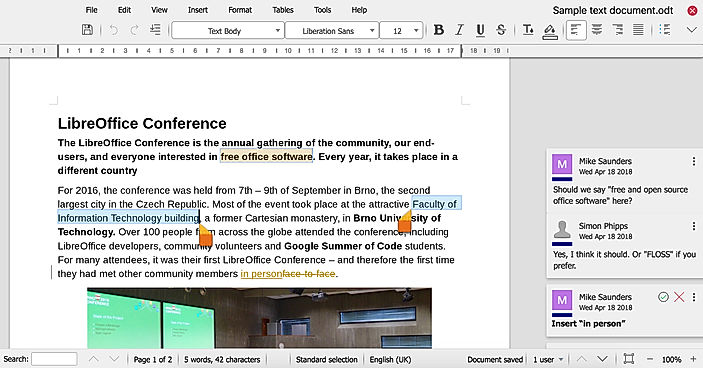
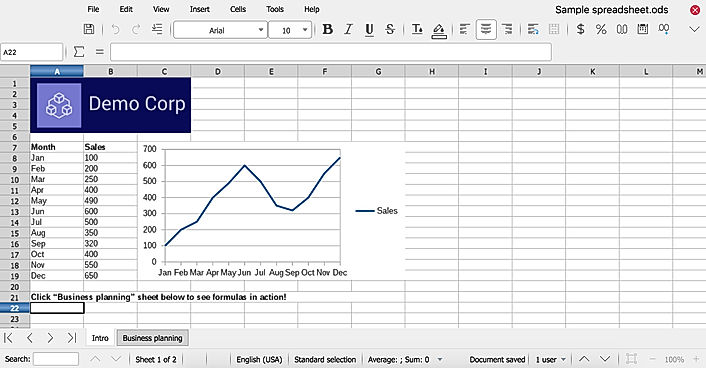
Screenshots PaperNIC screenshot
+ 4 More
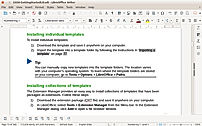
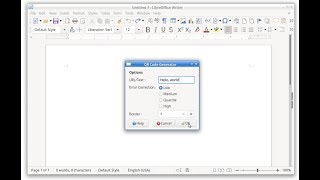
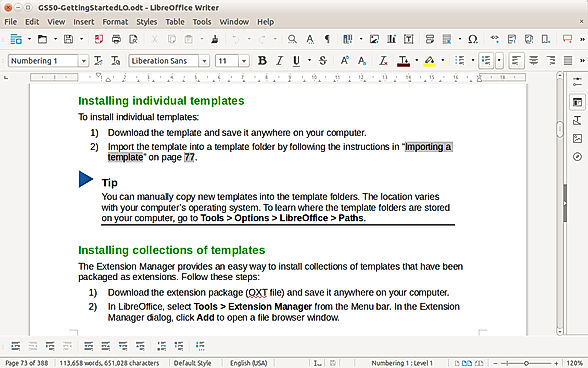
Writer
+ 2 More
Draw Arrows
+ 3 More
ReDesign Document screenshot
+ 5 More
Videos Not Available Video Thumbnail
+ 2 More
Video Thumbnail
+ 1 More
Video Thumbnail
+ 1 More

Vendor information

Company Details Located in: Marmara, Turkey Located in: Berlin, Germany Located in: Brookline, Massachusetts Located in: Brookline, Massachusetts Founded in: 2011
Contact Details

(0262) 999 43 23

https://www.papernic.com/

Not available

https://www.libreoffice.org/

Not available

https://www.pdffiller.com/

+1 800-831-2050

https://www.signnow.com/

Social Media Handles

We understand SaaS better

SaaSworthy helps stakeholders choose the right SaaS platform based on detailed product information, unbiased reviews, SW score and recommendations from the active community.

icon

Buyers

Looking for the right SaaS

We can help you choose the best SaaS for your specific requirements. Our in-house experts will assist you with their hand-picked recommendations.

icon

Makers

Want more customers?

Our experts will research about your product and list it on SaaSworthy for FREE.

Get Listed