MEET CLARA - THE AI BEHIND SMARTER SOFTWARE CHOICES


|
98% SW Score The SW Score ranks the products within a particular category on a variety of parameters, to provide a definite ranking system. Read more 
|
86% SW Score The SW Score ranks the products within a particular category on a variety of parameters, to provide a definite ranking system. Read more 
View Details
|
98% SW Score The SW Score ranks the products within a particular category on a variety of parameters, to provide a definite ranking system. Read more 
View Details
|
87% SW Score The SW Score ranks the products within a particular category on a variety of parameters, to provide a definite ranking system. Read more 
View Details
|
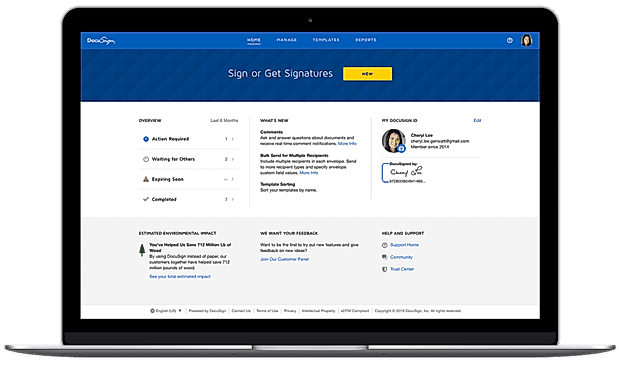
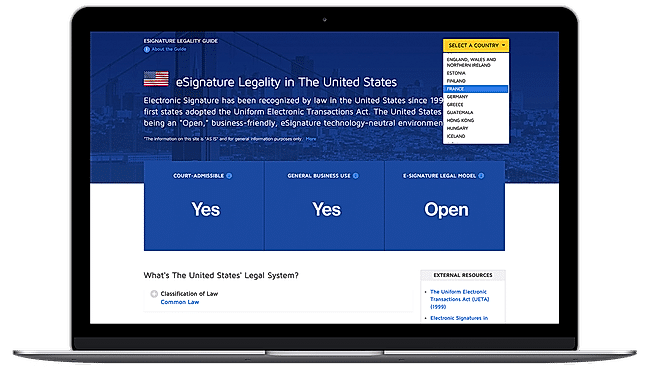
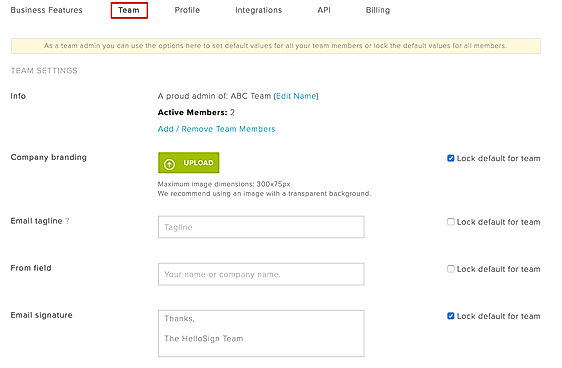
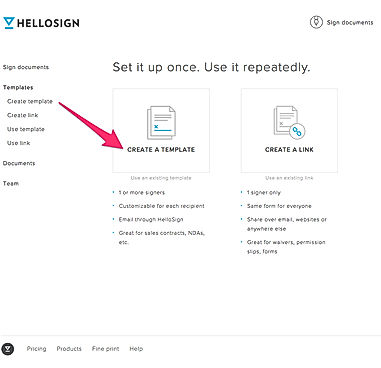
| Description | PandaDoc is a document builder responsible for workflow management that streamlines and accelerates the user's document processes. It also creates, tracks, and processes documents. The tool offers features under many categories such as proposals, quotes, team management, document access code, content management, branding, tracking, workflow, productivity, etc. The content locking feature of PandaDoc restricts the user's team members from editing a block of content in templates or library items. It integrates with several Customer Relationship Management software that has ERPs. The user can set up new or existing templates and send and e-sign proposals or agreements. The creation and sending of quotes are easy to execute, along with direct workflows. Users can upload the files quickly and send them right away. The transactional documents can be stored as well. The tool can also open discussions with the user's customers, close deals faster, collect payments, organize documents, and much more. Read more | Adobe Sign is a platform that enables its users to sign and track documents electronically to help the business of the user to grow. The software makes it easier to prepare and send documents for signature as e-signing is more accessible and convenient for users, their customers, and teammates. It enables the user to speed up the process by allowing people to fill and e-sign documents right on the website of the user. Users can transform their existing Microsoft Word or PDF documents and files into web forms, which accumulate trusted and legal e-signatures from anyone, anywhere. Adobe Sign makes it easier for users to collect payments from customers as they fill and sign form through the built-in integration with PayPal. The software allows the users to send one document to several people using the mega sign tool provided by the software. Each of the recipients will get their own version to sign, and the user can track their progress and set reminders accordingly. Read more | DocuSign enables its users to sign and manage documents and agreements electronically. The software handles the most demanding customer requirements by delivering an experience simple enough for people to adopt. It enables users to always track and monitor the status of the agreement in the signing process while also setting automatic reminders and receiving notifications at every step. Users can collect the details they need by adding standard fields to their agreement like a signature or date, or they can also create and save custom fields. DocuSign enables its users to save time by standardizing their processes while storing their frequently used agreements, together with recipient routing, custom fields, and other settings. The software allows its users to integrate and connect eSignature with the systems and tools already used by them. DocuSign meets some of the most strict EU, US, and global security standards, and uses the most robust data encryption technologies available. Read more | HelloSign is trusted by business organisations worldwide and can be used to streamline legally bound e-signatures on the go. It provides a robust set of e-signature management tools that enable getting documents signed within minutes securely. With HelloSign, clients can send out as many signature requests as desired, every month. The option for streamlining allows categorising documents that need to be signed frequently along with their recipients to maintain a distinction from other documents registered. Actions, especially payment transactions are all monitored under audit trail and are time-stamped for the later tracking of responses. Moreover, senders and recipients are free to use HelloSign in 22 different languages and have access to a knowledgeable support team all around the day. Reminders and notifications form another category of important features associated with HelloSign. These allow tracking request responses, receiving email notifications and automatically emailing reminders to the respective recipients. Further, legally bound signatures can be added by either drawing, typing or uploading as is found convenient. Single sign-on and signer codes keep every bit of data confidential. Additionally, HelloSign can be integrated with all common browsers in use, thus providing a seamless experience. Read more |
| Pricing Options |
|
|
|
|
| SW Score & Breakdown |
98% SW Score The SW Score ranks the products within a particular category on a variety of parameters, to provide a definite ranking system. Read more
|
86% SW Score The SW Score ranks the products within a particular category on a variety of parameters, to provide a definite ranking system. Read more
|
98% SW Score The SW Score ranks the products within a particular category on a variety of parameters, to provide a definite ranking system. Read more
|
87% SW Score The SW Score ranks the products within a particular category on a variety of parameters, to provide a definite ranking system. Read more
|
| SaaSworthy Awards | # 1 Most Worthy # 1 Fastest Growing | # 8 Highly Rated | # 1 Most Worthy # 3 Highly Rated | # 4 Highly Rated # 8 Fastest Growing |
| Organization Types Supported |
|
|
|
|
| Platforms Supported |
|
|
|
|
| Modes of Support |
|
|
|
|
| API Support |
|
|
|
|
| User Rating |
|
|
|
|
| Rating Distribution |
|
|
|
|
| User Sentiments |
Ease of Use, Document Tracking, Template Functionality, Extensive Integrations Occasional Software/System Outages, Limited Document Editing, Emails Landing in Spam Folders, Convoluted Pricing Tiers |
Ease of use, Electronic signature capabilities, Seamless integration with other Adobe products, Fast document turnaround Mobile app functionality, Login issues, Document management limitations, Lack of Onedrive Integration |
Ease of Use, Convenience, Speed, Extensive Integrations Confusing Interface, Unreliable Customer Support, Inconsistent Mobile Functionality, Unexpected Price Increases |
Ease of Use, Fast Document Signing, Extensive Integrations, Helpful Notifications Unreliable Customer Support, Limited Template Options, Occasional Software Glitches, Mobile App Functionality |
| Review Summary |
Overall, Pandadoc is a user-friendly and reliable CPQ solution that streamlines document generation, automates workflows, and facilitates secure electronic signatures. Users appreciate its intuitive interface, customization options, and integrations with popular business tools. However, some reviewers mention occasional technical glitches and a learning curve for new users. Additionally, certain features may require additional fees, and customer support could be improved. Overall, Pandadoc is a solid choice for businesses seeking to enhance their document management and sales processes, but it's essential to consider individual requirements and budget constraints before making a decision. |
Users appreciate Adobe Sign's user-friendly interface, smooth document preparation and sending process, secure electronic signatures, and seamless integration with other Adobe products. The mobile app is also praised for its convenience. However, some users have reported occasional glitches and technical issues, and a few have expressed concerns about pricing. Overall, Adobe Sign is a reliable and efficient e-signature solution that simplifies the signing process and enhances productivity. |
Overall, DocuSign is highly praised for its user-friendly interface and ease of use, enabling seamless electronic signature processes. Customers appreciate its secure and legally binding agreements, as well as its integration capabilities with various platforms and applications. The ability to track document status and receive real-time notifications is also seen as advantageous. However, some users have expressed concerns regarding occasional technical glitches, limited customization options, and the pricing structure, suggesting room for improvement in these areas. |
HelloSign is a cloud-based electronic signature platform that enables users to send, sign, and manage documents online. Users appreciate its user-friendly interface, ease of use, and comprehensive features. Many reviewers mention its seamless integration with various cloud storage platforms and productivity tools. HelloSign's legally binding e-signatures are also highlighted as a key benefit, making it suitable for businesses that require secure and legally compliant document signing. Additionally, its mobile app is praised for its convenience and functionality, allowing users to sign documents on the go. Although some users have reported occasional glitches and technical issues, overall, HelloSign receives positive feedback for its ease of use, reliability, and its ability to streamline the document signing process. |
| Pros & Cons |
|
|
|
|
| Read All User Reviews | Read All User Reviews | Read All User Reviews | Read All User Reviews |
AI-Generated from the text of User Reviews
| Pricing Options |
|
|
|
|
|
Pricing Plans
Monthly Plans
Annual Plans
|
Free eSign Free Essentials $19.00 $29.00 per user / month Business $49.00 $59.00 per user / month Enterprise Custom |
Acrobat PDF Pack with e-sign (Single User) Others Acrobat Pro DC with e-sign (Single User) Others Sign Small Business (1+ user) Others Sign Business & Enterprise (1+ user) Custom |
Personal (eSignature) $10.00 $15.00 per month Standard (eSignature) $25.00 $45.00 per user / month Business Pro (eSignature) $40.00 $65.00 per user / month Enhanced plans (eSignature) Custom |
Essentials $15.00 $20.00 per month Dropbox Professional + eSign $24.99 $31.99 per month Standard $25.00 $30.00 per user / month Premium Custom |
|
View Detailed Pricing
|
View Detailed Pricing
|
View Detailed Pricing
|
View Detailed Pricing
|
Get personalized recommendations from our experts on call
Trusted by more than 5 Million users across the globe.
Thank you for the enquiry. One of our software analysts will contact you soon.

Proposify
PandaDoc Vs Proposify

Qwilr
PandaDoc Vs Qwilr

Proposable
PandaDoc Vs Proposable

signNow
PandaDoc Vs signNow

Super Proposal
PandaDoc Vs Super Proposal
|

E-Sign
Adobe Sign Vs E-Sign

Fill
Adobe Sign Vs Fill
signNow
Adobe Sign Vs signNow

Papersign
Adobe Sign Vs Papersign
|

Zoho Sign
DocuSign Vs Zoho Sign
signNow
DocuSign Vs signNow
HelloSign
DocuSign Vs HelloSign
E-Sign
DocuSign Vs E-Sign
|
signNow
HelloSign Vs signNow
Adobe Sign
HelloSign Vs Adobe Sign
DocuSign
HelloSign Vs DocuSign
E-Sign
HelloSign Vs E-Sign
Papersign
HelloSign Vs Papersign
|
|
|
View All PandaDoc Alternatives
|
| Screenshots |
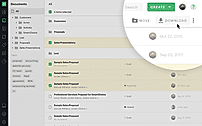
+ 2 More
|
Not Available |
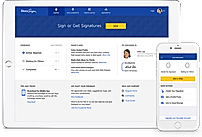
+ 3 More
|
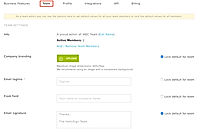
+ 1 More
|
| Videos |

+ 2 More
|

+ 2 More
|

+ 1 More
|

+ 4 More
|
| Company Details | Located in: San Francisco, California Founded in: 2011 | Located in: San Jose, CA | Located in: San Francisco, CA Founded in: 2003 | Located in: San Francisco, California Founded in: 2011 |
| Contact Details |
Not available https://www.pandadoc.com/ |
855-959-0100 https://acrobat.adobe.com/us/en/sign.html |
1-877-720-2040 https://www.docusign.com/ |
Not available https://www.hellosign.com/products/hellosign |
| Social Media Handles |
|
|
|
|
What are the key differences between PandaDoc, Adobe Sign, DocuSign, and HelloSign?
What are the alternatives to PandaDoc?
Which SaaS products can PandaDoc integrate with?
Which product is better for large-scale document management?
How do the security features of these products compare?
SaaSworthy may receive compensation from some vendors featured on this page. This does not influence our editorial evaluation or ratings. [email protected]

Looking for the right SaaS
We can help you choose the best SaaS for your specific requirements. Our in-house experts will assist you with their hand-picked recommendations.

Want more customers?
Our experts will research about your product and list it on SaaSworthy for FREE.