MEET CLARA - THE AI BEHIND SMARTER SOFTWARE CHOICES
MEET CLARA - THE AI BEHIND SMARTER SOFTWARE CHOICES
MEET CLARA - THE AI BEHIND SMARTER SOFTWARE CHOICES
|
98% SW Score The SW Score ranks the products within a particular category on a variety of parameters, to provide a definite ranking system. Read more 
Visit Website
|
92% SW Score The SW Score ranks the products within a particular category on a variety of parameters, to provide a definite ranking system. Read more 
Visit Website
|
95% SW Score The SW Score ranks the products within a particular category on a variety of parameters, to provide a definite ranking system. Read more 
Visit Website
|
81% SW Score The SW Score ranks the products within a particular category on a variety of parameters, to provide a definite ranking system. Read more 
Visit Website
|
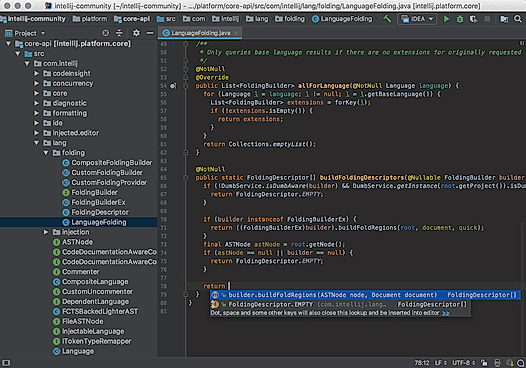
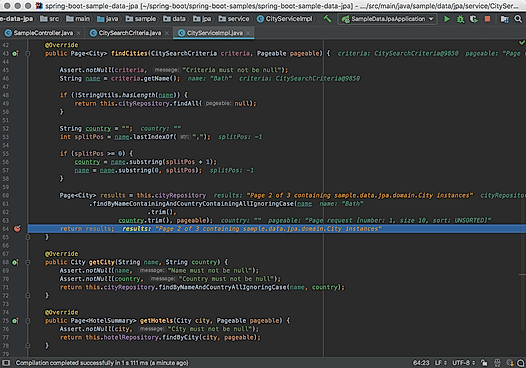
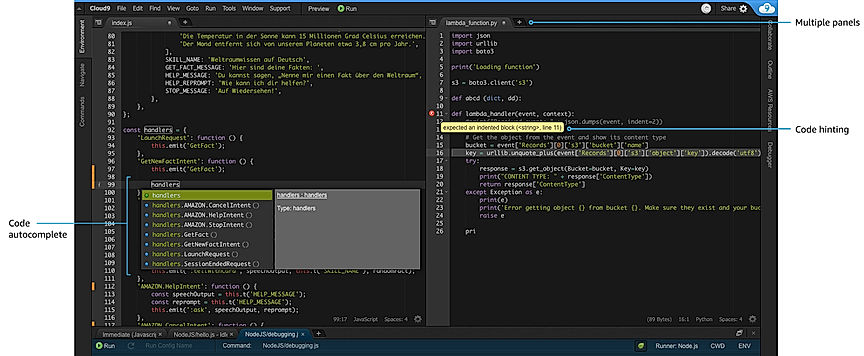
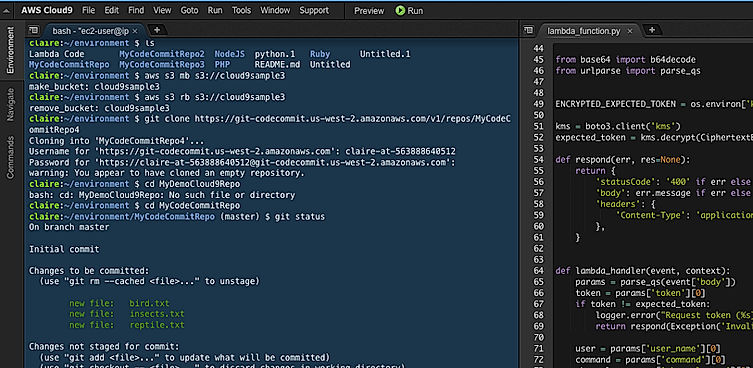
| Description | IntelliJ IDEA features a proficient IDE (Integrated development environment) for web, mobile and enterprise development. It provides the developers with powerful coding assistance through context analysis. It comes featured with a set of unbeatable built-in developer tools including version control, bytecode viewer, test runners and coverage tools, decompiler for Java Classes, database tools, application servers to streamline the project workflow. Besides Java, it also supports various other programming languages like Groovy, Scala, Kotlin, SQL, JavaScript, TypeScript etc. Other features include error analysis, quick navigation with quick-fixes, cross-language refactorings and much more Read more | AWS Cloud9 IDE software comes designed with collaborative coding tools and extends its support to over 40 languages. Users can enjoy real-time collaboration with integrated chat facility. It features code completion, adaptive themes, multiple cursors, code collapse facility and hassle-free Node.js integration. This software comes with the command-line feature that helps users get easy and instant access to a plethora of useful features, like ‘git’, ‘mkdir’, ‘npm’, ‘zen’ etc. It provides fast access to stores files as well. AWS Cloud9 IDE software comes with a simple drag-n-drop user interface. Users can develop web apps with features like browser compatibility testing & live preview. Read more | Microsoft’s Visual Studio is an integrated development environment and coding editor that helps your developers write and fix code. It’s made up of four elements: Visual Studio IDE, Visual Studio Code, Azure DevOps, and Visual Studio App Center. Visual Studio IDE – which has apps for Windows, Mac, ioS, and Android –– can help you both write and debug code, test your code on a regular basis to check how it is working and if it is ready for release, and add extensions and customizations to extend your programming reach. Visual Studio Code is a dedicated code editor that is free and open source, and comes with built-in Git support, plus more than 4000 extensions to increase coding capabilities. Azure DevOps (which was formerly known as Visual Studio Team Services) enables your developers to carry out social coding with git and enables you to integrate and deliver code. Visual Studio App Center enables you to continuously build, test, and deploy applications. Read more | goormIDE is a powerful cloud Integrated Development Environment (IDE) that helps developers and teams to maximize productivity. At goormIDE, developers can quickly and easily use various GPU resources, including NVIDIA, Tesla K80 and v100. Moreover, users are also allowed to use CPU/GPU according to their requirements at any time. They can even edit and test their developed programs in real-time directly on GPU instances. The platform allows users to connect with other useful tools, like Jupyter Notebook, TensorBoard, etc. With goormIDE, teams can use their data centre or cloud storage to run individual applications. The platform also allows developers to use particular resources, container slots, domain and custom domains to avail themselves of its services. They would have complete control of their infrastructure and data. goormIDE supports almost every programming language to help users with a wide range of development capabilities. There is also a dedicated technical support team offering relevant solutions. Read more |
| Pricing Options |
|
|
|
|
| SW Score & Breakdown |
98% SW Score The SW Score ranks the products within a particular category on a variety of parameters, to provide a definite ranking system. Read more
|
92% SW Score The SW Score ranks the products within a particular category on a variety of parameters, to provide a definite ranking system. Read more
|
95% SW Score The SW Score ranks the products within a particular category on a variety of parameters, to provide a definite ranking system. Read more
|
81% SW Score The SW Score ranks the products within a particular category on a variety of parameters, to provide a definite ranking system. Read more
|
| SaaSworthy Awards | # 1 Fastest Growing # 5 Most Popular | # 7 Fastest Growing # 7 Most Popular | # 1 Most Worthy # 2 Fastest Growing |
Not Available
|
| Total Features |
9 Features
|
9 Features
|
7 Features
|
7 Features
|
| Common Features for All |
Chat (Messaging)
Code Completion
Debugger
Drag and Drop
Real-time Collaboration
Refactoring
Source code editor
Syntax Highlighting
Version Control
|
Chat (Messaging)
Code Completion
Debugger
Drag and Drop
Real-time Collaboration
Refactoring
Source code editor
Syntax Highlighting
Version Control
|
Chat (Messaging)
Code Completion
Debugger
Drag and Drop
Real-time Collaboration
Refactoring
Source code editor
Syntax Highlighting
Version Control
|
Chat (Messaging)
Code Completion
Debugger
Drag and Drop
Real-time Collaboration
Refactoring
Source code editor
Syntax Highlighting
Version Control
|
| Organization Types Supported |
|
|
|
|
| Platforms Supported |
|
|
|
|
| Modes of Support |
|
|
|
|
| API Support |
|
|
|
|
| User Rating |
|
|
|
Not Available
|
| Rating Distribution |
|
|
|
Not Available
|
| User Sentiments |
Intelligent Code Completion, Extensive Plugin Ecosystem, Powerful Debugging Tools, Intuitive User Interface High Memory Consumption, Slow Startup Time, High Cost of Ultimate Edition, Steep Learning Curve for Beginners |
Collaborative Coding Environment, Cloud-Based Accessibility, Ease of Use, Extensive Programming Language Support Occasional Performance Issues, Limited Offline Access, Complex User Interface, Limited Customization Options |
Intelligent Code Editor, Extensive Debugging Features, Comprehensive Language Support, Useful Extensions and Plugins Resource Intensive, Slow Loading Times, Occasional Crashes, Confusing Initial Setup |
Not Available
|
| Review Summary |
IntelliJ IDEA is highly praised for its robust features, customizability, and powerful code editing capabilities. Developers appreciate its intelligent code completion, refactoring tools, and extensive plugin library. The user interface is intuitive, and the learning curve is manageable. However, some users find the initial setup and configuration to be complex. Additionally, the pricing can be a deterrent for some, especially for small teams or individual developers. Overall, IntelliJ IDEA is a well-regarded IDE, favored by developers for its comprehensive features and ability to enhance productivity and code quality. |
Overall, users praise the product's scalability, reliability, and wide range of features. However, some users have expressed concerns regarding the product's complexity and cost. It is generally agreed that the product is a leader in its field, with a strong reputation for innovation and customer support. Some users find it cost-effective, while others find it expensive. The product's ease of use is a matter of debate, with some users finding it user-friendly and others finding it complex and requiring a learning curve. |
Visual Studio IDE receives high marks for its user-friendly interface, robust debugging capabilities, and extensive extensibility, making it a favorite among developers. Users appreciate its seamless integration with other Microsoft products and its suitability for developing a wide range of applications. However, some users express concerns about its resource intensiveness, occasional performance issues, and convoluted pricing structure. Overall, Visual Studio IDE is highly regarded as a comprehensive and powerful development environment, particularly for those invested in the Microsoft ecosystem. |
Not Available
|
| Read All User Reviews | Read All User Reviews | Read All User Reviews |
AI-Generated from the text of User Reviews
| Pricing Options |
|
|
|
|
|
Pricing Plans
Monthly Plans
Annual Plans
|
IntelliJ IDEA Ultimate $41.00 $49.00 per user / month All Products Pack $54.00 $64.00 per user / month |
AWS Cloud9 Free |
Visual Studio Community Free Visual Studio Code Free Visual Studio Community for Mac Free Visual Studio Professional (Monthly) $45.00 $45.00 per month Visual Studio Enterprise (Monthly) $250.00 $250.00 per month Visual Studio Professional (Standard) $1,999.00 $1,999.00 per year Visual Studio Enterprise (Standard) $5,999.00 $5,999.00 per year Professional subscription + GitHub Enterprise Custom Enterprise subscription + GitHub Enterprise Custom Visual Studio Test Professional (Standard subscriptions for testers and IT Professionals) $2,169.00 $2,169.00 per year MSDN Platforms (Standard subscriptions for testers and IT Professionals) Custom Visual Studio Professional 2019 standalone license $499.00 $499.00 |
Free Free Student $7.35 $8.40 per month Basic $10.50 $12.00 per month Premium $21.88 $25.00 per month |
|
View Detailed Pricing
|
View Detailed Pricing
|
View Detailed Pricing
|
View Detailed Pricing
|
Get personalized recommendations from our experts on call
Trusted by more than 5 Million users across the globe.
Thank you for the enquiry. One of our software analysts will contact you soon.
| Screenshots |
+ 1 More
|

+ 2 More
|
Not Available |

+ 7 More
|
| Videos |

+ 2 More
|

|

|
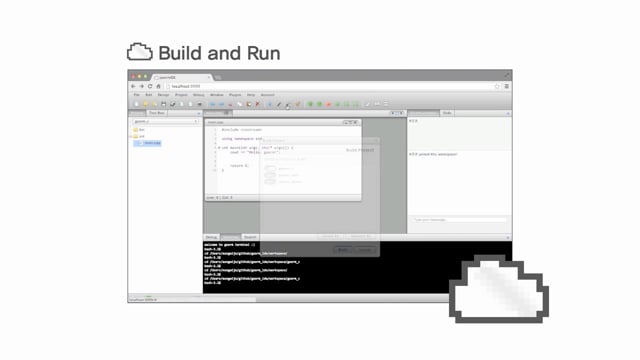
+ 3 More
|
| Company Details | Located in: Prague, Czech Republic | Located in: Seattle, Washington | Located in: Redmond, Washington | Located in: South Korea Founded in: 2013 |
| Contact Details |
+420 241 722 501 |
Not available |
+1 (877) 276-2464 |
+82 31-8038-3228 |
| Social Media Handles |
|
Not available |
|
|

Looking for the right SaaS
We can help you choose the best SaaS for your specific requirements. Our in-house experts will assist you with their hand-picked recommendations.

Want more customers?
Our experts will research about your product and list it on SaaSworthy for FREE.