MEET CLARA - THE AI BEHIND SMARTER SOFTWARE CHOICES


|
93% SW Score The SW Score ranks the products within a particular category on a variety of parameters, to provide a definite ranking system. Read more 
|
98% SW Score The SW Score ranks the products within a particular category on a variety of parameters, to provide a definite ranking system. Read more 
View Details
|
Featured
98% SW Score The SW Score ranks the products within a particular category on a variety of parameters, to provide a definite ranking system. Read more 
Google Workspace |
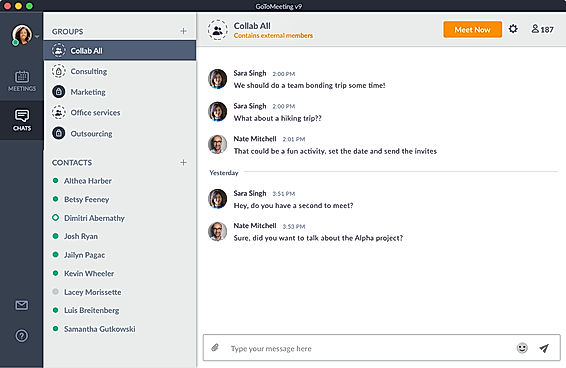
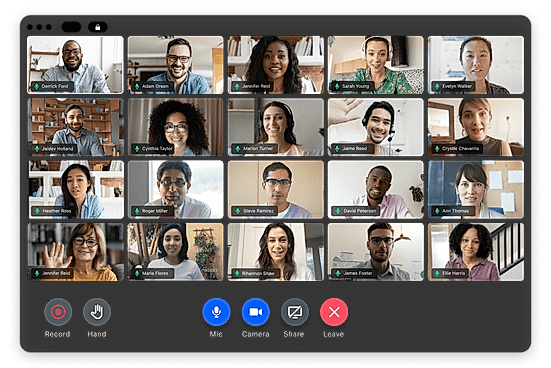
| Description | GoToWebinar software designed to cater to the webinar and web conferencing needs. The tool comes featured with functionalities that facilitate retain customers and also generate leads. Reminder emails and notifications help to stay well-prepared and not miss important deadlines. You can easily measure the participant’s level of engagement with this tool by using engagement metrics. Pre-recorded webinars are available with this webinar platform. The software allows customization also so your webinar materials can be designed with your company’s logo easily. You can share at ease videos and demos while holding web conferences or during broadcasting events. It is compatible with mobile. Read more | GoToMeeting is a mobile leader platform that is suitable for both Android and iOS. This online meeting application has the highest rating overall compared to the other applications with the same features. This GoToMeeting software is ideally suited for all types of small businesses as well as large enterprises. GoToMeeting is a web-hosted service application featuring useful tools. This software is explicitly built for online meetings, video conferencing, and desktop sharing. Moreover, this software package allows users to meet with other customers, users, colleagues, or clients through the internet. To empower collaboration and productivity is the main objective of the GoToMeeting application. It is a great source for the organization to conduct a virtual meeting anytime, anywhere, and on any device, thus making it a reliable, simple, and easy meeting platform. GoToMeeting is a perfect solution for businesses because it keeps the business safe and secure through LogMeIn tools empowering the remote workforce. GoToMeeting is the safest tool that businesses can count on to thrive for better online meetings with the best audio and video quality, comprising professional, business, and enterprise pricing strategies. Read more | Riverside’s AI-powered platform lets you record, edit, repurpose, and distribute studio-quality content as easily as having a full production crew. Whether you're recording solo or with guests, achieve top-quality results every time. The platform streamlines your workflow from start to finish. Turn one recording into multiple clips with AI, stream in HD to several destinations at once, and publish directly to YouTube, Spotify, and Apple Podcasts. Riverside’s AI automatically generates a polished cut of your session, complete with transcripts and show notes. Editing is made simple with the text-based editor—just search, cut, and paste in the transcript to edit your video. Separate track recording allows you to easily remove crosstalk and change layouts. Maintain a consistent brand by adding your logo, colors, and intro/outro, then apply them with a single click. You can also generate customizable animated captions instantly, perfect for creating engaging reels and TikToks. With Riverside, you have a powerful partner to help you focus on content creation and audience growth. Read more | Google Workspace is an intuitive platform that helps teams of all sizes to connect and collaborate with each other and improve their efficiency levels in real-time. It provides an innovative and flexible solution that helps businesses to achieve more. With the help of shared calendars, users can see who is available and when so they can fix meetings without clashing anybody’s timings. It also allows them to start video conferencing with just a single click through their laptop, tab or mobile. With Google Workspace, team members can collaborate with each other and share documents, slides and spreadsheets with or without the internet. They can work in a single document, see edits, communicate through in-built chat and tag each other in comments and ask questions. Google Workspace also allows users to upload their data on the cloud to keep it safe and easily available to team members through a shared link. To assure comprehensive security the software offers advanced privacy algorithms like single-sign-on and 2-step verification. Read more |
| Pricing Options |
|
|
|
|
| SW Score & Breakdown |
93% SW Score The SW Score ranks the products within a particular category on a variety of parameters, to provide a definite ranking system. Read more
|
98% SW Score The SW Score ranks the products within a particular category on a variety of parameters, to provide a definite ranking system. Read more
|
|
98% SW Score The SW Score ranks the products within a particular category on a variety of parameters, to provide a definite ranking system. Read more
|
| SaaSworthy Awards | # 1 Most Worthy # 1 Fastest Growing | # 3 Most Worthy # 6 Most Popular |
Not Available
|
# 3 Fastest Growing # 4 Most Popular |
| Organization Types Supported |
|
|
|
|
| Platforms Supported |
|
|
|
|
| Modes of Support |
|
|
|
|
| API Support |
|
|
|
|
| User Rating |
|
|
|
|
| Rating Distribution |
|
|
|
|
| User Sentiments |
Ease of Use, Webinar Recording Feature, Reliable Performance, Extensive Integrations Outdated User Interface, Technical Issues with Audio, Limited Customization Options, Problematic MAC Compatibility |
Ease of Use, Screen Sharing, Reliable Connectivity, Extensive Integrations Audio Issues, Mobile App Limitations, Limited Chat Functionality, Software Updates |
Not Available
|
Not Available
|
| Review Summary |
Overall, GoToWebinar receives positive reviews for its ease of use, reliability, and feature-rich platform. Users appreciate its intuitive interface, stable performance, and diverse set of tools for webinars, including customizable registration pages, branding options, and detailed analytics. The software's ability to accommodate large audiences and its integration with other applications are also highlighted as strengths. However, some users mention occasional technical glitches and limitations in customization options as areas for improvement. |
Users widely acknowledge the user-friendly interface and ease of use of the product, making it accessible to users of varying technical expertise. Reviewers frequently mention the reliability and stability of the platform, with minimal disruptions or technical difficulties reported. The product's video and audio quality are generally praised for their clarity and consistency, ensuring seamless communication during virtual meetings. However, some users have expressed concerns about occasional connectivity issues and limitations in the number of participants allowed in a single meeting. |
Riverside.fm receives mixed reviews, with users praising its high-quality audio and ease of use for remote podcast recording. The platform’s intuitive interface, AI-powered editing features, and integration with Spotify are frequently commended. However, users often report encountering sync issues, missing files, and technical glitches. Customer service, while sometimes helpful, is criticized for its inconsistent responses and lack of transparency. Some users mention concerns about pricing and limited features, highlighting a need for more flexible options and robust integration with other platforms. |
Not Available
|
| Read All User Reviews | Read All User Reviews | Read All User Reviews | Read All User Reviews |
AI-Generated from the text of User Reviews
| Pricing Options |
|
|
|
|
|
Pricing Plans
Monthly Plans
Annual Plans
|
Lite $49.00 $49.00 per user / month Standard $99.00 $99.00 per user / month Pro $199.00 $199.00 per user / month Enterprise $399.00 $399.00 per user / month |
Professional $12.00 $12.00 per user / month Business $16.00 $16.00 per user / month Enterprise Custom |
Free Free Pro $24.00 $29.00 per month Live $34.00 $39.00 per month Webinar $79.00 $99.00 per month Business Custom |
Starter $7.00 $8.40 per user / month Standard $14.00 $16.80 per user / month Plus $22.00 $26.40 per user / month Enterprise Plus Custom |
|
View Detailed Pricing
|
View Detailed Pricing
|
View Detailed Pricing
|
View Detailed Pricing
|
Get personalized recommendations from our experts on call
Trusted by more than 5 Million users across the globe.
Thank you for the enquiry. One of our software analysts will contact you soon.
| Screenshots | Not Available |
+ 2 More
|
Not Available | Not Available |
| Videos |

+ 2 More
|
Not Available |

+ 1 More
|

+ 2 More
|
| Company Details | Located in: Boston, Massachusetts Founded in: 2006 | Located in: Boston, Massachusetts | Located in: Dover, DE, USA Founded in: 2019 | Located in: Mountain View, California |
| Contact Details |
+1 800-514-1317 https://www.gotomeeting.com/webinar |
1800 419 6989 https://www.goto.com/meeting |
Not available https://riverside.com/ |
Not available https://workspace.google.com/ |
| Social Media Handles |
|
|
|
|

Looking for the right SaaS
We can help you choose the best SaaS for your specific requirements. Our in-house experts will assist you with their hand-picked recommendations.

Want more customers?
Our experts will research about your product and list it on SaaSworthy for FREE.