
 MEET CLARA - THE AI BEHIND SMARTER SOFTWARE CHOICES



Microsoft OneDrive for Business |
98% SW Score The SW Score ranks the products within a particular category on a variety of parameters, to provide a definite ranking system. Read more 
View Details
|
81% SW Score The SW Score ranks the products within a particular category on a variety of parameters, to provide a definite ranking system. Read more 
View Details
|
| Description | Revver empowers organizations to transform document management with a secure, automated, and incredibly user-friendly platform. Say goodbye to manual headaches and compliance worries! Its intuitive interface and AI-enabled data extraction streamline workflows effortlessly. Imagine AI-powered folder templates, smart document naming, and robust version control, all customizable and ready for the team in as little as one week. Onboarding is a breeze thanks to the intuitive design. Automate tasks, reviews, and approvals with Revver's no-code workflow builder. Smart Extract AI intelligently pulls vital metadata for quick searches and powerful reports. Collaborate seamlessly with easy sharing, real-time editing, Office 365 integration, and annotations. Securely share access with clients and external partners, boosting efficiency and collaboration. Revver takes care of the complexities, freeing the team to drive progress with confidence and unprecedented efficiency. Read more | Sync.com is a secure Dropbox replacement used by over 700000 companies and individuals globally. Sync makes it convenient for the user's business to collaborate and share securely in the cloud; with zero-knowledge encryption, built-in users file are ultimately secure, safe, and privately managed with Sync. Sync.com is a very useful software as it can be configured for use with multiple users. It is perfect for a business environment where management access control is needed. Through the multi-user collaboration, users can securely collaborate files in a fully secured and shared folder workspace using Sync.com. Sync.com is a cloud-based file storage and sharing forum that includes features such as sending and receiving files, previewing documents, and organizing folders. This tool provides end-to-end encryption, enterprise-grade data replication, HIPAA compliance to ensure secure file storage. The reason users must opt for sync.com software is that it offers access to file promptly, and users can share or upload files from anywhere. It helps employees and businesses to share and collaborate securely with granular user permissions and file preview functionality. Users can choose their sync.com security features with standard, team unlimited, and enterprises pricing strategies. Read more |
| Pricing Options |
|
|
| SW Score & Breakdown |
98% SW Score The SW Score ranks the products within a particular category on a variety of parameters, to provide a definite ranking system. Read more
|
81% SW Score The SW Score ranks the products within a particular category on a variety of parameters, to provide a definite ranking system. Read more
|
| Total Features |
10 Features
|
0 Features
|
| Common Features for All |
Access Control
Audit Trail
Cross-Platform Access
File Sharing
Indexing and Search
Large file Support
Offline Editing
Real-time Collaboration
Version Control
Workflow Management
|
Access Control
Audit Trail
Cross-Platform Access
File Sharing
Indexing and Search
Large file Support
Offline Editing
Real-time Collaboration
Version Control
Workflow Management
|
| Organization Types Supported |
|
|
| Platforms Supported |
|
|
| Modes of Support |
|
|
| API Support |
|
|
| User Sentiments |
Excellent Customer Support, User-Friendly Interface, Secure File Storage, Efficient File Organization Occasional Software Glitches, Slow File Uploads, Limited Functionality of Desktop App, Complex Advanced Features |
End-to-End Encryption, Cross-Platform Compatibility, Seamless File Syncing, User-Friendly Interface Slow Download Speeds, Limited Folder Download Functionality, Unresponsive Customer Support, Occasional Syncing Issues |
| Review Summary |
Users generally find the eFileCabinet software easy to use and navigate. The drag-and-drop feature is particularly appreciated for its simplicity and efficiency in organizing files. However, some users have encountered occasional glitches and bugs that can be frustrating. The customer support team has received mixed reviews, with some users praising their responsiveness and helpfulness, while others have experienced delays and difficulties in resolving issues. Overall, users seem to appreciate the software's features and functionality but would benefit from improved reliability and more consistent customer support. |
Users generally praise the product's user-friendly interface, ease of use, and reliability. They appreciate the broad range of features, including file sharing, synchronization, and backup capabilities, which make it suitable for both personal and business use. Additionally, users commend the product's customer support for being responsive and helpful. However, some users have expressed concerns regarding occasional syncing issues, limited storage space on the free plan, and the lack of advanced features such as two-factor authentication. |
AI-Generated from the text of User Reviews
| Pricing Options |
|
|
|
Pricing Plans
Monthly Plans
Annual Plans
|
Revver Custom |
Business Solo $10.00 $10.00 per month Business Pro $5.00 $5.00 per user / month Business Pro Advanced $15.00 $15.00 per user / month |
|
View Detailed Pricing
|
View Detailed Pricing
|
Get personalized recommendations from our experts on call
Trusted by more than 5 Million users across the globe.
Thank you for the enquiry. One of our software analysts will contact you soon.
| Screenshots | Not Available |

+ 2 More
|
| Videos |
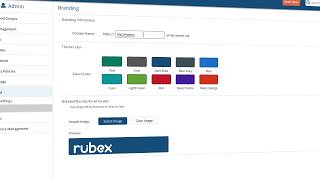
+ 2 More
|
Not Available |
| Company Details | Located in: Lehi, Utah Founded in: 2001 | Located in: Ontario, Canada Founded in: 2011 |
| Contact Details |
+1 801-374-5505 |
Not available |
| Social Media Handles |
|
|

Looking for the right SaaS
We can help you choose the best SaaS for your specific requirements. Our in-house experts will assist you with their hand-picked recommendations.

Want more customers?
Our experts will research about your product and list it on SaaSworthy for FREE.


