MEET CLARA - THE AI BEHIND SMARTER SOFTWARE CHOICES



ManageEngine Analytics Plus |
98% SW Score The SW Score ranks the products within a particular category on a variety of parameters, to provide a definite ranking system. Read more 
View Details
|
83% SW Score The SW Score ranks the products within a particular category on a variety of parameters, to provide a definite ranking system. Read more 
View Details
|
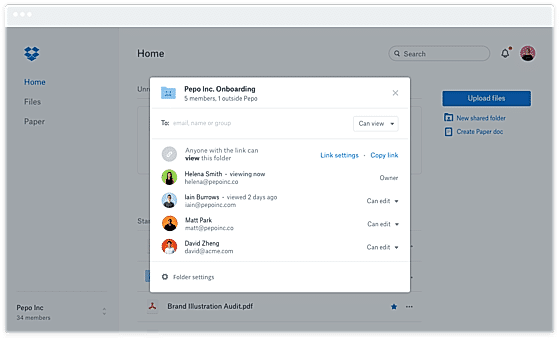
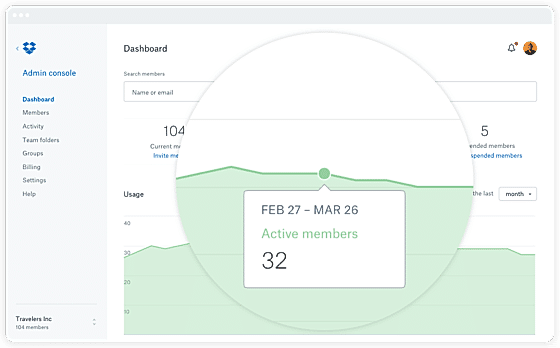
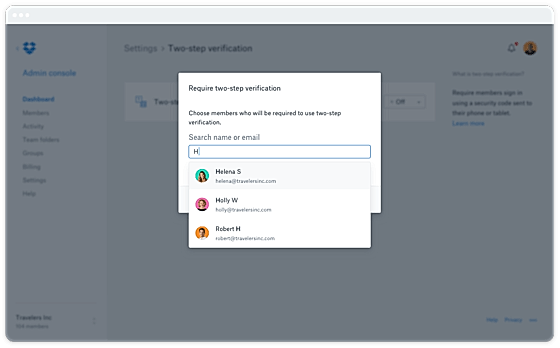
| Description | Revver empowers organizations to transform document management with a secure, automated, and incredibly user-friendly platform. Say goodbye to manual headaches and compliance worries! Its intuitive interface and AI-enabled data extraction streamline workflows effortlessly. Imagine AI-powered folder templates, smart document naming, and robust version control, all customizable and ready for the team in as little as one week. Onboarding is a breeze thanks to the intuitive design. Automate tasks, reviews, and approvals with Revver's no-code workflow builder. Smart Extract AI intelligently pulls vital metadata for quick searches and powerful reports. Collaborate seamlessly with easy sharing, real-time editing, Office 365 integration, and annotations. Securely share access with clients and external partners, boosting efficiency and collaboration. Revver takes care of the complexities, freeing the team to drive progress with confidence and unprecedented efficiency. Read more | Dropbox Business is a business management software developed for businesses that deal with data storing and sharing operations. Dropbox Business offers powerful collaboration, sharing, and storage tools. It helps you share, sync and collaborate on files securely with Dropbox Business, a file sharing and cloud storage solution that employees prefer the most. With Dropbox Business, users get powerful features such as smart sync, which gives users access to every file and folder in your Dropbox right from your desktop. It has various extra-ordinary features which enable the users to have more files in the cloud fit on your hard drive – and team folder. Dropbox Business gets users team ideas flowing in a safe and secure location. As a team member, users can store, share, and collaborate on files in a work account that is managed by the user's company. Dropbox Business have features like customizable data storage plans, link permissions, team folder manager, file and version recovery, smart synchronization, Dropbox paper, admin console, Dropbox transfer, remote wipe, branded sharing, live support, and 3rd party app integration. Dropbox business is medium priced range software which gives users many different advantages. Read more |
| Pricing Options |
|
|
| SW Score & Breakdown |
98% SW Score The SW Score ranks the products within a particular category on a variety of parameters, to provide a definite ranking system. Read more
|
83% SW Score The SW Score ranks the products within a particular category on a variety of parameters, to provide a definite ranking system. Read more
|
| Total Features |
10 Features
|
0 Features
|
| Common Features for All |
Access Control
Audit Trail
Cross-Platform Access
File Sharing
Indexing and Search
Large file Support
Offline Editing
Real-time Collaboration
Version Control
Workflow Management
|
Access Control
Audit Trail
Cross-Platform Access
File Sharing
Indexing and Search
Large file Support
Offline Editing
Real-time Collaboration
Version Control
Workflow Management
|
| Organization Types Supported |
|
|
| Platforms Supported |
|
|
| Modes of Support |
|
|
| API Support |
|
|
| User Sentiments |
Excellent Customer Support, User-Friendly Interface, Secure File Storage, Efficient File Organization Occasional Software Glitches, Slow File Uploads, Limited Functionality of Desktop App, Complex Advanced Features |
Ease of Use, Cross-Platform Compatibility, File Sharing Capabilities, Secure Storage Unreliable Sync, Limited File Accessibility, Unresponsive Customer Support, Slow Upload Speeds |
| Review Summary |
Users generally find the eFileCabinet software easy to use and navigate. The drag-and-drop feature is particularly appreciated for its simplicity and efficiency in organizing files. However, some users have encountered occasional glitches and bugs that can be frustrating. The customer support team has received mixed reviews, with some users praising their responsiveness and helpfulness, while others have experienced delays and difficulties in resolving issues. Overall, users seem to appreciate the software's features and functionality but would benefit from improved reliability and more consistent customer support. |
Review Summary: Users generally agree that the cloud storage service is user-friendly, offers ample storage space, seamless file sharing options, and robust file syncing capabilities. Its integration with various productivity tools and mobile accessibility further enhances its utility. However, concerns have been raised regarding occasional syncing issues, limited offline access, and the lack of advanced features found in some competitors' offerings. |
AI-Generated from the text of User Reviews
| Pricing Options |
|
|
|
Pricing Plans
Monthly Plans
Annual Plans
|
Revver Custom |
Standard $12.50 $12.50 per month Advanced $20.00 $20.00 per user / month Enterprise Custom |
|
View Detailed Pricing
|
View Detailed Pricing
|
Get personalized recommendations from our experts on call
Trusted by more than 5 Million users across the globe.
Thank you for the enquiry. One of our software analysts will contact you soon.
| Screenshots | Not Available |
+ 3 More
|
| Videos |
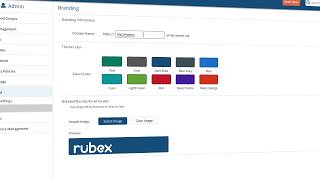
+ 2 More
|
Not Available |
| Company Details | Located in: Lehi, Utah Founded in: 2001 | Located in: San Francisco, CA |
| Contact Details |
+1 801-374-5505 |
Not available |
| Social Media Handles |
|
|

Looking for the right SaaS
We can help you choose the best SaaS for your specific requirements. Our in-house experts will assist you with their hand-picked recommendations.

Want more customers?
Our experts will research about your product and list it on SaaSworthy for FREE.