
 MEET CLARA - THE AI BEHIND SMARTER SOFTWARE CHOICES
|
89% SW Score The SW Score ranks the products within a particular category on a variety of parameters, to provide a definite ranking system. Read more 
View Details
|
88% SW Score The SW Score ranks the products within a particular category on a variety of parameters, to provide a definite ranking system. Read more 
View Details
|
98% SW Score The SW Score ranks the products within a particular category on a variety of parameters, to provide a definite ranking system. Read more 
View Details
|
Featured
89% SW Score The SW Score ranks the products within a particular category on a variety of parameters, to provide a definite ranking system. Read more 
FigJam |
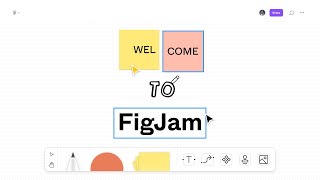
| Description | Collaboard lets users sketch their projects on an unlimited canvas. The tool enables users to generate new ideas by brainstorming with the most common design thinking techniques. It allows users to easily stay connected on this remote working software and share their ideas with other users. Users will have unlimited space to take notes, share design alternatives, and make freehand sketches. With the help of Collaboard, users can use imagination and creativity to plan a solid structure for their projects. The tool makes the planning of activities more organized and efficient. It allows users to simplify their workflow productivity and plan remotely with their team. Users can manage the organizational process from the start to the end using mind maps, workflow, flowcharts, and shared notes. It also helps users plan their digital strategy. The tool lets users create content in real-time and get fast feedback with rating features and voting. With the help of Collaboard, users can design site maps, wireframes, and user story maps. Read more | Limnu is an advanced whiteboard app that helps teams to sketch, collaborate and share ideas and information among members in real-time. It is an easy-to-use and simple app that allows users to sketch over the board in the traditional way. The only difference is that they get unlimited space to draw over the screen, expand their designs and have as many boards as they like. Developers can even invite team members to see their boards and share ideas, information and workflows as per convenience. These boards can also be organised in different ways enabling team members to search, bulk-edit and sort their whiteboards. Limnu comes with various small details and features that help teams to create the smoothest drawings in a seamless manner. Another useful feature of the app is that it allows users to control how their team shares their whiteboards. Admins can restrict the sharing patterns within the organisation, making creations accessible to internal teams only. Thus synchronising with their exact privacy and security needs. Read more | Explain everything software is an online audio and visual collaboration whiteboard tool explicitly designed for management teams and educational institutions. Explain Everything is a perfect tool for schools as it provides interactive learning space and encourages students to collaborate on the same. It lets tutors share interactive videos presentations and audio recording to teach their students effectively. Besides educational institutions, Explain Everything is an ideal tool for businesses, as the business team can carry out video conference meetings within one app interface. It has features of content uploading and annotations, and much more, which enhance the process of the remote meeting. Therefore collaborating becomes easy, and workflows are managed promptly with this software. This software comprises recording features and an infinite canvas to make whiteboard explainer videos in a minute. This tool can be efficiently operated on mobile phones, iPad, desktops, tablets, and any internet-accessible device to experience remote collaboration and brainstorming space. You can use this application on iOS and Android devices. Read more | FigJam is an online whiteboard designed specifically for teams to ideate and brainstorm together. It enables you to express yourself and your ideas and to communicate using notes, stamps, dot votes, and drawings. You can ideate, brainstorm, share, and discover your ideas with your team together. FigJam provides various options like markers, shapes, and figures to sketch your ideas and show their workings. You can even use diagrams, shapes, and figures to demonstrate the workings of your mind with your team. It is an extremely easy-to-use and very intuitive app designed to let your ideas flow. You can use emotes with quick expressions, stamps to vote for ideas, and stickers from the default library to give shapes to your thoughts. Users can collect, organize and synthesize their findings using the FigJam whiteboard. They can create engaging and interactive mood boards for their teams. FigJam is currently in beta form and is free to use but from 2022, it will have plans starting from as less as $0 to $15 per editor per month. Read more |
| Pricing Options |
|
|
|
|
| SW Score & Breakdown |
89% SW Score The SW Score ranks the products within a particular category on a variety of parameters, to provide a definite ranking system. Read more
|
88% SW Score The SW Score ranks the products within a particular category on a variety of parameters, to provide a definite ranking system. Read more
|
98% SW Score The SW Score ranks the products within a particular category on a variety of parameters, to provide a definite ranking system. Read more
|
89% SW Score The SW Score ranks the products within a particular category on a variety of parameters, to provide a definite ranking system. Read more
|
| SaaSworthy Awards | # 4 Fastest Growing | # 5 Most Popular | # 1 Most Worthy # 2 Fastest Growing |
Not Available
|
| Total Features |
14 Features
|
11 Features
|
19 Features
|
16 Features
|
| Common Features for All |
Annotation and Markup Tools
Brainstorming
Built-in Templates
Collaboration Tools
Content Management
Dark Mode
Diagramming
Discussion Boards
Document Management
Drag and drop Builder
Guest users
Mind Map
Multi-language Support
Project Management
Real-time Editing
Reporting (Analytics)
Session Expiry
Session Recording
Task Management
Version Control
Zoom (Pan)
|
Annotation and Markup Tools
Brainstorming
Built-in Templates
Collaboration Tools
Content Management
Dark Mode
Diagramming
Discussion Boards
Document Management
Drag and drop Builder
Guest users
Mind Map
Multi-language Support
Project Management
Real-time Editing
Reporting (Analytics)
Session Expiry
Session Recording
Task Management
Version Control
Zoom (Pan)
|
Annotation and Markup Tools
Brainstorming
Built-in Templates
Collaboration Tools
Content Management
Dark Mode
Diagramming
Discussion Boards
Document Management
Drag and drop Builder
Guest users
Mind Map
Multi-language Support
Project Management
Real-time Editing
Reporting (Analytics)
Session Expiry
Session Recording
Task Management
Version Control
Zoom (Pan)
|
Annotation and Markup Tools
Brainstorming
Built-in Templates
Collaboration Tools
Content Management
Dark Mode
Diagramming
Discussion Boards
Document Management
Drag and drop Builder
Guest users
Mind Map
Multi-language Support
Project Management
Real-time Editing
Reporting (Analytics)
Session Expiry
Session Recording
Task Management
Version Control
Zoom (Pan)
|
| Organization Types Supported |
|
|
|
|
| Platforms Supported |
|
|
|
|
| Modes of Support |
|
|
|
|
| API Support |
|
|
|
|
| User Rating |
|
|
|
Not Available
|
| Rating Distribution |
|
|
|
Not Available
|
| User Sentiments |
Ease of Use, Infinite Canvas, Extensive Template Library, Real-Time Collaboration Outdated User Interface, Limited Third-Party Integrations, Occasional Performance Issues, Lack of Mobile Application |
Not Available
|
Not Available
|
Not Available
|
| Review Summary |
Reviewers commend CollaBoard for its user-friendly interface, intuitive design, and wide range of collaboration tools. They appreciate the real-time editing capabilities, seamless integration with other platforms, and the ability to easily share and collaborate on projects. Users also highlight the excellent customer support, praising the team's responsiveness and willingness to help. However, some reviewers mention occasional technical glitches and a lack of advanced features, suggesting room for improvement. Overall, CollaBoard is a well-received tool for teams seeking a user-friendly and collaborative virtual workspace. |
Not Available
|
Not Available
|
Not Available
|
| Read All User Reviews | Read All User Reviews | Read All User Reviews |
AI-Generated from the text of User Reviews
| Pricing Options |
|
|
|
|
|
Pricing Plans
Monthly Plans
Annual Plans
|
Free Free Personal Others Basic Others Advanced Others Enterprise Custom |
Free Free Pro $4.16 $5.00 per month Team $6.66 $8.00 per user / month Enterprise Custom |
Free Free Individual $5.83 $6.99 per month Teams $7.99 $11.99 per month Teachers $2.00 $3.00 per user / month Class $0.90 $0.90 per user / month SCHOOL and DISTRICT Custom |
Starter Team Free Professional $5.00 $5.00 per user / month Organization $5.00 $5.00 per user / month Enterprise $5.00 $5.00 per user / month |
|
View Detailed Pricing
|
View Detailed Pricing
|
View Detailed Pricing
|
View Detailed Pricing
|
Get personalized recommendations from our experts on call
Trusted by more than 5 Million users across the globe.
Thank you for the enquiry. One of our software analysts will contact you soon.
| Screenshots |

+ 4 More
|
Not Available | Not Available | Not Available |
| Videos |

+ 2 More
|

|

|
+ 1 More
|
| Company Details | Located in: Zürich, Switzerland | Located in: Salt Lake City, Utah | Located in: Ridgefield, Connecticut | Located in: San Francisco, CA |
| Contact Details |
+41 44 745 92 50 |
+1 801-449-0362 |
Not available |
Not available |
| Social Media Handles |
|
|
|
Not available |

Looking for the right SaaS
We can help you choose the best SaaS for your specific requirements. Our in-house experts will assist you with their hand-picked recommendations.

Want more customers?
Our experts will research about your product and list it on SaaSworthy for FREE.



