MEET CLARA - THE AI BEHIND SMARTER SOFTWARE CHOICES



Atera |
83% SW Score The SW Score ranks the products within a particular category on a variety of parameters, to provide a definite ranking system. Read more 
View Details
|
93% SW Score The SW Score ranks the products within a particular category on a variety of parameters, to provide a definite ranking system. Read more 
View Details
|
Featured
98% SW Score The SW Score ranks the products within a particular category on a variety of parameters, to provide a definite ranking system. Read more 
NinjaOne (NinjaRMM) |
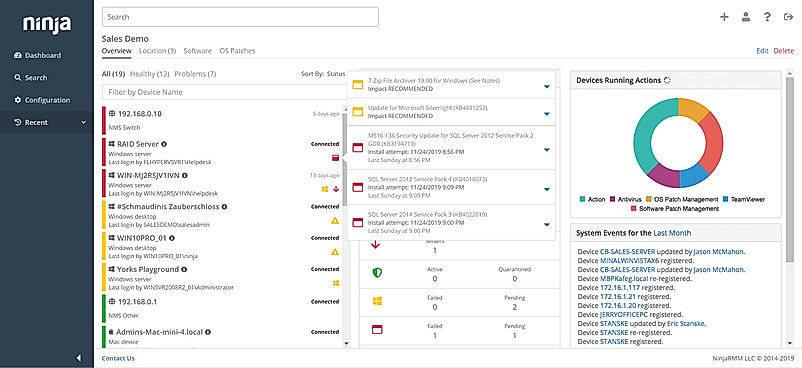
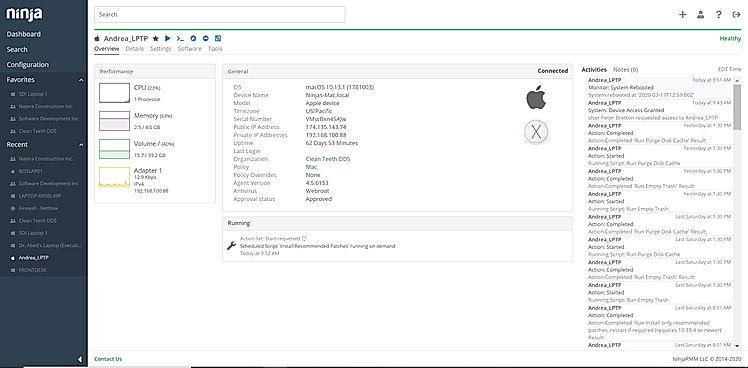
| Description | BackHub is the GitHub repository backup that helps developers to maintain backup scripts. With this, developers can automate their daily backups and recover repositories associated with metadata in an instant. BackHub also allows users to create daily recurring backups of public and private GitHub repositories. The platform frees users from maintaining or executing their backup scripts. BackHub helps developers automatically sync their backups to their cloud storage, to keep an additional copy for long as they need. Furthermore, it allows users to easily monitor backups and account activity. Backups include not only the repository with all branches, but also all associated metadata, such as milestones, issues, releases, pull requests, wikis, and more. BackHub creates daily snapshots of all users’ backups. Individuals can easily restore the previous state of the repository or metadata. Moreover, users can clone any GitHub backup directly from BackHub. This means users can access data anytime, even if GitHub is temporarily not available. Other features include repository restoration, downloading GitHub repository, automatic backup creation. Read more | AOMEI Backupper is a highly rated Windows backup and recovery solution designed to simplify data protection for home users and enterprise IT professionals alike. This powerful yet intuitive software enables users to easily configure customized backups on a daily, weekly, or monthly basis, at a time that suits them. With just a few clicks, users can schedule full, incremental, and differential system, disk, file, and partition backups to various storage mediums - giving you complete control over your backup and recovery strategy. Additionally, AOMEI Backupper facilitates fast and reliable system restoration in the event of data loss due to ransomware, hardware failure, or accidental deletion. Its disk cloning utility makes migrating data to new hard drives or solid state drives a breeze too. Boasting military-grade 256-bit AES encryption, compression, and other security mechanisms, your backed up data remains private. And the best part? The standard version is available entirely free of charge. For painless Windows backup and recovery with minimal effort, AOMEI Backupper is an excellent choice. Read more | NinjaOne automates the hardest parts of IT, delivering visibility, security, and control over all endpoints for more than 20,000 customers. The NinjaOne platform increases productivity while reducing risk and IT costs. Organizations use NinjaOne, including its wide range of IT and security integrations, for use cases such as endpoint management, patch management, mobile device management, software deployment, remote access, endpoint backup, and more. Read more |
| Pricing Options |
|
|
|
| SW Score & Breakdown |
83% SW Score The SW Score ranks the products within a particular category on a variety of parameters, to provide a definite ranking system. Read more
|
93% SW Score The SW Score ranks the products within a particular category on a variety of parameters, to provide a definite ranking system. Read more
|
98% SW Score The SW Score ranks the products within a particular category on a variety of parameters, to provide a definite ranking system. Read more
|
| Organization Types Supported |
|
|
|
| Platforms Supported |
|
|
|
| Modes of Support |
|
|
|
| API Support |
|
|
|
| User Rating |
Not Available
|
|
|
| Rating Distribution |
Not Available
|
|
|
| User Sentiments |
Not Available
|
Ease of Use, Reliable Backup & Restore Functionality, Free Version Availability, Fast Backup and Restore Speeds Occasional Software Bugs, Restrictive Licensing, Limited Customer Support, Backup Scheme Issues |
Ease of Use, Fast and Reliable Remote Access, Comprehensive Patch Management, Excellent Customer Support Limited Third-Party Software Patching Support, Limited MacOS Support, Inadequate Reporting Functionality, Occasional Software Bugs |
| Review Summary |
Not Available
|
Users generally appreciate the ease of use and reliability of the backup software. It is praised for its user-friendly interface, straightforward setup process, and the wide range of backup options it offers, including full, incremental, and differential backups. The software's ability to schedule backups and create bootable rescue media is also seen as a plus. However, some users have reported issues with restoring backups, slow backup speeds, and occasional bugs or glitches in the software. Additionally, a few users have expressed concerns about the lack of certain advanced features found in competing products. |
The general consensus among reviewers is that NinjaRMM is a comprehensive and powerful RMM tool that offers a wide range of features to help MSPs streamline their operations. It is praised for its user-friendly interface, customizable dashboards, and robust reporting capabilities. However, some users have expressed concerns about the occasional occurrence of bugs and glitches, as well as the need for improved documentation and customer support. Overall, NinjaRMM is a solid choice for MSPs seeking a feature-rich and reliable RMM solution, though there is room for improvement in terms of stability and support. |
| Read All User Reviews | Read All User Reviews |
AI-Generated from the text of User Reviews
| Pricing Options |
|
|
|
|
Pricing Plans
Monthly Plans
Annual Plans
|
Pro Plans $250.00 $250.00 per month Enterprise Plans $400.00 $400.00 per month |
Standard Edition Free Professional Edition $39.95 $39.95 Workstation Edition $49.95 $49.95 AOMEI Backupper Professional (Yearly) $39.95 $39.95 per year AOMEI Backupper Professional (Lifetime) $69.95 $69.95 Lifetime AOMEI Backupper Professional (Family Lifetime) $89.95 $89.95 AOMEI Backupper Workstation (Yearly) $49.95 $49.95 per year AOMEI Backupper Workstation (Lifetime) $79.95 $79.95 AOMEI Backupper Workstation (Team Lifetime) $99.95 $99.95 |
NinjaOne Custom |
|
View Detailed Pricing
|
View Detailed Pricing
|
View Detailed Pricing
|
Get personalized recommendations from our experts on call
Trusted by more than 5 Million users across the globe.
Thank you for the enquiry. One of our software analysts will contact you soon.
| Screenshots |

+ 1 More
|
Not Available |
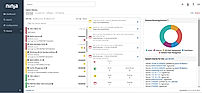
+ 3 More
|
| Videos |
+ 2 More
|
+ 1 More
|

+ 4 More
|
| Company Details | Located in: Berlin, Germany Founded in: 2015 | Located in: China | Located in: Austin, TX |
| Contact Details |
+1 855-445-8486 https://backhub.co/ |
Not available https://www.ubackup.com/ab/ |
+1 888 542-8339 https://www.ninjaone.com/ |
| Social Media Handles |
|
|
|

Looking for the right SaaS
We can help you choose the best SaaS for your specific requirements. Our in-house experts will assist you with their hand-picked recommendations.

Want more customers?
Our experts will research about your product and list it on SaaSworthy for FREE.