
 MEET CLARA - THE AI BEHIND SMARTER SOFTWARE CHOICES


This profile is currently managed by the official vendor through the SaaSworthy Vendor Portal. Product details, features, pricing, and media assets are maintained directly by the company.

 Deep Dive with Clara AI
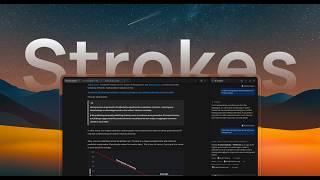
Most writing software makes you pick a side: keep your files on your own computer and give up the AI, or use the AI and hand your files to somebody else's server. Strokes is a desktop writing app for macOS and Windows that does both. Your documents are files in folders on your machine, and you can write, edit and export with no internet connection. Page view or pageless, projects and folders, the blocks you need — headings, lists, tables, images, code — and a version history kept on your device. Beside the document sits a personal assistant. Ask about any passage without leaving the page. Attach files so it reads them first, have it browse the web and answer beside your draft, create an image for the document, ask it to polish and finalize a draft or to review it. Select text and press ⌘K to ask for a change in place. Every edit it proposes appears in your text as a suggestion you accept or reject — nothing changes silently. For bigger jobs, agent mode works across your project step by step and shows each step. Import Word, Markdown, plain text and Notion exports; export to PDF, Word, EPUB, Markdown, plain text and HTML; share a document as a public read-only link. Strokes never trains AI on your writing. The free plan includes the assistant and web research; Plus ($9/month) adds encrypted cloud backups, external connections, image creation and 5× the usage; Pro ($29/month) adds Deep mode, multi-agent mode and 15×.
Read more
Pricing
SW Score Breakdown
Platforms Supported
Organization Types Supported
API Support
Modes of Support
Sentence Rephraser
Rephrases the sentence by replacing words with synonyms, idioms, and phrasesStyle Editor
Evaluates and allows to customize the writing style based on APA, MLA, Chicago, Turabian, IEEE guidelinesEngagement Metrics
Provides real-time engagement metrics of the contentPlagiarism check
Detects if the content is duplicated without attribution of originalitySentence formatting
Ensures the sentences are correctly formatted without repetitive and monotonous textTone checker
Recognizes the emotional tone of the written contentGrammar Check
Recognizes grammar mistakes in the contentAutocorrect
Automatically fixes the misspelled word with a choice to undo the change.AI-Powered Writing Assistance
AI-powered grammar and style checks, rewriting, and summarization.Export to Document Formats
Export files to various document formats, such as PPTX, PDF, and shareable linksOffline Editing
Helps to make changes and to edit the presentation content or data in an offline modeComments (Notes)
To encourage discussion, offer feedback, make a note, or clarify a point within a document or application.Built-in Templates
It has bundle of predefined templates that can be used for creating a designShare Link
Facility to invite someone with a link to view, comment, or editCalendar Notification
Sends a user notification on the occurrence of a strategically defined event on a calendarReal-time Collaboration
Helps more than one person to work on the same file simultaneouslyTemplates
Templates are patterns that help to provide the layout to build and design a website quickly.Meetings
Supports arranging meetings, recording vital details and manages every aspect of itFree Trial
Not available
No Credit Card Required, Get Started for Free
Free Free
$0. All writing features, publishing and sharing, unlimited docs and files; the Strokes Assistant for chat, edits and web research, with a limited allowance.
Pro $29.00 $29.00 per month
$29/month. Everything in Plus, plus Deep mode, multi-agent mode and 15x the assistant usage with no daily limits.
Plus $9.00 $9.00 per month
98% SW Score The SW Score ranks the products within a particular category on a variety of parameters, to provide a definite ranking system. Read more
95% SW Score The SW Score ranks the products within a particular category on a variety of parameters, to provide a definite ranking system. Read more
94% SW Score The SW Score ranks the products within a particular category on a variety of parameters, to provide a definite ranking system. Read more
94% SW Score The SW Score ranks the products within a particular category on a variety of parameters, to provide a definite ranking system. Read more
94% SW Score The SW Score ranks the products within a particular category on a variety of parameters, to provide a definite ranking system. Read more

94% SW Score The SW Score ranks the products within a particular category on a variety of parameters, to provide a definite ranking system. Read more

93% SW Score The SW Score ranks the products within a particular category on a variety of parameters, to provide a definite ranking system. Read more
93% SW Score The SW Score ranks the products within a particular category on a variety of parameters, to provide a definite ranking system. Read more

93% SW Score The SW Score ranks the products within a particular category on a variety of parameters, to provide a definite ranking system. Read more


Strokes editor — ...
Who is Strokes for?
Does Strokes work offline?
How does the AI editing work?
Does Strokes have an API, integrations or multi-user collaboration?
What is Strokes used for?
Strokes is AI Writing Assistant Software. Strokes offers the following functionalities:
Learn more about Strokes features.
What are the top alternatives for Strokes?
Does Strokes provide API?
No, Strokes does not provide API.
Vendor Details
Founded : 2026Contact Details
Not available
https://strokes.ink/?utm_source=saasworthy
Social Media Handles
SaaSworthy may receive compensation from some vendors featured on this page. This does not influence our editorial evaluation or ratings. [email protected]

Looking for the right SaaS
We can help you choose the best SaaS for your specific requirements. Our in-house experts will assist you with their hand-picked recommendations.

Want more customers?
Our experts will research about your product and list it on SaaSworthy for FREE.


