
 BLACK FRIDAY SAAS DEALS · UP TO 82% OFF



This profile is currently managed by the official vendor through the SaaSworthy Vendor Portal. Product details, features, pricing, and media assets are maintained directly by the company.

 Deep Dive with Clara AI
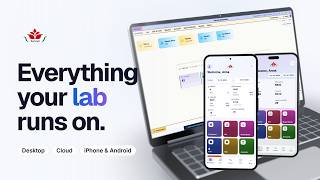
SamLab is an offline-first laboratory information system (LIS) for clinical laboratories of every size: independent labs, physician office labs, hospital and enterprise labs, rural clinic and mobile labs, and multi-branch chains. It runs from a local database on the lab's own Windows or Mac computer, so registration, barcode sample tracking, result entry, verification, report printing and billing keep working through an internet outage, then sync to the cloud when the connection returns. Analyzers connect over ASTM (serial) and HL7 v2 (TCP), with 330+ analyzer models supported, plus internal QC with Levey-Jennings charts and Westgard rules. An audit log and an amendment log with reasons keep the records an inspector asks to see. Cloud data is stored in the United States (Google Cloud us-central1). We sign a Business Associate Agreement (BAA) on request. Web dashboard and iPhone/Android app add-on. Plans from $14.99/month (Express) or $34.99/month (Pro), no setup fee, cancel anytime. 7-day free trial, no card.
Read more


Pricing
SW Score Breakdown
Platforms Supported
Organization Types Supported
API Support
Modes of Support
Audit Trails & Security
Chain of Custody Tracking
Quality Control & Compliance
Instrument Integration
Data Capture & Results Management
Lab Workflow Automation
Sample & Test Management
Reporting & Analytics
Offline Payments
Helps to record cash and credit payments on retail operationsTax Calculator
Automatically calculates the detailed tax amount at the latest tax slab ratePayment Reminders
Helps to chase payments as they come due with automated payment remindersPayment Processing
Helps to manage automated transactions across various online channelsDunning Management
Helps to manage complications of credit card payment decline and inform the customer of failed charges.Recurring (Subscription Billing)
Billing consumers on a time determined basis for products or services receivedContingency Billing
Handling of bills related to contingenciesIntegration with ERP/WMS Systems
Database Integration & Data Management
Label Printing & Customization
Barcode Scanning & Decoding
Barcode Generation & Label Creation
Reporting & Analytics
Batch Processing & Bulk Barcode Generation
Real-Time Data Capture & Updates
Inventory & Asset Tracking
Multi-format Support
Convert between common document, image, audio, and video formats (DOCX, PDF, JPG, PNG, MP3, MP4, etc.)Free Trial
Available
No Credit Card Required, Get Started for Free
Express $13.50 $14.99 per month
For a single lab on up to 3 computers. Patient registration, billing and tax-compliant invoicing, sample barcodes and label printing, report templates with QR code, PDF and Excel export, unlimited cloud backup and sync. Analyzer interfacing is not included. Yearly plan is $161.99 paid upfront. 7-day free trial, no card.
Pro $31.50 $34.99 per month
Everything in Express, plus sample desk, result entry and internal QC, report designer, MIS reports and dashboards, accounting ledgers and bank reconciliation, doctor referral-payout tracking, special rates for B2B partners and WhatsApp report delivery. First analyzer interface free; further analyzers $99.99 one-time each. Yearly plan is $377.99 paid upfront.
Enterprise Custom
Quoted per lab group. Everything in Pro, plus multi-branch operation (head office and branches) with per-branch accounts, analyzer interfacing included, payment gateway in billing, API for partner integrations, patient mobile app, and priority onboarding with SLA support.
98% SW Score The SW Score ranks the products within a particular category on a variety of parameters, to provide a definite ranking system. Read more

97% SW Score The SW Score ranks the products within a particular category on a variety of parameters, to provide a definite ranking system. Read more

96% SW Score The SW Score ranks the products within a particular category on a variety of parameters, to provide a definite ranking system. Read more

95% SW Score The SW Score ranks the products within a particular category on a variety of parameters, to provide a definite ranking system. Read more

93% SW Score The SW Score ranks the products within a particular category on a variety of parameters, to provide a definite ranking system. Read more

91% SW Score The SW Score ranks the products within a particular category on a variety of parameters, to provide a definite ranking system. Read more

91% SW Score The SW Score ranks the products within a particular category on a variety of parameters, to provide a definite ranking system. Read more

89% SW Score The SW Score ranks the products within a particular category on a variety of parameters, to provide a definite ranking system. Read more
88% SW Score The SW Score ranks the products within a particular category on a variety of parameters, to provide a definite ranking system. Read more
SamLab laboratory...

Lab dashboard

Mobile app: work ...

Mobile app: resul...

Mobile app: reports

Mobile app: barco...
Does SamLab keep working when the internet goes down?
Yes. SamLab runs from a local database on the lab's own Windows or Mac computer, so registration, sample tracking, result entry, report printing and billing keep working during an outage. It syncs to the cloud when the connection returns.
Which analyzers does SamLab connect to?
SamLab connects to analyzers over ASTM (serial) and HL7 v2 (TCP), with 330+ analyzer models supported. Interfacing costs $99.99 one-time per analyzer, and the first analyzer is free on the Pro plan. Express does not include analyzer interfacing.
How much does SamLab cost?
Express is $14.99 a month and Pro is $34.99 a month, in US dollars. Paying for 1, 2 or 3 years upfront takes 10 to 20 percent off. There is no setup fee and you can cancel anytime. Enterprise for lab groups and hospitals is quoted.
Is there a free trial?
Yes. The trial is 7 days with full features and no card required. The 7 days start the first time you sign in to the app, not when you request the trial.
Where is our lab data stored?
Patient data stays on the lab's own computer unless you switch on cloud sync or backup. Cloud data is stored in the United States on Google Cloud (us-central1). We sign a Business Associate Agreement (BAA) on request.
Which devices does SamLab run on?
The desktop app runs on Windows 10/11 and macOS 12 or later. There is also a web dashboard, and an iPhone and Android app available as an add-on.
What is SamLab used for?
SamLab is Laboratory Information Management System (LIMS). SamLab offers the following functionalities:
Learn more about SamLab features.
What are the top alternatives for SamLab?
Here`s a list of the best alternatives for SamLab:
Does SamLab provide API?
No, SamLab does not provide API.
Vendor Details
Not available
Contact Details
Not available
https://samlablis.com
Social Media Handles
SaaSworthy may receive compensation from some vendors featured on this page. This does not influence our editorial evaluation or ratings. [email protected]

Looking for the right SaaS
We can help you choose the best SaaS for your specific requirements. Our in-house experts will assist you with their hand-picked recommendations.

Want more customers?
Our experts will research about your product and list it on SaaSworthy for FREE.


