
 BLACK FRIDAY SAAS DEALS · UP TO 82% OFF



This profile is currently managed by the official vendor through the SaaSworthy Vendor Portal. Product details, features, pricing, and media assets are maintained directly by the company.

 Deep Dive with Clara AI
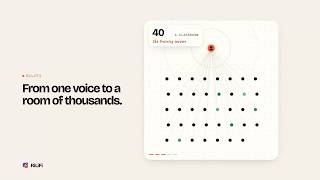
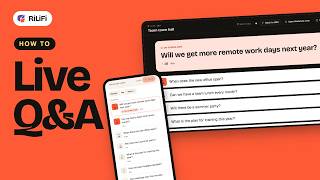
RiLiFi is an audience engagement and interactive presentation platform for teachers, trainers, event hosts and teams. Build a presentation the room answers slide by slide, or run a live quiz, poll, Q&A, word cloud or spin wheel on its own. People join on their phones with a PIN, QR code or link, with no app and no account. Start fast: pick one of 64 ready-made templates, bring a PowerPoint, Google Slides, Keynote or Canva deck in as a PDF, import quiz questions from a CSV or Excel sheet, or describe your event in one sentence and let AI draft a quiz, a full presentation or a whole session plan with a run order. For exam, product and recent topics the AI researches the web first, and you review every draft before it is saved. Presentations have 13 slide types, 10 of them interactive, including polls, quizzes, word clouds, rating scales, rankings and pin on image. Your phone works as the remote: move slides, read presenter notes, close voting and show results. Quizzes support picture and YouTube questions, one or several right answers, music, light or dark looks, an optional speed bonus, a live leaderboard and a podium finish, plus a Rehearse mode with a pretend room. Smart Folders keep activities and bookmarks together and shareable, and reports export to CSV, Excel and PDF. Free for up to 100 people per session; paid plans start at $7 a month.
Read more



Pricing
SW Score Breakdown
Platforms Supported
Organization Types Supported
API Support
Modes of Support
Custom Branding
Allows creating a unique identity for a business, product, or service. It includes designing elements like logos, colors, fonts, and messaging that reflect the brand's personality and values.Multi-device Support
Works across multiple devices such as PC and MobileMulti-language Support
Available in multiple languages to support global customersMultiple Question Types
These question patterns are aimed at collecting statistical data from the respondents with accuracySkip Logic
It hides the irrelevant pages or questions based on previous responses.Survey Templates
Survey Templates consist of a complete set of questions using which you can start building surveys without spending much time.Support Audio / Images / Video
Includes audio/ video/ images into the survey questionnaires to make it interactiveSite Intercept Survey
Captures value from your website visitors with targeted, engaging messagesQuestion Library
Saves the FAQs into a question library, from where you can instantly pick and add them to new surveysQuestion Branching
Allows respondents to screen questions and give answer to the relevant questions onlyPhone Survey
It enables you to run your survey over telephonesOnline Survey
Lets you run your survey through email, social media platforms, web forms, polls, quizzes and postsOffline Response Collection
This feature lets you store all the collected data locally on the tablet, smartphone and mobile devices without the access of internetMobile Survey
A feature that optimizes your surveys for Android, iPhone, iPad so that you can create and deploy surveys on the goKiosk Survey
This feature lets you run your survey on a dedicated survey kiosk, such as on a tablet or iPadEmbeddable Survey
It enables you to directly include your surveys on your own websiteEmail Distribution
This feature lets you send a custom email invitation for the survey to the respondentsData Analysis Tools
Analyze feedbacks collected from both structured and unstructured sources in real-timeCustom Survey URLs
Enables you to create an URL for the survey that is easy to remember so that the respondents can get access to the link360 Degree Feedback
Captures and centralizes a holistic feedback of the target audience that helps in making business decisions.Leader-boards (Activity Tracking)
Acquaints employees or students with each other's scores or points to encourage a healthy competitionFor Education
Makes the learning experience more interesting, interactive, adventurous and personalized to studentsGoal Setting
Helps setting targets of a team or an individual using gamification techniqueFor Sales
Makes the tool highly effective for engaging employees in retail work environment that can drive salesFor Onboarding
Helps to acquaint newcomers with company's existing work culture and skill to make them a quality employeeFor Developers
Helpful for Information Technology (IT) developers to design engaging applicationsFor Call Centers
This feature makes the software suitable for implementing in call center work environmentBadge Management
Facilitates assigning and managing badges to employees, students, visitors and guestsGoal Tracking
Allows to track progress to reach business objectivesTemplates
Templates are patterns that help to provide the layout to build and design a website quickly.Zoom (Pan)
Helps changing the angle of view or allows enlarging a certain portion of the displayed data for better and prominent viewVideo
Helps to incorporate or to embed videos in the presentationOffline Presenting
Helps doing offline presentationOffline Editing
Helps to make changes and to edit the presentation content or data in an offline modeContent Library
It is a catalog of resources that serves as a lead generating toolAudio
Facilitates incorporating audio or sound elements into the presentation video.3D
Helps to add an illusion of depth or three-dimension perception to enhance the presentation video qualityAnimation
Helps doing motion design and animate the transitions for making UI elements livelyFree Trial
Not available
No Credit Card Required, Get Started for Free
Free Free
Free forever, no credit card. Up to 100 people per session, interactive presentations with every slide type, live quizzes, polls, Q&A, word clouds and spin wheels, 50 live sessions, 15 activities, 3 folders and 50 bookmarks, 10 AI credits a month and email support.
Creator $7.00 $7.00 per month
Pro $12.00 $12.00 per month
Enterprise $25.00 $25.00 per user / month
98% SW Score The SW Score ranks the products within a particular category on a variety of parameters, to provide a definite ranking system. Read more

96% SW Score The SW Score ranks the products within a particular category on a variety of parameters, to provide a definite ranking system. Read more

95% SW Score The SW Score ranks the products within a particular category on a variety of parameters, to provide a definite ranking system. Read more
92% SW Score The SW Score ranks the products within a particular category on a variety of parameters, to provide a definite ranking system. Read more
89% SW Score The SW Score ranks the products within a particular category on a variety of parameters, to provide a definite ranking system. Read more

86% SW Score The SW Score ranks the products within a particular category on a variety of parameters, to provide a definite ranking system. Read more

86% SW Score The SW Score ranks the products within a particular category on a variety of parameters, to provide a definite ranking system. Read more
85% SW Score The SW Score ranks the products within a particular category on a variety of parameters, to provide a definite ranking system. Read more
85% SW Score The SW Score ranks the products within a particular category on a variety of parameters, to provide a definite ranking system. Read more

84% SW Score The SW Score ranks the products within a particular category on a variety of parameters, to provide a definite ranking system. Read more

How to use RiLiFi...
Plan a whole sess...
How to run a live...

Interactive prese...

Your phone is the...

Live quiz with pi...

AI drafts a whole...

Plan a whole sess...
Do participants need to download an app?
No. Participants join from any phone or browser with a PIN, QR code or link. No app or account is needed.
Is there a free plan?
Yes. The free plan covers up to 100 people per session, interactive presentations with every slide type, 15 activities, 50 live sessions and 10 AI credits a month, with no credit card required.
Who is RiLiFi for?
Teachers, corporate trainers, L&D teams, event hosts and creators who want their audience to take part: interactive presentations, live quizzes, polls, Q&A, word clouds and spin wheels, all joined by phone.
Can I export results?
Yes. Every session gets a report. On Creator, Pro and Enterprise you can export results with names to CSV, Excel and PDF.
Can I use my existing PowerPoint or Google Slides deck?
Can AI build the whole session for me?
What is RiLiFi used for?
RiLiFi is Audience Response Software. RiLiFi offers the following functionalities:
Learn more about RiLiFi features.
What are the top alternatives for RiLiFi?
Here`s a list of the best alternatives for RiLiFi:
Vendor Details
Founded : 2024Contact Details
Not available
https://rilifi.com
Social Media Handles
SaaSworthy may receive compensation from some vendors featured on this page. This does not influence our editorial evaluation or ratings. [email protected]

Looking for the right SaaS
We can help you choose the best SaaS for your specific requirements. Our in-house experts will assist you with their hand-picked recommendations.

Want more customers?
Our experts will research about your product and list it on SaaSworthy for FREE.


