MEET CLARA - THE AI BEHIND SMARTER SOFTWARE CHOICES
|
91% SW Score The SW Score ranks the products within a particular category on a variety of parameters, to provide a definite ranking system. Read more 
View Details
|
87% SW Score The SW Score ranks the products within a particular category on a variety of parameters, to provide a definite ranking system. Read more 
View Details
|
80% SW Score The SW Score ranks the products within a particular category on a variety of parameters, to provide a definite ranking system. Read more 
View Details
|
85% SW Score The SW Score ranks the products within a particular category on a variety of parameters, to provide a definite ranking system. Read more 
View Details
|
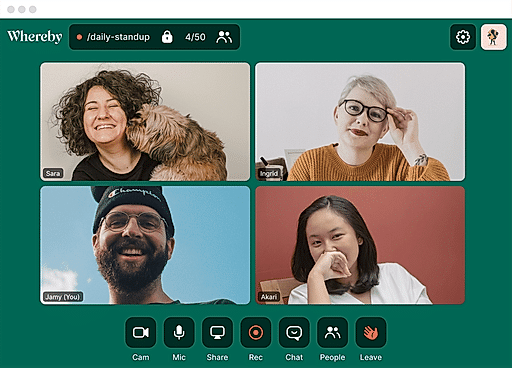
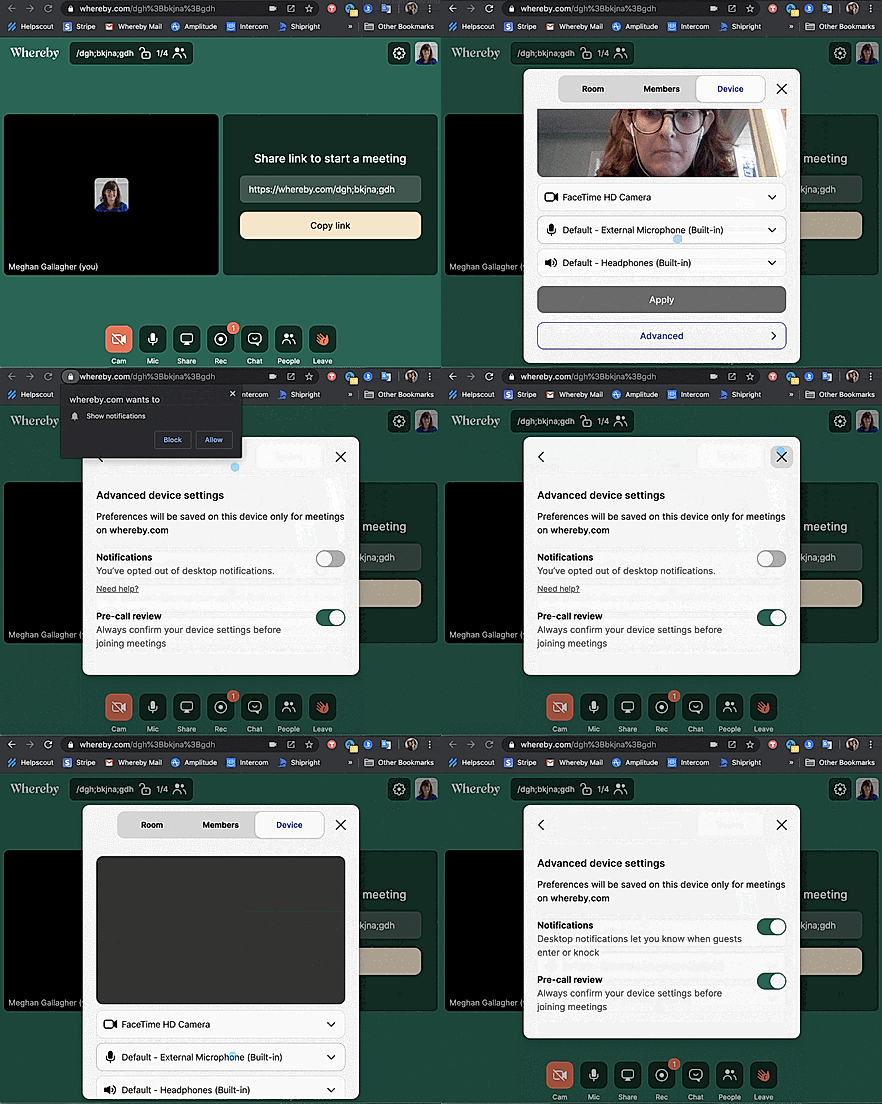
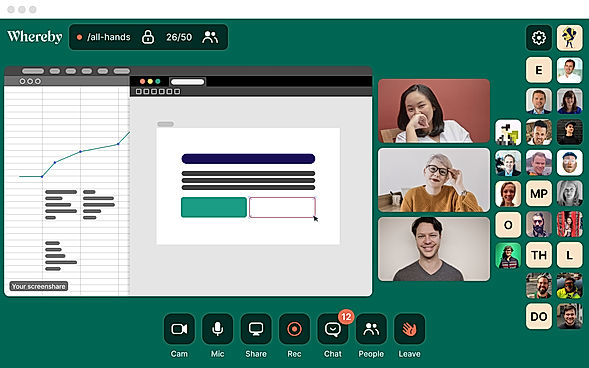
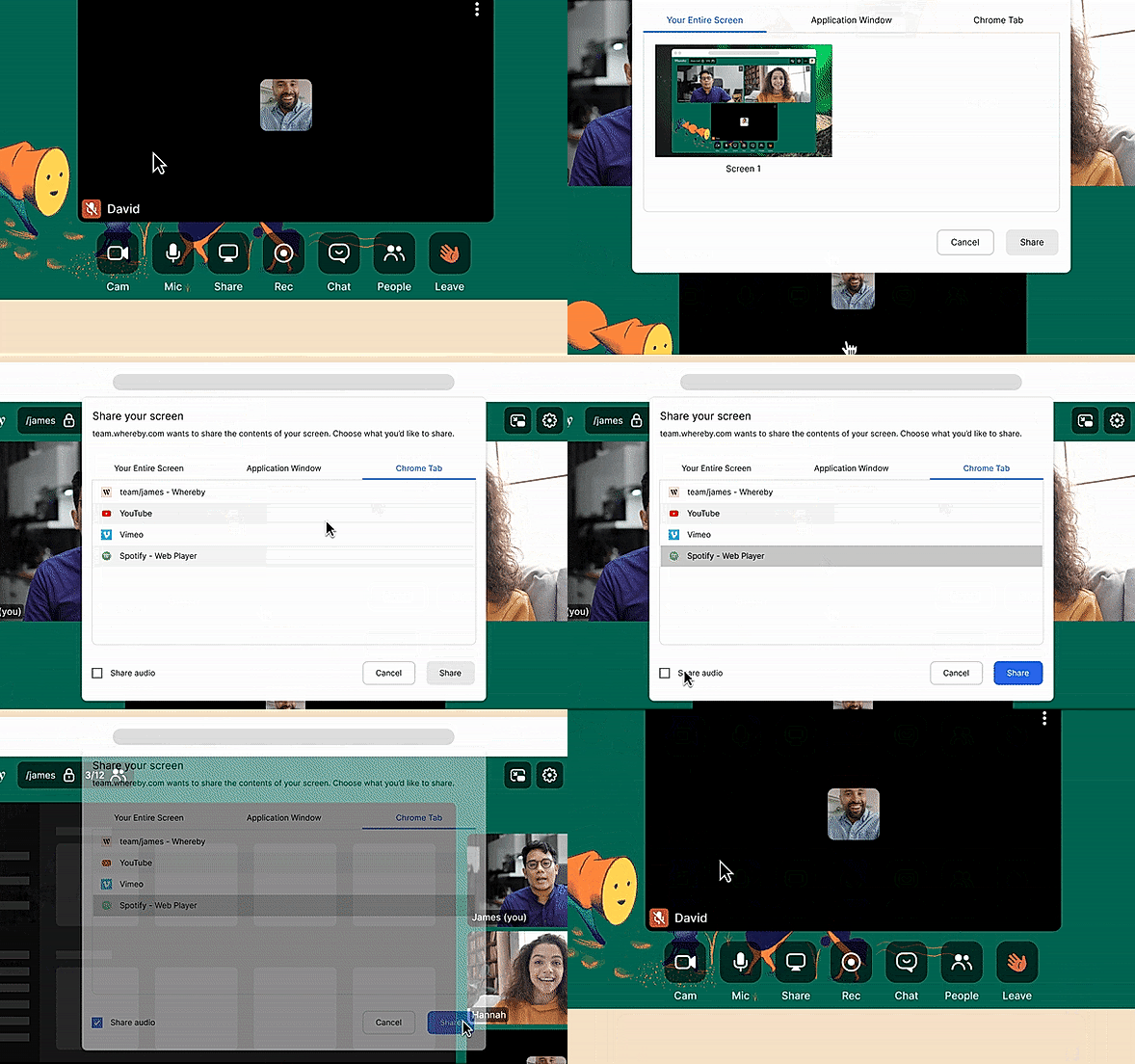
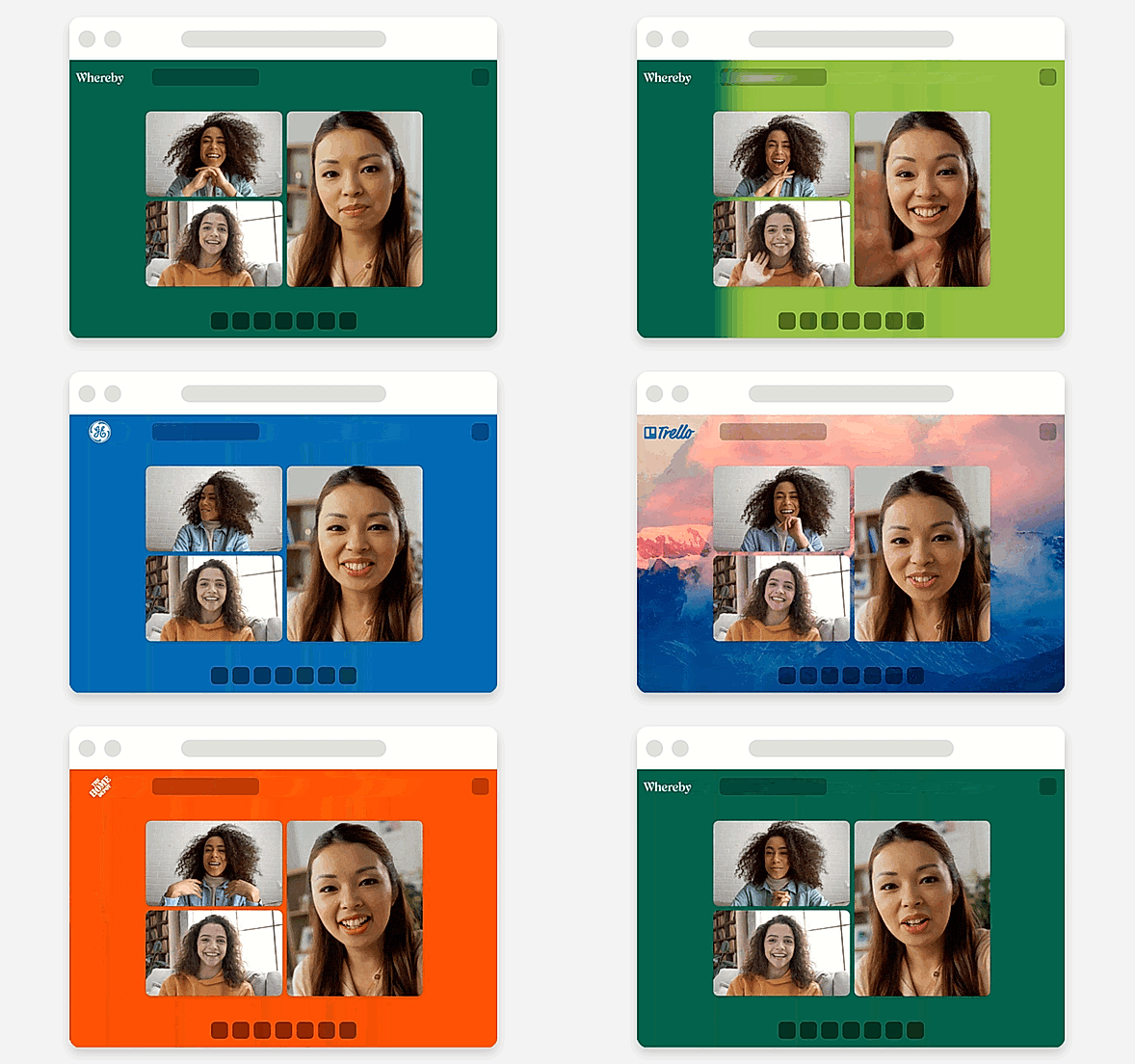
| Description | Whereby is the easiest way to meet over video. With no app or installs required, and the same meeting link every time, the privacy-friendly video meeting platform gives users the freedom to work from anywhere. Whereby users can invite colleagues, clients, and friends to meet over mobile or desktop, simply by sharing a link, which instantly sends guests into a personalized meeting room. There’s no registration or downloads required, and the simple UI means that anyone can quickly join or host a call with no technical experience needed. Built-in features like screen and audio sharing, meeting recording, branded rooms, and customizable room links mean that users can make the most of their video meetings. Integrations like Trello, Google Docs, and Miro Whiteboard give teams the tools they need to collaborate remotely. And now, with Whereby’s new API product, Whereby embedded, companies can easily add video meetings to their website or app. With a quick turnaround time and minimal coding requirements, it’s ideal for connecting with consultants, clinicians, teachers, students, sales teams, and other specialists. Read more | Google Meet is a popular platform with an enterprise-grade video conferencing experience that facilitates the team to stay connected. It is built over Google’s secure and resilient global infrastructure. Users can take advantage of modern design, global network, and built-in protection, which Google uses to safeguard its users’ privacy and secure the information. Video Meetings conducted through Meet are encrypted in transit and their assortment of default-on anti-abuse measures that keep the meetings safe. The tool provides a frictionless meeting experience wherein users can set up an appointment and share the link without any other requirement of accounts or plug-ins requirement. It consists of a fast, lightweight interface and smart participant management, making multi-person video calls simple. Users can join in meetings through a Calendar event, an email invite, or directly from Gmail through laptop or phone. Value-added features such as low-light mode, love captions, and noise cancellation make team meetings more productive. Meetings organized through Google WorkSpace allow users to create a dial-in phone number for each member, enabling users to join in Meetings and have a hassle-free experience. Read more | Amazon Chime is a communications service that lets you meet, chat, and place business calls inside and outside your organization, all using a single application. Developers can use the same communications infrastructure and services that power Amazon Chime, and add audio calling, video calling, and screen sharing capabilities directly to their applications using the Amazon Chime SDK. Amazon Chime Voice Connector is a service that enables enterprises to migrate their telephony workloads to AWS. IT professionals can use Voice Connector for low-cost SIP trunking from on-premises or cloud-based phone systems. Voice Connector supports inbound calling, outbound calling, or both. Developers can also use Voice Connector to build PSTN calling in their own applications using the Amazon Chime SDK or stream audio for phone call analytics and machine learning. Read more | Jitsi Meet is a modern online-based open-source video conferencing software. It has wide support for HD video and audio with unlimited free meeting access for over 100 participants per session. It has a vast list of features such as – Sending data and conversation messages to all participants in a video session with ease (group as well as private chat). Desktop sharing with controller abilities to select specific applications or windows to be displayed. You can even share your mobile screen directly. Over 500 participants can join the same meeting. Participants get access to monitor connectivity quality and adjust video bandwidth. Mobile SDKs for iOS and Android phones and tablets, as well as web, Mac, and Windows iFrame integrationOne of its most beneficial features is its integration with calendars using which you can sync your smart calendars with Jitsi Meet and view all your meetings in advance. By adding Jitsi Meet to your calendar you can start meeting with one click. Interactive tools such as raising your hand using which participants can quietly indicate that they want to say anything without disturbing the current speaker. Read more |
| Pricing Options |
|
|
|
|
| SW Score & Breakdown |
91% SW Score The SW Score ranks the products within a particular category on a variety of parameters, to provide a definite ranking system. Read more
|
87% SW Score The SW Score ranks the products within a particular category on a variety of parameters, to provide a definite ranking system. Read more
|
80% SW Score The SW Score ranks the products within a particular category on a variety of parameters, to provide a definite ranking system. Read more
|
85% SW Score The SW Score ranks the products within a particular category on a variety of parameters, to provide a definite ranking system. Read more
|
| SaaSworthy Awards | # 2 Most Popular # 3 Most Worthy | # 7 Highly Rated # 8 Fastest Growing |
Not Available
|
Not Available
|
| Total Features |
14 Features
|
15 Features
|
4 Features
|
8 Features
|
| Common Features for All |
Annotation and Markup Tools
Audio Conferencing
Automated Transcripts
File Sharing
Guest users
HD Video Streaming
Hand Raising
Live Chat
Meeting Scheduler
Notification Blocker
Participant Permissions
Polls (Voting)
Remote Control
Screen Sharing
Session Recording
Switch Presenter
Virtual Whiteboard
|
Annotation and Markup Tools
Audio Conferencing
Automated Transcripts
File Sharing
Guest users
HD Video Streaming
Hand Raising
Live Chat
Meeting Scheduler
Notification Blocker
Participant Permissions
Polls (Voting)
Remote Control
Screen Sharing
Session Recording
Switch Presenter
Virtual Whiteboard
|
Annotation and Markup Tools
Audio Conferencing
Automated Transcripts
File Sharing
Guest users
HD Video Streaming
Hand Raising
Live Chat
Meeting Scheduler
Notification Blocker
Participant Permissions
Polls (Voting)
Remote Control
Screen Sharing
Session Recording
Switch Presenter
Virtual Whiteboard
|
Annotation and Markup Tools
Audio Conferencing
Automated Transcripts
File Sharing
Guest users
HD Video Streaming
Hand Raising
Live Chat
Meeting Scheduler
Notification Blocker
Participant Permissions
Polls (Voting)
Remote Control
Screen Sharing
Session Recording
Switch Presenter
Virtual Whiteboard
|
| Organization Types Supported |
|
|
|
|
| Platforms Supported |
|
|
|
|
| Modes of Support |
|
|
|
|
| API Support |
|
|
|
|
| User Rating |
|
|
|
|
| Rating Distribution |
|
|
|
|
| User Sentiments |
Ease of Use, Personalized Meeting Room URL, High Quality Video and Audio, Extensive Integrations Occasional Audio/Video Issues, Limited Mobile Device Functionality, Lack of Advanced Features, Screen Sharing Issues |
Ease of Use, High-Quality Audio, High-Quality Video, Seamless Connectivity Background Change Issues, Audio/Video Lag, Screen Sharing Limitations, Bluetooth Connectivity Issues |
Not Available
|
Not Available
|
| Review Summary |
Users appreciate the user-friendly interface, ease of use, and fast setup process of the software. They find it reliable and stable, with good video and audio quality. The platform offers various features such as screen sharing, recording, and breakout rooms, which are highly valued. However, some users have reported occasional technical issues, such as connectivity problems and glitches during calls. Additionally, the pricing structure and lack of certain advanced features have been mentioned as areas for improvement. Overall, users generally have a positive experience with the software, highlighting its simplicity, reliability, and feature-richness. |
Users appreciate Google Hangouts Meet's user-friendliness, highlighting its intuitive interface and ease of use. They also praise its video and audio quality, along with its ability to seamlessly integrate with other Google products. However, some users have expressed concerns regarding its stability and occasional technical issues. Additionally, the lack of advanced features, such as breakout rooms and polling, has been mentioned as an area for improvement. Overall, Google Hangouts Meet is generally well-received for its simplicity and reliability, though it may not be the most feature-rich video conferencing solution. |
Amazon Chime is generally regarded as a user-friendly video conferencing platform, praised for its ease of use, intuitive interface, and seamless integration with other Amazon services. Users appreciate its ability to streamline virtual meetings, facilitate screen sharing, and offer high-quality audio and video calls. However, some reviewers note occasional lag issues, a lack of advanced features like whiteboards and polling, and a limited third-party app integration. While its popularity among tech companies is relatively low, users find it valuable for internal communication and connecting with Amazon support. |
Jitsi Meet is praised for its ease of use, free access, and strong security features. Users appreciate its quick setup, clear video and audio quality, and the ability to host large meetings. However, some reviewers note limited advanced features compared to competitors like Zoom or Google Meet, as well as occasional stability and bandwidth issues. Despite these minor drawbacks, Jitsi is deemed a valuable alternative for teams seeking a secure, free, and user-friendly video conferencing solution. |
| Read All User Reviews | Read All User Reviews | Read All User Reviews | Read All User Reviews |
AI-Generated from the text of User Reviews
| Pricing Options |
|
|
|
|
|
Pricing Plans
Monthly Plans
Annual Plans
|
Free (Meetings) Free Pro (Meetings) $5.82 $6.99 per month Business (Meetings) $8.32 $9.99 per month Explore (Embedded) Free Build (Embedded) $9.99 $9.99 per month Grow (Embedded) Custom |
Business Starter $6.00 $6.00 per user / month Business Standard $12.00 $12.00 per user / month Business Plus $18.00 $18.00 per user / month Enterprise Custom |
Basic Free Pro $3.00 $3.00 per user / day |
Jitsi Free |
|
View Detailed Pricing
|
View Detailed Pricing
|
View Detailed Pricing
|
View Detailed Pricing
|
Get personalized recommendations from our experts on call
Trusted by more than 5 Million users across the globe.
Thank you for the enquiry. One of our software analysts will contact you soon.
| Screenshots |

+ 4 More
|
Not Available | Not Available | Not Available |
| Videos |

+ 1 More
|

|
Not Available |

+ 1 More
|
| Company Details | Located in: Oslo, Norway Founded in: 2013 | Located in: Mountain View, California | Located in: Seattle, Washington State |
Not available |
| Contact Details |
Not available |
+1 650-253-0000 |
Not available |
Not available |
| Social Media Handles |
|
|
Not available |
|

Looking for the right SaaS
We can help you choose the best SaaS for your specific requirements. Our in-house experts will assist you with their hand-picked recommendations.

Want more customers?
Our experts will research about your product and list it on SaaSworthy for FREE.