MEET CLARA - THE AI BEHIND SMARTER SOFTWARE CHOICES

Heygen |
98% SW Score The SW Score ranks the products within a particular category on a variety of parameters, to provide a definite ranking system. Read more 
View Details
|
85% SW Score The SW Score ranks the products within a particular category on a variety of parameters, to provide a definite ranking system. Read more 
View Details
|
Featured
98% SW Score The SW Score ranks the products within a particular category on a variety of parameters, to provide a definite ranking system. Read more 
Vyond |
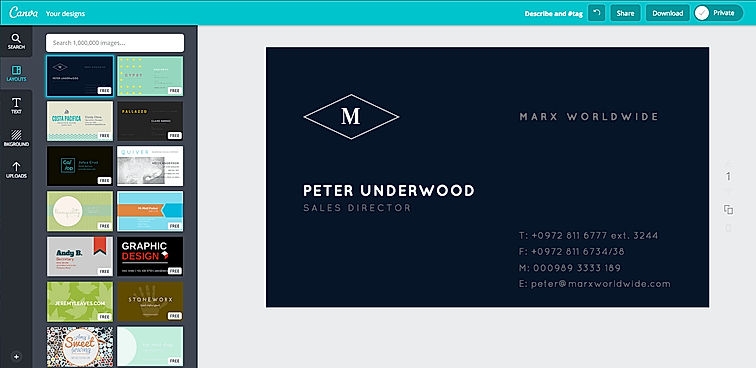
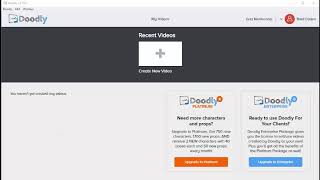
| Description | Canva offers a simple design platform for users to create quality graphic designs. This online design application has simple drag and drop tool which makes designing easy for the users. It has around 8000 default templates that you can use to create appealing designs. It also allows you to create custom designs that holds your brand name. In addition, this software supports configuration and collaboration using which designs can be viewed and modified by multiple users. It is an user-friendly application with millions of texts and fonts that you can use in order to create presentations and social media graphics. Read more | Doodly is the simplest drag-and-drop software available that allows anyone to create professional and realistic animation videos in a few minutes. It lets users create videos to entertain, engage, and to have a positive impact on their audience. The videos created can be used for sales, social media, special occasions or just for drawing and entertainment. Users can access various canvases like a whiteboard, green-board, blackboard, and even glass-board to create doodle videos. Creating doodle videos on Doodly is very simple. Users have to select a doodle image that is custom made, click and drag it to the canvas, and the tool will automatically draw the picture for them. Users can also upload their images and use Doodly Smart Draw technology to create point-and-click custom draw paths, allowing them to draw freely using their pictures. The users have a broad selection of both male and female hand types in different ethnicities that will enable them to give a personalized touch to the video. Users can also add their voice or upload a professional voiceover to their videos in just a few clicks. Doodly can be downloaded and installed on several computers. It is compatible with both Windows and macOS. Read more | Vyond, the online animation software allows users to create professional animated videos for marketing, eLearning, training and other industries. Users can create dynamic videos for any audience through this software. Vyond gives users whiteboard animations and modern casual settings to address their employees around the world. Users can create animated GIFs and MP4 in just a click. One can create his or her own templates or use from the ones present in the software. Users can also add graphs, dynamic charts to their animations to communicate with the rest of the world. The scalability offered by the software allows an individual to create content at high speed. Besides the above, the human resource department in a company can improve collaborations and eliminate communication gaps through elaborated video content. Users can begin with the setup within minutes and get their message across successfully. Lastly, from sales enablement to compliance, users can make videos that fit their business needs and reach business objectives without fail. They can use customizable templates from the content library and create desirable content within a few seconds. Read more |
| Pricing Options |
|
|
|
| SW Score & Breakdown |
98% SW Score The SW Score ranks the products within a particular category on a variety of parameters, to provide a definite ranking system. Read more
|
85% SW Score The SW Score ranks the products within a particular category on a variety of parameters, to provide a definite ranking system. Read more
|
98% SW Score The SW Score ranks the products within a particular category on a variety of parameters, to provide a definite ranking system. Read more
|
| SaaSworthy Awards | # 1 Most Worthy # 1 Fastest Growing |
Not Available
|
# 1 Most Worthy # 3 Fastest Growing |
| Organization Types Supported |
|
|
|
| Platforms Supported |
|
|
|
| Modes of Support |
|
|
|
| API Support |
|
|
|
| User Rating |
|
|
|
| Rating Distribution |
|
|
|
| User Sentiments |
User-friendly interface, Extensive library of templates and design elements, Value for money, Extensive integration options Poor Customer Service, Confusing account cancellation process, Technical issues and bugs with mobile application, Limited video editing functionality |
Ease of Use, Helpful Tutorials & Training Resources, Engaging Visual Output, Regular Software Updates Deceptive Pricing & Upselling Tactics, Limited Features in Base Package, Lack of Advanced Editing Capabilities, Occasional Software Performance Issues |
Ease of Use, Extensive Library of Assets, High-Quality Animations, AI-powered Video Creation Limited Character Customization, Occasional Software Glitches/Slowness, Lack of Advanced Editing Features, Expensive Subscription Plans |
| Review Summary |
Canva is a user-friendly graphic design platform that empowers individuals and businesses to create stunning visuals. Reviewers praise its intuitive interface, extensive template library, and wide range of customization options. Many users highlight Canva's value for money, as it offers a feature-rich platform at an affordable price. However, some reviewers mention occasional glitches and limitations in the free version. Overall, Canva is a highly recommended tool for non-designers who seek an easy and efficient way to create professional-looking designs. Its user-centric approach and commitment to innovation have earned it a loyal customer base. |
Users generally agree that the software is simple and easy to use, allowing even beginners to create engaging videos quickly. They appreciate the vast library of templates, characters, and props, praising the variety and customization options. However, some users encountered technical difficulties, such as occasional glitches and crashes, and expressed concerns about the limited animation options and the inability to import external assets. The pricing is considered reasonable for the value offered, but some users suggest more affordable plans for hobbyists or casual users. Overall, users find the software suitable for creating simple, animated videos for various purposes, with room for improvement in stability and advanced features. |
Vyond users appreciate its user-friendly interface, customizable templates, and extensive media library, making it suitable for creating professional-looking animated videos. The product's drag-and-drop functionality and intuitive controls simplify the video creation process, enabling users of varying skill levels to produce engaging content. Additionally, Vyond's vast library of pre-built templates, characters, and animations accelerates the video creation process, saving time and effort. However, some users have reported occasional glitches and limitations in customization options, suggesting room for improvement in certain areas. |
| Pros & Cons |
|
|
Not Available
|
| Read All User Reviews | Read All User Reviews | Read All User Reviews |
AI-Generated from the text of User Reviews
| Pricing Options |
|
|
|
|
Pricing Plans
Monthly Plans
Annual Plans
|
Canva Free Free Canva Pro $10.00 $15.00 per user / month Canva for Teams $8.33 $10.00 per user / month Canva Enterprise Custom Teachers Custom Schools and Districts Custom Canva for Campus Custom |
Standard $40.83 $49.00 per month Enterprise $65.83 $79.00 per month |
Essential $24.91 $49.00 per user / month Premium $54.08 $89.00 per user / month Professional $83.25 $159.00 per user / month Enterprise Custom |
|
View Detailed Pricing
|
View Detailed Pricing
|
View Detailed Pricing
|
Get personalized recommendations from our experts on call
Trusted by more than 5 Million users across the globe.
Thank you for the enquiry. One of our software analysts will contact you soon.
| Screenshots |
|

|

|
| Videos |

+ 1 More
|
+ 1 More
|

+ 3 More
|
| Company Details | Located in: Sydney, Australia |
Not available |
Located in: San Mateo, California Founded in: 2007 |
| Contact Details |
Not available |
Not available |
+1 888-360-9639 |
| Social Media Handles |
|
|
|
What are the key features of Canva?
What are the key features of Doodly?
What are the alternatives to Canva?
What are the alternatives to Doodly?
What are the key differences between Canva and Doodly?

Looking for the right SaaS
We can help you choose the best SaaS for your specific requirements. Our in-house experts will assist you with their hand-picked recommendations.

Want more customers?
Our experts will research about your product and list it on SaaSworthy for FREE.