MEET CLARA - THE AI BEHIND SMARTER SOFTWARE CHOICES
|
92% SW Score The SW Score ranks the products within a particular category on a variety of parameters, to provide a definite ranking system. Read more 
View Details
|
88% SW Score The SW Score ranks the products within a particular category on a variety of parameters, to provide a definite ranking system. Read more 
|
85% SW Score The SW Score ranks the products within a particular category on a variety of parameters, to provide a definite ranking system. Read more 
View Details
|
79% SW Score The SW Score ranks the products within a particular category on a variety of parameters, to provide a definite ranking system. Read more 
View Details
|
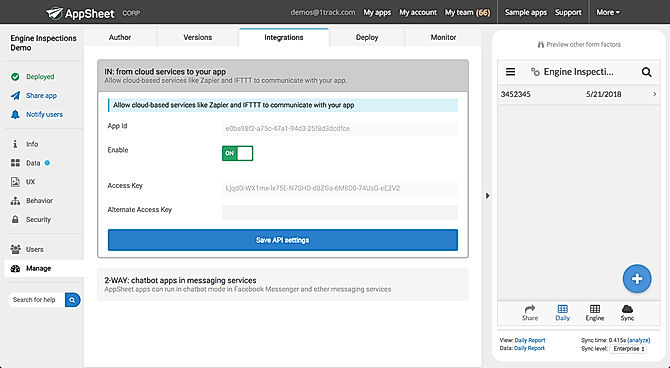
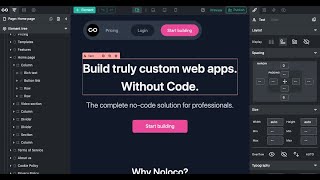
| Description | Google AppSheet is a powerful tool that allows users to build solutions without coding. It simplifies work processes and increases efficiency. With customizable features and a user-friendly interface, AppSheet is accessible for all levels of technical expertise. One key feature is the ability to capture rich data using forms, barcodes, locations, signatures, and photos. It also offers customization options such as UX design, security measures, and branding. Managing users is simple with role-based security, authentication processes, and usage reports. AppSheet enables automatic email, SMS, and Push notifications for streamlined communication. Workflow logic is possible with triggers, conditions, and branches. Integrating machine learning models enhances AppSheet's capabilities. It seamlessly integrates with Google Workspace apps like Gmail, Sheets, and Spaces, as well as third-party apps like Office 365, Dropbox, and Salesforce.com. Businesses can connect their app to existing systems and incorporate them into their workflow effortlessly. Read more | Glide is an app-builder platform that enables you to convert your spreadsheets into easy-to-use applications. This software helps its users to create stunning and easy-to-use applications by using Google Sheets within minutes. You won’t require any coding languages as you can easily create your own application by simply using visual tools and devices. Once your application is created, you can share it easily with your colleagues and friends with the help of an auto-generated shareable link across various social media platforms. With Glide, you can choose from a wide range of in-built templates while creating your application, which you can customise with the design of your choice. The app offers you with a variety of templates of different categories ranging from directories, conference apps, city guides, issue trackers, simple CRM, budgeting or financing apps, attendance trackers, medical practice apps to podcast apps. You can also add different components, sections and layouts like dialog boxes, map integrations, call buttons, contact forms, social media icon links, favourites, activity and payment histories and intuitive charts or graphs, depending on your business goals and requirements. Glide provides you with an easy-to-use data editor, an if-then-else column and a lookup column that allow you to create appealing and beautiful applications easily. Read more | Stacker enables business houses create engaging digital tools by optimizing the data available in their Google Sheets or Airtable. It helps to make spreadsheets function like applications. The program enables enterprises to share data with their customers in a secure manner, with full control over the access rights and initiated actions. Enterprises can utilize their available data and automate processes, including onboarding and application formalities, real-time collaboration, file sharing, etc. Stacker offers dedicated customer and team dashboards facilitating analytical decision making. A configurable CRM portal based on organizational data helps in monitoring customers, prospects, support tickets and meetings. With the customer account portal, enterprises can allow their clients, track orders and update necessary details all by themselves. Field workforce can keep a track of their worklist, search data on the go, and submit invoices with a dedicated mobile app. Stacker with its client portal enables business houses to let their patron monitor ongoing projects, check for status updates on the particular and upload necessary documents, as well. Read more | Noloco software is a platform used to create model data for business. The software offers a drag and drop tool to create pixel-perfect designs for each element across all screen sizes. Collaborate with teams to trigger complex workflows and preview changes before launch. It integrates with Zapier or Integromat. Professionals, Small and Medium companies make use of the software. Read more |
| Pricing Options |
|
|
|
|
| SW Score & Breakdown |
92% SW Score The SW Score ranks the products within a particular category on a variety of parameters, to provide a definite ranking system. Read more
|
88% SW Score The SW Score ranks the products within a particular category on a variety of parameters, to provide a definite ranking system. Read more
|
85% SW Score The SW Score ranks the products within a particular category on a variety of parameters, to provide a definite ranking system. Read more
|
79% SW Score The SW Score ranks the products within a particular category on a variety of parameters, to provide a definite ranking system. Read more
|
| SaaSworthy Awards | # 1 Most Worthy # 1 Fastest Growing |
Not Available
|
Not Available
|
Not Available
|
| Total Features |
11 Features
|
13 Features
|
9 Features
|
8 Features
|
| Common Features for All |
AI-Assisted Development
Access Control
App Integrations
Application Templates
Code Assistance
Debugging
Drag and drop Builder
Integrations Management
Machine Learning
Mobile Development
Testing Management
Version Control
Web Development
Workflow Management
|
AI-Assisted Development
Access Control
App Integrations
Application Templates
Code Assistance
Debugging
Drag and drop Builder
Integrations Management
Machine Learning
Mobile Development
Testing Management
Version Control
Web Development
Workflow Management
|
AI-Assisted Development
Access Control
App Integrations
Application Templates
Code Assistance
Debugging
Drag and drop Builder
Integrations Management
Machine Learning
Mobile Development
Testing Management
Version Control
Web Development
Workflow Management
|
AI-Assisted Development
Access Control
App Integrations
Application Templates
Code Assistance
Debugging
Drag and drop Builder
Integrations Management
Machine Learning
Mobile Development
Testing Management
Version Control
Web Development
Workflow Management
|
| Organization Types Supported |
|
|
|
|
| Platforms Supported |
|
|
|
|
| Modes of Support |
|
|
|
|
| API Support |
|
|
|
|
| User Rating |
|
|
|
Not Available
|
| Rating Distribution |
|
|
|
Not Available
|
| User Sentiments |
Ease of Use, Intuitive Interface, Extensive Integrations, Rapid App Development Limited Customization Options, Occasional Performance Issues, Steep Learning Curve for Advanced Features, Confusing Documentation for Specific Features |
Intuitive Development Environment, Strong Community Support, Easy-to-Use Interface, Fast App Development Limited Data Rows, Limited Design Customizations, Occasional Bugs & Glitches, Lack of Certain Essential Features |
Not Available
|
Not Available
|
| Review Summary |
AppSheet is praised for its user-friendliness, ease of creating and maintaining applications, and intuitive integration with Google Sheets. Users appreciate its no-code development approach, allowing them to quickly build apps without programming skills. However, some users prefer more customization options, particularly in the design and analytics capabilities. AppSheet solves a range of problems, including data management, task automation, and streamlined communication, benefiting users in various sectors from customer support to education and logistics. |
Glide is a powerful no-code app builder praised for its ease of use, intuitive interface, and rapid development capabilities. Users appreciate its seamless integration with Google Sheets and Airtable, allowing for quick data connection and app creation. However, several users have expressed concerns about the platform's pricing, particularly the high cost of advanced features and limited data capacity on lower-tier plans. Others have reported performance issues and inconsistent customer support, negatively impacting their user experience. Despite these drawbacks, many users find Glide incredibly valuable for building simple to complex apps, particularly for MVP testing and internal use cases. |
Not Available
|
Not Available
|
| Read All User Reviews | Read All User Reviews | Read All User Reviews |
AI-Generated from the text of User Reviews
| Pricing Options |
|
|
|
|
|
Pricing Plans
Monthly Plans
Annual Plans
|
Starter $5.00 $5.00 per user / month Core $10.00 $10.00 per user / month Enterprise Standard Custom Enterprise Plus Custom |
Free Free Pro App $19.00 $29.00 per month Business App $199.00 $499.00 per month |
Starter $59.00 $79.00 per month Plus $149.00 $179.00 per month Pro $290.00 $349.00 per month Enterprise Custom |
Starter Free Freelancer $49.00 $49.00 per month Team $149.00 $149.00 per month |
|
View Detailed Pricing
|
View Detailed Pricing
|
View Detailed Pricing
|
View Detailed Pricing
|
Get personalized recommendations from our experts on call
Trusted by more than 5 Million users across the globe.
Thank you for the enquiry. One of our software analysts will contact you soon.
| Screenshots |

+ 5 More
|

+ 1 More
|

+ 1 More
|
Not Available |
| Videos |
+ 1 More
|

+ 1 More
|
|
+ 1 More
|
| Company Details | Located in: Seattle, Washington Founded in: 2014 | Located in: San Francisco, CA Founded in: 2018 | Located in: London, United Kingdom Founded in: 2017 | Located in: Dublin, Ireland |
| Contact Details |
Not available |
+14153407257 |
Not available |
Not available |
| Social Media Handles |
|
|
|
|

Looking for the right SaaS
We can help you choose the best SaaS for your specific requirements. Our in-house experts will assist you with their hand-picked recommendations.

Want more customers?
Our experts will research about your product and list it on SaaSworthy for FREE.