Keep product data in one place and publish it to eBay, Shopify, WooCommerce and more. Built for small online sellers.
This profile is currently managed by the official vendor through the SaaSworthy Vendor Portal. Product details, features, pricing, and media assets are maintained directly by the company.

 Deep Dive with Clara AI
Selling the same product on several channels usually means keeping several copies of its details. One spreadsheet has the latest price, the shop has the better description and the marketplace listing is out of date. MVPim gives small and growing online sellers one place to keep that information and a controlled way to send it out. How it works: 1. Choose a starter setup for your trade, such as vehicle parts, clothing, books, records, collectables, jewellery or tools. 2. Import your spreadsheet. MVPim helps match the columns and shows any problems before data is saved. 3. Complete your catalogue with barcodes, part numbers, prices, costs, stock, measurements, images, files and custom attributes. Simple, kit and variable products are supported. 4. Decide what each channel receives. Use separate titles, prices and images, or build them with drag-and-drop formulas and preview the result on real products. 5. Publish directly to eBay, Shopify, WooCommerce, BigCommerce or Google Merchant Center, or create a file for another marketplace. For parts sellers, MVPim also handles vehicle fitment and eBay compatibility data. Growing teams can use bulk edits, saved searches, scheduled runs, an API, webhooks, user permissions and an audit trail. MVPim manages product data and does not process orders. The free plan covers up to 1,000 products for one user. Marketplace connections and API access start at £10 per month, and every new account includes a 14-day Team plan trial with no card required.
Read more


Pricing
Platforms Supported
Organization Types Supported
API Support
Modes of Support
Centralized Storage
Stores all data at one place to facilitate easy access without any need of switching between clouds.Data Import-Export
Helps in importing and exporting dataData Quality Control
Helps in monitoring the quality of data input and processedDigital Asset Management
Helps in the management of all digital content (files, images) and the online account itselfERP Integration
Seamlessly integrates with leading systems such as SAP, Oracle, and NetSuite.Localization
Allows users to experience the pop up's in their native languagesFree Trial
Available
No Credit Card Required, Get Started for Free
Free Free
£0, for as long as you like. 1,000 products, 1 user, 100 MB storage, 2 saved exports, imports and transformations.
Entry Others
Team Others
Business Others
Enterprise Custom
98% SW Score The SW Score ranks the products within a particular category on a variety of parameters, to provide a definite ranking system. Read more
96% SW Score The SW Score ranks the products within a particular category on a variety of parameters, to provide a definite ranking system. Read more
93% SW Score The SW Score ranks the products within a particular category on a variety of parameters, to provide a definite ranking system. Read more

92% SW Score The SW Score ranks the products within a particular category on a variety of parameters, to provide a definite ranking system. Read more
88% SW Score The SW Score ranks the products within a particular category on a variety of parameters, to provide a definite ranking system. Read more

88% SW Score The SW Score ranks the products within a particular category on a variety of parameters, to provide a definite ranking system. Read more

85% SW Score The SW Score ranks the products within a particular category on a variety of parameters, to provide a definite ranking system. Read more

84% SW Score The SW Score ranks the products within a particular category on a variety of parameters, to provide a definite ranking system. Read more

84% SW Score The SW Score ranks the products within a particular category on a variety of parameters, to provide a definite ranking system. Read more
84% SW Score The SW Score ranks the products within a particular category on a variety of parameters, to provide a definite ranking system. Read more

MVPim overview

Dashboard: your c...

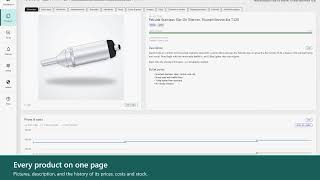
Product overview:...

Transformation: b...
What is MVPim?
Is there a free plan?
Do I need a card to try it?
Which sales channels does MVPim connect to?
Can I import my existing spreadsheet?
Does MVPim process orders?
Does it support vehicle parts fitment?
What happens if I cancel?
What is MVPim used for?
MVPim is Product Information Management (PIM) Software. MVPim offers the following functionalities:
Learn more about MVPim features.
What are the top alternatives for MVPim?
Here`s a list of the best alternatives for MVPim:
Does MVPim provide API?
Yes, MVPim provides API.
Vendor Details
Founded : 2026Contact Details
Not available
https://mvpim.com
Social Media Handles


SaaSworthy may receive compensation from some vendors featured on this page. This does not influence our editorial evaluation or ratings. [email protected]

Looking for the right SaaS
We can help you choose the best SaaS for your specific requirements. Our in-house experts will assist you with their hand-picked recommendations.

Want more customers?
Our experts will research about your product and list it on SaaSworthy for FREE.